MONIMEGA
  • Blog
    • Politics
    • Software
    • Technology
    • Business
    • Design
    • Hardware
    • Health
    • Italy
    • Music
    • Sports
    • Strategy
    • World
  • Contatto
  • Galleria
  • Informazioni
  • Servizi
  • Spotify simplifies importing playlists from other streaming services

    Spotify simplifies importing playlists from other streaming services

    November 22, 2025
    Hardware

    In August, Apple Music launched a tool for importing playlists from other streaming services. The bruhahah over Daniel Ek’s war profiteering was in full swing, and artists were starting to flee. The two things may have been unrelated, but the timing was certainly fortuitous. Now Spotify is launching its own playlist transfer tool, in hopes of winning over some defectors from other platforms.

    The feature isn’t something brand-new, built from the ground up. Instead, it’s a direct integration with TuneMyMusic, which lets you shuttle playlists between services like Tidal, YouTube Music, Qobuz, Beatport, and even Napster. Of course, TuneMyMusic is just one of several services that offer the same ability, including Soundiiz and SongShift, which powers Apple Music’s import feature.

    While you could go straight to these third parties to move playlists between services, often, there are limits on how many playlists and how long they can be at the free tier. Going directly through Spotify and Apple gets you the full premium, unlimited transfer experience, albeit in one direction only. The ability to transfer your playlists from directly within the Spotify mobile app is rolling out now globally.


    Source: The Verge.

  • Bagaladi (Rc), disperso salvato da vigilfuoco

    November 22, 2025
    Italy

    Fonte Vvf. Foto Archivio

    Nella tarda mattinata di oggi, alle ore 12:50 circa, il Comando dei Vigili del Fuoco di Reggio Calabria ha ricevuto una segnalazione da un cittadino presente nel centro abitato di Bagaladi (Rc).

    L’uomo ha riferito che il fratello, che si era inoltrato in una zona boscata per un’escursione (probabilmente alla ricerca di funghi), non si era presentato all’appuntamento nel punto stabilito.

    È stato quindi attivato immediatamente il protocollo di ricerca per persona dispersa. I

    I Vigili del Fuoco sono riusciti a stabilire un contatto telefonico con il disperso, acquisendo le coordinate GPS utili alla localizzazione.

    Contestualmente è stata inviata sul posto la squadra di Melito Porto Salvo.

    Ed è stato richiesto il supporto aereo dell’elicottero Drago VF68 del Reparto Volo di Lamezia Terme.

    Alle ore 14:10 l’equipaggio dell’elicottero ha individuato la persona dispersa, procedendo alle operazioni di recupero mediante verricello.

    L’intervento si è concluso con il recupero dell’uomo, in buone condizioni.

    Sul posto carabinieri della stazione di Bagaladi per quanto di rispettiva competenza.


    Source: Irriverentemente.

  • Best antivirus software 2025: These 8 apps keep your PC safe

    Best antivirus software 2025: These 8 apps keep your PC safe

    November 22, 2025
    Hardware

    You need antivirus software. Attacks on your PC keep getting more sophisticated, thanks to the help of AI—we’re seeing more and more AI-fueled attacks as the months tick by. Even the tech-savvy and cautious can get tricked into exposing themselves to malware, spyware, ransomware, or a phishing attack. Antivirus protection is an essential backup against such threats. 

    Windows computers come with basic security software baked into the OS, but for some folks, an upgrade can help demystify and simplify security. To help you choose a good suite, we’ve identified products that offer excellent protection, worthwhile features, and minimal performance impact on your computer—plus excellent value. (That’s especially true during this period of holiday deals right now.)

    Norton 360 Deluxe – Best antivirus for PC overall

    Norton 360 Deluxe - Best antivirus for PC overall

    Pros

    • Strong antivirus protection
    • Wide protection against major online threats
    • Simple, straightforward features

    Cons

    • Performance impact on some PCs
    • User interface would benefit from consolidation
    • Upselling of additional services

    Who should buy Norton 360 Deluxe?

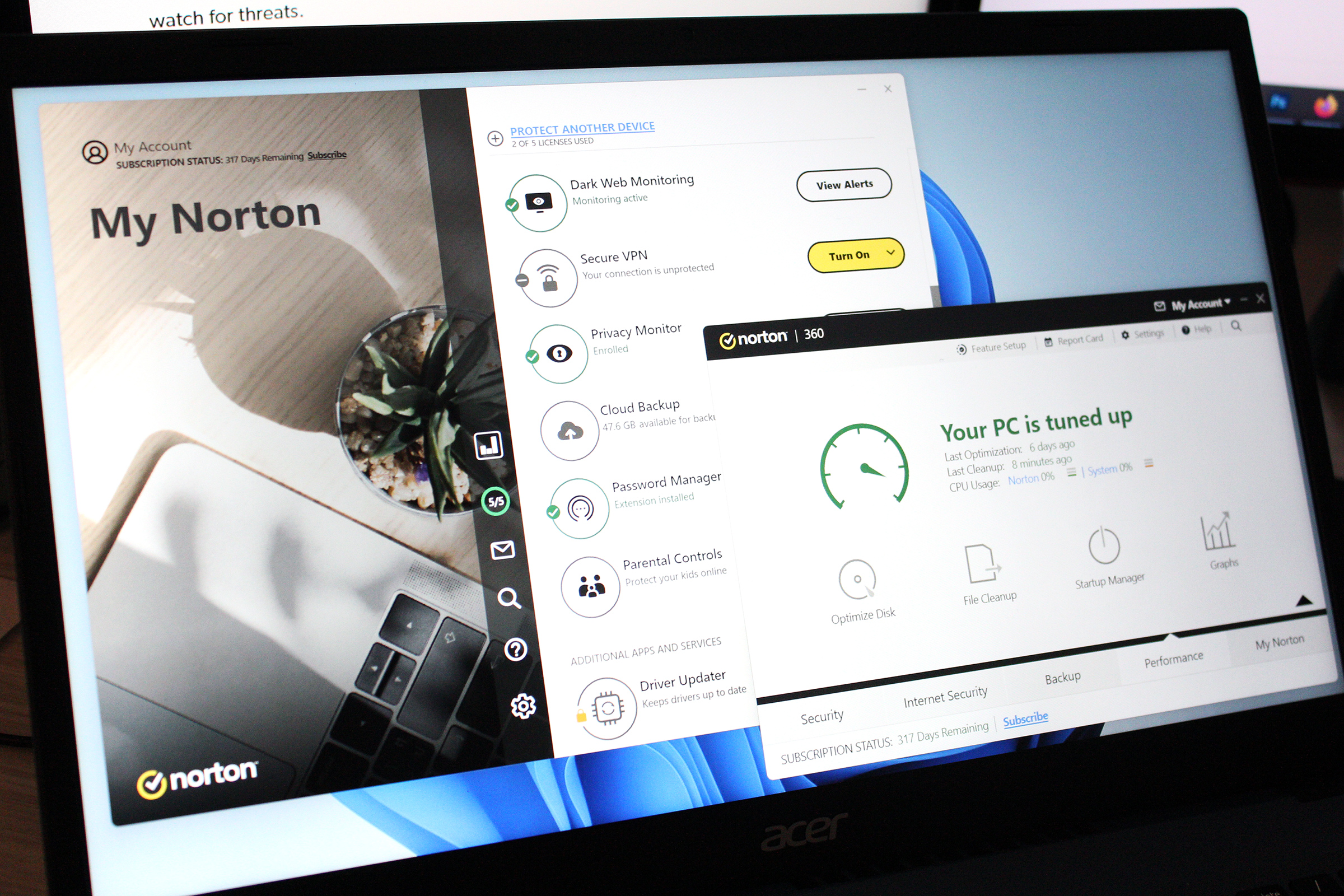
    Norton 360 Deluxe works for everyone—it consolidates all the biggest protections you need online into one affordable package, including parental controls. If you have trouble keeping up with security experts’ recommendations (or haven’t yet gotten around to following all of them), this suite centralizes and simplifies it all. That’s how it won out as our pick for the best antivirus software of 2025.

    This plan has just about everything most PC users need, without extra bloat. For antivirus performance, Norton offers strong online protection, while having minimal impact on system resources if you don’t often download or copy large amounts of files. Additionally, you get malicious link and attachment screening, dark web and privacy monitoring, and webcam safeguards. Norton also tosses in 50GB of storage for cloud backups, access to Norton’s password manager and VPN, parental controls, and PC utilities that include the ability to monitor for outdated software. And those major extras—the password manager, VPN, and parental controls—have easy, simple interfaces, without feeling stripped to the bone.

    Norton 360 Deluxe: Further Considerations

    As part of its efforts to consolidate online security protections into a single software interface, Norton sports a refreshed user interface. It also began promising better scam protection at the beginning of the year, in addition to its other features. And despite all this value, its pricing remains very reasonable. For the first year, you’ll pay $50 for five devices, and then $120 per year thereafter.

    Read our full Norton 360 Deluxe review

    Avast One – Best overall runner-up

    Avast One - Best overall runner-up

    Pros

    • Good new design
    • Well priced
    • Excellent performance

    Cons

    • Smart scan requires too much user intervention
    • Avast asks to install Google Chrome

    Who should buy Avast One?

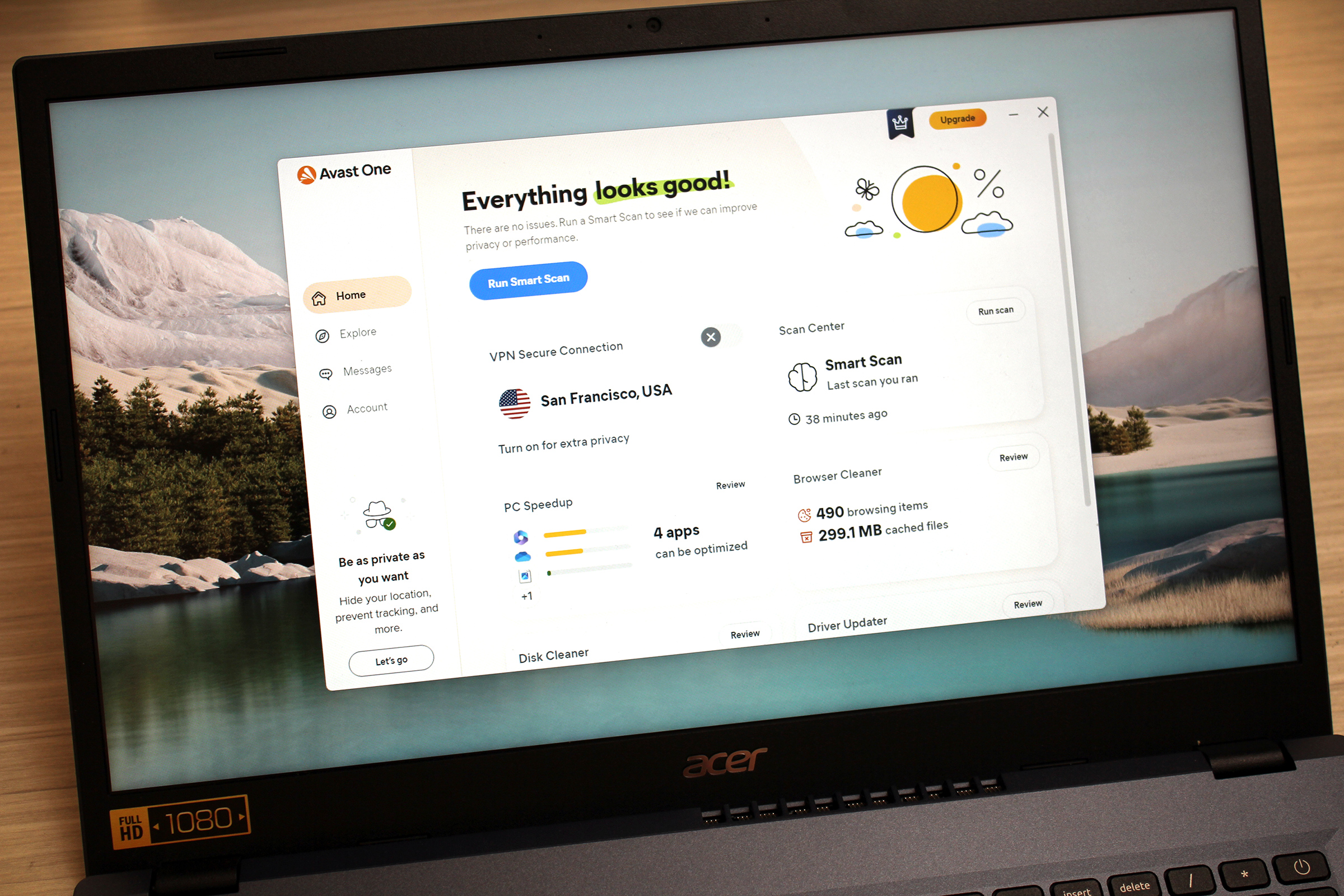
    For those seeking utter ease of use, Avast One not only offers solid protection, but a simple, friendly interface. Combine that together with useful extra features and multi-device coverage, and you have a winning combo.

    In addition to top-ranked antivirus protection, it offers safeguards against remote webcam takeovers, malicious websites, and trackers. The Avast One plan also includes dark web monitoring, a VPN with unlimited bandwidth, and protections for saved passwords to a browser. You get utilities to help you keep your PC’s drivers up to date, clean up your PC, and optimize your apps, too.

    These features may sound standard, and to be fair, many of them can be found in rival software. But Avast makes staying on top of security dead simple, whether you’re a novice or a security veteran. Its default settings require little input to keep your PC protected, and if you want to dig in further or tinker, you still have that option, too.

    Avast One: Further Considerations

    Unlike Norton 360 Deluxe (our top pick), Avast One does not come with a password manager, nor parental controls. Yet despite having fewer features, Avast One costs more. You’ll pay $84 for 5 devices (or $120 for up to 30 devices) during the first year. The subscription fee rises to $180 and $300, respectively, per year afterward.

    Read our full Avast One review

    AVG Internet Security – Best budget antivirus suite

    AVG Internet Security - Best budget antivirus suite

    Pros

    • Top-rated antivirus protection
    • Expanded protection against malicious websites and remote attacks
    • Clean, straightforward interface

    Cons

    • Some PCs may experience a performance hit during heavier workloads
    • Several features are a bit rudimentary

    Who should buy AVG Internet Security?

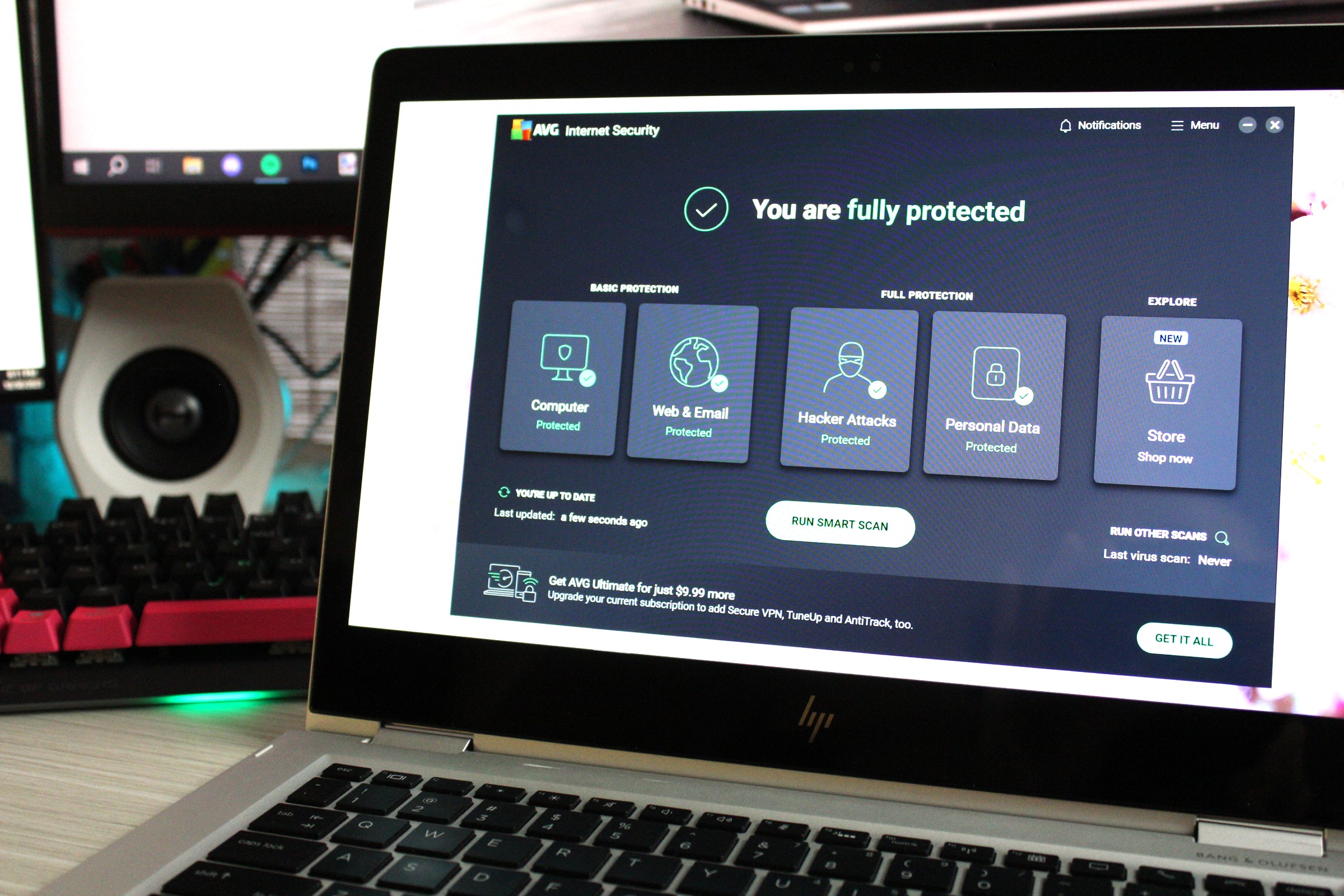
    AVG is best known for its excellent free antivirus software, but there’s good reason to upgrade. AVG Internet Security not only offers more comprehensive protection, but also easy management of those tools. That user-friendly interface is valuable if you find keeping up with online threats too overwhelming or time consuming.

    The Internet Security plan builds upon the free version’s top-ranked protection against malware and web, email, and network threats. It also guards the passwords saved to your browsers; webcam takeovers; unknown access to files with sensitive data; malicious redirects for websites you’re trying to visit (aka DNS hijacking); and Windows Remote Desktop attacks. Dark web monitoring is included as well. And the app has minimal impact on system resources when monitoring your system in the background, though full scans can hit budget or older systems harder.

    AVG Internet Security: Further Considerations

    AVG Internet Security costs just $60 during the first year for 10 devices, with the fee rising to $100 thereafter. The price is fair, especially given the deeper control and more expansive protection compared to the free version. But without elements like parental controls, VPN, and a password manager, it doesn’t provide the same value as Norton 360 Deluxe.

    Read our full AVG Internet Security review

    Avira Prime – Best antivirus for beginners

    Avira Prime - Best antivirus for beginners

    Pros

    • Strong security with a reasonable subscription price
    • Well designed and user-friendly
    • Offers a host of features in the areas of security, privacy, and performance

    Cons

    • No subscription option for fewer than five devices
    • Simplicity of app feels slightly at odds with the depth of the PC tools

    Best Prices Today:

    Retailer
    Price

    $59.99
    View Deal

    Price comparison from over 24,000 stores worldwide

    Product
    Price

    Price comparison from Backmarket

    Who should buy Avira Prime?

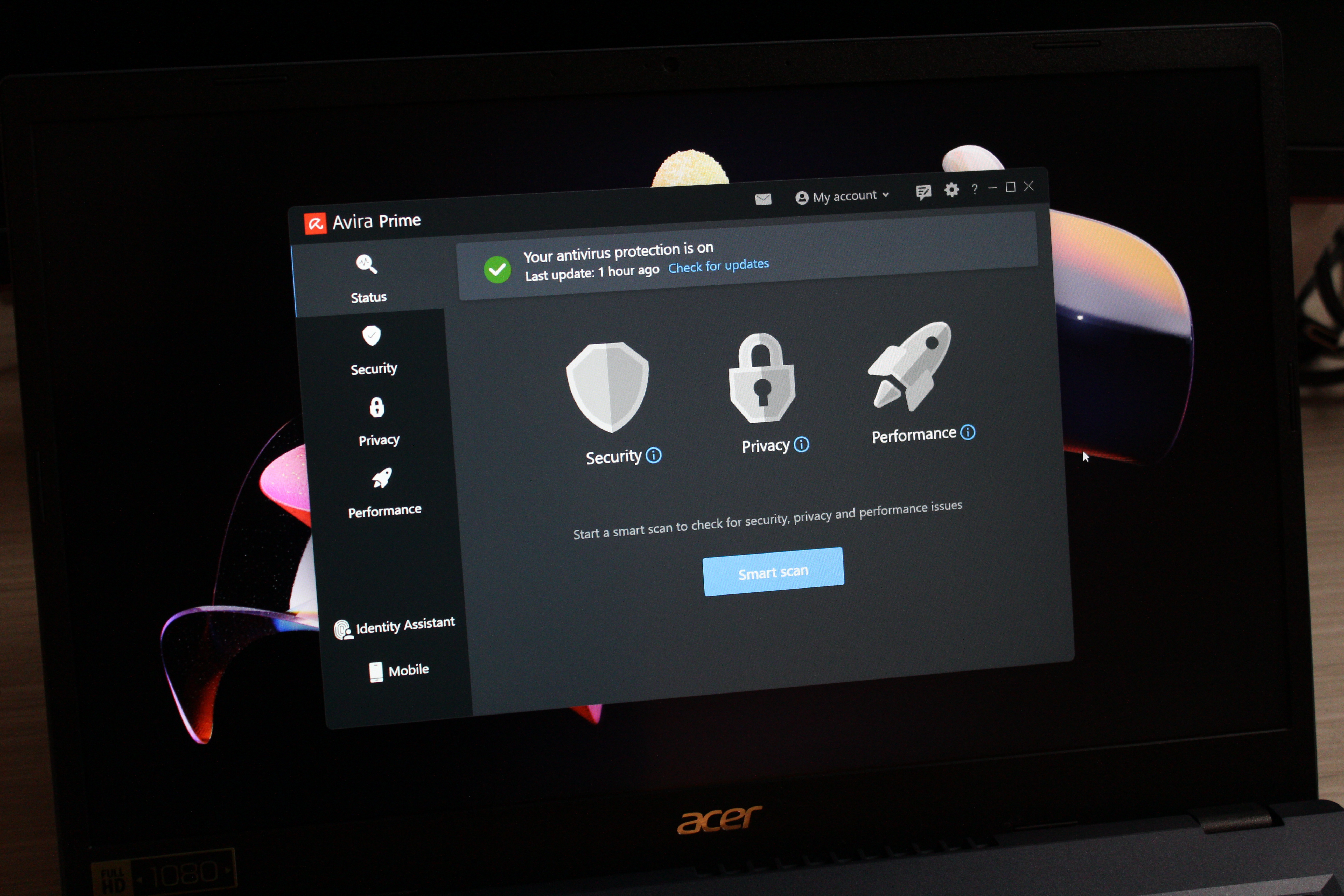
    Avira Prime is one of the best choices for those seeking more help with managing their PC, thanks to its simple, clear interface and feature lineup. In addition to to solid antivirus protection, it offers a password manager, unlimited VPN, and a boatload of PC utilities that (among other things) can keep apps up to date, securely delete files, and back up data.

    Thise security suite will best suit users seeking a simple antivirus suite, broad online protections, and robust PC utilities—and also want to use those latter tools for more confident management of their computer. Not every utility is a winner, but the overall set can help you identify and understand the more technical aspects of Windows and system upkeep.

    Avira Prime: Further Considerations

    The one major feature missing from Avira Prime is a set of parental controls. You can’t use it to filter web content or monitor device usage. The app also can hit older and budget PCs hard when full scans are running, if you’ve added or changed large amounts of files. But typically, it only minimally affects system performance when left to run in the background, so most people won’t notice Avira running.

    For the first year, you’ll pay $60 for the first year, and then $105 for every year after. That first-year cost is slightly higher than our overall top pick, but if you prefer more newbie-friendly software, it’s worth the extra ten bucks.

    Read our full Avira Prime review

    McAfee Total Protection – Best for privacy

    McAfee Total Protection - Best for privacy

    Pros

    • Good protection
    • Nice features like file shredder and home network analyzer

    Cons

    • Mixed impact on performance
    • New app design is a little scattered

    Who should buy McAfee Total Protection?

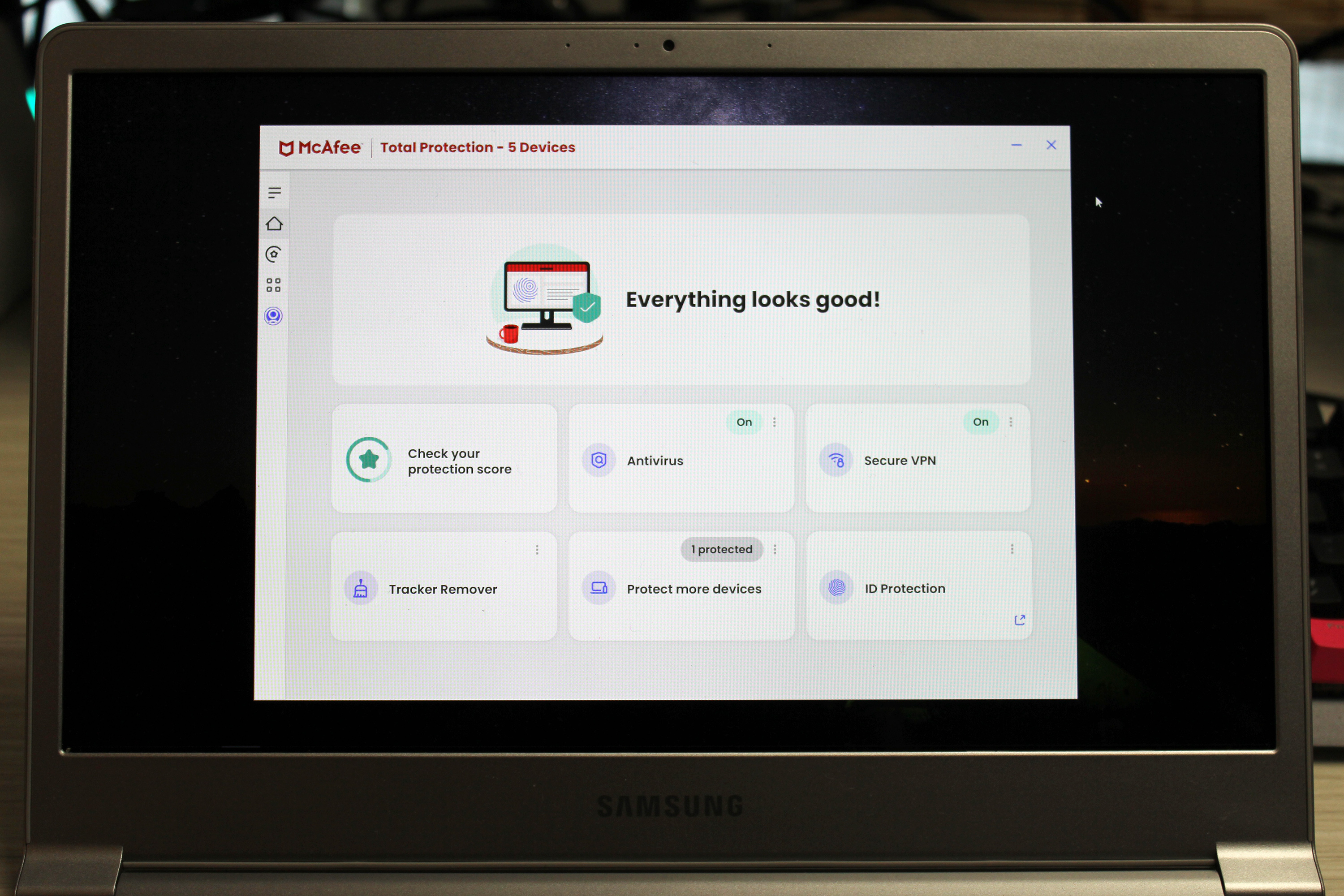
    Your personal information can be used against you online—and with data breaches so painfully common these days, it can be a relief to have help in tracking who has your info. For anyone who doesn’t have as much time to handle that work themselves, or even keep track of a separate service, McAfee Total Protection can serve as a central spot for managing all your online security concerns.

    Total Protection hunts down current threats to PCs, with solid results. These days, dangers extend beyond just malware to identity and privacy issues, and this app addresses these just as much as it does ransomware and phishing sites.

    That ID protection makes it stand out against competitors, especially if you pay to scale up the service. The plan we tested included dark web scanning for multiple pieces of personal information (email address, phone number, social security number, passport, driver’s license, date of birth, tax ID, credit card, usernames, and more). The app also offers to help change your password for online accounts, when applicable. VPN access is included as well.

    McAfee Total Protection: Further Considerations

    Mid-tier and budget machines can see impact on system resources when running McAfee scans. When we ran a full scan during a variety of common tasks (web browsing, document editing, etc), we noticed some dips in performance. You can mitigate this effect by timing scans for off hours, however.

    Currently, McAfee Total Protection is available through third-party sellers (McAfee has turned its attention to its slightly newer McAfee+ plans on its website). We like this version still because of how extremely affordable it is—for example, a license on PCWorld’s own software site is just $19 per year, which covers up to ten devices for one year.

    Panda Dome Complete – Most feature-rich offering

    Panda Dome Complete - Most feature-rich offering

    Pros

    • Very easy-to-understand mobile-like interface
    • Contains some basic smart home network monitoring
    • Month-to-month pricing option

    Cons

    • Good performance results but currently limited in third-party testing

    Best Prices Today:

    Retailer
    Price

    $30.10
    View Deal

    Price comparison from over 24,000 stores worldwide

    Product
    Price

    Price comparison from Backmarket

    Who should buy Panda Dome Complete?

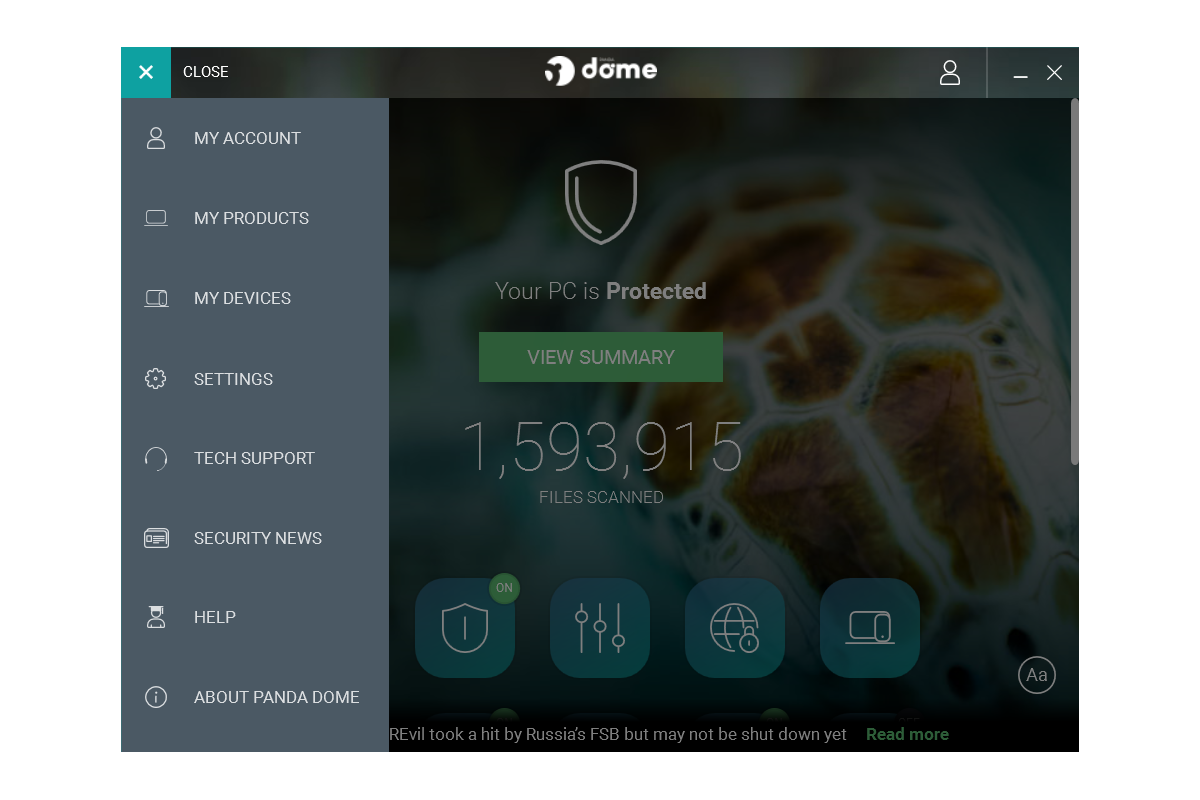
    All deluxe antivirus suites offer extra tools as part of their package, but Panda Dome Complete particularly stands out. It also has one of the most striking interfaces we’ve seen, while still putting everything right at your fingertips. Similar to Microsoft’s Bing homepage, Panda Dome features a beautiful background photo, with the interface elements placed on top of it.

    A whole raft of utilities come with this suite, including a virtual keyboard, advanced virus removal, an update manager for your Windows apps, a disk defragmenter, hard drive cleaner, and startup apps manager. You also get Wi-Fi protection (which lets you see what devices are connected to your network), a password manager, parental controls, and a VPN that offers 150 megabytes of bandwidth per day.

    In addition to offering reliable antivirus protection, Panda had the most minimal impact on system performance during our benchmarks. So minor, in fact, that in the real-world it worked out to no difference.

    Panda Dome Complete: Further Considerations

    As one of the most feature-rich offerings, Panda Dome Complete is among the more expensive options. You can purchase a subscription for $54 during the first year ($90 per year afterward), but that’s covers just one device. Fortunately, it only costs a little more to upgrade to a three device plan ($55 for the first year, $100 per year afterward) or five device plan ($54 for the first year, $110 per year afterward).

    Read our full Panda Dome Complete review

    Windows Security

    Windows Security

    Pros

    • Built into Windows 10 and 11
    • Settings are easy to review and customize
    • Integrates with other security aspects of Windows

    Cons

    • Tends toward false positives, especially with SmartScreen
    • Lacks the advanced features found in third-party products

    Who should choose Windows Security?

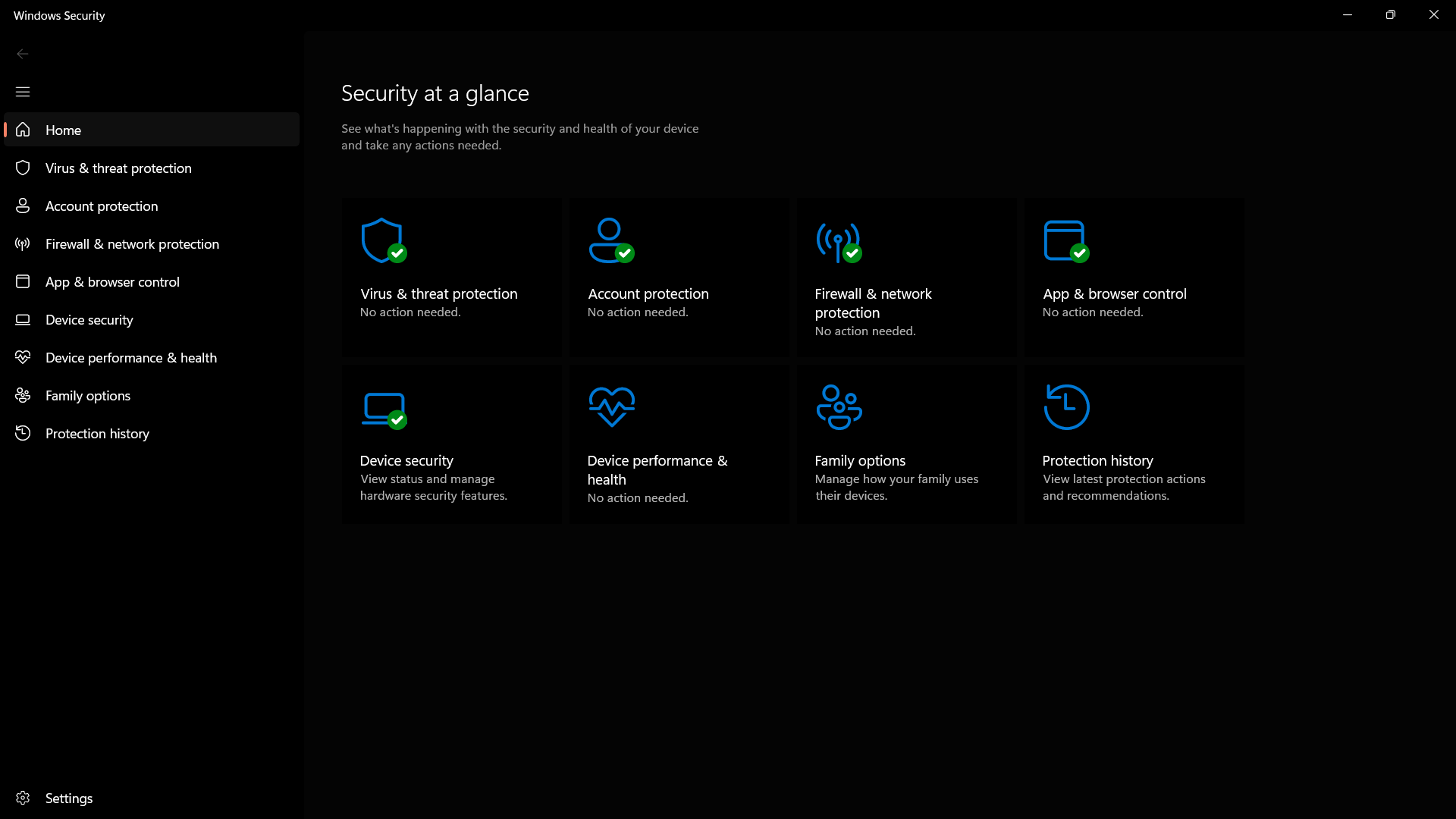
    Windows’ built-in security suite is an excellent free antivirus option—as we discovered in our roundup of the best free antivirus—even if its protection isn’t quite as strong as third-party rivals when your PC is offline. It bundles together Defender, which monitors for viruses and malware; Firewall, which blocks malicious incoming traffic and suspicious outgoing traffic; ransomware protections (including controlled access to folders, as well as data recovery via OneDrive integration); app restrictions; and even basic parental controls.

    The most important of these protections are automatically enabled in Windows—you don’t have to lift a finger to get real-time antivirus scanning or network protection. You will have to manually switch on some features, though, including ransomware folder controls and file recovery. You can also find more features in other antivirus suites, like online privacy tools, a VPN, and encrypted cloud backups. But this free protection comes preinstalled on Windows machines and does a good job of keeping you protected from most threats.

    Windows Security: Further Considerations

    To coax the most out of Windows Security, you will have to configure it. (You can learn more in our video on How to use Windows Security.) You’ll also need to separately choose and manage additional security services for optimum online protection—e.g., privacy tools, VPN, password manager, and encrypted cloud backup.

    Read our full Windows Security review

    Intego Mac Internet Security X9

    Intego Mac Internet Security X9

    Pros

    • Two-way firewall
    • Good performance

    Cons

    • Mac-specific (no Windows / Android protection)

    Best Prices Today:

    Retailer
    Price

    $24.99
    View Deal

    Price comparison from over 24,000 stores worldwide

    Product
    Price

    Price comparison from Backmarket

    Who should buy Intego X9?

    The focus of this roundup is the best antivirus for Windows PCs, but many PC enthusiasts are the de facto IT for friends and family. If you want to help an associate or loved one achieve strong antivirus protection for an Apple machine, our colleagues at Macworld recommend Intego’s Mac Internet Security X9.

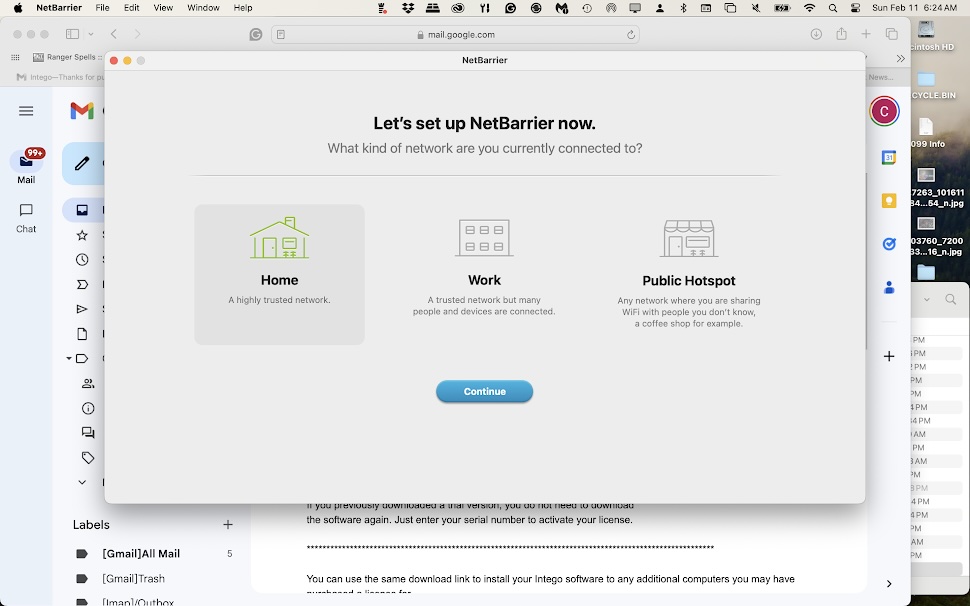
    In the suite are two utilities: The better known one is VirusBarrier, which spots and eliminates malware threats, and gets strong ratings for its protective abilities. It comes paired with NetBarrier, a two-way firewall that watches for suspicious traffic going to or from your Mac. For the price of this suite, NetBarrier’s inclusion isn’t common, but definitely welcome.

    As part of its protection, VirusBarrier X9 scans for threats on your Mac’s internal storage drive (including any downloaded email and compressed archives), as well as connected disks and iOS devices. The app quarantines suspicious files, which you can then mark as trusted, leave in quarantine, or try to have repaired.

    And in a nice touch, Intego VirusBarrier looks like a real Mac program, too—making it an ideal match for anyone looking for an effective app that blends in seamlessly.

    Intego X9: Further Considerations

    As reviewed, Intego X9 costs just $25 (or £20.00) for the first year using this special Macworld link. If you need additional tools, like a backup utility, speed optimizer for your Mac, or parental controls, you can upgrade to the Mac Premium Bundle X9 for $40 for the first year (£23.99).

    Other antivirus software tested

    • Surfshark One: This VPN software includes adequate antivirus protection with a clean, simple interface, but you’ll get more bang for your buck (and a lighter hit to your PC’s system resources) by choosing rival security software with a stronger focus on antivirus protection.
    • McAfee+ Ultimate: This comprehensive all-in-one package offers strong antivirus protection and a vast array of online protections, but its apps, services, and tools could use more polish. Its scans also can tangibly decrease performance on mid-range and budget PCs.
    • Avast Premium Security: You can choose a couple of different paths when upgrading from Avast’s already excellent free antivirus software—and this branch of the company’s software leans hard into safeguarding your PC. However, a couple of buggy features keep this suite from standing out among its rivals.
    • Bitdefender Total Security: Superb antivirus defenses are packed into an easy-to-use app that includes a unique safe payment environment. However, it lacks some features you get with similarly priced suites, like a password manager.
    • Malwarebytes Premium Security: Technology newbies will like this antivirus software’s simplicity, but you can get more bang for your buck elsewhere.
    • Norton Antivirus Plus: Its one-device limitation is tight, but this simplified antivirus suite is affordable and offers more features than similar rivals. If you can work comfortably with its quirks and potentially heavy performance effect, it can be ideal software for digital minimalists.
    • Trend Micro Maximum Security: Even when you can count on Trend Micro Maximum Security to work, this beginner-friendly antivirus suite feels underbaked. You can find much stronger malware protection, along with a more robust set of features, in rival software—and often at a lower price.

    How we test antivirus software

    Our approach to testing antivirus software is multi-pronged—we look not just at how well the suite catches malware and other threats (though that’s certainly a top factor), but other elements as well.

    First, we spend some time in the interface, to determine if it’s simple or complex to use. Ideally, it should take just a click or two to find vital tools like PC scanning, and also the password manager and VPN (if included). Elements that are clickable should be clear, too. And alerts should make sense — you should both understand what they are telling you and they should be relevant to what you’re doing.

    We also look at the available features. Reputable antivirus suites should include basics like real-time protection and deeper scans. Better subscription plans will also add on a password manager or a firewall. Overall, we try to figure out if the extras are helpful, or just another marketing bullet point.

    To evaluate how hard an antivirus app will hit your PC’s system resources, we run several benchmarks. The first is PCMark 10’s Extended test, which simulates various workloads, including editing documents, web browsing, video chatting, and light gaming. Second is UL Procyon, focusing on document editing in Microsoft Office apps—e.g., Word, Excel, PowerPoint. Then, as the most punishing test, we run Handbrake to transcode a large video into a smaller one. This encoding task often utilizes 100 percent of the CPU on many home PCs.
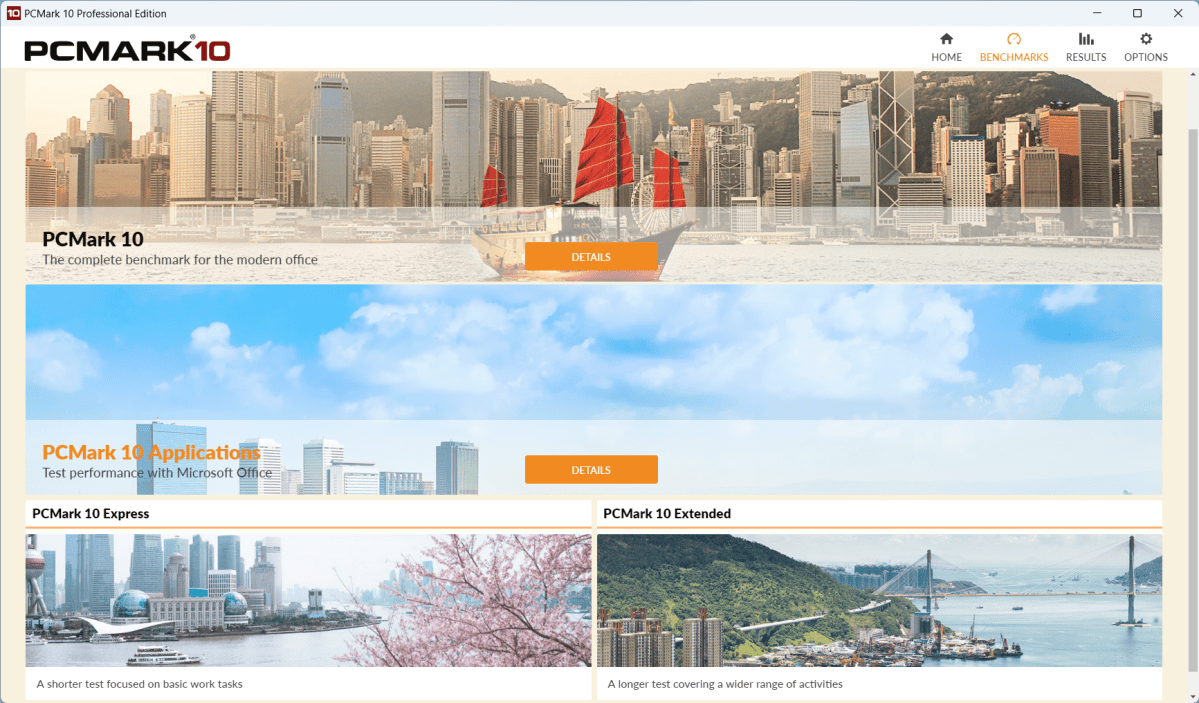
    PCMark 10 interface screenshot

    When performing benchmarks, we first run all three tests on our Windows 11 PC before installing the antivirus suite under review. Then we install the app and run the benchmarks again, as an approximation of how the app behaves while running in the background. Finally, we open the software and fire up full scans continuously while running each benchmark again. Afterward, we compare the scores to look for any decline, and note the amount.

    Currently, the laptop we use for testing is an Acer Aspire 3 15 with an AMD Ryzen 5 7520U, 8GB RAM, and a 512GB SSD. We use a clean install of Windows 11 when testing each security suite.

    For calculating an antivirus suite’s detection abilities, we rely on the testing of dedicated security researchers. Most often, we look at reports from organizations like AV Comparatives and AV Test.

    We also evaluate pricing for each subscription, as well as the features you get for the price.

    Generally, we do the bulk of our testing using free trials to understand what customers will actually see. Any review codes provided by companies are used to take clean screenshots for the review (i.e. free of reminders to upgrade or buy).

    For even more details about our review process (and the philosophy behind why we test as we do), you can also read our full explanation about our antivirus testing practices.

    Why you should trust PCWorld for antivirus reviews

    PCWorld has been deep in the trenches of testing computer hardware, software, and services since 1983—including security suites. As users of PC hardware and software, we run all products through rigorous testing, with plenty of hands-on evaluation and benchmarks (when the later is applicable). We don’t recommend gear or apps we wouldn’t use ourselves.

    Who curated this article?

    Alaina Yee is PCWorld’s security editor, with over 15 years of consumer tech journalism experience spanning PC hardware, software, and online security coverage.

    How to choose the best antivirus software

    A good antivirus suite should meet three basic requirements:

    • High detection rate for malware and other threats, both online and offline
    • Low use of system resources
    • A simple, clear interface

    You should take other considerations into account, too. A lot has changed since the early days of antivirus software. Security suites now come packed with extras like a backup service for essential files, mobile apps for Android and iOS, advanced firewall features, content restriction and GPS location for family members, and the ability to install the app on multiple computers. Access to a VPN and a password manager have become more common, too. Your budget and personal situation will dictate if you need these additional features.

    If you’re looking to go beyond the basics, our baseline recommendation is to find a suite that comes with a firewall, supports enough devices to cover what you own, and (if you don’t already have separate services set up) access to a password manager and VPN. Not sure if you need all that? Our guides on security suite features, password managers, and VPNs can help you decide.

    FAQ


    1.

    What is the best antivirus software?

    Norton 360 Deluxe is our top pick for antivirus. It’s a very comprehensive security suite with a simple app that offers strong antivirus protection and protection against online threats, as well as a whole boatload of features—parental controls, storage for cloud backups, a password manager, VPN, and PC utilities. We like it for how extensive yet affordable the service is—you’ll be hard-pressed to find a comparable rival.

    2.

    What is the best free antivirus software?

    If you’re reading this on a Windows machine, you already have it installed. Windows Security is a superb free antivirus option that covers all the basics, including ransomware protection and light parental controls—and it’s automatically enabled if no other antivirus software is installed on your PC. Its only downside? You’ll must tweak its settings to get the most of it, and also still sign up for other security services like a password manager for well-rounded online protection.

    3.

    Is antivirus necessary in 2025?

    Unfortunately, yes. Viruses, malware, and other online threats have only increased and become more sophisticated over time. Spending time on the internet or attaching any external drives to your computer without antivirus software is like going into battle without a stitch of armor.

    4.

    Does Windows 10/11 need antivirus?

    In the basic sense, absolutely yes—which is why Windows 10 and 11 come with in built-in antivirus protection. But while Windows Security performs well, the best third-party antivirus software have even higher rates of detecting threats. The top antivirus apps also offer more control over settings, detailed logs of your PC’s activity, a more user-friendly interface, and additional features to strengthen your online security beyond just viruses and malware. So strictly speaking, a Windows PC doesn’t need third-party antivirus software, but you can benefit from more comprehensive online protection. (Macs also need antivirus software.)

    5.

    Will antivirus software slow down my computer?

    The short answer is maybe, but probably not. Antivirus software scans files and programs to ensure there is no malware or other harmful threat present. The longer the time frame between each scan, the more files the program will need to check. These intensive scans may have some noticeable effect on your computer speed. It’s therefore recommended that you schedule your scans to run more frequently and/or at night so as to not impact your computer usage.

    While antivirus software can affect the speed of your computer, it is most likely not the only factor—or even the most prominent. Other factors such as unnecessary startup and background programs, insufficient RAM, or even undiagnosed malware can have more drastic effects on your computer speed than a simple antivirus scan.

    6.

    Should you pay for antivirus?

    It depends on what antivirus features are most important to you. Do you just need a program that will scan, detect, and remove malware? Then go with a free version. But if you are looking for more advanced features such as the ability to block webcam hacking, run suspicious apps in a sandbox environment, and permanently delete sensitive files, then you should seriously consider upgrading to a paid premium antivirus service.

    Overall, premium antivirus software is better suited to more complete coverage against threats—especially for inexperienced users. Children and seniors are particularly vulnerable to modern threats and therefore paid antivirus apps, which allow for multiple-device protection, may be a better option for families.

    7.

    How many antivirus programs are recommended for one computer?

    These days, most antivirus software are full suites. They take over completely for Windows’ built-in protection, and that single suite is all you need. More than that, and the different apps can start to conflict with one another. So no need to double up!

    8.

    What should I do if my antivirus detects a threat?

    In a perfect world, your antivirus software will halt and clean the infected files for you. However, this largely depends on which antivirus program you are using.

    In general, the antivirus will send a warning to you and try to quarantine the infected file in order to keep it from spreading. Once isolated, the software will give you the option to try to remove the infection or delete the file altogether.

    9.

    What is the difference between a full scan and a quick scan?

    A full scan performs a comprehensive and thorough check of your whole system. It usually checks your system memory, startup programs, system backup, email databases, hard drives, and any removable storage drives.

    A quick scan only checks a few areas including startup programs, system memory, and boot sectors. It may not detect all malware, but it can usually give you an idea if your computer has a virus.

    As to when you should do either, we recommend a full scan once per week, during computer usage downtime (such as late at night). A quick scan can be done anytime you like, but it’s usually only necessary if you notice suspicious activity on your PC.

    10.

    Do I need to update my antivirus software?

    Absolutely! Keeping your antivirus software up-to-date is crucial in helping you to avoid the most recent threats.

    That being said, most antivirus software today—whether free or paid—will default to automatic updates. This way you don’t need to worry about manually updating your software. It may still be worth checking to confirm that your antivirus is running the most up-to-date version from time to time.

    11.

    What features should my antivirus software have?

    Great question—especially since antivirus software continues to add more and more components to help keep you safe online. At absolute bare minimum, your app should have a scanner to protect against malware and online threats like phishing sites and a firewall. But other services like remote access protection, individual file encryption, and a password manager can be helpful too. Our breakdown of antivirus software features lays out the details you need to know, so that you can decide what you need.

    Related content

    • PCWorld software reviews
    • Should you turn off your antivirus when you game on your PC?
    • 5 devious ways malware can sneak past your PC’s antivirus
    • More than antivirus: What to expect from your security software
    • Do you really need a password manager as part of your antivirus software?
    • Windows includes built-in ransomware protection. Here’s how to turn it on
    • Should I disconnect my PC from the internet when I have a virus?
    • How to prevent (or survive) a ransomware attack
    • Do you really need a VPN as part of your antivirus software?
    • Norton 360 antivirus: 5 settings to change first


    Source: PCWorld.

  • Snapdragon X1 Elite Linux laptop cancelled due to performance concerns — Linux PC maker says Qualcomm is ‘less suitable for Linux than expected’

    Snapdragon X1 Elite Linux laptop cancelled due to performance concerns — Linux PC maker says Qualcomm is ‘less suitable for Linux than expected’

    November 22, 2025
    Hardware

    Linux PC maker Tuxedo Computers has ceased development of a Qualcomm Snapdragon X1 Elite-powered Linux laptop after more than 18 months of work. The company said in its announcement that the “first-generation X1E proved to be less suitable for Linux than expected.” Aside from that, the imminent arrival of the Snapdragon X2 Elite, announced last September and expected in the first half of 2026, meant the company would release an obsolete, last-generation laptop by the time it completes work on the Linux Snapdragon X1E laptop.

    Tuxedo Computers states that its biggest challenge was replicating the impressive battery life that these Arm laptops achieved under Windows. Aside from this, it lacked a feasible way to install BIOS updates for Linux, support for fan control, virtualization with KVM, and high-speed USB4 transfer speeds. It’s also having issues with video decoding, which, although technically supported, are often unsupported by most applications.

    These issues would make the laptop practically unusable, and the company estimated it would take several more months to fix them all. That means the newer X2E would already be well into the market when they’re ready to launch, which wouldn’t make sense for the company. Still, that does not mean that the company is totally giving up on a Linux Snapdragon laptop.

    It said it’s still monitoring developments with the X2E and will evaluate whether it will work well with the open-source operating system. “If it meets expectations and we can reuse a significant portion of our work on the X1E, we may resume development,” says Tuxedo Computers. “How much of our groundwork can be transferred to the X2E can only be assessed after a detailed evaluation of the chip.”

    We certainly hope that Tuxedo Computers will be able to continue its work on Snapdragon-powered Linux computers and eventually produce a laptop with an ARM chip. While they might not have as many users as Windows or macOS, it would at least give consumers more options and not be tied to an x86 laptop if they prefer or need Linux on their computers.

    Google Preferred Source

    Follow Tom’s Hardware on Google News, or add us as a preferred source, to get our latest news, analysis, & reviews in your feeds.

    Stay On the Cutting Edge: Get the Tom’s Hardware Newsletter

    Get Tom’s Hardware’s best news and in-depth reviews, straight to your inbox.


    Source: Latest from Tom’s Hardware.

  • Node.js API Fetch Example with Real Data

    November 22, 2025
    Software

    Welcome developers! Today we will explore Node.js API Fetch Example with Real Data with real-world examples.

    🔥 Why Developers Love Free APIs

    • Quick to test
    • No authentication
    • JSON output
    • Useful for practice
    • Works with React, Vue, Flutter, Node, RN

    🚀 Live Developer API (Free)

    Products API:

    👉 https://developerapis.vercel.app/products

    Users API:

    👉 https://developerapis.vercel.app/users

    Blogs API:

    👉 https://developerapis.vercel.app/blogs

    🌐 Visit Full Website

    👉 https://developerapis.vercel.app/

    Click here to explore all APIs, examples, source code and documentation.

    📌 JavaScript Fetch Example

    fetch("https://developerapis.vercel.app/products") .then(res => res.json()) .then(data => console.log(data)); 

    📌 React JS Example

    useEffect(() => { fetch("https://developerapis.vercel.app/products") .then(r => r.json()) .then(d => setData(d)); }, []); 

    📌 Vue.js Example

    mounted() { fetch("https://developerapis.vercel.app/products") .then(r => r.json()) .then(d => this.items = d); } 

    📌 Node.js Example

    const axios = require("axios"); axios.get("https://developerapis.vercel.app/products") .then(res => console.log(res.data)); 

    🏁 Final Words

    Use these APIs to learn, test or build your own app.

    More details on website 👉 https://developerapis.vercel.app/


    Source: DEV Community.

  • This is the Shark Black Friday robot vacuum deal to beat for 2025

    November 22, 2025
    Hardware

    It’s a good time to pick up a robot vacuum on sale for Black Friday. Shark machines are some of our favorites, and we’re seeing a number of models discounted for Black Friday. But this one, the Shark AI Ultra robot vacuum, is probably the best deal for most people this year. It’s 58 percent off and down to an all-time low of $250.

    One of this model’s standout features is its bagless design. Like many robovacs, it has an auto-empty station. But here, you can remove part of the base, dump its contents in the garbage, and lock it back in place. The base holds up to 60 days of dirt and debris, and you’ll never need to order bag refills.

    The Shark AI Ultra has strong suction and decent obstacle avoidance (via LiDAR). The robovac cleans in a matrix grid. It auto-maps your home and supports Google Assistant and Alexa for voice control.

    The vacuum has a runtime of about 120 minutes. (If it needs to stop and charge, it will auto-resume afterward.) Also note that this is a vacuum-only model: no mopping here.

    But Shark has other Black Friday deals if you’re interested in a robovac that also mops, or even a cordless stick vacuum instead. The Shark Stratos 2-in-1 robot vacuum and mop is 55 percent off and down to $450 right now, while the Power Detect Pet Plus cordless vacuum with self-emptying base is down to $400.

    This article originally appeared on Engadget at https://www.engadget.com/deals/this-is-the-shark-black-friday-robot-vacuum-deal-to-beat-for-2025-100013824.html?src=rss


    Source: Engadget is a web magazine with obsessive daily coverage of everything new in gadgets and consumer electronics.

  • Las Vegas First Responders Lean on AT&T's FirstNet to Stay Connected During the F1 Race

    Las Vegas First Responders Lean on AT&T's FirstNet to Stay Connected During the F1 Race

    November 22, 2025
    Hardware

    At the Formula 1 Las Vegas Grand Prix race, Rich Johnson can hear the distant percussive blats of the F1 cars racing in downtown Las Vegas, but he won’t get to see them all weekend. And he’s fine with that.

    Although he’s in town specifically for the event, his main focus is ensuring that, in the event of any emergencies, first responders can communicate and coordinate effectively. I spent time with Johnson, the associate director of network disaster recovery for AT&T, to learn more about an important piece of the race weekend that most people won’t — and shouldn’t have to — think about.

    Johnson oversees teams of people and resources strategically positioned around the race track and throughout the city as part of FirstNet, the First Responder Network Authority, “a private/public partnership between AT&T and the US government to create, maintain and service a nationwide public safety drop-in network,” he explains.

    “If our primary communication methods fail, we have backups that we can go to,” said Brian O’Neal, deputy fire chief with the Clark County Fire Department and emergency manager for Clark County. “Typically that involves moving from radio to cellular. When you look at an event like this, where a 3.8-mile track is running through the middle of the city, capacity within that system becomes a concern.”

    As I spoke with O’Neal and Johnson, several bright yellow Clark County fire trucks rolled out behind them to be deployed throughout the area. Johnson pointed out that when the event is going on, traffic is even worse because it’s locked down, so ingress and egress is extremely difficult.

    Johnson also took me to the roof of a nearby parking garage, where a portable network tower occupied two parking spaces with a lovely view of downtown Las Vegas and the race track in the distance. It’s up there in “hot standby” mode as a backup to ensure a consistent flow of communication. If needed, it can be activated remotely in a few seconds, using a large dish to communicate with a long-range satellite as the data backhaul.

    It’s unlikely the unit will be used during the weekend, but the commitment to multiple redundant systems is why it’s parked in the same spot as it was last year.

    Planning for an event like this takes about six months, said Johnson, although much of it came together in four months this year because this is the third Las Vegas Grand Prix where FirstNet has been on hand. Both Johnson and O’Neal reiterated that the technologies and capabilities of these tools are used throughout the year for everyday operations, too. They’re just scaled up dramatically for a planned event like this.

    Johnson said AT&T has over 190 assets like these dedicated to FirstNet, with access to over 750 AT&T assets they can use exclusively for public safety if needed.

  • Western leaders say US plan for Ukraine peace needs work – Reuters

    November 22, 2025
    World

    Western leaders say US plan for Ukraine peace needs work

      Reuters


    Source: “site:reuters.com” – Google News.

  • Comune Cosenza, Spadafora (Fdi) chiede chiarezza su avvisi Tari non recapitati

    November 22, 2025
    Italy

    Logo Fdi

    Riceviamo e pubblichiamo

    «Numerosi contribuenti cosentini non hanno ancora ricevuto gli avvisi di pagamento della TARI 2025, nonostante la scadenza del 31 agosto sia ormai trascorsa».

    A denunciarlo è il consigliere comunale di Cosenza Francesco Spadafora, che segnala una situazione «paradossale destinata a provocare disagi e potenziali danni economici alle famiglie». 

    Molti cittadini – preoccupati dal mancato recapito dell’avviso – sono stati costretti in queste settimane a recarsi personalmente negli uffici comunali, in particolare presso il Settore Tributi, per chiedere chiarimenti e ottenere la stampa dell’atto dovuto.

    «Un disagio evitabile – sottolinea il consigliere – che sta causando anche un ritardo nell’incasso delle somme da parte dell’ente, con inevitabili ricadute sulla gestione finanziaria del Comune».

    «Voglio ribadirlo con chiarezza: non possono essere applicate sanzioni né interessi a chi sarà costretto a pagare oltre i termini.

    Il ritardo, infatti, non è imputabile ai cittadini, ma all’amministrazione, a cui spetta l’obbligo di recapitare gli avvisi nei tempi previsti dalla normativa vigente.

    Per evitare ulteriori disagi e soprattutto per scongiurare l’emissione di solleciti che potrebbero aprire la strada a contenziosi inutili e dannosi, nei prossimi giorni richiederò un incontro al sindaco e al dirigente del settore competente.

    È indispensabile comprendere perché gli avvisi non siano stati inviati nei tempi dovuti e individuare una soluzione immediata che impedisca ai cittadini di dover sostenere costi aggiuntivi per un disservizio di cui non hanno responsabilità».

    «Il mio obiettivo – conclude Spadafora – è quello di tutelare i contribuenti e garantire il corretto funzionamento dei servizi amministrativi, affinché situazioni come questa non si ripetano più».


    Source: Irriverentemente.

  • Wade & Kenz – Dance To The Rhythm (Extended Mix)

    Wade & Kenz – Dance To The Rhythm (Extended Mix)

    November 22, 2025
    Music

    Dance to the rhythm of this sick track by Wade & Kenz Subscribe and enable alerts (🔔) for a new track upload daily! Spotify playlist ▶︎ https://nyx.lnk.to/spotify 🫵 DJ & producer recommendations: »» 20% discount on all sample packs (use code NYX20) ➡ https://techhousemarket.com »» 20% discount on all sample packs (use code NYX20) ➡ https://hy2rogen.com »» 20% discount on all vocal packs (use code NYX20) ➡ https://vocalfy.com »» Support the artist and buy records ➡ https://beatport.com/?a_aid=67bedae00dabb »» Fresh new tech house samples & loops ➡ https://loopcloud.com/?a_aid=67bedae00dabb 🎵 Discover track IDs & legendary live moments: »» https://instagram.com/themythofnyx »» https://tiktok.com/@themythofnyx »» https://soundcloud.com/themythofnyx Connect with Wade: »» https://facebook.com/wade.sound.spain »» https://soundcloud.com/wade-dj »» https://twitter.com/wade_tweet »» https://instagram.com/wademusik Tags: #wade #kenz #dancetotherhythm #extendedmix #themythofnyx


    Source: YouTube.

Previous Page
1 … 68 69 70 71 72 … 911
Next Page
MONIMEGA
  • Instagram
  • Facebook
  • Twitter
Gestisci Consenso
Per fornire le migliori esperienze, utilizziamo tecnologie come i cookie per memorizzare e/o accedere alle informazioni del dispositivo. Il consenso a queste tecnologie ci permetterà di elaborare dati come il comportamento di navigazione o ID unici su questo sito. Non acconsentire o ritirare il consenso può influire negativamente su alcune caratteristiche e funzioni.
Funzionale Always active
L'archiviazione tecnica o l'accesso sono strettamente necessari al fine legittimo di consentire l'uso di un servizio specifico esplicitamente richiesto dall'abbonato o dall'utente, o al solo scopo di effettuare la trasmissione di una comunicazione su una rete di comunicazione elettronica.
Preferenze
L'archiviazione tecnica o l'accesso sono necessari per lo scopo legittimo di memorizzare le preferenze che non sono richieste dall'abbonato o dall'utente.
Statistiche
L'archiviazione tecnica o l'accesso che viene utilizzato esclusivamente per scopi statistici. L'archiviazione tecnica o l'accesso che viene utilizzato esclusivamente per scopi statistici anonimi. Senza un mandato di comparizione, una conformità volontaria da parte del vostro Fornitore di Servizi Internet, o ulteriori registrazioni da parte di terzi, le informazioni memorizzate o recuperate per questo scopo da sole non possono di solito essere utilizzate per l'identificazione.
Marketing
L'archiviazione tecnica o l'accesso sono necessari per creare profili di utenti per inviare pubblicità, o per tracciare l'utente su un sito web o su diversi siti web per scopi di marketing simili.
  • Manage options
  • Manage services
  • Manage {vendor_count} vendors
  • Read more about these purposes
Visualizza le preferenze
  • {title}
  • {title}
  • {title}