The MSI Gaming RTX 5050 Shadow 2X is now on sale at a 21% discount.
Source: Latest from Tom’s Hardware.


The MSI Gaming RTX 5050 Shadow 2X is now on sale at a 21% discount.
Source: Latest from Tom’s Hardware.

A solo miner running just 6 terahashes per second of computing power has overcome odds of about 1 in 180 million to mine a full Bitcoin block via the CKpool pool. According to CoinDesk, the miner secured 3.146 BTC plus transaction fees — a payout worth around US$270,000 at current rates, despite commanding only about 0.0000007% of the network’s estimated 855.7 exahashes/sec of hash‑rate.
The figure was confirmed by CKpool creator Con Kolivas, who said that the miner only had “a one in 180 million chance” of solving a block on any given day. The miner employed an older‑generation ASIC capable of roughly 6 TH/s, submitted shares to CKpool’s solo‑mining infrastructure, and retained the full block reward minus CKpool’s 2% pool fee.
Congratulations to extremely lucky miner 3K99~Ct8M with only SIX TH for solving the 308th solo block at https://t.co/UWgBvLkDqc. A miner of this size has only a a in 180 million chance of solving a block each day! https://t.co/Jx3fTUlaIe pic.twitter.com/F5CKVrEfYtNovember 21, 2025
Headline‑grabbing payout aside, the miner’s win shows how rare solo mining has become for small operators. With network difficulty and aggregate hash‑power climbing steadily, the chance of a tiny miner solving a block without significant scale is vanishingly small. In practical terms, operating at 6 TH/s in a sea of hundreds of exahashes is akin to buying one lottery ticket in a contest where billions of tickets are already in play.
CKpool’s model allows hobbyists to attempt solo mining while routing their work through the pool’s infrastructure. It provides a lightweight setup that connects miners to the Bitcoin network without requiring them to run a full node or manage their own backend. That means they preserve solo‑reward ownership rather than sharing a reward across many contributors as happens in standard pooled mining.
For this miner, the choice paid off. That said, the economics of solo mining remain challenging. Running ASIC hardware and paying for electricity and cooling make solo success a highly speculative endeavour or, ultimately, a gamble.
This latest win marks the 308th block mined through CKpool since the software’s launch in 2014, and the first in several months. Moments like this will become all the more rare as the Bitcoin network’s total hash rate continues to climb. They will always be mathematically possible, however, and for some, that’ll doubtless be reason enough to continue hashing away.

Follow Tom’s Hardware on Google News, or add us as a preferred source, to get our latest news, analysis, & reviews in your feeds.
Source: Latest from Tom’s Hardware.

Re:State report says role hospitals play needs ‘fundamental reinvention’ to deliver better care for patients
Hospitals need to become smaller, with fewer beds, to help save the NHS from its “permacrisis”, a thinktank has said.
The role hospitals play needs to undergo “a fundamental reinvention” to help them escape the overcrowding that has become widespread over the last decade, according to the thinktank Re:State.
Source: World news | The Guardian.

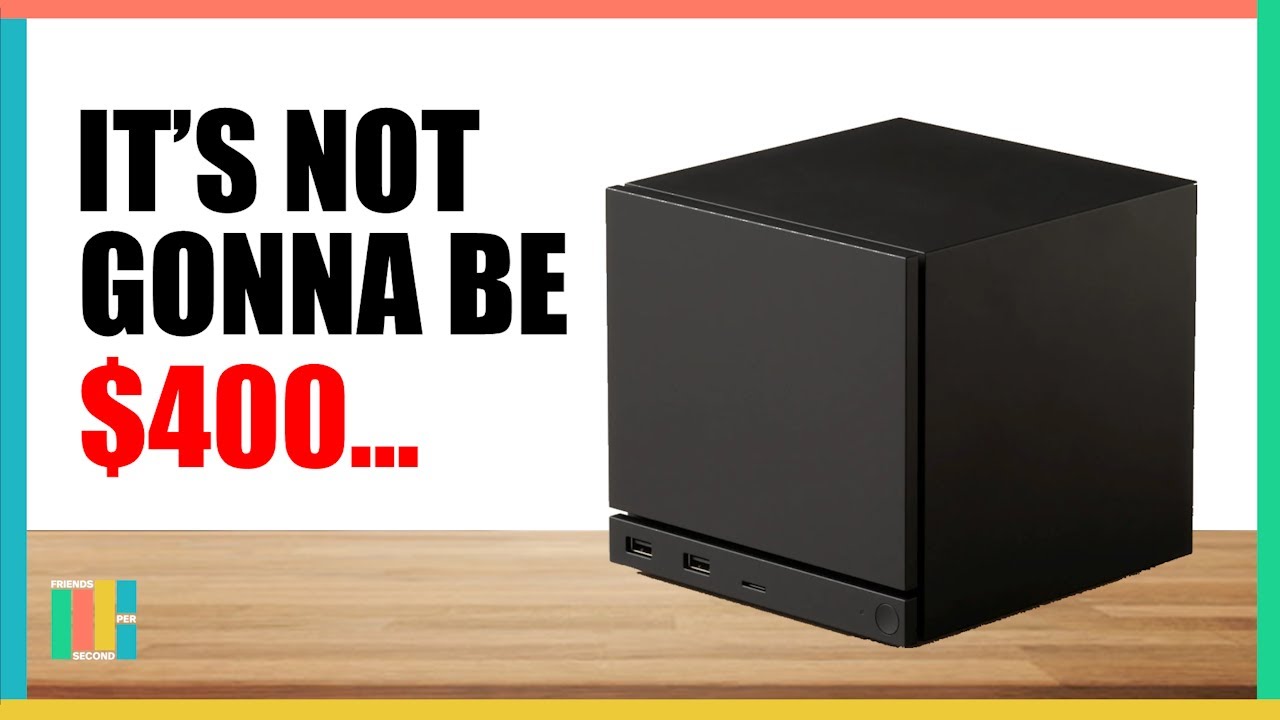
The next-gen Steam Machine was unveiled a couple of weeks ago, teasing what a console-esque PC gaming experience could look like. With powerful, semi-custom hardware from AMD, Valve is aiming to match PS5 levels of power, but will it be able to match it on price? That’s the million-dollar question on everyone’s minds, and we finally have an answer from Valve itself, as a Valve engineer has noted that the hardware won’t be subsidized like we see with gaming consoles, thus implying the device will have higher relative pricing to consoles, and will instead compete directly with desktop PCs.
“No, it’s more in line with what you might expect from the current PC market. Obviously, our goal is for it to be a good deal at that level of performance. And then you have features that are actually really hard to build if you are making your own gaming PC from parts. Things like the small form factor, the noise level that we achieved, or lack thereof, is really impressive and we are excited that people are going to find out how quiet this thing is. But also some integration features like HDMI CEC. The Bluetooth and wireless work that we’ve done, the four antennas, the very deliberate design so that you can have a great experience with four Bluetooth controllers,” he said.
Moreover, Lawrence Yang further explained that their goal is to match the PC landscape specifically, so that if you were to build a similarly spec’d custom gaming PC, it would cost the same. A rig you assembled, though, would likely run Windows, whereas the Steam Machine has the benefit of SteamOS (based on Linux), which will outperform Microsoft‘s OS in most scenarios.
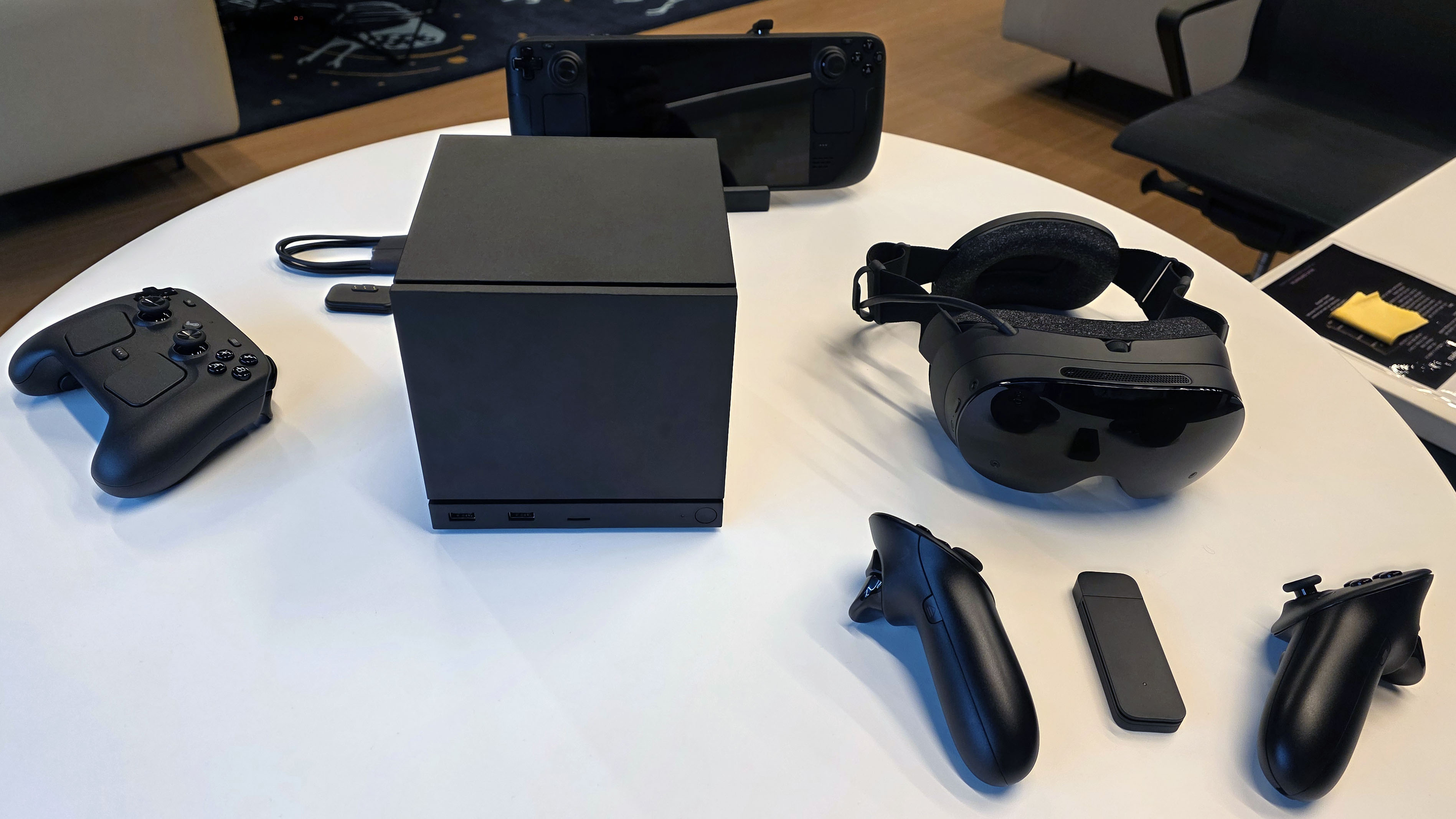
Valve is not willing to eat costs upfront in order to make back profits with software sales later. This is the model console manufacturers have followed for a long time, since they all have their own closed-off marketplaces for purchasing games, where they earn a percentage of each sale. On top of that, services and subscriptions like PlayStation Plus further help ease the margins since you’re locked into that particular ecosystem.
Steam, the most popular games store on PC, is owned by Valve, and the company also takes a 30% cut on all sales, putting it on the same level as console makers. Therefore, it would be sensible to assume that Steam can be the key to subsidizing the device, but instead it’s being positioned to act as the safety net for Valve, even if the Steam Machine flops in a worst-case scenario.
It’s an interesting strategy that reveals how Valve is thinking about the Steam Machine in its current lineup: it’s not another Steam Deck — it is designed for the big screen. With rising memory and storage prices, it’s understandable why the company hasn’t announced the price yet, and the release/production window of this device means the worsening DRAM shortages and resultant price hikes will hit Valve as well.
Right now, community speculation is pegging the Steam Machine at around $700. This price can very well go up by the time it’s ready for launch since the industry is expected to be navigating a significant component crisis in 2026. Even if everything was fine and dandy, we would possibly be looking at a ~$550-600 price tag at best. For context, you can get a PS5 Pro on Black Friday for just $650.
Follow Tom’s Hardware on Google News, or add us as a preferred source, to get our latest news, analysis, & reviews in your feeds.
Source: Latest from Tom’s Hardware.

Electricity demand is set to jump about 25% after years of stagnating as AI, data centers and electrification strain a grid built for slower times.The supply of energy might seem like it’s on a collision course with the demand as President Trump seeks to boost fossil fuels and undo former President Biden’s support for clean energy, but the markets show a different reality. We unpack why the US may need all forms of energy with BloombergNEF’s Ethan Zindler, former Energy Secretary Dan Brouillette and Sunrun CEO Mary Powell. (Source: Bloomberg)
Source: Bloomberg Markets.

Si precisa che le affermazioni dell’ex capo Prociv, Carlo Tansi, non sono state riprese in toto da noi di https://irriverentemente.com a doverosa tutela del sindacato Cisal e dei suoi rappresentanti citati: Francesco Cavallaro, in passato indagato per cotruzione ma presunto innocente fino a sentenza definitiva malgrado una condanna in primo grado, e Gianluca Tedesco, estraneo a quest’ultima, e a qualsiasi altra, vicenda giudiziaria.
I due sindacalisti sono tuttavia stati aspramente criticati da Tansi dopo anni di silenzio e alcuni contenziosi, anche nelle aule di Tribunale, che hanno coinvolto, Tansi e la Cisal con il suo rappresentante regionale Tedesco.
Restano però gli aspetti di cronaca, ovvero le dichiarazioni di un personaggio pubblico già candidato a governatore e consigliere regionale oltreché dg di Prociv Calabria Tansi, di cui diamo conto nel pieno rispetto della legge vigente e della deontologia professionale. magari in attesa di eventuali critiche o nuove iniziative giudiziarie di Cisal e dei suoi rappresentanti a loro tutela
Riceviamo e pubblichiamo
“Cisal è un sindacato rappresentato in Calabria da Gianluca Tedesco che (in passato, ndr) ha fatto parte di segreterie politiche (aspetto che in termini assoluti non depone certo in modo negativo su qualsivoglia soggetto, ndr).
Si ricorda, inoltre, che a livello nazionale l’ex segretario dello stesso sindacato Francesco Cavallaro è stato condannato a 5 anni di reclusione per corruzione com’è facilmente verificabile su Google (con sentenza di primo grado che non sancisce quindi la definitiva colpevolezza del diretto interessato, presunto innocente come ogni soggetto indagato fino all’ultimo grado di giudizio. Meno che mai qualificato nella sua figura pubblica di leader sindacale, almeno fino a incontrovertibili risultanze relative a un eventuale accertamento definitivo di penale responsabilità, ndr).
La Cisal mi ha sempre ostacolato (anche su questa affermazione noi abbiamo l’obbligo di precisare, e ribadire, che l’aspra contrapposizione tra l’ex capo Prociv Calabria e Cisal è sfociata in passato in iniziative di carattere giudiziario tra gli stessi Tedesco e Tansi. Su cui per quanto ci riguarda fanno però fede, solo ed esclusivamente, le decisioni dell’autorità giudiziaria adita, ndr). E lo ha fatto quando dirigevo la Protezione civile regionale e lottavo contro i poteri forti per migliorare una struttura vitale per la sicurezza dei calabresi (anche su quest’ultima sottolineatura di Tansi noi non prendiamo assolutamente posizione, non essendoci prove certe a suffragio della tesi accreditata dal diretto interessato, ndr)”.
Source: Irriverentemente.

While older computers and storage drives might still use the common SATA or the older PCIe 3.0 interfaces to sling your bits of data around, more recent computing equipment typically supports the far faster PCIe 4.0 protocol. If you’re really lucky (or spent a lot of money), you might even have faster PCIe 5.0. But that’s a subject for another roundup.
We’ve tested nearly three dozen PCIe 4.0 SSDs and our list includes the best of the bunch for various needs. Whether you want to upgrade, or add more storage to your PCIe 4.0 computer, there’s an SSD for you. Read on to learn more, including what to look for in PCIe 4.0 SSD.
Why you should trust PCWorld for PCIe 4.0 SSD reviews and buying advice: We’re not called PCWorld for nothing. Our reviewers have been testing PC hardware for decades. Our storage evaluations are exhaustive, testing the limits of every product — from performance benchmarks to the practicalities of regular use. As PC users ourselves, we know what makes a killer product stand out. Only the best SSDs have made our list of picks.
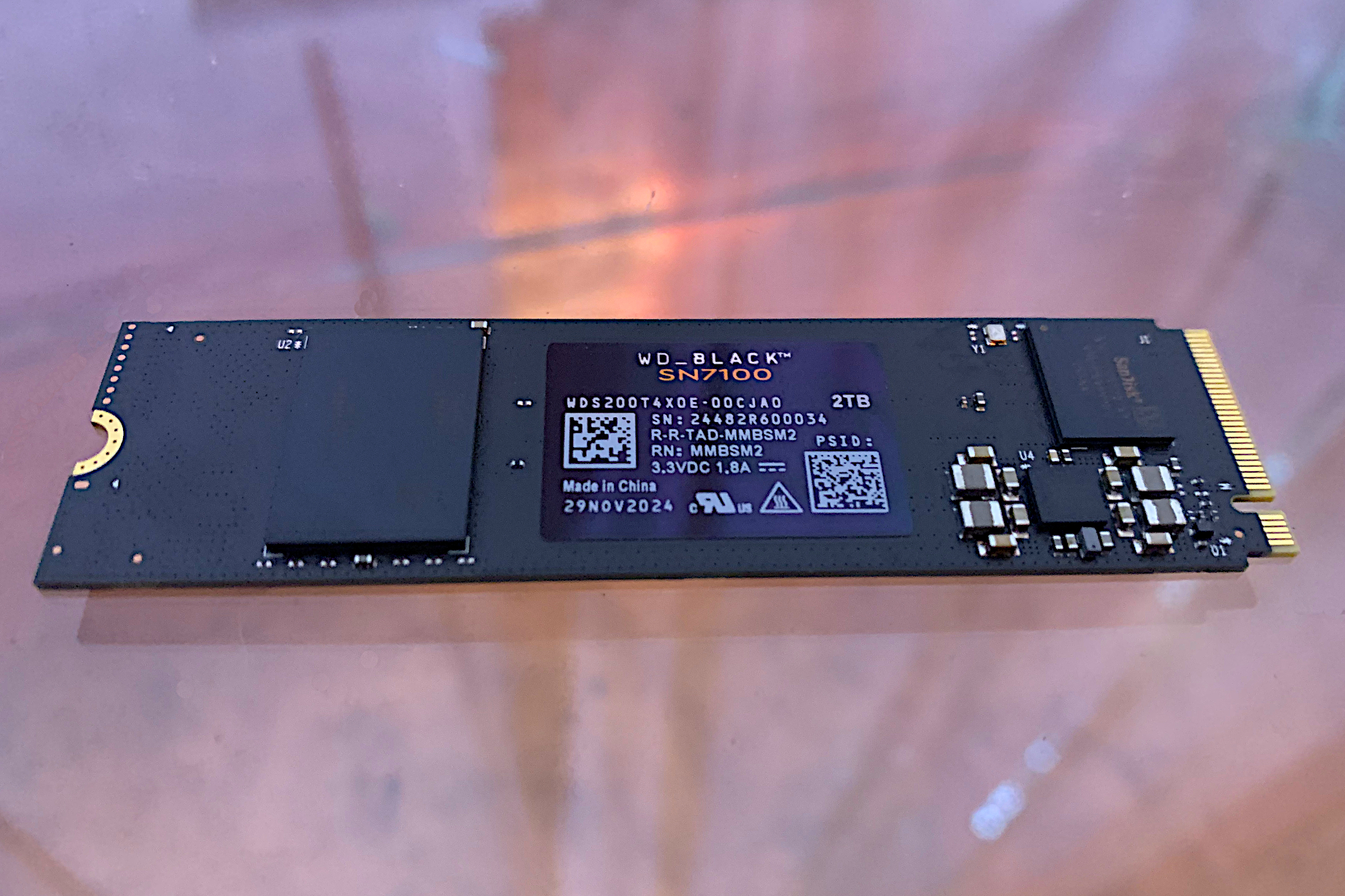
There can be a trade-off with HMB (host memory buffer) design SSDs, such as the SN7100. They are distinct for using the host system’s memory for primary caching duties, as opposed to packing their own DRAM. But while there may be some specific scenarios where DRAM drives excel over HMBs — such as in the writing of very large amounts of data — in the vast majority of applications, the two designs are very competitive and almost indistinguishable.
Among all HMB SSDs we’ve tested, we were flat-out wowed by the SN7100’s performance. The 2TB version that we looked at was the fastest such SSD that we’ve run through our gauntlet of benchmarks. And when it comes to price, compared to DRAM designs, it’s really no contest. Indeed, the SN7100 is close to $50 less than our previous pick, the Solidigm P44 Pro, for both the 1TB and 2TB capacities.
Combine that with an industry standard five-year warranty / 600TBW rating (terabytes that can be written) per TB, and you’re looking at probably the best PCIe 4.0 SSD for average users as well as gamers.
Read our full WD Black SN7100 1TB review
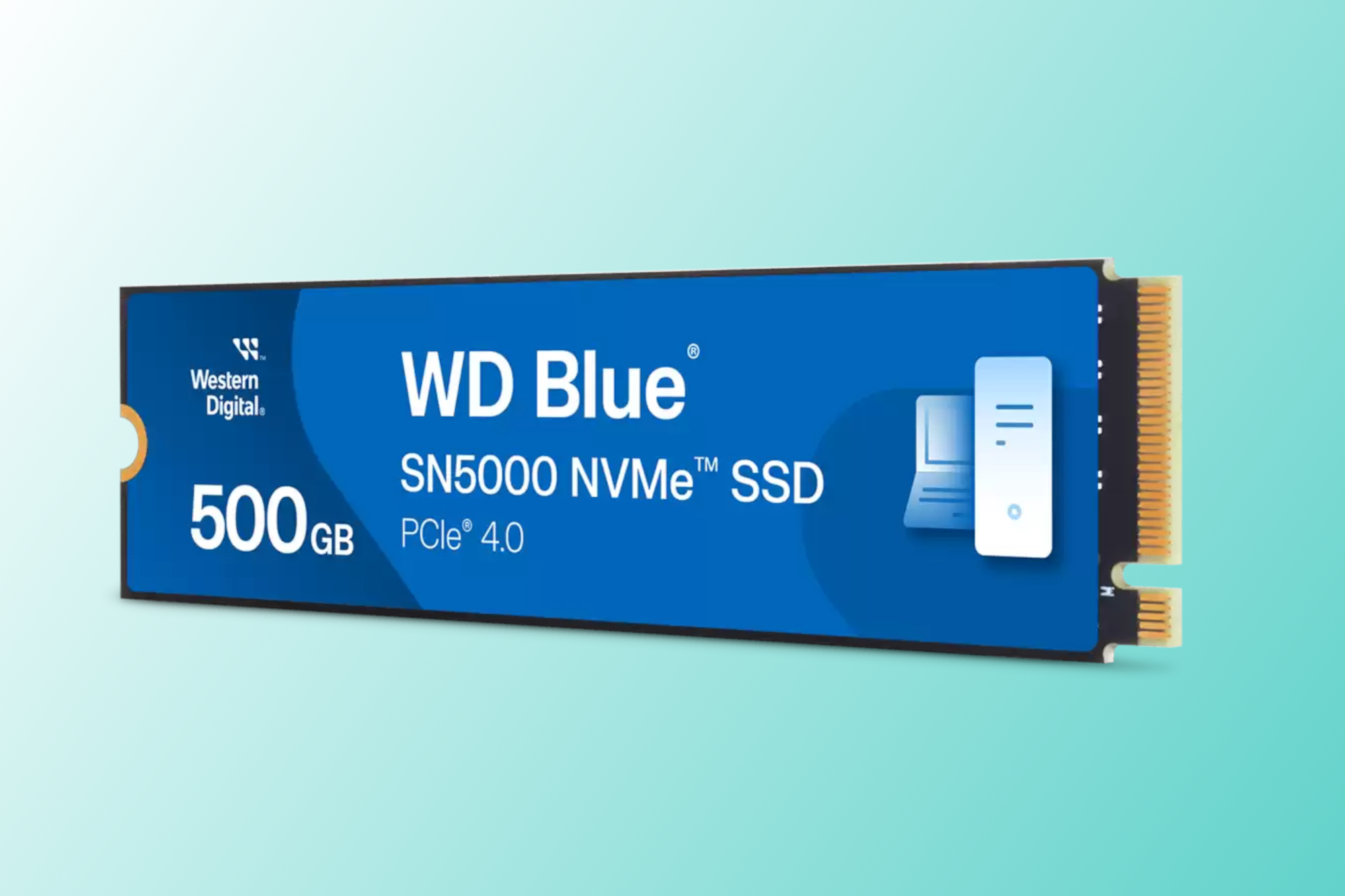
It’s true that the WD Blue SN5000 has a successor in the WD Blue SN5100, and that the newer drive does better in some tests, most markedly sustained throughput. But the SN5100 doesn’t outperform its predecessor in all tests. Indeed, given the close performance of the two drives, we’re still giving the nod to the SN5000 as our best budget pick, because when it comes to pricing, it’s the clear winner.
Case in point: a 1TB SN5000 can be had for $66 right now, while the SN5100 is $80 at the same capacity. In time we expect the prices for the latter to become more competitive, but until then, the SN5000 is the best value.
In our testing, the SN5000 ranked among the fastest Host Memory Buffer (HMB) SSDs we’ve tested. And unlike the SN580 before it, the SN5000 didn’t falter during the 450GB transfer test, ranking highly among all SSDs. Yes, you lose nothing in sequential performance these days with HMB.
Read our full WD Blue SN5000 NVMe SSD review
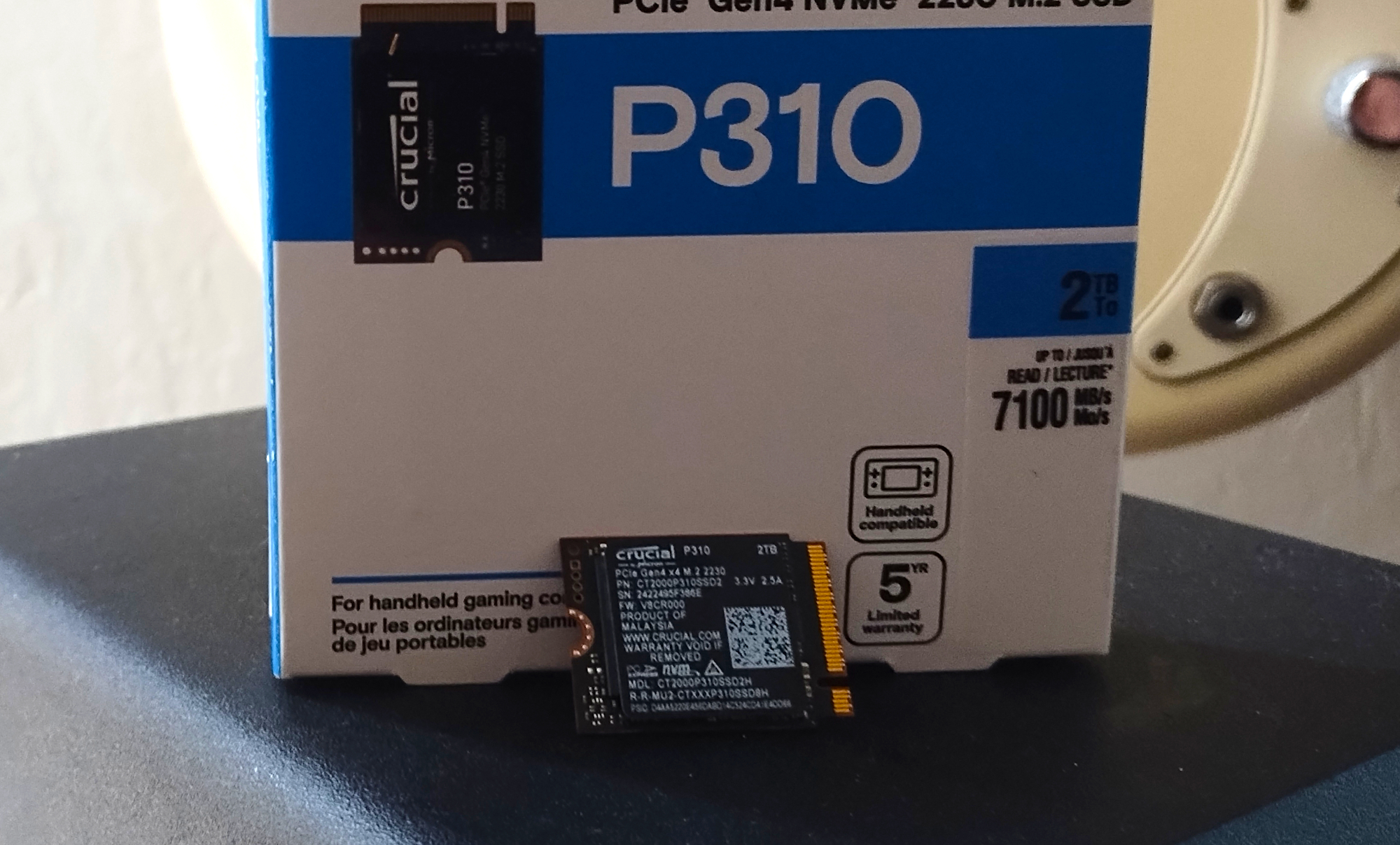
If you need a small form-factor, 2230 (22 mm wide, 30 mm long) NVMe SSD for your Steam Deck or other device, look no further than the Crucial P310. It’s the fastest 2230 SSD we’ve tested, and by a rather large margin.
The P310 bested our previous favorite 2230 drive — the WD Black SN770M — in every benchmark save for the 450GB transfer, where it lost steam (pun intended) at the 85 percent mark after running out of secondary cache. But transfers this large are rare for most users, and unheard of in a Steam Deck.
The P310 is a bit pricier than the SN770M, but only by a tad more than $10 in both the 1TB and 2TB offerings.
If optimum speed is what you’re after, and you don’t foresee regularly moving large amounts of data, the P310 is the 2230 ticket.
Read our full Crucial P310 NVMe SSD (2230) review
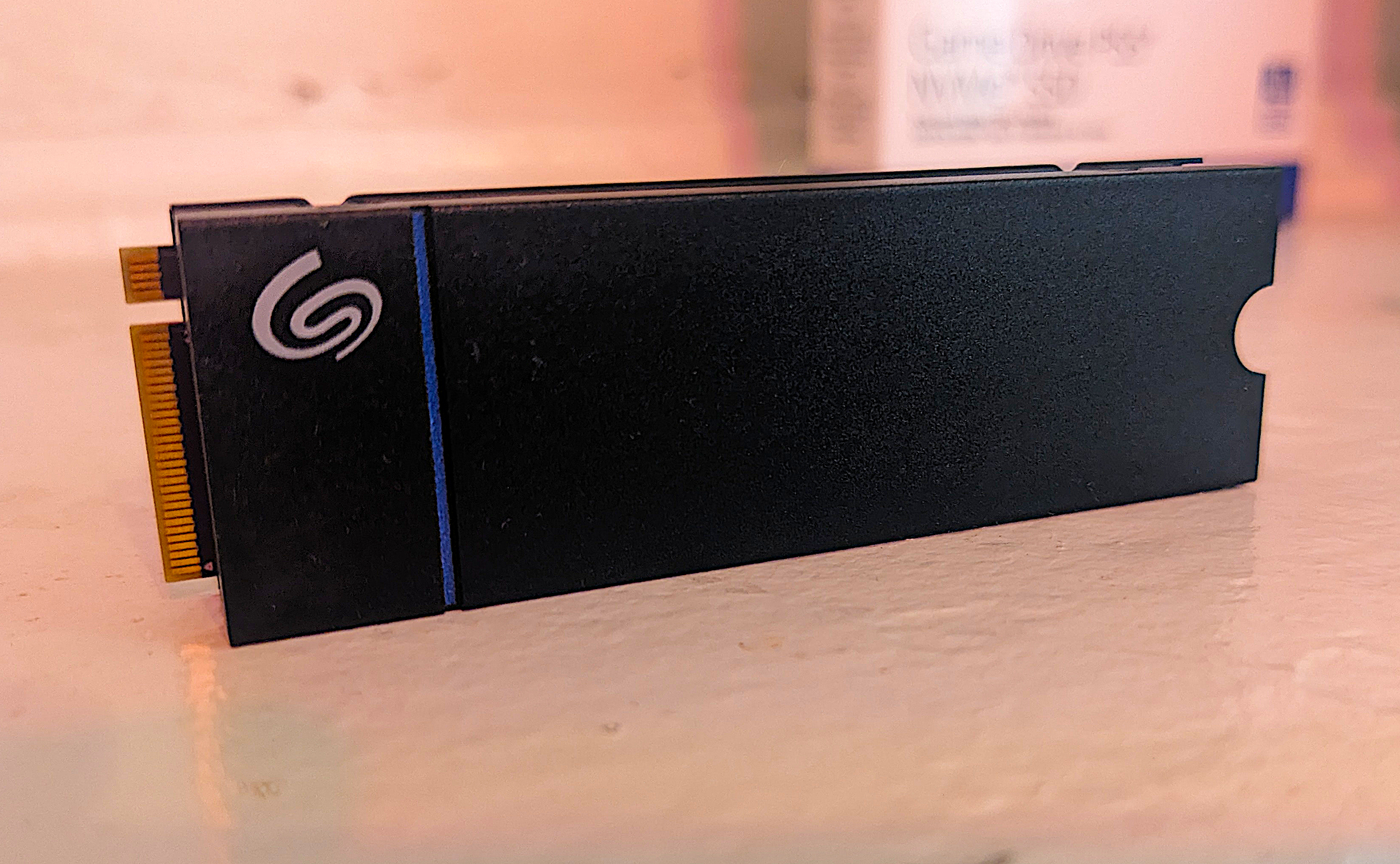
The Seagate Game Drive is a PCIe 4.0 NVMe SSD aimed specifically at next-gen game consoles — the PS5 in particular. It doesn’t disappoint, with DRAM for primary caching duties, which is almost essential to wring top performance out of Sony’s console system. The PS5 doesn’t support HMB, so without DRAM you’re relying solely on an SSD’s slower secondary caching. The Game Drive ships in 1TB and 2TB capacities, so you’ll have plenty of space to store all of your games.
While the Seagate Game Drive is optimized for a PS5, it’s perfectly viable for any computer. It did remarkably well in our performance testing, earning the spot as the second-fastest PCIe 4.0 SSD to date with random ops. Seagate provides a generous five-year warranty with the drive and it has an astounding 1,275TBW rating—more than double the industry norm. PS5 owners simply can’t go wrong with the Seagate Game Drive.
Read our full Seagate Game Drive PS5 NVMe SSD review
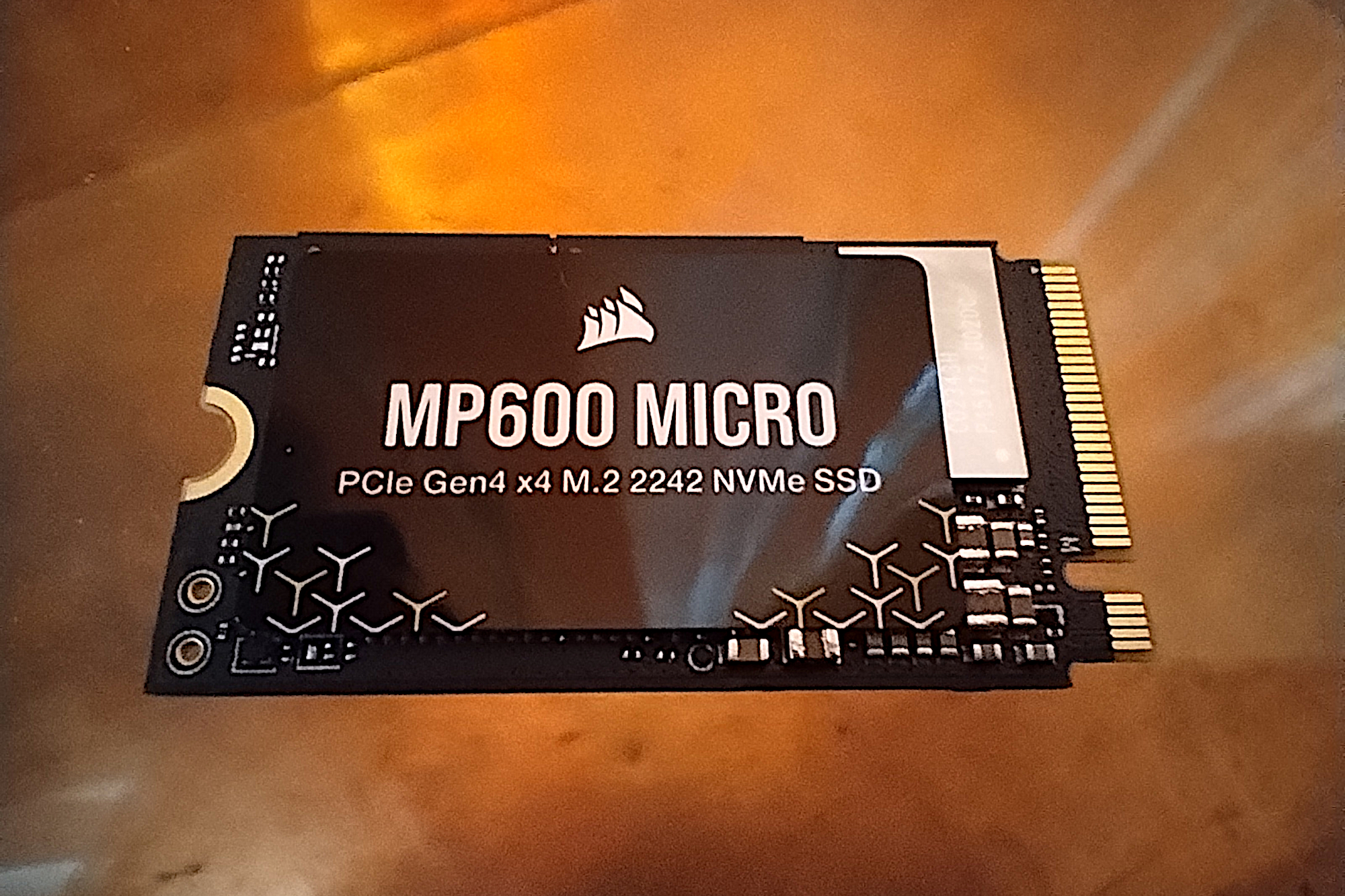
The Corsair MP600 Micro fills the niche of devices that can accommodate an SSD that’s larger than the 2230 form factor used by game consoles, but can’t accept a standard 2280 modules that are used in most PCs and laptops. We’re talking about the 2242 form factor — meaning 22mm wide by 42mm long.
Lenovo set off the 2242 trend with its Legion Go and Thinkpad portables and there are now some respectable options for storage upgrades — the best of which is the Corsair MP600 Micro.
The MP600 Micro isn’t the fastest PCIe 4.0 drive we’ve tested, but for its class of truncated drives, it churned out a very competitive test performance. Currently, you’ll only find the MP600 Micro in 1TB capacity. For shoppers who want more space, see the Crucial P310 above, which is a 2230 drive in up to 2TB — though it will require an adapter.
Read our full Corsair MP600 Micro 2242 SSD review
The Orico OS5 is marketed for the PS5, but uses a non-supported HMB design; the Lexar Play 2280 SE is an attractive and fast SSD sold exclusively through Costco, at least for now; the Teamgroup T-Create C47 stands out in super-long writes; the Lexar NQ780 makes a very good showing in a field of stiff competition; the Orico IG740-Pro is a fast enough, decently affordable SSD that ships with some nice-to-have extras; the PNY CS2342 is a 2230 small form-factor SSD sized for Steam Deck, which performs very well with light workloads; the Teamgroup MP44Q is a great everyday performer and a super bargain for the average user; the Addlink A93/S93 is a solid-performing PCIe 4.0, DRAM-less NVMe SSD that can save you a few bucks. But the A93 with its heatsink faces heavy competition from many similarly priced and often faster SSDs; the WD SN850X 8TB SSD is far faster than the previously tested 2TB version, but you pay a slight premium for it; the 990 EVO Plus is an update to Samsung’s 990 EVO hybrid drive that can use either the PCIe 4.0 or PCIe 5.0 interface — although the latter is limited to PCIe 4.0’s theoretical bandwidth; if you’re looking to stretch your SSD dollar, the T-Force G50 should be on your short list. It’s an inexpensive, solid performing PCIe 4.0 drive for everyday tasks; the Kingston NV3 is proof that DRAM-less drives — those use a Host Memory Buffer (HMB) as cache — can offer competitive performance, while also saving you some money; the Sabrent Rocket Nano 2242 features a smaller form factor (22mm x 42mm) that was tailor-made for Lenovo’s Legion Go and Thinkpads — but it can also be used in a standard slot as well.
Drive tests currently utilize Windows 11, 64-bit running on an X790 (PCIe 4.0/5.0) motherboard/i5-12400 CPU combo with two Kingston Fury 32GB DDR5 4800MHz modules (64GB of memory total). Both 20Gbps USB and Thunderbolt 4 are integrated to the back panel and Intel CPU/GPU graphics are used. The 48GB transfer tests utilize an ImDisk RAM disk taking up 58GB of the 64GB of total memory. The 450GB file is transferred from a 2TB Samsung 990 Pro which also runs the OS.
Each test is performed on a newly formatted and TRIM’d drive so the results are optimal. Note that in normal use, as a drive fills up, performance may decrease due to less NAND for secondary caching, as well as other factors. This can be less of a factor with the current crop of SSDs with far faster late-generation NAND.
Caveat: The performance numbers shown apply only to the drive we were shipped and to the capacity tested. SSD performance can and will vary by capacity due to more or fewer chips to shotgun reads/writes across and the amount of NAND available for secondary caching. Vendors also occasionally swap components. If you ever notice a large discrepancy between the performance you experience and that which we report, by all means, let us know.
To learn more about our testing methodology see PCWorld’s article on how we test internal SSDs.
Jon Jacobi was around when computing meant flipping switches, and has witnessed storage morph from punch cards and tape to solid state drives. He’s been using and testing HDDs, SATA SSDs, and NVMe SSDs for PCWorld for more than two decades. To paraphrase a well-known commercial, you might say he’s seen a thing or two.
There are a few things to look out for, but most importantly you’ll want to focus on capacity, price, and warranty length. Three-year warranties are standard with bargain drives, but nicer models are generally guaranteed for up to five years. And unlike the early days of SSDs and NAND, modern drives won’t wear out with normal consumer usage, as Tech Report tested and proved years ago with a grueling endurance test.
Another crucial thing to watch out for is the technology used to connect the SSD to your PC. For more details and buying advice you can read our in-depth guide on which type of SSD you should buy.
SATA: This older, slower technology is both a connection type and a transfer protocol, used to connect most 2.5-inch and 3.5-inch hard drives and SSDs to your PC. SATA III speeds can hit roughly 600MBps, and most—but not all—modern drives max it out. (More on that in the next section.)
PCIe: This interface taps into four of your computer’s PCIe lanes and blows away SATA speed, to the tune of nearly 4GBps over PCIe gen 3 and well over 10GBps when you reach PCIe 5.0. The transport technology pairs nicely with the NVMe protocol (see the next entry) used by all modern M.2 PCIe SSDs. Both the PCIe slots in your motherboard and the M.2 slot in your motherboard are generally wired to support the PCIe interface, and you can buy adapters that allow you to employ “gumstick” (2280) M.2 drives in a PCIe slot. PCIe 4.0 drives are significantly faster, but require an AMD Ryzen 3000-series or Intel Core 11th-gen (or newer) processor, along with a compatible PCIe 4.0 motherboard.
NVMe: Non-Volatile Memory Express technology takes advantage of PCIe’s bountiful bandwidth and the unique properties of NAND to create blisteringly fast SSD performance. Check out PCWorld’s “Everything you need to know about NVMe” for a nitty-gritty deep-dive.
M.2: You might assume M.2 drives are PCIe/NVMe. You might not know, however, that before NVMe was a thing, some M.2 slots and SSDs were SATA. If you’re shopping to upgrade an older computer make sure which technology you need — NVMe or SATA.
mSATA and U.2: You may also stumble across mSATA in older equipment, and U.2 SSDs for enterprise-grade servers and the like, but consumer motherboard support is almost nil for the latter.
Speed matters, of course, but most modern SSDs, even the slower ones are ridiculously fast. Also, don’t overbuy. A PCIe SSD will only perform as fast as the generation of the device it’s installed in. In other words, don’t expect a PCIe 5.0 SSD to perform at its rated speed on a PCIe 3.0 computer.
Speaking of which, you can expect roughly 3.5GBps max from PCIe 3.0, 7.5GBps max from PCIe 4.0, and somewhere just north of 12GBps with PCIe 5.0 under optimal conditions — i.e., using benchmarks or software that supports NVMe’s multiple queues. Single-queue Windows limits all flavors to under 4GBps during normal transfers. Again, don’t overbuy in terms of performance.
PCWorld’s top pick for a PCIe 4.0 SSD is the WD Black SN7100. It comes in up to 4TB of capacity. The 2TB version that we tested was the fastest overall in our benchmarks. Because the drive uses a host memory buffer design for cache, as opposed to onboard DRAM, it’s competitively priced, making it an excellent price-to-performance value.
The best cheap SSD in our view is the WD Blue SN5000, followed closely by Kingston’s NV3. Both of these PCIe 4.0 SSDs are fast, and very affordable. However, when it comes to PCIe 5.0, the PNY CS2150 is your bargain choice.
Essentially, gaming consoles are computers so the same SSDs that are best for PCs are the also best for gaming consoles. That said, the excellent performance and super-generous TBW rating of Seagate’s Game Drive PS5 SSD makes it our current choice. The DRAM design (which uses onboard memory for secondary caching) results in class-leading random ops performance, as well a full compatibility with PS5.
If you want the best guarantees look to Seagate. Samsung and WD are also long-standing favorites with well-earned reputations for quality products.
That said,nearly all the second-tier vendors and even some of the top-tier companies use the highly competent industry bigwig Phison for their SSD designs. In other words, there aren’t any real dogs among relatively well-known SSD sellers.
SSDs are excellent for long-term storage, though that depends on what you consider long term. Theoretically, the NAND memory cells, which are voltage traps, could leak over time and become unreadable, but in the decade or so that SSDs have been in heavy use, we’ve not seen this type of degradation. Short answer, a couple of decades, yes; a couple of millennia, perhaps not.
Source: PCWorld.
In today’s hyper-competitive landscape, the most valuable currency is not time, but attention. Every day, executives and their teams are bombarded with an endless stream of information: market reports, internal communications, competitor analysis, and fleeting moments of inspiration. The critical insights that drive innovation are often lost in this digital noise, buried in forgotten documents or scattered across a dozen different apps. At Veltrex Labs, we see this not as an individual failing, but as a systemic challenge—one that requires an engineered solution.
The concept of a “Second Brain” has emerged as a powerful methodology for taming this chaos. It’s a centralized digital system for capturing, organizing, and connecting your knowledge. But the traditional second brain is passive. It relies on manual effort, meticulous tagging, and disciplined recall. The future, which we are building for our clients today, is an AI-powered Second Brain: a dynamic, intelligent system that doesn’t just store information, but actively helps you synthesize it, generate new ideas, and execute on them with unprecedented speed.
This isn’t theory; it’s a core component of the operational excellence we deliver. By strategically integrating powerful tools like ChatGPT and Notion, Veltrex Labs architects bespoke knowledge management systems that transform information overload into a distinct competitive advantage. Let’s explore the methodology we use to build these high-performance digital ecosystems.
A powerful system requires a solid foundation. Simply downloading a Notion template is like building a skyscraper on a patch of sand. True, lasting productivity comes from a bespoke architecture designed around your unique workflows and strategic goals. This is where our expertise in process engineering becomes critical.
We often begin with the proven P.A.R.A. method (Projects, Areas, Resources, Archives) as a starting point, but we customize it to fit the precise operational context of our clients.
How Veltrex Labs Delivers Results: For a leading private equity client, we didn’t just create these four databases. We engineered a relational system where a single piece of market research captured in Resources could be linked to a specific investment thesis in Areas and an active due diligence Project. This created a 360-degree view of information, preventing siloed knowledge and ensuring every piece of data served a strategic purpose. We build systems where information flows, not where it goes to die.
Actionable Tip: Start by creating these four core databases in Notion. Don’t worry about perfection initially. The goal is to create distinct buckets for the different types of information you handle daily.
The single biggest failure point of any knowledge management system is inconsistent capture. If getting information into the system is a chore, it won’t be used. This is why Veltrex Labs focuses heavily on building automated, frictionless “capture engines” powered by AI.
Relying on manual copy-pasting is inefficient and prone to error. We leverage AI to do the heavy lifting, ensuring that valuable information is captured, summarized, and categorized with minimal human effort.
How Veltrex Labs Delivers Results: We recently developed a custom integration for a global logistics firm. Their leadership team needed to stay ahead of supply chain disruptions. We built a workflow that automatically monitors key industry news feeds. Using the GPT-4 API, the system parses dozens of daily articles, identifies potential risks, generates a 3-bullet summary, and populates a “Market Intelligence” database in their Notion workspace, tagging the relevant geographic region and risk category. The CEO now gets a real-time, AI-curated intelligence briefing instead of a mountain of unread articles. This is the power of ChatGPT productivity integrated into core business operations.
Actionable Tip: Use a web clipper tool that integrates with Notion. When you find an interesting article, don’t just save the link. Use Notion AI’s “Summarize” feature on the page content to instantly create a digestible abstract alongside the source.
A second brain’s true power isn’t in storage; it’s in synthesis. It’s about connecting disparate ideas to generate novel insights that no single document could provide. This is where AI transitions from an assistant to a genuine thought partner.
By combining the structured data in Notion with the conversational power of ChatGPT, you can begin to ask questions of your entire knowledge base.
How Veltrex Labs Delivers Results: For the C-suite of a Fortune 500 retail company, we built a “Strategic Insights” dashboard. This Notion page uses AI to pull key takeaways from board meeting minutes, quarterly performance reviews, and competitor analysis reports stored in their second brain. An AI-powered block provides a weekly “Executive Summary” that highlights strategic alignments, potential conflicts, and new opportunities. It transformed their Notion AI workspace from a simple database into a dynamic strategic command center, enabling faster, more informed decision-making.
Actionable Tip: Create a “Weekly Review” page in your Notion dashboard. Add a Notion AI block with a custom prompt like: “Review all new pages added to my ‘Projects’ and ‘Resources’ databases this week. Summarize the key developments and identify three priority action items for next week.”
A brilliant insight that doesn’t lead to action is a wasted opportunity. The final, and most critical, stage of an AI-powered second brain is its ability to seamlessly translate knowledge into execution. This requires a system that bridges the gap between thinking and doing.
At Veltrex Labs, we don’t build isolated knowledge repositories. We build integrated operational systems where insights are directly tied to tasks, projects, and results.
How Veltrex Labs Delivers Results: For a rapidly scaling SaaS startup, we engineered an end-to-end operational hub in Notion. A customer feedback note captured in their “Resources” database could be linked to a new feature idea in “Areas.” That idea, once approved, automatically generated a new project in the “Projects” database, complete with a pre-populated task list for the design and engineering teams. This closed-loop system dramatically reduced the time from customer insight to product development, creating a powerful engine for growth.
Actionable Tip: In Notion, create a “Tasks” database and a “Projects” database. Use the “Relation” property to link them. Now, when you create a task, you can directly associate it with the project it belongs to, creating a clear and organized workflow.
The principles outlined here are a powerful starting point for anyone looking to enhance their personal or team productivity. However, building a truly resilient, scalable, and AI-integrated system that drives enterprise-level results requires deep expertise in workflow design, API integration, and strategic AI implementation.
An AI-powered second brain is more than just a productivity hack; it’s a foundational piece of modern digital infrastructure. It’s how winning teams will capture their institutional knowledge, accelerate innovation, and outmaneuver the competition in the years to come.
At Veltrex Labs, we don’t just advise on these technologies—we architect, build, and implement them for the world’s most ambitious organizations. We transform chaotic workflows into streamlined, intelligent systems that deliver a measurable return on investment.
Ready to unlock your team’s collective intelligence and build an operational system that never forgets?
Explore our AI and Automation services to see how Veltrex Labs can elevate your business.
Or, if you’re ready to design a bespoke AI-powered operational system tailored to your unique challenges, let’s talk.
Schedule a consultation with our expert strategists today.
Source: DEV Community.
Generally speaking, there are two ideal periods to buy a TV: the late spring stretch when new models are announced and last year’s sets are heavily discounted to clear out inventory, and the holiday shopping season, right around Black Friday. We’re firmly in the latter right now, so if you’ve been thinking about making that big living room upgrade, it’s safe to take the plunge. To help you out, we’ve sorted through the many sales floating around the web and picked out the best Black Friday TV deals we could find below. The current selection covers several well-reviewed sets from Samsung, LG, Hisense and other popular brands, but we’ll update this post as more noteworthy deals pop up.
Hisense U65QF (55-inch) for $428 at Amazon ($372 off MSRP): The U65QF is another entry-level LED TV with generally positive reviews. Most feedback around the web suggests that it can’t match the QM6K in terms of contrast, gaming features and overall accuracy, so TCL’s model should be a better buy for most. This iteration also uses Amazon’s Fire TV platform instead of the cleaner Google TV. It can achieve a higher peak brightness, however, so it’s worth considering if you get particularly bad glare in your living room. This is the lowest price we’ve seen for the 55-inch model, but the 65-inch ($548), 75-inch ($748) and 85-inch ($998) models are also at all-time lows. Also at Best Buy.
TCL QM7K (65-inch) for $798 at Amazon ($202 off): The TCL QM7K is a fairly sizable step up over the QM6K, with noticeably improved contrast, brightness and color volume. It has a 144Hz refresh rate with 288Hz@1080p support as well, though like the budget model it’s limited to two HDMI 2.1 ports. And like most LED TVs, it can’t compete with a good OLED set when it comes to colors and viewing angles. This deal matches the all-time low for the 65-inch model. The 55-inch version is $30 above its previous best at $598. Also at Best Buy and Walmart.
LG B5 (55-inch) for $897 at Amazon ($100 off): The B5 is LG’s entry-level OLED TV for 2025. It gets you the core benefits of any OLED TV — excellent contrast, wide viewing angles, smooth motion and so on — but it can’t get as bright as the higher-end LG C5, so it doesn’t look as colorful. (The C5 isn’t significantly discounted as of this writing.) It’s technically limited to a 120Hz refresh rate instead of 144Hz, too, though that isn’t a big deal unless you plan to play PC games on your TV. While not huge discount, this matches the lowest price we’ve seen for the 55-inch model. Also at Best Buy and LG.
Hisense U75QG (55-inch) for $528 at Amazon ($386 off): The Hisense U75QG is a close competitor to the QM7K. Its main advantage is that it can get much brighter than TCL’s model, which can make HDR content look more dynamic. This set also comes with four HDMI 2.1 ports instead of two, which is nice for those with multiple game consoles and a soundbar. That said, some reviews say its contrast falls short of the QM7K and that it can make HDR content too bright to be fully accurate. It also suffers from more noticeable motion blur, which means it’s not the best choice for fast-paced games. So you may only want to grab it if you’re determined to stay in this price range and have your TV in an especially bright room. Nevertheless, this is the best price we’ve seen for the 55-inch set. The same goes for the 65-inch ($748) and 75-inch ($998) models. Also at Best Buy.
Samsung S95F (65-inch) for $2,298 at Amazon ($700 off): The S95F is a premium model that’s received almost universally stellar reviews for being especially bright among OLED TVs while keeping the bold colors and contrast expected from a QD-OLED panel. That brightness, combined with the display’s matte finish, means it’s uniquely adept at fending off glare. It also has four HDMI 2.1 ports and a native 165Hz refresh rate for gaming. That said, there’s still no Dolby Vision HDR, and the matte coating means that black tones won’t look as deep in a bright room. It’s not cheap, but this is the lowest price we’ve seen for the 65-inch model. Also at Samsung and Best Buy.
LG G5 (65-inch) for $1,997 at Amazon ($400 off): The LG G5 is the S95F’s chief rival at the top of the OLED TV market. Most reviews say it can get even brighter, it does support Dolby Vision and its glossy finish means it won’t lose those inky blacks under ambient light. It’s more susceptible to glare, however, and while its picture is a level above most WOLED TVs, it’s still a step behind QD-OLED sets like the S95F when it comes to color volume. But if you’re mostly going to watch things away from direct light, this might be the better buy. This deal has technically been live for a few weeks, but it matches the lowest price we’ve seen for the 65-inch model. Also at Best Buy and LG.
Roku Streaming Stick 4K for $25 at Amazon ($25 off): The Streaming Stick 4K is worth considering if you want a cheaper stick-style streamer that plugs directly into your TV, or if you just prefer Roku’s app-based UI, which many find simpler to navigate than the alternatives from Google and Amazon. Performance is fine, if not super-fast, and the device supports Apple AirPlay as well. Just expect to see some ads and know there’s no Twitch app. This deal matches the stick’s all-time low. Also at Best Buy and B&H.
Roku Streaming Stick Plus for $19 at Amazon ($21 off): The Streaming Stick Plus is a cheaper version of the Streaming Stick 4K with no Dolby Vision support and no long-range Wi-Fi extender included. It may be less reliable with choppier internet connections as a result, but it can typically be powered straight from a TV’s USB port, it can still stream up to 4K, and the software experience is identical. Most people should probably just spend the extra $5 for the Streaming Stick 4K, but if you’re really looking to save, the Plus is a decent value. This deal is a new all-time low. Also at Best Buy and Walmart.
Roku Ultra for $69 at Amazon ($31 off): The Ultra might be worth it if you want the Roku experience in a set-top box design with built-in Ethernet and USB ports. Unlike the streaming sticks, it comes bundled with a rechargeable remote that supports voice controls, a lost remote finding tool and backlit buttons. (Though you can buy that separately.) This latest model also has a faster processor and Wi-Fi 6 support, though it’s not as snappy as other boxes like the Google TV Streamer 4K or Apple TV 4K. This deal ties the best price we’ve tracked. Also at Best Buy and Walmart.
Amazon Fire TV Stick 4K Plus for $25 at Amazon ($25 off): If you’d prefer one of Amazon’s media streamers, the newly rebranded Fire TV Stick 4K Plus offers the same core experience as the pricier Fire TV Stick 4K Max, only it has a slightly slower processor, half the storage space (8GB) and Wi-Fi 6 support instead of Wi-Fi 6E. For most people who just want to stream casually, those shouldn’t be huge losses. Just keep in mind that its Fire OS interface is still fairly ad-heavy and prioritizes Amazon’s own apps over everything else. This deal is $3 more than the device’s all-time low but ties the best price we’ve seen in the past year. Also at Best Buy.
Amazon Fire TV Stick 4K Max for $35 at Amazon ($25 off): If you want the best Amazon streaming stick possible, the 4K Max gets you faster hardware than the Plus model and may be worthwhile if you have a Wi-Fi 6E router at home. This deal isn’t an all-time low, but it matches the best price we’ve seen over the past year. Also at Best Buy and Target.
Amazon Fire TV Stick HD for $18 at Amazon ($17 off): The Fire TV Stick HD is the budget pick in our guide to the best streaming devices. It only streams up to 1080p and runs a bit choppier than Amazon’s 4K models since it has a slower chip and a meager 1GB of RAM. The usual complaints with Fire OS still apply, too. But if you want to stick with Amazon and just need to add streaming apps to an old TV for as little as possible, it’ll work well enough. This discount matches the best price we’ve tracked. Also at Best Buy and Target.
This article originally appeared on Engadget at https://www.engadget.com/deals/the-best-black-friday-tv-deals-from-samsung-lg-roku-tcl-and-others-include-some-of-this-years-lowest-prices-181143931.html?src=rss