MONIMEGA
  • Blog
    • Politics
    • Software
    • Technology
    • Business
    • Design
    • Hardware
    • Health
    • Italy
    • Music
    • Sports
    • Strategy
    • World
  • Contatto
  • Galleria
  • Informazioni
  • Servizi
  • 2025.28: Tech Philosophy and AI Strategy

    2025.28: Tech Philosophy and AI Strategy

    July 11, 2025
    Strategy
    A drawing of Apple, Microsoft, OpenAI, Anthropic, Meta, and Google on the AI Tech Philosophy Opportunity Graph
    (Stratechery)

    Welcome back to This Week in Stratechery!

    As a reminder, each week, every Friday, we’re sending out this overview of content in the Stratechery bundle; highlighted links are free for everyone. Additionally, you have complete control over what we send to you. If you don’t want to receive This Week in Stratechery emails (there is no podcast), please uncheck the box in your delivery settings.

    On that note, here were a few of our favorites this week.

    1. Who Invests and Why? As Mark Zuckerberg and Meta inflame the already raging talent wars, I wanted to explore if there was a way to understand who was willing to invest to win, and who was not. I came up with two scales: how big is the business opportunity for a given company, and whether or not that company’s philosophy is about helping users, or doing things for them. Not only does this intersection of Tech Philosophy and AI Opportunity explain the actions of Meta and Apple, it also helped me fully rectify some of my long-standing confusion about Google. — Ben Thompson
    2. Apple Searches for an AI Partner. If Apple isn’t going to pay for AI talent, then they need a partner, which is why Apple is considering a partnership with either Anthropic or OpenAI to power a new version of Siri. For one, thinking about what OpenAI and Anthropic would want from a deal with Apple provides a window into the goals distinguishing two of the leading AI labs in the world. As for Apple, the news highlights the corner that they’ve backed themselves into after several years of failed AI efforts internally and one prolonged and very public failure with last year’s Apple Intelligence rollout. The choices now? Either surrender control and branding to OpenAI, or pay big money to Anthropic (a far cry from collecting $20 billion a year from Google for default search placement). In either case, Apple management will have to leave its comfort zone, and looking at the past few years, perhaps that comfort zone was the problem. — Andrew Sharp
    3. Is Xi Jinping on His Way Out? Every week I survey the news to prep for Sharp China, and for about two months now, there’s been a steady thrum of rumors concerning the political fate of Xi Jinping. Connecting the dots between Xi’s unexplained absences from public view, a spate of dismissals of powerful generals from the People’s Liberation Army, and a surprise absence at the BRICS summit in Brazil a few weeks ago, various internet sleuths and commentators are wondering whether Xi’s long-unshakeable hold on power may be waning. For the second half of this week’s episode, Sinocism’s Bill Bishop, who’s been studying the CCP for 30 years, explained why he finds the public evidence unconvincing and the rumor ecosystem increasingly frustrating. It was a rollicking conversation, and one that I caveated with my own note: what’s most remarkable to me about this rumor cycle is that because of the CCP’s unbelievable opacity, there is a hard limit on what any expert can conclusively say about the future of anyone in power—even the big man, himself. — AS

    Stratechery Articles and Updates

    • Training AI is Not Fair Use?, LLMs and Scale, Pushing on a String — Meta won another fair use case, even though the judge wanted to rule against LLMs; he’ll have a hard time doing so.
    • Tech Philosophy and AI Opportunity — Positioning AI contenders — and losers — by their tech philosophy and business potential.
    • Apple + Anthropic?, Apple’s Fall, Apple’s Options — Apple is considering partnering with foundation model providers to replace Siri; the choice of which is profound.

    Dithering with Ben Thompson and Daring Fireball’s John Gruber

    • AI and Fair Use
    • Chrome Turf War

    Asianometry with Jon Yu

    • The Japanese Bought US Steel
    • The Sinking of Sanyo Electric

    Sharp China with Andrew Sharp and Sinocism’s Bill Bishop

    • Wang Yi’s Message on Ukraine; Continued EU Tensions; Deflation and ‘Disorderly’ Competition; Extended Thoughts on Two Months of Xi Rumors

    Greatest of All Talk with Andrew Sharp and WaPo’s Ben Golliver

    • NBA Free Agency Winners and Losers
    • Offseason Takeaways: Clips Dreams, Hawks Stock, The Big Winner, A Note to Giannis, and What’s Up With LeBron?

    Sharp Tech with Andrew Sharp and Ben Thompson

    • Apple Searches for an AI Partner, A Second Fair Use Ruling and Reckoning with Reality, The F1 Movie and Related Matters

    This week’s Stratechery video is on Checking In on AI and the Big Five.


    Source: Stratechery by Ben Thompson.

  • Modeling CORS frameworks with CodeQL to find security vulnerabilities

    Modeling CORS frameworks with CodeQL to find security vulnerabilities

    July 10, 2025
    Software

    There are many different types of vulnerabilities that can occur when setting up CORS for your web application, and insecure usage of CORS frameworks and logic errors in homemade CORS implementations can lead to serious security vulnerabilities that allow attackers to bypass authentication. What’s more, attackers can utilize CORS misconfigurations to escalate the severity of other existing vulnerabilities in web applications to access services on the intranet.

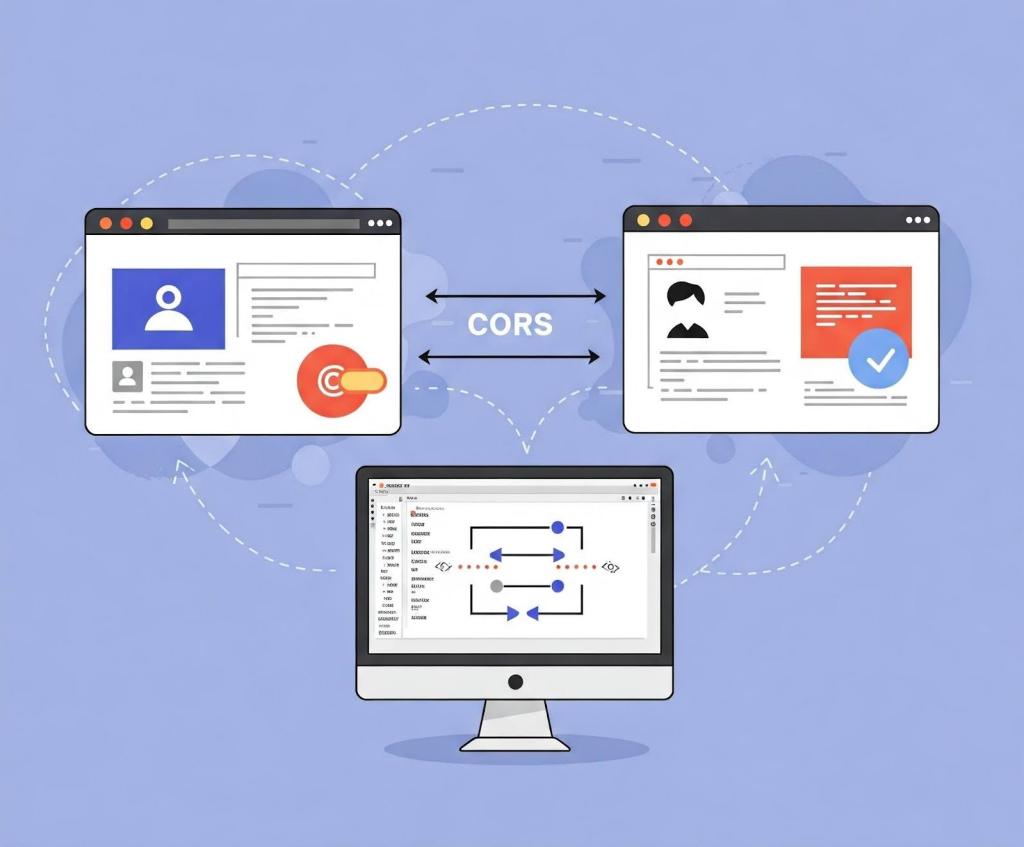
    A CORS diagram showing communication between two websites in the browser.

    In this blog post, I’ll show how developers and security researchers can use CodeQL to model their own libraries, using work that I’ve done on CORS frameworks in Go as an example. Since the techniques that I used are useful for modeling other frameworks, this blog post can help you model and find vulnerabilities in your own projects. Because static analyzers like CodeQL have the ability to get the detailed information about structures, functions, and imported libraries, they’re more versatile than simple tools like grep. Plus, since CORS frameworks often use set configurations via specific structures and functions, using CodeQL is the easiest way to find misconfigurations in your codebases.

    Modeling headers in CodeQL

    When adding code to CodeQL, it’s best practice to always check the related queries and frameworks that are already available so that we’re not reinventing the wheel. For most languages, CodeQL already has a CORS query that covers many of the default cases. The easiest and simplest way of implementing CORS is by manually setting the  Access-Control-Allow-Origin and Access-Control-Allow-Credentials response headers. By modeling the frameworks for a language (e.g., Django, FastAPI, and Flask), CodeQL can identify where in the code those headers are set. Building on those models by looking for specific header values, CodeQL can find simple examples of CORS and see if they match vulnerable values.

    In the following Go example, unauthenticated resources on the servers could be accessed by arbitrary websites.

    func saveHandler(w http.ResponseWriter, r *http.Request) { 
        w.Header().Set("Access-Control-Allow-Origin", "*") 
    }

    This may be troublesome for web applications that do not have authentication, such as tools intended to be hosted locally, because any dangerous endpoint could be accessed and exploited by an attacker.

    This is a snippet of the Go http framework where CodeQL models the Set method to find security-related header writes for this framework. Header writes are modeled by the HeaderWrite class in HTTP.qll, which is extended by other modules and classes in order to find all header writes.

     /** Provides a class for modeling new HTTP header-write APIs. */
      module HeaderWrite {
        /**
         * A data-flow node that represents a write to an HTTP header.
         *
         * Extend this class to model new APIs. If you want to refine existing API models,
         * extend `HTTP::HeaderWrite` instead.
         */
        abstract class Range extends DataFlow::ExprNode {
          /** Gets the (lower-case) name of a header set by this definition. */
          string getHeaderName() { result = this.getName().getStringValue().toLowerCase() }

    Some useful methods such as getHeaderName and getHeaderValue can also  help in developing security queries related to headers, like CORS misconfiguration. Unlike the previous code example, the below pattern is an example of a CORS misconfiguration whose effect is much more impactful.

    func saveHandler(w http.ResponseWriter, r *http.Request) { 
        w.Header().Set("Access-Control-Allow-Origin", 
        r.Header.Get("Origin"))
        w.Header().Set("Access-Control-Allow-Credentials", 
        "true") 
    }

    Reflecting the request origin header and allowing credentials permits an attacking website to make requests as the current logged in user, which could compromise the entire web application.

    Using CodeQL, we can model the headers, looking for specific headers and methods in order to help CodeQL identify the relevant security code structures to find CORS vulnerabilities.

    /**
     * An `Access-Control-Allow-Credentials` header write.
     */
    class AllowCredentialsHeaderWrite extends Http::HeaderWrite {
        AllowCredentialsHeaderWrite() {
            this.getHeaderName() = headerAllowCredentials()
        }
    }
    
    /**
     * predicate for CORS query.
     */
    predicate allowCredentialsIsSetToTrue(DataFlow::ExprNode allowOriginHW) {
            exists(AllowCredentialsHeaderWrite allowCredentialsHW |
                    allowCredentialsHW.getHeaderValue().toLowerCase() = "true"

    Here, the HTTP::HeaderWrite class, as previously discussed, is used as a superclass for AllowCredentialsHeaderWrite, which finds all header writes of the value Access-Control-Allow-Credentials. Then, when our CORS misconfiguration query checks whether credentials are enabled, we use AllowCredentialsHeaderWrite as one of the possible sources to check.

    The simplest way for developers to set a CORS policy is by setting headers on HTTP responses in their server. By modeling all instances where a header is set, we can check for these CORS cases in our CORS query. 

    When modeling web frameworks using CodeQL, creating classes that extend more generic superclasses such as HTTP::HeaderWrite allows the impact of the model to be used in all CodeQL security queries that need them. Since headers in web applications can be so important, modeling all the ways they can be written to in a framework can be a great first step to adding that web framework to CodeQL.

    Modeling frameworks in CodeQL

    A computer with two windows open showing secure code.

    Rather than setting the CORS headers manually, many developers use a CORS framework instead.  Generally, CORS frameworks use middleware in the router of a web framework in order to add headers for every response. Some web frameworks will have their own CORS middleware, or you may have to include a third-party package. When modeling a CORS framework in CodeQL, you’re usually modeling the relevant structures and methods that signify a CORS policy. Once the modeled structure or methods have the correct values, the query should check that the structure is actually used in the codebase.

    For frameworks, we’ll look into Go as our language of choice since it has great support for CORS. Go provides a couple of CORS frameworks, but most follow the structure of Gin CORS, a CORS middleware framework for the Gin web framework. Here’s an example of a Gin configuration for CORS:

    package main
    
    import (
      "time"
    
      "github.com/gin-contrib/cors"
      "github.com/gin-gonic/gin"
    )
    
    func main() {
      router := gin.Default()
      router.Use(cors.New(cors.Config{
        AllowOrigins:     []string{"https://foo.com"},
        AllowMethods:     []string{"PUT", "PATCH"},
        AllowHeaders:     []string{"Origin"},
        ExposeHeaders:    []string{"Content-Length"},
        AllowCredentials: true,
        AllowOriginFunc: func(origin string) bool {
          return origin == "https://github.com"
        }
      }))
      router.Run()
    }

    Now that we’ve modeled the router.Use method and cors.New — ensuring that cors.Config structure is at some point put into a router.Use function for actual use — we should then check all cors.Config structures for appropriate headers.

    Next, we find the appropriate headers fields we want to model. For a basic CORS misconfiguration query, we would model AllowOrigins, AllowCredentials, AllowOriginFunc. My pull requests for adding GinCors and RSCors to CodeQL can be used as references if you’re interested in seeing everything that goes into adding a framework to CodeQL. Below I’ll discuss some of the most important details.

     /**
       * A variable of type Config that holds the headers to be set.
       */
      class GinConfig extends Variable {
        SsaWithFields v;
    
        GinConfig() {
          this = v.getBaseVariable().getSourceVariable() and
          v.getType().hasQualifiedName(packagePath(), "Config")
        }
    
        /**
         * Get variable declaration of GinConfig
         */
        SsaWithFields getV() { result = v }
      }

    I modeled the Config type by using SSAWithFields, which is a single static assignment with fields. By using getSourceVariable(), we can get the variable that the structure was assigned to, which can help us see where the config is used. This allows us to find track variables that contain the CORS config structure across the codebase, including ones that are often initialized like this:

    func main() {
    ...
    // We can now track the corsConfig variable for further updates,such as when one of the fields is updated.
    corsConfig:= cors.New(cors.Config{
    ...
    })}

    Now that we have the variable containing the relevant structure, we want to find all the instances where the variable is written to. By doing this, we can get an understanding of the relevant property values that have been assigned to it, and thus decide whether the CORS config is misconfigured.

     /**
       * A write to the value of Access-Control-Allow-Origins header
       */
      class AllowOriginsWrite extends UniversalOriginWrite {
        DataFlow::Node base;
    	
    	// This models all writes to the AllowOrigins field of the Config type
        AllowOriginsWrite() {
    
          exists(Field f, Write w |
            f.hasQualifiedName(packagePath(), "Config", "AllowOrigins") and
            w.writesField(base, f, this) and
    
    		// To ensure we are finding the correct field, we look for a write of type string (SliceLit)
            this.asExpr() instanceof SliceLit
          )
    
        }
    
        /**
         * Get config variable holding header values
         */
        override GinConfig getConfig() {
          exists(GinConfig gc |
            (
              gc.getV().getBaseVariable().getDefinition().(SsaExplicitDefinition).getRhs() =
                base.asInstruction() or
              gc.getV().getAUse() = base
            ) and
            result = gc
          )
        }
      }

    By adding the getConfig function, we return the previously created GinConfig, which allows us to verify that any writes to relevant headers affect the same configuration structure. For example, a developer may create a config that has a vulnerable origin and another config that allows credentials. The config that allows credentials wouldn’t be highlighted because only configs with vulnerable origins would create a security issue. By allowing CORS relevant header writes from different frameworks to all extend UniversalOriginWrite and UniversalCredentialsWrite, we can use those in our CORS misconfiguration query. 

    Writing CORS misconfiguration queries in CodeQL

    CORS issues are separated into two types: those without credentials (where we’re looking for * or null) and CORS with credentials (where we’re looking for origin reflection or null). If you want to keep the CodeQL query simple, you can create one query for each type of CORS vulnerability and assign their severity accordingly. For the Go language, CodeQL only has a “CORS with credentials” type of query because it’s applicable to all applications. 

    Let’s tie in the models we just created above to see how they’re used in the Go CORS misconfiguration query itself. 

    from DataFlow::ExprNode allowOriginHW, string message
    where
      allowCredentialsIsSetToTrue(allowOriginHW) and
      (
        flowsFromUntrustedToAllowOrigin(allowOriginHW, message)
        or
        allowOriginIsNull(allowOriginHW, message)
      ) and
      not flowsToGuardedByCheckOnUntrusted(allowOriginHW)
    ...
    select allowOriginHW, message

    This query is only interested in critical vulnerabilities, so it checks whether credentials are allowed, and whether the allowed origins either come from a remote source or are hardcoded as null. In order to prevent false positives, it checks if there are certain guards — such as string comparisons —  before the remote source gets to the origin. Let’s take a closer look at the predicate allowCredentialsIsSetToTrue.

    /**
     * Holds if the provided `allowOriginHW` HeaderWrite's parent ResponseWriter
     * also has another HeaderWrite that sets a `Access-Control-Allow-Credentials`
     * header to `true`.
     */
    predicate allowCredentialsIsSetToTrue(DataFlow::ExprNode allowOriginHW) {
      exists(AllowCredentialsHeaderWrite allowCredentialsHW |
        allowCredentialsHW.getHeaderValue().toLowerCase() = "true"
      |
        allowOriginHW.(AllowOriginHeaderWrite).getResponseWriter() =
          allowCredentialsHW.getResponseWriter()
      )
      or
    ...

    For the first part of the predicate, we’ll use one of the headers we previously modeled, AllowCredentialsHeaderWrite, in order to compare headers. This will help us filter out all header writes that don’t have credentials set.

      exists(UniversalAllowCredentialsWrite allowCredentialsGin |
        allowCredentialsGin.getExpr().getBoolValue() = true
      |
        allowCredentialsGin.getConfig() = allowOriginHW.(UniversalOriginWrite).getConfig() and
        not exists(UniversalAllowAllOriginsWrite allowAllOrigins |
          allowAllOrigins.getExpr().getBoolValue() = true and
          allowCredentialsGin.getConfig() = allowAllOrigins.getConfig()
        )
        or
        allowCredentialsGin.getBase() = allowOriginHW.(UniversalOriginWrite).getBase() and
        not exists(UniversalAllowAllOriginsWrite allowAllOrigins |
          allowAllOrigins.getExpr().getBoolValue() = true and
          allowCredentialsGin.getBase() = allowAllOrigins.getBase()
        )
      )
    }

    If CORS is not set through a header, we check for CORS frameworks using UniversalAllowCredentialsWrite.To filter out all instances whose corresponding Origin value is set to “*”, we use the not CodeQL keyword on UniversalAllowAllOriginsWrite,  since these are not applicable to this vulnerability. flowsFromUntrustedToAllowOrigin and allowOriginIsNull follow similar logic to ensure that the resulting header rights are vulnerable.

    Extra credit

    When you model CodeQL queries to detect vulnerabilities related to CORS, you can’t use a one-size-fits-all approach. Instead, you have to tailor your queries to each web framework for two reasons: 

    • Each framework implements CORS policies in its own way
    • Vulnerability patterns depend on a framework’s behavior

    For example, we saw before in Gin CORS that there is an AllowOriginFunc. After looking at the documentation or experimenting with the code, we can see that it may override AllowOrigins. To improve our query, we could write a CodeQL query that looks for AllowOriginFuncs that always return true, which will result in a high severity vulnerability if paired with credentials.

    Take this with you 

    Once you understand the behavior of web frameworks and headers with CodeQL, it’s simple to find security issues in your code and reduce the chance of vulnerabilities making their way into your work. The number of CodeQL languages that support CORS misconfiguration queries is still growing, and there is always room for improvement from the community . 

    If this blog has been helpful in helping you write CodeQL queries, please feel free to open anything you’d like to share with the community in our CodeQL Community Packs.

    Finally, GitHub Code Security can help you secure your project by detecting and suggesting a fix for bugs such as CORS misconfiguration!

    Explore more GitHub Security Lab blog posts >

    The post Modeling CORS frameworks with CodeQL to find security vulnerabilities appeared first on The GitHub Blog.


    Source: The GitHub Blog.

  • Three worthwhile articles yesterday

    July 10, 2025
    Software

    Three worthwhile articles yesterday

    Martin Fowler: 10 Jul 2025

    Three articles I enjoyed yesterday:

    Stephen O’Grady talks about how Gen AI tools break two common constants with developer tools: they are willing to flit between Gen AI tools and they are willing to pay for them. This implies that it’s not too late for new tools to appear, and that enterprise adoption will be slowed by a lack of consensus on which direction to go.

    Pete Hodgson continues his excellent writing on Gen AI by proposing an approach to leading engineers towards an AI-assisted future, centered around a the concept of aligned autonomy. He advocates an explicit experimentation phase, followed by supporting adoption and measuring their impact.

    Charity Majors reflects on her career. I really resonated with her words: “I think I’m less interested in my own happiness (whatever that means) than I am interested in doing work that feels worth doing.”


    Source: Martin Fowler.

  • Recensione Apple MacBook Air 15-pollici

    Recensione Apple MacBook Air 15-pollici

    July 10, 2025
    Hardware

    Apple MacBook Air 15-inch (M4): recensione rapida

    Il MacBook Air 15 pollici (M4) è l’ultima versione del portatile sottile e leggero di grande formato di Apple, arrivato in contemporanea al modello più compatto da 13 pollici con lo stesso chip. In molti stavano aspettando che i laptop più popolari della Mela ricevessero finalmente l’M4, dopo il debutto avvenuto lo scorso anno su iPad Pro.

    Da allora, abbiamo visto versioni M4 di MacBook Pro, iMac e Mac mini, lasciando i fan del MacBook Air – e sono tantissimi, visto che è il prodotto Mac più venduto – in attesa del proprio turno.

    Comprensibile quindi che qualcuno possa aver percepito questi MacBook Air M4 come un’aggiunta tardiva o secondaria nella strategia di Apple, ma ormai l’azienda sembra aver consolidato questo ritmo di rilascio. Del resto, i modelli M3 da 13 e 15 pollici erano arrivati proprio un anno fa, nel marzo del 2024.

    @techradar

    ♬ original sound – TechRadar

    Sembra che Apple voglia evitare un’altra polemica lanciando un nuovo modello di MacBook a meno di un anno dal precedente. Era già successo con il MacBook Pro M3, arrivato circa nove mesi dopo il modello M2, e le critiche non erano mancate.

    Distanziare i lanci di almeno un anno riduce il rischio di irritare chi ha appena acquistato la generazione precedente, e la sensazione è che Apple abbia fatto i suoi calcoli: il MacBook Air si rivolge a un pubblico più ampio e casual, meno interessato ad avere per forza l’ultima novità hardware.

    Onestamente, è probabilmente la scelta giusta. Chi possiede un MacBook Air M3 non dovrebbe sentirsi spinto a passare all’M4. Ne abbiamo parlato più nel dettaglio nella recensione del MacBook Air 13 pollici (M4), ma questo nuovo modello rappresenta un’evoluzione sottile, più che una rivoluzione.

    MacBook Air 15-inch with M4 chip on a creative's desk with screen open

    (Image credit: Future)

    Quando un laptop raggiunge la qualità del MacBook Air (sia nella versione da 13 che da 15 pollici), non serve stravolgere la formula. E se siete in cerca di un nuovo portatile — specialmente se arrivate da un MacBook più vecchio o da un modello Windows — allora è molto probabile che vi innamorerete del MacBook Air 15 pollici (M4).

    Il prezzo di partenza è di circa 2.099 euro, e rappresenta una vera sorpresa positiva: come il modello da 13 pollici, anche il MacBook Air 15″ (M4) riceve un taglio di prezzo rispetto al passato.

    Un prodotto migliore a un prezzo inferiore è un segnale importante, soprattutto in un periodo in cui tutto sembra costare di più. Va riconosciuto ad Apple il merito di aver mantenuto l’accessibilità del MacBook Air, una delle sue caratteristiche più amate.

    Questo prezzo più basso ha però una conseguenza: Apple non vende più ufficialmente i modelli precedenti. Quando uscì il MacBook Air M2, Apple continuò a proporre il modello M1 a prezzo ridotto, e lo stesso fece con l’M3, abbassando il prezzo del MacBook Air M2. Ora invece, sullo store ufficiale sono acquistabili solo i modelli M4. Chi cerca un’opzione più economica dovrà quindi rivolgersi ai rivenditori terzi, che continueranno a vendere le versioni precedenti finché avranno scorte – e alcune offerte interessanti sono già apparse online dopo l’annuncio dell’M4.

    Il modello base del MacBook Air 15″ M4 include il chip M4 con CPU a 10 core, GPU a 10 core, 16 GB di memoria unificata e 256 GB di archiviazione SSD – specifiche simili al 13 pollici M4, che però nella configurazione base monta una CPU a 8 core.

    Per il resto, i due modelli sono molto simili. Il 15 pollici ha uno schermo più ampio, ma la stessa nitidezza: la risoluzione di 2880 x 1864 su uno schermo da 15,3 pollici corrisponde a 224 pixel per pollice, esattamente come il 13,6 pollici da 2560 x 1664. Un laptop più grande, ma con la stessa attenzione ai dettagli.

    MacBook Air 15-inch with M4 chip on a creative's desk with screen open

    (Image credit: Future)

    Questo significa che i due modelli offrono la stessa nitidezza dello schermo, quindi la scelta dipende davvero da quale dimensione preferite. Il MacBook Air da 15 pollici offre un display più ampio, comodo per chi lavora spesso con più finestre o su contenuti visivi, mentre il modello da 13 pollici è pensato per chi cerca portabilità e leggerezza durante gli spostamenti.

    Una differenza rilevante tra i due è l’audio: il 15 pollici monta sei altoparlanti integrati con woofer con cancellazione delle vibrazioni, mentre il 13 pollici si limita a quattro altoparlanti e non offre questa tecnologia. Il risultato è che il MacBook Air da 15 pollici (M4) ha un suono più ricco, avvolgente e con bassi profondi, senza vibrazioni o distorsioni, il tutto racchiuso in un design sottilissimo. Per chi dà priorità alla qualità sonora, questo modello è senza dubbio la scelta migliore tra i due.

    Ci sono anche alcune novità sul fronte del design rispetto alla generazione precedente: sia il 13 che il 15 pollici M4 ora integrano una webcam da 12MP con tecnologia Center Stage. Questa permette di rimanere inquadrati anche se ci si muove leggermente, seguendo il volto durante le videochiamate. La qualità video è nitida e fluida, ideale anche per contesti professionali.

    La webcam supporta inoltre la modalità Desk View, che permette di mostrare simultaneamente il volto dell’utente e il piano di lavoro. Una funzione comoda per chi registra tutorial o presentazioni, senza bisogno di usare due fotocamere separate. Grazie al chip M4, la webcam può anche applicare effetti video migliorati con machine learning, come Studio Light, che regola automaticamente illuminazione, contrasto e colori per offrire un aspetto più curato. Una funzione simile si trova nei portatili Windows con Studio Effects, ma qui si integra perfettamente nell’ecosistema Apple.

    Infine, c’è anche una nuova colorazione: Sky Blue. Non aspettatevi però un blu brillante in stile iMac – si tratta di una tonalità metallica elegante e discreta, con solo un accenno di azzurro. Il cavo MagSafe abbinato al colore del portatile è un dettaglio semplice ma piacevole.

    Nel complesso, il MacBook Air 15 pollici (M4) è uno dei migliori laptop da 15 pollici oggi in commercio: potente, leggero, ben progettato. Tuttavia, se già possedete un modello M3 o M2, non troverete grandi motivi per cambiare. Questo non sminuisce il chip M4, ma piuttosto conferma quanto fossero già ottimi i modelli precedenti.

    MacBook Air 15-inch with M4 chip on a creative's desk with screen open

    (Image credit: Future)

    Apple MacBook Air 15-inch (M4) review: Price and availability

    In una mossa davvero apprezzabile, Apple ha lanciato il nuovo MacBook Air da 15 pollici (M4) a un prezzo più basso rispetto a quello del modello M3, offrendo in configurazione base un chip M4 con CPU a 10 core, GPU a 10 core, 16 GB di memoria unificata e 256 GB di SSD.

    Dopo le critiche ricevute per aver proposto in passato configurazioni base con solo 8 GB di RAM e 128 GB di archiviazione, Apple ha finalmente raddoppiato memoria e spazio senza alzare il prezzo, e ha mantenuto questo approccio anche con il nuovo M4. Una scelta che rende il dispositivo molto più interessante per chi cerca un portatile di lunga durata.

    Chi è studente può usufruire di un ulteriore sconto, rendendo il MacBook Air M4 da 15 pollici ancora più competitivo sul piano del rapporto qualità-prezzo. Anche senza sconti specifici, è difficile trovare un portatile da 15 pollici con queste caratteristiche tecniche, qualità costruttiva e prestazioni a una cifra simile.

    L’unico vero rivale è il MacBook Air da 13 pollici (M4), che propone prestazioni simili ma con uno schermo più compatto, meno altoparlanti e una CPU a 8 core anziché 10. Costa meno, ma non è detto che la differenza giustifichi il sacrificio in termini di dimensioni e qualità audio.

    A differenza del passato, Apple non vende più i modelli M2 o M3 sul proprio sito, riducendo la possibilità di acquistare un MacBook Air a un prezzo inferiore direttamente dal canale ufficiale. Tuttavia, i rivenditori continueranno a proporre le versioni precedenti fino a esaurimento scorte, e sono già apparse offerte molto interessanti dopo il lancio della nuova generazione.

    • Prezzo: 4.5 / 5

    Apple MacBook Air 15-inch (M4) recensione: Design

    Da quando ha ricevuto un importante restyling con il modello M2 nel 2022, Apple ha mantenuto pressoché invariato il design del MacBook Air, con la versione da 15 pollici che riprende in tutto e per tutto le linee del modello da 13 pollici – semplicemente in formato più grande.

    Questo vale anche per il MacBook Air 15″ (M4), che riprende l’aspetto del modello M3 con alcune piccole ma gradite modifiche. L’assenza di un nuovo design non è un problema: lo stile resta moderno ed elegante.

    Con dimensioni di 1,15 x 34,04 x 23,76 cm e un peso di 1,51 kg, rimane un portatile da 15 pollici estremamente sottile e leggero. Tuttavia, per chi cerca la massima portabilità, il modello da 13 pollici resta l’opzione consigliata.

    Nonostante alcuni concorrenti, come LG con la linea Gram, propongano laptop altrettanto leggeri e raffinati, il MacBook Air da 15 pollici mantiene il suo status di prodotto premium, con un design riconoscibile e una costruzione solida.

    MacBook Air 15-inch with M4 chip on a creative's desk with screen open

    (Image credit: Future)

    Sul lato sinistro si trovano due porte Thunderbolt 4 e una porta di ricarica MagSafe 3, che grazie ai magneti rende il collegamento del cavo rapido e sicuro, proteggendo anche il portatile da eventuali strattoni accidentali. Sul lato destro è presente invece un jack audio da 3,5 mm.

    Le porte Thunderbolt 4 raggiungono velocità fino a 40Gb/s: sarebbe stato interessante vedere il supporto a Thunderbolt 5, ma per la maggior parte degli utenti queste prestazioni sono più che sufficienti per gestire anche file di grandi dimensioni da e verso dischi esterni.

    La selezione di porte non è particolarmente ricca, soprattutto se confrontata con quella di alcuni concorrenti che offrono anche ingressi HDMI senza compromettere lo spessore del dispositivo. Tuttavia, la presenza della porta MagSafe 3 è un vantaggio: consente di ricaricare il portatile senza occupare una delle porte Thunderbolt 4. In alternativa, è sempre possibile ricaricare anche tramite un caricatore USB-C, se si è dimenticato il cavo MagSafe.

    MacBook Air 15-inch with M4 chip on a creative's desk with screen open

    (Image credit: Future)

    Ci sono comunque alcune novità nel design. La webcam è ora una fotocamera da 12MP con tecnologia Center Stage, che include anche la funzione Desk View: questa permette di dividere l’inquadratura in due, mostrando contemporaneamente il volto dell’utente e una vista dall’alto della scrivania. La qualità dell’immagine è ottima, merito anche del chip M4.

    Resta però la famosa “notch”: la rientranza nella parte superiore dello schermo che circonda la webcam e che scende nel display. È presente ormai da tre anni, e chi non la sopportava probabilmente si è rassegnato. Personalmente non rappresenta un problema, ma vale la pena segnalarla, anche perché alcuni portatili Windows 11 riescono a integrare webcam eccellenti in cornici sottili senza ricorrere a questa soluzione.

    MacBook Air 15-inch with M4 chip on a creative's desk with screen open

    (Image credit: Future)

    Un’altra piccola modifica nel design riguarda la tastiera. Resta retroilluminata, con il tasto Touch ID per accedere rapidamente a macOS o confermare pagamenti con Apple Pay tramite impronta digitale, ed è comoda da usare (i vecchi problemi dei tasti che si bloccavano sono ormai un ricordo). La novità è nel simbolo del tasto F10, che ora mostra un’icona di altoparlante con una linea, al posto del semplice altoparlante.

    Può sembrare un dettaglio, ma è una scelta intelligente: l’icona ora è coerente con quella che compare sullo schermo quando si silenzia l’audio, è più riconoscibile e riduce la confusione con il tasto per abbassare il volume, che usa ancora il classico simbolo dell’altoparlante.

    La novità più visibile però è il nuovo colore Sky Blue. Si tratta di un azzurro metallico tenue, elegante e discreto, che si affianca bene alle altre varianti Midnight, Starlight e Silver. Non è vivace come i colori degli iMac, ma aggiunge un tocco di personalità senza compromettere la professionalità del design. Inoltre, come sempre, il cavo MagSafe intrecciato incluso ha lo stesso colore del MacBook, un dettaglio curato e apprezzabile.

    Nel complesso, il MacBook Air 15-inch (M4) mantiene un design elegante, sottile e facilmente trasportabile. Chi cerca un portatile da 15 pollici con un aspetto premium non resterà deluso.

    • Design: 4 / 5

    Apple MacBook Air 15-inch (M4) recensione: Performance

    Anche se il design del MacBook Air 15-inch (M4) rappresenta solo un’evoluzione del modello precedente, lo stesso si può dire per hardware e prestazioni: si tratta di un aggiornamento limitato, non di un vero salto generazionale.

    In parte è comprensibile, visto che Apple rilascia ogni anno un nuovo chip della serie M. Le migliorie possibili sono per forza di cose contenute, e a differenza di uno smartphone, un portatile non si cambia così spesso.

    Di conseguenza, chi possiede già un MacBook Air con chip M3 non noterà grandi differenze passando all’M4. E infatti, gran parte della comunicazione ufficiale di Apple si concentra sui confronti con i vecchi modelli Intel, in particolare con il MacBook Air da 13 pollici con Intel Core i7 del 2020.

    Secondo Apple, il nuovo modello con chip M4 sarebbe fino a 20 volte più veloce rispetto a quel vecchio modello Intel, ma i guadagni rispetto all’M3 sono molto più contenuti, spesso nell’ordine di pochi punti percentuali.

    Dopo aver utilizzato a lungo i modelli con M2, M3 e ora M4, possiamo dire che le differenze reali sono quasi impercettibili nell’uso quotidiano. Tutto gira fluido, da macOS alle applicazioni principali, che ormai sono quasi tutte compatibili nativamente con l’architettura ARM dell’M4, evitando l’uso del tool Rosetta 2 per le app Intel (che comportava un leggero calo di prestazioni).

    MacBook Air 15-inch with M4 chip on a creative's desk with screen open

    (Image credit: Future)

    Anche con i carichi più pesanti – come il montaggio di filmati 4K in Premiere Pro – il chip M4 mostra miglioramenti, ma non abbastanza da giustificare un passaggio dal modello con chip M3. Va detto però che la maggior parte di chi sceglie un MacBook Air non lo fa per compiti così gravosi, e in ambito quotidiano il MacBook Air 15-inch (M4) si comporta in modo eccellente.

    Il chip M4 è anche estremamente efficiente: il portatile non ha ventole e resta completamente silenzioso durante l’uso, a differenza di molti laptop Windows che attivano la ventola anche con operazioni leggere.

    Lo schermo resta di altissima qualità, con colori vividi e luminosi, ma alcuni concorrenti si stanno avvicinando pericolosamente, soprattutto con l’arrivo dei pannelli OLED (come nel Vivobook S 15 Copilot+), che portano un notevole miglioramento nella resa visiva. Inoltre, alcuni portatili offrono ora risoluzioni 4K, più elevate rispetto a quella del MacBook Air.

    Detto ciò, il display del MacBook Air rimane eccellente per l’uso quotidiano. E grazie al chip M4, il portatile ora supporta due monitor esterni contemporaneamente, mantenendo attivo anche il proprio schermo integrato: un’ottima notizia per chi lavora con più display.

    Il vero punto di forza del MacBook Air 15-inch (M4), però, è l’audio. Film e serie su Apple TV+ suonano meglio di quanto ci si aspetterebbe da un portatile sottile, grazie a un sistema audio a sei altoparlanti capace di offrire profondità, nitidezza e un soundstage ampio. Nei film, gli effetti sonori sembrano arrivare da entrambi i lati dello schermo. Apple sottolinea anche il supporto all’audio spaziale, e pur non essendo paragonabile a un impianto Dolby Atmos da salotto, regala un coinvolgimento sorprendente per un portatile così compatto.

    MacBook Air 15-inch with M4 chip on a creative's desk with screen open

    (Image credit: Future)

    L’unico vero elemento che delude un po’ è la scelta di mantenere Wi-Fi 6E e Bluetooth 5.3, due tecnologie ormai superate da Wi-Fi 7 e Bluetooth 5.4, che offrono prestazioni superiori e funzionalità più moderne.

    Detto questo, le prestazioni complessive del MacBook Air 15-inch (M4) sono eccellenti per il prezzo. Se si proviene da un MacBook con processore Intel o da un laptop Windows tradizionale, l’esperienza d’uso sarà nettamente superiore sotto ogni aspetto.

    Tuttavia, chi già possiede un MacBook Air con chip M2 o M3 potrebbe non trovare miglioramenti abbastanza significativi da giustificare l’aggiornamento. In tal caso, conviene aspettare il probabile arrivo del modello con chip M5, previsto per l’anno prossimo.

    • Performance: 4 / 5

    Apple MacBook Air 15-inch (M4) recensione: Batteria

    Da quando Apple è passata dai processori Intel ai chip proprietari della serie M basati su architettura Arm, l’efficienza energetica del MacBook Air ha fatto un netto salto di qualità. Anche durante attività più complesse, il MacBook Air 15-inch (M4) mantiene ottime prestazioni anche a batteria, senza riduzioni evidenti di potenza come succede su altri portatili che limitano le prestazioni per risparmiare energia.

    Nei test effettuati, è riuscito a superare le 15 ore di utilizzo continuo, confermando un’autonomia che permette di affrontare intere giornate di lavoro senza dover ricorrere alla ricarica – cosa che è avvenuta anche durante l’utilizzo reale.

    Il corpo più grande del modello da 15 pollici ha permesso ad Apple di integrare una batteria più capiente rispetto alla versione da 13 pollici, e anche se il display più ampio consuma più energia, si registra comunque una leggera superiorità in autonomia rispetto al modello più compatto.

    • Batteria: 4.5 / 5

    Perché comprare un Apple MacBook Air 15-pollici (M4)?

    Ragioni per comprare

    Volete un portatile da 15 pollici

    Apple ci è riuscita di nuovo: il nuovo MacBook Air 15-inch (M4) è il miglior portatile da 15 pollici che potete acquistare oggi.

    Volete un’autonomia che dura giorni di lavoro

    La durata della batteria è eccellente, abbastanza da coprire più giornate lavorative con una singola carica.

    Avete un MacBook con processore Intel

    Se possedete un vecchio MacBook basato su Intel, passare al nuovo MacBook Air con M4 rappresenta un salto generazionale enorme.

    Ragioni per NON acquistare

    Avete già un MacBook con chip M2 o M3

    Il chip M4 offre ottime prestazioni, ma se possedete un MacBook con M2 o M3, non vale la pena aggiornare: il salto prestazionale non è sufficiente.

    Preferite Windows 11

    Il MacBook Air 15-inch (M4) utilizza macOS. Se preferite restare con Windows 11, allora questo non è il portatile che fa per voi.


    Source: Latest from TechRadar IT-IT in Reviews.

  • Unmasking The Magic: The Wizard Of Oz Method For UX Research

    Unmasking The Magic: The Wizard Of Oz Method For UX Research

    July 10, 2025
    Software

    New technologies and innovative concepts frequently enter the product development lifecycle, promising to revolutionize user experiences. However, even the most ingenious ideas risk failure without a fundamental grasp of user interaction with these new experiences.

    Consider the plight of the Nintendo Power Glove. Despite being a commercial success (selling over 1 million units), its release in late 1989 was followed by its discontinuation less than a full year later in 1990. The two games created solely for the Power Glove sold poorly, and there was little use for the Glove with Nintendo’s already popular traditional console games.

    A large part of the failure was due to audience reaction once the product (which allegedly was developed in 8 weeks) was cumbersome and unintuitive. Users found syncing the glove to the moves in specific games to be extremely frustrating, as it required a process of coding the moves into the glove’s preset move buttons and then remembering which buttons would generate which move. With the more modern success of Nintendo’s WII and other movement-based controller consoles and games, we can see the Power Glove was a concept ahead of its time.

    If Power Glove’s developers wanted to conduct effective research prior to building it out, they would have needed to look beyond traditional methods, such as surveys and interviews, to understand how a user might truly interact with the Glove. How could this have been done without a functional prototype and slowing down the overall development process?

    Enter the Wizard of Oz method, a potent tool for bridging the chasm between abstract concepts and tangible user understanding, as one potential option. This technique simulates a fully functional system, yet a human operator (“the Wizard”) discreetly orchestrates the experience. This allows researchers to gather authentic user reactions and insights without the prerequisite of a fully built product.

    The Wizard of Oz (WOZ) method is named in tribute to the similarly named book by Frank L. Baum. In the book, the Wizard is simply a man hidden behind a curtain, manipulating the reality of those who travel the land of Oz. Dorothy, the protagonist, exposes the Wizard for what he is, essentially an illusion or a con who is deceiving those who believe him to be omnipotent. Similarly, WOZ takes technologies that may or may not currently exist and emulates them in a way that should convince a research participant they are using an existing system or tool.

    WOZ enables the exploration of user needs, validation of nascent concepts, and mitigation of development risks, particularly with complex or emerging technologies.

    The product team in our above example might have used this method to have users simulate the actions of wearing the glove, programming moves into the glove, and playing games without needing a fully functional system. This could have uncovered the illogical situation of asking laypeople to code their hardware to be responsive to a game, show the frustration one encounters when needing to recode the device when changing out games, and also the cumbersome layout of the controls on the physical device (even if they’d used a cardboard glove with simulated controls drawn in crayon on the appropriate locations.

    Jeff Kelley credits himself (PDF) with coining the term WOZ method in 1980 to describe the research method he employed in his dissertation. However, Paula Roe credits Don Norman and Allan Munro for using the method as early as 1973 to conduct testing on an airport automated travel assistant. Regardless of who originated the method, both parties agree that it gained prominence when IBM later used it to conduct studies on a speech-to-text tool known as The Listening Typewriter (see Image below).

    In this article, I’ll cover the core principles of the WOZ method, explore advanced applications taken from practical experience, and demonstrate its unique value through real-world examples, including its application to the field of agentic AI. UX practitioners can use the WOZ method as another tool to unlock user insights and craft human-centered products and experiences.

    The Yellow Brick Road: Core Principles And Mechanics

    The WOZ method operates on the premise that users believe they are interacting with an autonomous system while a human wizard manages the system’s responses behind the scenes. This individual, often positioned remotely (or off-screen), interprets user inputs and generates outputs that mimic the anticipated functionality of the experience.

    Cast Of Characters

    A successful WOZ study involves several key roles:

    • The User
      The participant who engages with what they perceive as the functional system.
    • The Facilitator
      The researcher who guides the user through predefined tasks and observes their behavior and reactions.
    • The Wizard
      The individual manipulates the system’s behavior in real-time, providing responses to user inputs.
    • The Observer (Optional)
      An additional researcher who observes the session without direct interaction, allowing for a secondary perspective on user behavior.

    Setting The Stage For Believability: Leaving Kansas Behind

    Creating a convincing illusion is key to the success of a WOZ study. This necessitates careful planning of the research environment and the tasks users will undertake. Consider a study evaluating a new voice command system for smart home devices. The research setup might involve a physical mock-up of a smart speaker and predefined scenarios like “Play my favorite music” or “Dim the living room lights.” The wizard, listening remotely, would then trigger the appropriate responses (e.g., playing a song, verbally confirming the lights are dimmed).

    Or perhaps it is a screen-based experience testing a new AI-powered chatbot. You have users entering commands into a text box, with another member of the product team providing responses simultaneously using a tool like Figma/Figjam, Miro, Mural, or other cloud-based software that allows multiple users to collaborate simultaneously (the author has no affiliation with any of the mentioned products).

    The Art Of Illusion

    Maintaining the illusion of a genuine system requires the following:

    • Timely and Natural Responses
      The wizard must react to user inputs with minimal delay and in a manner consistent with expected system behavior. Hesitation or unnatural phrasing can break the illusion.
    • Consistent System Logic
      Responses should adhere to a predefined logic. For instance, if a user asks for the weather in a specific city, the wizard should consistently provide accurate information.
    • Handling the Unexpected
      Users will inevitably deviate from planned paths. The wizard must possess the adaptability to respond plausibly to unforeseen inputs while preserving the perceived functionality.

    Ethical Considerations

    Transparency is crucial, even in a method that involves a degree of deception. Participants should always be debriefed after the session, with a clear explanation of the Wizard of Oz technique and the reasons for its use. Data privacy must be maintained as with any study, and participants should feel comfortable and respected throughout the process.

    Distinguishing The Method

    The WOZ method occupies a unique space within the UX research toolkit:

    • Unlike usability testing, which evaluates existing interfaces, Wizard of Oz explores concepts before significant development.
    • Distinct from A/B testing, which compares variations of a product’s design, WOZ assesses entirely new functionalities that might otherwise lack context if shown to users.
    • Compared to traditional prototyping, which often involves static mockups, WOZ offers a dynamic and interactive experience, enabling observation of real-time user behavior with a simulated system.

    This method proves particularly valuable when exploring truly novel interactions or complex systems where building a fully functional prototype is premature or resource-intensive. It allows researchers to answer fundamental questions about user needs and expectations before committing significant development efforts.

    Let’s move beyond the foundational aspects of the WOZ method and explore some more advanced techniques and critical considerations that can elevate its effectiveness.

    Time Savings: WOZ Versus Crude Prototyping

    It’s a fair question to ask whether WOZ is truly a time-saver compared to even cruder prototyping methods like paper prototypes or static digital mockups.

    While paper prototypes are incredibly fast to create and test for basic flow and layout, they fundamentally lack dynamic responsiveness. Static mockups offer visual fidelity but cannot simulate complex interactions or personalized outputs.

    The true time-saving advantage of the WOZ emerges when testing novel, complex, or AI-driven concepts. It allows researchers to evaluate genuine user interactions and mental models in a seemingly live environment, collecting rich behavioral data that simpler prototypes cannot. This fidelity in simulating a dynamic experience, even with a human behind the curtain, often reveals critical usability or conceptual flaws far earlier and more comprehensively than purely static representations, ultimately preventing costly reworks down the development pipeline.

    Additional Techniques And Considerations

    While the core principle of the WOZ method is straightforward, its true power lies in nuanced application and thoughtful execution. Seasoned practitioners may leverage several advanced techniques to extract richer insights and address more complex research questions.

    Iterative Wizardry

    The WOZ method isn’t necessarily a one-off endeavor. Employing it in iterative cycles can yield significant benefits. Initial rounds might focus on broad concept validation and identifying fundamental user reactions. Subsequent iterations can then refine the simulated functionality based on previous findings.

    For instance, after an initial study reveals user confusion with a particular interaction flow, the simulation can be adjusted, and a follow-up study can assess the impact of those changes. This iterative approach allows for a more agile and user-centered exploration of complex experiences.

    Managing Complexity

    Simulating complex systems can be difficult for one wizard. Breaking complex interactions into smaller, manageable steps is crucial. Consider researching a multi-step onboarding process for a new software application. Instead of one person trying to simulate the entire flow, different aspects could be handled sequentially or even by multiple team members coordinating their responses.

    Clear communication protocols and well-defined responsibilities are essential in such scenarios to maintain a seamless user experience.

    Measuring Success Beyond Observation

    While qualitative observation is a cornerstone of the WOZ method, defining clear metrics can add a layer of rigor to the findings. These metrics should match research goals. For example, if the goal is to assess the intuitiveness of a new navigation pattern, you might track the number of times users express confusion or the time it takes them to complete specific tasks.

    Combining these quantitative measures with qualitative insights provides a more comprehensive understanding of the user experience.

    Integrating With Other Methods

    The WOZ method isn’t an island. Its effectiveness can be amplified by integrating it with other research techniques. Preceding a WOZ study with user interviews can help establish a deeper understanding of user needs and mental models, informing the design of the simulated experience. Following a WOZ study, surveys can gather broader quantitative feedback on the concepts explored. For example, after observing users interact with a simulated AI-powered scheduling tool, a survey could gauge their overall trust and perceived usefulness of such a system.

    When Not To Use WOZ

    WOZ, as with all methods, has limitations. A few examples of scenarios where other methods would likely yield more reliable findings would be:

    • Detailed Usability Testing
      Humans acting as wizards cannot perfectly replicate the exact experience a user will encounter. WOZ is often best in the early stages, where prototypes are rough drafts, and your team is looking for guidance on a solution that is up for consideration. Testing on a more detailed wireframe or prototype would be preferable to WOZ when you have entered the detailed design phase.
    • Evaluating extremely complex systems with unpredictable outputs
      If the system’s responses are extremely varied, require sophisticated real-time calculations that exceed human capacity, or are intended to be genuinely unpredictable, a human may struggle to simulate them convincingly and consistently. This can lead to fatigue, errors, or improvisations that don’t reflect the intended system, thereby compromising the validity of the findings.

    Training And Preparedness

    The wizard’s skill is critical to the method’s success. Training the individual(s) who will be simulating the system is essential. This training should cover:

    • Understanding the Research Goals
      The wizard needs to grasp what the research aims to uncover.
    • Consistency in Responses
      Maintaining consistent behavior throughout the sessions is vital for user believability.
    • Anticipating User Actions
      While improvisation is sometimes necessary, the wizard should be prepared for common user paths and potential deviations.
    • Remaining Unbiased
      The wizard must avoid leading users or injecting their own opinions into the simulation.
    • Handling Unexpected Inputs
      Clear protocols for dealing with unforeseen user actions should be established. This might involve having a set of pre-prepared fallback responses or a mechanism for quickly consulting with the facilitator.

    All of this suggests the need for practice in advance of running the actual session. We shouldn’t forget to have a number of dry runs in which we ask our colleagues or those who are willing to assist to not only participate but also think about possible responses that could stump the wizard or throw things off if the user might provide them during a live session.

    I suggest having a believable prepared error statement ready to go for when a user throws a curveball. A simple response from the wizard of “I’m sorry, I am unable to perform that task at this time” might be enough to move the session forward while also capturing a potentially unexpected situation your team can address in the final product design.

    Was This All A Dream? The Art Of The Debrief

    The debriefing session following the WOZ interaction is an additional opportunity to gather rich qualitative data. Beyond asking “What did you think?” effective debriefing involves sharing the purpose of the study and the fact that the experience was simulated.

    Researchers should then conduct psychological probing to understand the reasons behind user behavior and reactions. Asking open-ended questions like “Why did you try that?” or “What were you expecting to happen when you clicked that button?” can reveal valuable insights into user mental models and expectations.

    Exploring moments of confusion, frustration, or delight in detail can uncover key areas for design improvement. Think about the potential information the Power Gloves’ development team could have uncovered if they’d asked participants what the experience of programming the glove and trying to remember what they’d programmed into which set of keys had been.

    Case Studies: Real-World Applications

    The value of the WOZ method becomes apparent when examining its application in real-world research scenarios. Here is an in-depth review of one scenario and a quick summary of another study involving WOZ, where this technique proved invaluable in shaping user experiences.

    Unraveling Agentic AI: Understanding User Mental Models

    A significant challenge in the realm of emerging technologies lies in user comprehension. This was particularly evident when our team began exploring the potential of Agentic AI for enterprise HR software.

    Agentic AI refers to artificial intelligence systems that can autonomously pursue goals by making decisions, taking actions, and adapting to changing environments with minimal human intervention. Unlike generative AI that primarily responds to direct commands or generates content, Agentic AI is designed to understand user intent, independently plan and execute multi-step tasks, and learn from its interactions to improve performance over time. These systems often combine multiple AI models and can reason through complex problems. For designers, this signifies a shift towards creating experiences where AI acts more like a proactive collaborator or assistant, capable of anticipating needs and taking the initiative to help users achieve their objectives rather than solely relying on explicit user instructions for every step.

    Preliminary research, including surveys and initial interviews, suggested that many HR professionals, while intrigued by the concept of AI assistance, struggled to grasp the potential functionality and practical implications of truly agentic systems — those capable of autonomous action and proactive decision-making. We saw they had no reference point for what agentic AI was, even after we attempted relevant analogies to current examples.

    Building a fully functional agentic AI prototype at this exploratory stage was impractical. The underlying algorithms and integrations were complex and time-consuming to develop. Moreover, we risked building a solution based on potentially flawed assumptions about user needs and understanding. The WOZ method offered a solution.

    Setup

    We designed a scenario where HR employees interacted with what they believed was an intelligent AI assistant capable of autonomously handling certain tasks. The facilitator presented users with a web interface where they could request assistance with tasks like “draft a personalized onboarding plan for a new marketing hire” or “identify employees who might benefit from proactive well-being resources based on recent activity.”

    Behind the scenes, a designer acted as the wizard. Based on the user’s request and the (simulated) available data, the designer would craft a response that mimicked the output of an agentic AI. For the onboarding plan, this involved assembling pre-written templates and personalizing them with details provided by the user. For the well-being resource identification, the wizard would select a plausible list of employees based on the general indicators discussed in the scenario.

    Crucially, the facilitator encouraged users to interact naturally, asking follow-up questions and exploring the system’s perceived capabilities. For instance, a user might ask, “Can the system also schedule the initial team introductions?” The wizard, guided by pre-defined rules and the overall research goals, would respond accordingly, perhaps with a “Yes, I can automatically propose meeting times based on everyone’s calendars” (again, simulated).

    As recommended, we debriefed participants following each session. We began with transparency, explaining the simulation and that we had another live human posting the responses to the queries based on what the participant was saying. Open-ended questions explored initial reactions and envisioned use. Task-specific probing, like “Why did you expect that?” revealed underlying assumptions. We specifically addressed trust and control (“How much trust…? What level of control…?”). To understand mental models, we asked how users thought the “AI” worked. We also solicited improvement suggestions (“What features…?”).

    By focusing on the “why” behind user actions and expectations, these debriefings provided rich qualitative data that directly informed subsequent design decisions, particularly around transparency, human oversight, and prioritizing specific, high-value use cases. We also had a research participant who understood agentic AI and could provide additional insight based on that understanding.

    Key Insights

    This WOZ study yielded several crucial insights into user mental models of agentic AI in an HR context:

    • Overestimation of Capabilities
      Some users initially attributed near-magical abilities to the “AI”, expecting it to understand highly nuanced or ambiguous requests without explicit instruction. This highlighted the need for clear communication about the system’s actual scope and limitations.
    • Trust and Control
      A significant theme revolved around trust and control. Users expressed both excitement about the potential time savings and anxiety about relinquishing control over important HR processes. This indicated a need for design solutions that offered transparency into the AI’s decision-making and allowed for human oversight.
    • Value in Proactive Assistance
      Users reacted positively to the AI proactively identifying potential issues (like burnout risk), but they emphasized the importance of the AI providing clear reasoning and allowing human HR professionals to review and approve any suggested actions.
    • Need for Tangible Examples
      Abstract explanations of agentic AI were insufficient. Users gained a much clearer understanding through these simulated interactions with concrete tasks and outcomes.

    Resulting Design Changes

    Based on these findings, we made several key design decisions:

    • Emphasis on Transparency
      The user interface would need to clearly show the AI’s reasoning and the data it used to make decisions.
    • Human Oversight and Review
      Built-in approval workflows would be essential for critical actions, ensuring HR professionals retain control.
    • Focus on Specific, High-Value Use Cases
      Instead of trying to build a general-purpose agent, we prioritized specific use cases where agentic capabilities offered clear and demonstrable benefits.
    • Educational Onboarding
      The product onboarding would include clear, tangible examples of the AI’s capabilities in action.

    Exploring Voice Interaction for In-Car Systems

    In another project, we used the WOZ method to evaluate user interaction with a voice interface for controlling in-car functions. Our research question focused on the naturalness and efficiency of voice commands for tasks like adjusting climate control, navigating to points of interest, and managing media playback.

    We set up a car cabin simulator with a microphone and speakers. The wizard, located in an adjacent room, listened to the user’s voice commands and triggered the corresponding actions (simulated through visual changes on a display and audio feedback). This allowed us to identify ambiguous commands, areas of user frustration with voice recognition (even though it was human-powered), and preferences for different phrasing and interaction styles before investing in complex speech recognition technology.

    These examples illustrate the versatility and power of the method in addressing a wide range of UX research questions across diverse product types and technological complexities. By simulating functionality, we can gain invaluable insights into user behavior and expectations early in the design process, leading to more user-centered and ultimately more successful products.

    The Future of Wizardry: Adapting To Emerging Technologies

    The WOZ method, far from being a relic of simpler technological times, retains relevance as we navigate increasingly sophisticated and often opaque emerging technologies.

    The WOZ method’s core strength, the ability to simulate complex functionality with human ingenuity, makes it uniquely suited for exploring user interactions with systems that are still in their nascent stages.

    WOZ In The Age Of AI

    Consider the burgeoning field of AI-powered experiences. Researching user interaction with generative AI, for instance, can be effectively done through WOZ. A wizard could curate and present AI-generated content (text, images, code) in response to user prompts, allowing researchers to assess user perceptions of quality, relevance, and trust without needing a fully trained and integrated AI model.

    Similarly, for personalized recommendation systems, a human could simulate the recommendations based on a user’s stated preferences and observed behavior, gathering valuable feedback on the perceived accuracy and helpfulness of such suggestions before algorithmic development.

    Even autonomous systems, seemingly the antithesis of human control, can benefit from WOZ studies. By simulating the autonomous behavior in specific scenarios, researchers can explore user comfort levels, identify needs for explainability, and understand how users might want to interact with or override such systems.

    Virtual And Augmented Reality

    Immersive environments like virtual and augmented reality present new frontiers for user experience research. WOZ can be particularly powerful here.

    Imagine testing a novel gesture-based interaction in VR. A researcher tracking the user’s hand movements could trigger corresponding virtual events, allowing for rapid iteration on the intuitiveness and comfort of these interactions without the complexities of fully programmed VR controls. Similarly, in AR, a wizard could remotely trigger the appearance and behavior of virtual objects overlaid onto the real world, gathering user feedback on their placement, relevance, and integration with the physical environment.

    The Human Factor Remains Central

    Despite the rapid advancements in artificial intelligence and immersive technologies, the fundamental principles of human-centered design remain as relevant as ever. Technology should serve human needs and enhance human capabilities.

    The WOZ method inherently focuses on understanding user reactions and behaviors and acts as a crucial anchor in ensuring that technological progress aligns with human values and expectations.

    It allows us to inject the “human factor” into the design process of even the most advanced technologies. Doing this may help ensure these innovations are not only technically feasible but also truly usable, desirable, and beneficial.

    Conclusion

    The WOZ method stands as a powerful and versatile tool in the UX researcher’s toolkit. The WOZ method’s ability to bypass limitations of early-stage development and directly elicit user feedback on conceptual experiences offers invaluable advantages. We’ve explored its core mechanics and covered ways of maximizing its impact. We’ve also examined its practical application through real-world case studies, including its crucial role in understanding user interaction with nascent technologies like agentic AI.

    The strategic implementation of the WOZ method provides a potent means of de-risking product development. By validating assumptions, uncovering unexpected user behaviors, and identifying potential usability challenges early on, teams can avoid costly rework and build products that truly resonate with their intended audience.

    I encourage all UX practitioners, digital product managers, and those who collaborate with research teams to consider incorporating the WOZ method into their research toolkit. Experiment with its application in diverse scenarios, adapt its techniques to your specific needs and don’t be afraid to have fun with it. Scarecrow costume optional.


    Source: Articles on Smashing Magazine — For Web Designers And Developers.

  • Beyond prompt crafting: How to be a better partner for your AI pair programmer

    July 9, 2025
    Software

    When a developer first starts working with GitHub Copilot there’s (rightly) a focus on prompt crafting — or the art of providing good context and information to generate quality suggestions. 

    But context goes beyond typing out a couple of lines into Copilot Chat in VS Code. We want to ensure Copilot is considering the right files when performing operations, that these files are easy for Copilot to read, and that we provide Copilot any extra guidance it may need about the project or specific task. 

    So let’s explore taking the next step beyond prompt crafting, and think about how we can be a better partner for our AI pair programmer.

    I always like to talk about context by starting with a story. The other day my partner and I woke up and she said, “Let’s go to brunch!” Fantastic! Who doesn’t love brunch? 

    I recommended a spot, one of our favorites, and she said, “You know… we’ve been there quite a bit lately. I’d like to try something different.” I recommended another spot to which she replied, “Now that I’m thinking about it, I really want waffles. Let’s find somewhere that does good waffles.”

    This conversation is, of course, pretty normal. My partner asked a question, I responded, she provided more context, and back and forth we went. All of my suggestions were perfectly reasonable based on the information I had, and when she didn’t hear what she was expecting she provided a bit more guidance. As we continued talking, she realized she had a craving for waffles, which she discovered as she considered my suggestions.

    This is very much how we both talk with other people, but also how we approach working with generative AI tools, including Copilot. We ask questions, get answers, and work back and forth providing more context and making decisions based on what we see. 

    If we don’t receive the suggestions we’re expecting, or if something isn’t built to the specs we had in mind, it’s very likely Copilot didn’t have the context it needed — just as I didn’t have the context to suggest somewhere new when I started the conversation with my partner.

    How GitHub Copilot works with code

    To understand how Copilot in the IDE gets its context, it’s important to understand how it works. Except for agent mode, which performs external tasks, Copilot doesn’t build or run the code as it generates code suggestions. In fact, it behaves very similarly to, well, a pair programmer. It reads the code (and comments) of the files we’ve pointed it at just as another developer would. 

    But unlike a teammate, Copilot doesn’t have “institutional knowledge,” or the background information that comes with experience (although you can add custom instructions, but more on that later). This could be the history of why things were built a certain way (which isn’t documented somewhere but everyone just “knows” 🙄), that an internal library or framework that should always be used, or patterns that need to be followed.

    Obviously, all of this background info is important to get the right code suggestions from Copilot. If we’re using a data abstraction layer (DAL), for instance, but Copilot is generating raw SQL code, the suggestions aren’t going to be that helpful. 

    The problem isn’t that Copilot is generating invalid code. Instead, it’s lacking the context to generate the code in the format and structure we need. Basically, we want waffles and it’s giving us an omelette. Let’s see what we can do to get waffles.

    Using code comments to improve Copilot’s suggestions through better context

    There’s a common belief that quality code shouldn’t need comments, and that adding comments is a “code smell,” or an indication that something could be improved. While it’s noble to strive to write code that’s as readable as possible, it’s something we often fall short of in our day-to-day work.

    Even when we do “hit the mark”, we need to remember that just because code might be readable to one developer, it doesn’t mean it’s readable to all developers. A couple of lines of comments can go a long way to ensuring readability.

    The same holds true for Copilot! As we highlighted above, Copilot doesn’t run or compile your code except in specific situations. Instead, it “reads” your code much like a developer would. 

    Following the guidelines for having docstrings in functions/modules in Python, for example, can help ensure Copilot has a better understanding of what the code does and how it does it. This allows Copilot to generate higher-quality suggestions by using your existing code to ensure any new code follows the same patterns and practices already in place.

    💡 Pro tip: When you open a file, it’s always a good idea to leave it in a better state than when you found it. One of the little improvements you could make is to add a few comments to places to help describe the code. You could always ask Copilot to generate the first draft of the comments, and you can add any additional details Copilot missed!

    The benefit of using custom instructions with GitHub Copilot on your projects

    To generate quality suggestions, Copilot benefits from having context around what you’re doing and how you’re doing it. Knowing the technology and frameworks you’re using, what coding standards to follow, and even some background on what you’re building helps Copilot raise the quality bar on its suggestions. This is where custom instructions come into play.

    Custom instructions help you provide all of this background information and set ground rules (things like what APIs you want to call, naming patterns you want followed, or even stylistic preferences). 

    To get started, you place everything that’s important into a file named copilot-instructions.md inside your .github folder. It’s a markdown file, so you can create sections like Project structure, Technologies, Coding standards, and any other notes you want Copilot to consider on every single chat request. You can also add any guidance on tasks where you see Copilot not always choosing the right path, like maybe using class-based React components instead of function-based components (all the cool kids are using function based-components).

    Keep in mind that custom instructions are sent to Copilot on every single chat request. You want to keep your instructions limited to information that’s relevant to the entire project. Providing too many details can make it a bit harder for Copilot to determine what’s important.

    In simpler terms, you can basically think about the one friend you have who maybe shares too much detail when they’re telling a story, and how it can make it tricky to focus on the main plot points. It’s the same thing with Copilot. Provide some project-level guidance and overviews, so it best understands the environment in which it’s working.

    A good rule of thumb is to have sections that highlight the various aspects of your project. An outline for a monorepo with a client and server for a web app might look like this:

    # Tailspin Toys Crowd Funding Website for crowd funding for games. ## Backend The backend is written using: - Flask for the API - SQLAlchemy for the ORM - SQLite for the database ## Frontend The frontend is written using: - Astro for routing - Svelte for the components and interactivity - Tailwind CSS for styling ## Code standards - Use good variable names, avoiding abbreviations and single letter variables - Use the casing standard for the language in question (camelCasing for TypeScript, snake_casing for Python, etc.) - Use type hints in all languages which support them ## Project structure - `client` contains the frontend code - `docs` contains the documentation for the project - `scripts` contains the scripts used to install services, start the app, and run tests - `server` contains the backend code 

    This is relatively abbreviated, but notice the structure. We’re telling Copilot about the project we have, its structure, the techs in use, and some guidance about how we want our code to be created. We don’t have anything specific to tasks, like maybe writing unit tests, because we have another way to tell Copilot that information!

    Providing specific instructions for specific tasks

    Continuing our conversation about instruction files… (I’m Gen-X, so I’m required to use the Gen-X ellipsis at least once.)

    VS Code and Codespaces also support .instructions.md files. These are just like the copilot-instructions.md file we spoke about previously, only they’re designed to be used for specific types of tasks and placed in .github/instructions.

    Consider a project where you’re building out Flask Blueprints for the routes for an API. There might be requirements around how the file should be structured and how unit tests should be created. You can create a custom instructions file called flask-endpoint.instructions.md, place it in .github/instructions, then add it as context to the chat when you request Copilot to create a new endpoint. It might look something like:

    # Endpoint creation guidelines ## Endpoint notes - Endpoints are created in Flask using blueprints - Create a centralized function for accessing data - All endpoints require tests - Use the `unittest` module for testing - All tests must pass - A script is provided to run tests at `scripts/run-server-tests.sh` ## Project notes - The Python virtual environment is located in the root of the project in a **venv** folder - Register all blueprints in `server/app.py` - Use the [test instructions](./python-tests.instructions.md) when creating tests ## Prototype files - [Endpoint prototype](../../server/routes/games.py) - [Tests prototype](../../server/tests/test_games.py)

    Notice how we’re providing specific information about how we want our endpoints created. You’ll also notice we’re even linking out to other files in the project using hyperlinks — both existing files for Copilot to use as representative examples, and other instructions files for more information.

    Additionally, you can also apply instructions to file types based on a pattern. Let’s take the tests for example. If they were all located in server/tests, and started with test_, you could add metadata to the top to ensure Copilot always includes the instructions when working on a test file:

    --- applyTo: server/tests/test_*.py ---

    This gives you a lot of flexibility in ensuring Copilot is able to access the right information at the right time. This can be done explicitly by adding in the instructions file, or implicitly by providing a pattern for Copilot to use when building certain files.

    Just as before, these are artifacts in your repository. It can take some time to build a collection of instruction files, but that investment will pay off in the form of higher-quality code and, in turn, improved productivity.

    Fully reusable prompts

    The VS Code team recently published a new, experimental feature called prompt files. Because they’re still in development I don’t want to dig too deep into them, but you can read more about prompt files in the docs and see how to utilize them as they are currently implemented. In a nutshell, they allow you to effectively create scripted prompts for Copilot. You can choose the Copilot modes they’re available in (ask, edit and agent), the tools to be called, and what questions to ask the developer. These can be created by the team for enhanced reuse and consistency.

    Extending GitHub Copilot’s capabilities with Model Context Protocol (MCP)

    In an ever changing software development landscape, we need to ensure the information we’re working with is accurate, relevant, and up to date. This is what MCP, or Model Context Protocol, is built for! Developed initially by Anthropic, MCP is an open source protocol that lets organizations expose their services or data to generative AI tools. 

    When you add an MCP server to your IDE, you allow Copilot to “phone a friend” to find information, or even perform tasks on your behalf. For example, the Playwright MCP server helps create Playwright end-to-end tests, while the GitHub MCP server provides access to GitHub services like repositories, issues, and pull requests.

    Let’s say, for instance, that you added the Playwright MCP server to your IDE. When you ask Copilot to create a new test to validate functionality on your website, Copilot can consult an authoritative source, allowing it to generate the best code it can.

    You can even create your own MCP servers! One question I commonly hear is about how you can allow Copilot to look through an internal codebase or suite of libraries. With a custom MCP server, you could provide a facade for Copilot to perform these types of queries, then utilize the information discovered to suggest code based on your internal environment.

    MCP is large enough to have its own blog post, which my colleague Cassidy wrote, sharing tips, tricks, and insights about MCP.

    Thinking beyond prompts

    Let me be clear: prompt crafting is important. It’s one of the first skills any developer should learn when they begin using GitHub Copilot. 

    But writing a good prompt is only one piece Copilot considers when generating an answer. By using the best practices highlighted above — comments and good code, custom instructions, and MCP servers — you can help Copilot understand what you want it to do and how you want it to do it. To bring it back to my analogy, you can ensure Copilot knows when you want waffles instead of omelettes.

    And on that note, I’m off to brunch.

    Get started with GitHub Copilot >

    The post Beyond prompt crafting: How to be a better partner for your AI pair programmer appeared first on The GitHub Blog.


    Source: The GitHub Blog.

  • Wayland 1.24 Released with Fixes and New Features

    July 9, 2025
    Software

    Wayland 1.24 Released with Fixes and New Features » Linux Magazine

    After more than a year of work, Wayland 1.24 is now available for download, complete with new features, fixes, and improvements. This latest release is all about maturity and stability, as well as optimizing resource management.

    Wayland 1.24 adds improvements for keyboard and event handling, but the majority of the changes are found in associated protocols and compositors. Highlights include a new wl_keyboard repeated state that gives control to the compositors for key repeats, an important improvement for any situation where precise keyboard management is required; the introduction of wl_display_dispatch_queue_timeout() and wl_display_dispatch_timeout(), both of which are used to allow more control for dispatching events; and wl_shm_buffer_ref() and wl_shm_buffer_unref(), which allow access to the wl_shm_buffer storage, even after a protocol object is discarded.

    Although Wayland 1.24 has been made available for download, it might be a while before it reaches your distribution’s default repositories. Give it time, and it’ll find its way to your machine. In the meantime, you can read all about the new additions in the official release notes. Version 1.24 might not be chock-full of bells and whistles, but it does represent an important step forward.


    Source: Linux Magazine News (path: lmi_news).

  • I still care about the code

    July 9, 2025
    Software

    I still care about the code

    Photo of Birgitta Böckeler
    Birgitta Böckeler

    Birgitta is a Distinguished Engineer and AI-assisted delivery
    expert at Thoughtworks. She has over 20 years of experience as a software
    developer, architect and technical leader.

    This article is part of “Exploring Gen
    AI”
    . A series capturing Thoughtworks technologists’ explorations of using gen ai technology for
    software development.

    09 July 2025

    Ever since AI coding assistance started gaining traction I’ve heard people say, “Oh, so at some point we might not even have to care about the code anymore, it’s like Assembly, we certainly don’t look at THAT anymore.” Recently, with enhanced agentic capabilities and the coinage of “vibe coding” there has been a new spike of this take.

    I personally think we very much should still care about the code. Maybe in a different way than before, but still, we need to care.

    Imagine you’re on call!

    One of the main benefits of Dev and Ops in one hand is that when you are on call, you become a more responsible developer. You care more about resilience and bug-free code, because you don’t want to be called late in the night, or on the weekend.

    So the following is a great question to ground yourself in the hype: If you were on call for the application you’re working on, at which point would you be ok with deploying a 1,000 or 5,000 LOC change set? (Bear in mind, most teams today are even worried about auto-merging PRs from dependency upgrade bots.)

    For me personally, the minimum I want to still care about and be on top of is the test code.

    LLMs are not compilers

    I wrote about this almost two years ago, and I still haven’t changed my mind about it, on the contrary.

    LLMs are NOT compilers, interpreters, transpilers or assemblers of natural language, they are inferrers. A compiler takes a structured input and produces a repeatable, predictable output. LLMs do not do that. It might be possible to straightjacket them to the point that they produce the same output for an input at a very high probability, but I imagine at that point the input might not even be unstructured natural language anymore. And once we manage to wrap them in enough scaffolding to make them predictable, we risk stripping away the very thing that makes them valuable in the first place.

    Constant risk assessment

    Because of the non-deterministic nature of these inferrers, using Generative AI in the software context is constant risk assessment. I am feeling that especially at the moment, while working on an AI-accelerated lift and shift legacy migration that needs to achieve feature parity.

    Risk assessment, as always, is a combination of these 3 factors:

    • Impact of something going wrong: Will I be called in the middle of the night? Am I working on a use case with a low margin for error? Is the domain I’m working on critical to the business, or internal and supplementary?
    • Probability of something going wrong: How sophisticated is the AI setup I have? Is the problem I’m working on simple or comples? Do I have the appropriate context available for AI to do the right thing?
    • Detectability: How likely is it that I will catch problems? For this I factor in the level and type of review that is applied, and what confidence I have in the overall safety net.

    Hallucinations are the core feature of LLMs. We just call it “hallucinations” when they do something we don’t want, and “intelligence” in the cases where it’s useful to us. Regardless of how much context, tooling and model power I throw at a problem, there is always a non-negligible probability that something goes wrong. So especially in cases with high impact and low detectability, I absolutely still care about the code.

    latest article (Jul 09):

    I still care about the code

    previous article:

    Autonomous coding agents: A Codex example


    Source: Martin Fowler.

  • Apple + Anthropic?, Apple’s Fall, Apple’s Options

    July 9, 2025
    Strategy

    Apple is considering partnering with foundation model providers to replace Siri; the choice of which is profound.


    Source: Stratechery by Ben Thompson.

  • Git security vulnerabilities announced

    July 8, 2025
    Software

    Today, the Git project released new versions to address seven security vulnerabilities that affect all prior versions of Git.

    Vulnerabilities in Git

    CVE-2025-48384

    When reading a configuration value, Git will strip any trailing carriage return (CR) and line feed (LF) characters. When writing a configuration value, however, Git does not quote trailing CR characters, causing them to be lost when they are read later on. When initializing a submodule whose path contains a trailing CR character, the stripped path is used, causing the submodule to be checked out in the wrong place.

    If a symlink already exists between the stripped path and the submodule’s hooks directory, an attacker can execute arbitrary code through the submodule’s post-checkout hook.

    [source]

    CVE-2025-48385

    When cloning a repository, Git can optionally fetch a bundle, allowing the server to offload a portion of the clone to a CDN. The Git client does not properly validate the advertised bundle(s), allowing the remote side to perform protocol injection. When a specially crafted bundle is advertised, the remote end can cause the client to write the bundle to an arbitrary location, which may lead to code execution similar to the previous CVE.

    [source]

    CVE-2025-48386 (Windows only)

    When cloning from an authenticated remote, Git uses a credential helper in order to authenticate the request. Git includes a handful of credential helpers, including Wincred, which uses the Windows Credential Manager to store its credentials.

    Wincred uses the contents of a static buffer as a unique key to store and retrieve credentials. However, it does not properly bounds check the remaining space in the buffer, leading to potential buffer overflows.

    [source]

    This release resolves four new CVEs related to Gitk and Git GUI. Both tools are Tcl/Tk-based graphical interfaces used to interact with Git repositories. Gitk is focused on showing a repository’s history, whereas Git GUI focuses on making changes to existing repositories.

    CVE-2025-27613 (Gitk)

    When running Gitk in a specially crafted repository without additional command-line arguments, Gitk can write and truncate arbitrary writable files. The “Support per-file encoding” option must be enabled; however, the operation of “Show origin of this line” is affected regardless.

    [source]

    CVE-2025-27614 (Gitk)

    If a user is tricked into running gitk filename (where filename has a particular structure), they may run arbitrary scripts supplied by the attacker, leading to arbitrary code execution.

    [source]

    CVE-2025-46334 (Git GUI, Windows only)

    If a malicious repository includes an executable sh.exe, or common textconv programs (for e.g.,  astextplain, exif, or ps2ascii), path lookup on Windows may locate these executables in the working tree. If a user running Git GUI in such a repository selects either the “Git Bash” or “Browse Files” from the menu, these programs may be invoked, leading to arbitrary code execution.

    [source]

    CVE-2025-46335 (Git GUI)

    When a user is tricked into editing a file in a specially named directory in an untrusted repository, Git GUI can create and overwrite arbitrary writable files, similar to CVE-2025-27613.

    [source]

    Upgrade to the latest Git version

    The most effective way to protect against these vulnerabilities is to upgrade to Git 2.50.1, the newest release containing fixes for the aforementioned vulnerabilities. If you can’t upgrade immediately, you can reduce your risk by doing the following:

    • Avoid running git clone with --recurse-submodules against untrusted repositories.
    • Disable auto-fetching bundle URIs by setting the transfer.bundleURI configuration value to “false.”
    • Avoid using the wincred credential helper on Windows.
    • Avoid running Gitk and Git GUI in untrusted repositories.

    In order to protect users against attacks related to these vulnerabilities, GitHub has taken proactive steps. Specifically, we have scheduled releases of GitHub Desktop. GitHub Codespaces and GitHub Actions will update their versions of Git shortly. GitHub itself, including Enterprise Server, is unaffected by these vulnerabilities.


    CVE-2025-48384, CVE-2025-48385, and CVE-2025-48386 were discovered by David Leadbeater. Justin Tobler and Patrick Steinhardt provided fixes for CVEs 2025-48384 and 2025-48385 respectively. The fix for CVE-2025-48386 is joint work between Taylor Blau and Jeff King

    CVE-2025-46835 was found and fixed by Johannes Sixt. Mark Levedahl discovered and fixed CVE-2025-46334. Avi Halachmi discovered both CVE-2025-27613 and CVE-2025-27614, and fixed the latter. CVE-2025-27613 was fixed by Johannes Sixt.

    The post Git security vulnerabilities announced appeared first on The GitHub Blog.


    Source: The GitHub Blog.

Previous Page
1 … 897 898 899 900 901 … 911
Next Page
MONIMEGA
  • Instagram
  • Facebook
  • Twitter
Gestisci Consenso
Per fornire le migliori esperienze, utilizziamo tecnologie come i cookie per memorizzare e/o accedere alle informazioni del dispositivo. Il consenso a queste tecnologie ci permetterà di elaborare dati come il comportamento di navigazione o ID unici su questo sito. Non acconsentire o ritirare il consenso può influire negativamente su alcune caratteristiche e funzioni.
Funzionale Always active
L'archiviazione tecnica o l'accesso sono strettamente necessari al fine legittimo di consentire l'uso di un servizio specifico esplicitamente richiesto dall'abbonato o dall'utente, o al solo scopo di effettuare la trasmissione di una comunicazione su una rete di comunicazione elettronica.
Preferenze
L'archiviazione tecnica o l'accesso sono necessari per lo scopo legittimo di memorizzare le preferenze che non sono richieste dall'abbonato o dall'utente.
Statistiche
L'archiviazione tecnica o l'accesso che viene utilizzato esclusivamente per scopi statistici. L'archiviazione tecnica o l'accesso che viene utilizzato esclusivamente per scopi statistici anonimi. Senza un mandato di comparizione, una conformità volontaria da parte del vostro Fornitore di Servizi Internet, o ulteriori registrazioni da parte di terzi, le informazioni memorizzate o recuperate per questo scopo da sole non possono di solito essere utilizzate per l'identificazione.
Marketing
L'archiviazione tecnica o l'accesso sono necessari per creare profili di utenti per inviare pubblicità, o per tracciare l'utente su un sito web o su diversi siti web per scopi di marketing simili.
  • Manage options
  • Manage services
  • Manage {vendor_count} vendors
  • Read more about these purposes
Visualizza le preferenze
  • {title}
  • {title}
  • {title}