We’ve known it for a few weeks now, but the CSS if() function officially shipped in Chrome 137 version. It’s really fast development for a feature that the CSSWG resolved to add less than a year ago. We can typically expect this sort of thing — especially one that is unlike anything we currently have in CSS — to develop over a number of years before we can get our dirty hands on it. But here we are!
I’m not here to debate whether if() in CSS should exist, nor do I want to answer whether CSS is a programming language; Chris already did that and definitely explained how exhausting that fun little argument can be.
What I am here to do is poke at if() in these early days of support and explore what we know about it today at a pretty high level to get a feel for its syntax. We poke a little harder at it in another post where we’ll look at a more heady real-world example.
Yes, it’s already here!
Conditional statements exist everywhere in CSS. From at-rules to the parsing and matching of every statement to the DOM, CSS has always had conditionals. And, as Lea Verou put it, every selector is essentially a conditional! What we haven’t had, however, is a way to style an element against multiple conditions in one line, and then have it return a result conditionally.
The if() function is a more advanced level of conditionals, where you can manipulate and have all your conditional statements assigned to a single property.
The first <if-statement> represents conditions inside either style(), media(), or supports() wrapper functions. This allows us to write multiple if statements, as many as we may desire. Yes, you read that right. As many as we want!
The final <if-statement> condition (else) is the default value when all other if statements fail.
That’s the “easy” way to read the syntax. This is what’s in the spec:
A little wordy, right? So, let’s look at an example to wrap our heads around it. Say we want to change an element’s padding depending on a given active color scheme. We would set an if() statement with a style() function inside, and that would compare a given value with something like a custom variable to output a result. All this talk sounds so complicated, so let’s jump into code:
The example above sets the padding to 2rem… if the --theme variable is set to dark. If not, it defaults to 3rem. I know, not exactly the sort of thing you might actually use the function for, but it’s merely to illustrate the basic idea.
Make the syntax clean!
One thing I noticed, though, is that things can get convoluted very very fast. Imagine you have three if() statements like this:
We’re only working with three statements and, I’ll be honest, it makes my eyes hurt with complexity. So, I’m anticipating if() style patterns to be developed soon or prettier versions to adopt a formatting style for this.
For example, if I were to break things out to be more readable, I would likely do something like this:
:root { --height: 12.5rem; --width: 4rem; --weight: 2rem; } /* This is much cleaner, don't you think? */ .element { height: if( style(--height: 3rem): 14.5rem; style(--width: 7rem): 10rem; style(--weight: 100rem): 2rem; else: var(--height) ); }
Much better, right? Now, you can definitely understand what is going on at a glance. That’s just me, though. Maybe you have different ideas… and if you do, I’d love to see them in the comments.
Here’s a quick demo showing multiple conditionals in CSS for this animated ball to work. The width of the ball changes based on some custom variable values set. Gentle reminder that this is only supported in Chrome 137+ at the time I’m writing this:
CodePen Embed Fallback
The supports() and media() statements
Think of supports() the same way you would use the @supports at-rule. In fact, they work about the same, at least conceptually:
Now, take a look at the @media at-rule. You can compare and check for a bunch of stuff, but I’d like to keep it simple and check for whether or not a screen size is a certain width and apply styles based on that:
Notice how at the end of the day, the formal syntax (<media-query>) is the same as the syntax for the media() function. And instead of returning a block of code in @media, you’d have something like this in the CSS inline if():
As of the time of this writing, only the latest update of Chrome supports if()). I’m guessing other browsers will follow suit once usage and interest come in. I have no idea when that will happen. Until then, I think it’s fun to experiment with this stuff, just as others have been doing:
Experimenting with early features is how we help CSS evolve. If you’re trying things out, consider adding your feedback to the CSSWG and Chromium. The more use cases, the better, and that will certain help make future implementations better as well.
Like most loudmouths in this field, I’ve been paying a lot of attention to the role that generative AI systems may play in software development. I think the appearance of LLMs will change software development to a similar degree as the change from assembler to the first high-level programming languages. The further development of languages and frameworks increased our abstraction level and productivity, but didn’t have that kind of impact on the nature of programming. LLMs are making that degree of impact, but with the distinction that it isn’t just raising the level of abstraction, but also forcing us to consider what it means to program with non-deterministic tools.
High-Level Languages (HLLs) introduced a radically new level of abstraction. With assembler I’m thinking about the instruction set of a particular machine. I have to figure out how to do even simple actions by moving data into the right registers to invoke those specific actions. HLLs meant I could now think in terms of sequences of statements, conditionals to choose between alternatives, and iteration to repeatedly apply statements to collections of data values. I can introduce names into many aspects of my code, making it clear what values are supposed to represent. Early languages certainly had their limitations. My first professional programming was in Fortran IV, where “IF” statements didn’t have an “ELSE” clause, and I had to remember to name my integer variables so they started with the letters “I” through “N”.
Relaxing such restrictions and gaining block structure (“I can have more than one statement after my IF”) made my programming easier (and more fun) but are the same kind of thing. Now I hardly ever write loops, I instinctively pass functions as data – but I’m still talking to the machine in a similar way than I did all those days ago on the Dorset moors with Fortran. Ruby is a far more sophisticated language than Fortran, but it has the same ambiance, in a way that Fortran and PDP-11 machine instructions do not.
Thus far I’ve not had the opportunity to do more than dabble with the best Gen-AI tools, but I’m fascinated as I listen to friends and colleagues share their experiences. I’m convinced that this is another fundamental change: talking to the machine in prompts is as different to Ruby as Fortran to assembler. But this is more than a huge jump in abstraction. When I wrote a Fortran function, I could compile it a hundred times, and the result still manifested the exact same bugs. Large Language Models introduce a non-deterministic abstraction, so I can’t just store my prompts in git and know that I’ll get the same behavior each time. As my colleague Birgitta put it, we’re not just moving up the abstraction levels, we’re moving sideways into non-determinism at the same time.
illustration: Birgitta Böckeler
As we learn to use LLMs in our work, we have to figure out how to live with this non-determinism. This change is dramatic, and rather excites me. I’m sure I’ll be sad at some things we’ll lose, but there will also things we’ll gain that few of us understand yet. This evolution in non-determinism is unprecedented in the history of our profession.
Writing a sophisticated computer program often requires a lot of detailed knowledge. If we do this in Java, we need to know the syntax of the language, the wide range of libraries available to assist us in the work, the various tools required to verify and build our programs. If we do this in Python instead, we are faced with a different syntax, libraries that are named and work differently, a whole other ecosystem to build and run our work.
Faced with these details, a natural response is to recruit people who are knowledgeable about a specific ecosystem. Thus we see job descriptions that say “at least three years of Java”, or even deeper requirements for subsets of that community, with experience in specific tools. What use is a skilled Python programmer to such a team?
We’ve always felt that such desires are wrong-headed. The characteristics that we’ve observed separating effective software developers from the chaff aren’t things that depend on the specifics of tooling. We rather appreciate such things as: the knowledge of core concepts and patterns of programming, a knack for decomposing complex work-items into small, testable pieces, and the ability to collaborate with both other programmers and those who will benefit from the software.
Throw such a Python programmer into a Java team, and we’d expect them to prosper. Sure they would ask a lot of questions about the new language and libraries, we’d hear a lot of “how do you do this here?” But such questions are quickly answered, and the impediments of Java-ignorance soon wither away.
An experienced Pythonista who understands the core patterns and practices of software development can be a productive member of a team building software in Java. Knowing how to handle snakes can be surprisingly handy.
This echoes a long debate about the relative value of specialists and generalists. Specialists are seen as people with a deep skill in a specific subject, while generalists have broad but shallow skills. A dissatisfaction with that dichotomy led to the idea of “T-shaped people”: folks that combine deep knowledge in one topic, with a broad but shallow knowledge of many other topics. We’ve seen many such people quickly grow other deep legs, which doesn’t do much for the “T-shape” name (as we’ll discuss below), but otherwise leads to success. Often experience of a different environment leads to trying things that seem innovative in a new home. Folks that only work in a single technological neighborhood are at the constant risk of locking themselves into a knowledge silo, unaware of many tools that could help them in their work.
This ability goes beyond just developer skills. We’ve seen our best business analysts gain deep skills in a couple of domains, but use their generalist skills to rapidly understand and contribute in new domains. Developers and User Experience folks often step outside “their lanes” to contribute widely in getting work done. We’ve seen this capability be an essential quality in our best colleagues, to the degree that its importance is something we’ve taken for granted.
But increasingly we see the software industry push for increasing, narrower specialization.
So over the last year or so we have started to resist this industry-wide push for narrow skills, by calling out this quality, which we call an Expert Generalist. Why did we use the word “expert”? There are two sides to real expertise. The first is the familiar depth: a detailed command of one domain’s inner workings. The second, crucial in our fast-moving field is the ability to learn quickly, spot the fundamentals that run beneath shifting tools and trends, and apply them wherever we land. As an example from software teams, developers who roam across languages, architectures, and problem spaces may seem like “jack-of-all-trades, master-of-none,” yet repeated dives below surface differences help them develop durable, principle-level mastery. Over time these generalists can dissect unfamiliar challenges, spot first-principles patterns, and make confident design decisions with the assurance of a specialist – and faster. Being such a generalist is itself a sophisticated expertise.
We’ve long noticed that not just anyone succeeds as an Expert Generalist, but once we understand the traits that are key for such Expert Generalists, organizations can shape learning programs, hiring filters, and career paths that deliberately develop them. Indeed our hiring and career progression at Thoughtworks has been cultivating this skill for over two decades, but doing so informally. We think the industry needs to change gears, and treat Expert Generalist as a first-class skill in its own right: something we name, assess, and train for. (But beware, we find many Expert Generalists, including at least one author of this article, cringe at the word “expert”.)
When we’ve observed Expert Generalists, there are certain attributes that stand out.
Curiosity
Expert Generalists display a lot of curiosity. When confronted with a new technology or domain, their default reaction is to want to discover more about it, to see how it can be used effectively. They are quite happy to spend time just exploring the new topic area, building up some familiarity before using it in action. For most, learning new topics is a pleasure in itself, whether or not it’s immediately applicable to their work.
This characteristic is noticeable when Expert Generalists get an answer to a question. Rather than just typing in some code from Stack Overflow, an Expert Generalist’s curiosity usually motivates them to ensure they understand the answer, taking the opportunity to expand their knowledge, and check that the answer they got is appropriate. It’s also present when asking a question. There is an art to asking questions that elicit deeper answers without leading the witness.
Collaborativeness
Learning about a new topic area may require reading, watching videos, and prototyping. But we see the greatest aid here is another vital characteristic: collaborativeness. A wise Expert Generalist knows that they can never really learn about most of the things they run into. Their T-shape will grow several legs, but never enough to span all the things they need to know, let alone want to know. Working with people who do have those deeper skills is essential to being effective in new domains.
Working with an otherly-skilled worker allows the generalist to contribute while the skilled collaborator spots more effective paths that only a specialist would know. The generalist appreciates these corrections, learning from them. Learning involves both knowing more about the new domain, but also learning to differentiate between areas where the generalist can do primary contributions and areas where the generalist needs help from the specialist. We notice Expert Generalists are never afraid to ask for help, they know there is much they are ignorant of, and are eager to involve those who can navigate through those areas.
An effective combination of collaborative curiosity requires humility. Often when encountering new domains we see things that don’t seem to make sense. Effective generalists react to that by first understanding why this odd behavior is the way it is, because there’s usually a reason, indeed a good reason considering its context. Sometimes, that reason is no longer valid, or was missing an important consideration in the first place. In that situation a newcomer can add considerable value by questioning the orthodoxy. But at other times the reason was, and is still valid – at least to some extent. Humility encourages the Expert Generalist to not leap into challenging things until they are sure they understand the full context.
This humility extends to recognizing the different trade-offs we see across architectures. An architecture designed to support large volumes of simple transactions will differ from one designed to handle a few complex interactions. Expert Generalists are comfortable in a world where different trade-offs make sense in different circumstances, usually because their travels have exposed them to these differences.
Customer Focus
This curiosity and eagerness to collaborate with people with different skills does raise a danger. Someone driven by curiosity can chase every shiny object. This is where the characteristic of customer-focus comes into play. We are often impressed with how an Expert Generalist takes each unfamiliar technology and questions how it helps the customer. We are fans of Kathy Sierra’s notion that our purpose as software developers is to help our customers become “badass” at what they do.
Customer-focus is the necessary lens to focus curiosity. Expert generalists prioritize their attention on the things that will help them help their users to excel. This encourages learning about what their customers do, and how they can improve their work. It focuses attention on technologies that contribute to building those things. Customer-focus energizes collaboration, encouraging the exchange of information between customer and technologist, and allowing the Expert Generalist to coordinate other technologists towards enabling the customers’ excellence.
Favor Fundamental Knowledge
Software development is a vast field, where nobody can know everything, or even a reasonable fraction of everything, so we all need to prioritize what topics we learn. Expert Generalists favor fundamental knowledge, that doesn’t become outdated with changes when platforms update. These are often expressed as patterns or principles. Such knowledge tends to age slowly, and is applicable when folks move into new environments. For example the basic moves of refactoring are the same whatever language you are programming, the core patterns of distributed systems reappear regularly (and it’s no coincidence that’s why we wrote books on those topics – we like book sales that last for many years).
Blend of Generalist and Specialist Skills
Thus generalists often have deep knowledge of fundamentals, and we usually see them have deep knowledge of a few other topics too. They combine a broad general skill with several areas of deeper knowledge, usually acquired as it’s necessary for products they’ve worked on, coupled with the curiosity to dig into things that puzzle most people. These deeper areas may not be relevant to every engagement they work on, but is a signal for their acumen and curiosity. We’ve learned to be suspicious of people who present as a generalist yet don’t have a few deep specialties.
We mentioned before that a common name for this skills profile is that of the “T-shaped” person, implying a blend of specialist and generalist skills. While the T-shape moniker did catch on, it comes with a major problem in the metaphor, we don’t find such folks have only a single deeper skill. They usually have a few, of varying depth. We’re not the only people to identify this problem, and there have been several other names proposed to describe this skill-set, although the alternatives all have their own problems. 1
1: Kent Beck came up with the metaphor of “paint drip people”, although a problem with this metaphor is that paint-drips aren’t usually something we desire. “π-shape” at least admits two deeper skills, but again implies an arbitrary limit that doesn’t work in practice. “Comb-shaped” implies many deeper skills, which is good, but it also implies they are all the same depth, which isn’t true.
The vertical stroke of a skill set represents broader, long-lasting domains, not specific tools or frameworks. An expert generalist therefore pursues depth in distributed-data systems—partitioning and replication strategies, fault-tolerance mechanisms, consistency models, and consensus algorithms—instead of mastering only Databricks notebooks. In the cloud, they focus on cloud-native architecture: auto-scaling heuristics, multi-region fail-over etc rather than focusing on AWS-specific configuration syntax. On the front end, they study browser-based UI architecture—rendering pipelines, state-reconciliation patterns, and accessibility primitives—instead of the latest React APIs.
Sympathy for Related Domains
Expert generalists often find themselves in unfamiliar territory—be it a new software stack, a new domain, or a new role. Rather than chasing exhaustive detail from day one, they cultivate a rough, perceptive sense of what works in the new environment. That helps them make choices that go with the grain—even when it differs from their previous experience.
Jackie Stewart, a triple Formula 1 world champion (1969-93), described how, while he wasn’t an engineer of the cars he drove, he still needed a sense of how they worked, how they responded to what the driver was trying to do, a sense he called mechanical sympathy. Martin Thompson brought this concept into software, by talking about how a similar knowledge of how computer hardware works is vital to writing high-performance software.
We think that the notion of mechanical sympathy has a broader sense in software, in that we do need to cultivate such a sympathy for any adjacent domain to the ones we are working on. When working on a database design, we need such a sympathy for the user-interface so we can construct a design that will work smoothly with the user-experience. A user-experience designer needs such a sympathy with software constraints so when choosing between similarly valuable user flows, they take into account how hard it is to build them.
This also shows itself with new teams. When joining a new team, expert generalists tend to listen to the established ways that a team works, introducing different approaches thoughtfully. Even when coming in as leaders, they don’t default to tearing up existing workflows in favor of those more familiar to them. Their curiosity extends to understanding why different people work in different ways, trying out unfamiliar working styles, then incorporating their experience to develop practices to improve from the current state.
Assessing Expert Generalists
We have two crucial checkpoints for spotting —and then nurturing —expert generalists: the hiring interview and ongoing career progression.
Hiring
Traditional interview loops still revolve around product trivia—“Explain Spark’s shuffle stages,” “How does Databricks Delta time-travel work?” A candidate who has never touched those tools can still be exactly the kind of person we need: someone who quickly grasps unfamiliar concepts, breaks complex systems into manageable parts, and collaborates across functions. Focusing on a single stack or cloud provider risks filtering out such talent.
To surface that potential, widen the conversation beyond tool recall. Ask candidates to talk through past experiences:
How did they approach a particularly challenging situation?
When have they ventured into an unfamiliar domain, and how did they get up to speed?
How do they collaborate with people inside and outside their own organisation or discipline?
These stories reveal learning velocity, systems thinking, and people skills—the raw material of an expert generalist.
Example · Process-control engineer We once met an engineer whose entire résumé was industrial PLC work—no general-purpose language, no web, no cloud. Yet his record of diagnosing control-system failures and the questions he asked during the interview showed exceptional learning agility. Hired for those qualities, he grew into a respected technical leader and later a product owner. Rejecting him for not knowing “our” tools would have been a costly miss.
Career progression
Inside the organisation, narrow verticals can freeze growth: UI developers, QAs, data engineers, or cloud experts seldom step outside their lanes. The growth paths map one-to-one with vertical silos: UI Engineer → Senior UI Engineer → UI Architect, or Data Engineer → Senior Data Engineer → Principal Databricks Guru. The unintended message is, “wander outside your lane and your progress stalls.
We have found that encouraging people to experiment—letting them make mistakes and learn in adjacent disciplines—yields remarkable benefits. A business analyst writing code out of curiosity, a front-end engineer dabbling in DevOps, a data engineer trying product analysis: each cross-pollination broadens both the individual and the team.
Example · Medical-domain analyst A non-technical professional from healthcare joined us as a business analyst. His passion for tech pulled him into code reviews and pairing sessions. Over time he became an outstanding tech lead and a broader strategic thinker than many traditional “pure” engineers.
Both stories underscore the same lesson: if we base assessment and advancement solely on a checklist of tools, we forfeit the chance to work with brilliant, adaptable people—and we hamper the organisation’s ability to innovate.
Growing Expert Generalists
From Tools to Fundamentals
IT trends get triggered by pivotal inventions that enable new business opportunities. Product providers and tool vendors quickly build products, and the industry focus often shifts to expertise in tools and frameworks rather than the underlying technical trends. For example, in the 1990s, when graphical-user-interface two-tier architectures were popular, the essential skill was mastering Object-Oriented Programming — its iterative, collaborative design — yet most attention centred on tools like Rational Rose, the C++ programming language, and frameworks such as Microsoft Foundation Classes. When the Web arrived, understanding Web architecture and global-scale caching was crucial, but early hype gravitated toward technologies like J2EE. In today’s cloud era, with complex microservice based architectures, big-data technologies, and expansive DevOps toolchains, the foundational discipline of distributed systems is often overlooked while certifications in specific tools dominate.
One of the biggest problems with excessive focus on tools and framework expertise is when it is cemented into organizational structures. Teams and organisations get structured around tool expertise, with hardened boundaries making it difficult for people from one team to acquire skills from others. Beyond language preferences like Python or Java, you can see this crystallise in the three most common software verticals—Application Development, Data Engineering, and DevOps. Are labels like “Application Development,” “DevOps,” and “Data Engineer” just harmless shorthand for the work we do? Not really. Once these words harden into career lanes, they solidify the very silos that the Agile and DevOps culture was meant to dismantle. The labels become an organisational anti-pattern—turning flow into a series of hand-offs when it should be a cross-functional sprint. All three share the same distributed-systems foundations, and anyone who masters those fundamentals can navigate all three without getting lost in each vertical’s ever-growing toolset. An expert generalist recognizes this and makes the deliberate effort to master those fundamentals.
Why does our attention keep drifting toward tool expertise? It isn’t because people are shortsighted or lazy; it’s because the fundamentals are hard to see amid the noise. Key ideas hide under stacks of product docs, YouTube tutorials, vendor blogs, and conference talks. At one end of the spectrum lie dense academic papers and university courses; at the other, vendor certifications tied to a single product. Connecting these dots — cutting through the surface to reach the essentials — takes deliberate effort. One proven aid is the language of patterns: reusable problem-solution pairs that capture the core principle without the brand labels. That’s why we belive in investing in exploring, distilling, and sharing such patterns — so the industry conversation can shift from “Which tool should I learn next?” to “Which underlying principles and patterns must I master?”
In our experience, the good grasp of this common language of patterns and principles also strengthens the product-service partnership. Today the relationship is often one-way: product teams ship features, service teams consume APIs. Product teams decide how to certify an engineer as an expert in a product and service teams aim to do those certifications. Cloud providers and tool vendors often demand a certain number of “certified professionals” before they will recognise a service provider as a competent partner. Yet our experience shows little correlation between certifications and competence. The focus on fundamentals pays off when competence is most needed: an engineer versed in Raft can untangle a Kubernetes control-plane stall that might puzzle several certified admins, and a Delta Lake write anomaly can be resolved from first-principles reasoning about optimistic-concurrency control instead of searching vendor docs. Once developers across roles share the lingua franca of a system’s internals, the partnership becomes bidirectional — both sides can diagnose, propose, and refine solutions together. Better yet, the engineers who have a good grasp of the fundamentals are able to partner well with multiple product and platform teams, without needing to have product specific training for each product
An Example Workshop: Breaking silos and building partnerships
We’ve seen that we can grow the Expert Generalist skill through mentoring and exposure to varied ecosystems, but one of the consequences of recognizing Expert Generalist as a first-class skill is that we should provide training in a similar way that we do with specialist skills. Such training currently barely exists in our profession. We’ve begun to fill that gap with workshops that are deliberately focused on developing the Expert Generalist competence, and we think there should be more training along these lines.
To help stimulate thinking about this, here’s the details of such a workshop, aimed at developers to connect Application Development, Data Engineering, and DevOps. The workshop views this work through a distributed systems lens, shifting attention to shared building blocks and establishing a common language across teams. Although this example is developer-centric, we think the same principle can be adapted just as effectively to any role that benefits from cross-disciplinary insight.
As we saw earlier, each discipline—Application Development, Data Engineering, and DevOps—faces the same distributed-systems realities, yet we still lack a shared language. The key challenges of these systems are the same. They must replicate state, tolerate partial failures, and still offer consistency guarantees to end users. A catalogue of patterns around the implementation of partitioning, replication, consistency, and consensus—that lets every team talk about the fundamentals without tool-specific jargon is a good start. One workshop will not turn people into expert generalists, but it does give them a head-start and a clear window into the challenges their peers tackle every day. That visibility lowers the barrier to cross-discipline tasks and deepens everyone’s understanding of the products and platforms they use.
The workshop structure – Building the miniature
One of the challenges in teaching the abstract patterns is that the developers need to do some mental mapping to connect the pattern to the product in use. This is why we chose an approach to structure the workshops around specific products, but then focus on the patterns that are most relevant and using the product as a window into the broader concepts.
The way we structured the workshops to teach distributed-system patterns, is by coding pocket versions of Kafka, Kubernetes, and Delta Lake. The idea is to pick a flagship product from each broad area of specialty, and build it step by step. Implementing a flagship system in just a few hundred lines flips your perspective from ‘a user’ of a product to ‘a builder’. An important mindset shift. To keep the exercise grounded in reality, write it in the product’s own language, mirror its file and method names, and rely on real infrastructure — ZooKeeper or etcd, an on-disk log, live sockets. The result stays close enough to the original to highlight the pivotal design choices while still giving you a safe canvas for experimentation. This approach is powerful, because each target is often open source, the moment the miniature works, you can open the full codebase on GitHub, recognise the directory structure, and feel confident submitting a patch. The miniature is not a toy; it is a gateway.
We have three workshops, one for each of the three systems.
Build Your Own Kafka — a miniature written in Java.
We use ZooKeeper for membership and store every message in a single append-only log. Even on one node you meet the classic fsync dilemma: flush every write for safety or batch for speed. Add a second process and you’re suddenly faced with many decisions. You need partition leader election, quorum acknowledgements, an in-sync replica list, and a high-water-mark so consumers never read uncommitted data. (A cluster-wide controller comes later, once multiple partitions appear.) Each mechanism maps to a production feature in Kafka. After walking this code you recognise why a broker stalls when a replica slows and know exactly which metric to graph next time it happens. The takeaway pattern is simple: an append-only log guarded by quorum replication—a design you will encounter throughout modern distributed systems.
Kubernetes from the Inside Out.
Start by writing a controller that watches a JSON document in etcd, then calls reconcile() until the local Docker daemon reflects that desired state. Very quickly you have to choose how to list running containers, queue events, and keep spec and status distinct—exactly the concerns that dominate the Kubernetes code base. Add real failure cases and things get tricky. What should the controller do when a container exits? How does a Postgres container keep its data? Each decision forces you to reason about restart policies and persistent-volume claims. After that exercise, the dense Go structs in kube-controller-manager feel like natural continuations of a model you already understand. The core learning: the power of a declarative desired state converged by reconcile loops – the common pattern of orchestration in modern distributed systems
ACID on Object Storage – A miniature Delta Lake.
Create a directory of Parquet files and pair it with a text log; each data change appends a JSON file naming the new data file. Move this setup into a miniature object store and every append becomes its own key-value write, with the Parquet file as the value. To handle concurrent writers, wrap the append in an optimistic lock that retries if the log tail changes. After a dozen commits start-up drags, so you add a checkpoint file and learn first-hand why Delta Lake emits one every N transactions. From there, time-travel queries drop out naturally from the log-plus-checkpoint design. The key takeaway, achieving ACID guarantees on eventually consistent storage through an immutable transaction log, optimistic concurrency, and periodic checkpointing – a pattern vital for modern data lakehouses.
Each miniature leaves you with a concrete pattern — append-only log, reconcile loop, optimistic commit—that travels well beyond the original context. When the next new tool arrives, you’ll recognise the pattern first and the product name second, which is precisely the habit that turns professionals into Expert Generalists.
Expert Generalists still need Specialists
While we’ve spent this article praising the Expert Generalist, we simultaneously do not deny the value of specialist knowledge. Even the most skilled Expert Generalist may have to spend valuable time figuring out the details of how to do something with a new platform. Their knowledge of common patterns helps them know what to look for, their skill helps them research faster, but it’s still longer than what a specialist already knows. Furthermore an Expert Generalist may miss a vital technique that’s particular to a domain, essentially because the Expert Generalist doesn’t know what they don’t know – a trap a specialist is far less likely to fall into. In our experience, a team of Expert Generalists without specialist knowledge of the core technology of their work will still get the job done, but will be significantly slower than a team with specialist skills on board.
The point here is that to be the most efficient, the team needs some specialist skill. There needs to be at least one deep specialist on a team for any core technology that the team is working with. But we’ve found that, providing the team is collaborating effectively, we don’t need very many. Often one or maybe two people is quite enough.
With someone with specialist knowledge present, a less knowledgeable Expert Generalist can quickly ask a question when they are faced with a task that needs the depth. Similarly the specialist should review the work of less knowledgeable colleagues, so they can spot when folks are taking the wrong path and show them the better way.
We think it is important to have such a specialist available full-time on the team. Much of their value comes from being responsive to questions and issues as they come up. In this situation, the important cost to monitor is the Cost of Delay – the speed of resolving questions is much more important that the utilization of the specialists. So it’s worth having a full-time specialist even if it means they aren’t fully occupied.2
2: This also indicates how to tell if you don’t have enough specialists on a team: measure how long it takes to answer questions. This follows Reinertsen’s advice to monitor queue sizes.
All of this does need everyone involved to have right kind of collaborative attitudes. The specialist needs to be someone who is keen to share their knowledge with everyone else on the team, and is approachable with dumb questions. The Expert Generalists need be comfortable demonstrating their ignorance, and actually enjoy being told they are doing something wrong in an unfamiliar environment. All in all there needs to be plenty of psychological safety around.
And, of course, the people with specialist skills can often be Expert Generalists themselves, with the specialty being legs in their T.
The flip-side of this is the danger of teams that consist only of specialists. Things outside their specialty can easily be missed. For example a data engineering team that’s full of specialist data engineers can miss anything that isn’t specific to data engineering, such as quality strategy, release management, and value articulation.
Expert Generalists in the Age of LLMs
Large Language Models and tools based on LLMs are growing in prominence. We’ve observed that Expert Generalist capabilities are considerably more valuable with these LLMs. The relationship between Expert Generalists and LLMs is often similar to that between Expert Generalists and specialists in a team. Similarly to a specialist, an LLM can rapidly answer questions that an Expert Generalist will have when working in a new domain. This significantly lowers the barrier for exploring completely new and unfamiliar tools, offering a quick way to get started.
An Expert Generalist, armed with a solid grasp of fundamentals and the knack to master principles and patterns, can truly harness the power of LLMs. They’re not just asking an LLM to write code in a new language; they’re able to ask more insightful questions, critically assess the AI-generated suggestions against their broader understanding, and adapt those suggestions to fit sound architectural patterns. Their curiosity discourages them from simply accepting an answer, but to understand how proposed solutions work – which is exactly the behavior needed to overcome the unreliability inherent in LLM-given advice.
We’ve noticed that Expert Generalists approach working with LLMs in a different way. Rather than looking for “the answer”, they prompt them to generate questions, explaining mechanisms, and providing examples and even tools that help explore the underlying mechanisms of an idea.
So, despite the early days of this technology, we think that the rise of LLMs will further enhance the importance of skilled Expert Generalists, and thus incentivize enterprises to put more effort into identifying, and training people with these skills.
Why Organizations Need Expert Generalists
The simplest reason why organizations should pay more attention to Expert Generalists is the loss of opportunities to staff teams. Finding exactly the right kind of specialist limits the candidate pool, either from hiring from outside, or by internal transfers. As long as there’s enough specialist skill available to assist, Expert Generalists often do as well, indeed often better, than adding another specialist.
But the benefits of Expert Generalists go further than that. Modern software systems involve many components, needing collaboration between specialties to deliver features to production. Too often we see stifled communication, with folks blocked while waiting on dependent teams to schedule necessary work. Lots of these queues between teams impedes flow, slowing down the release of valuable features.
Expert Generalists can unplug the pipes. Sometimes they do this by making the interaction smoother due to their overlapping skills, sometimes they know enough to do some of these dependent tasks themselves. Indeed one of the greatest values an Expert Generalist brings is the ability to Get Things Done. The customer-focus drives a good Expert Generalist to use their collaborativeness, curiosity, and skills blend to drive features to completion. If it requires crossing competency boundaries, they will find a way to do it. If they need to rapidly acquire some deeper skills, they will do so. They do risk taking on more than they can chew in the process, but that ability to close the deal is often imperative in getting critical software out the door.
Expert Generalists are particularly valuable at working across the specialist skill boundaries, handling interactions and filling in gaps.
The ability to see complex systems across their full breadth can be essential when things go wrong. Faults are often not in the depth of a single technology, but in the implicit interactions between them. If specialists can’t see the whole picture, they easily miss what falls between the gaps.
The presence of Expert Generalists crossing the competency boundaries can also increase knowledge transfer between competency groups, increasing everyone’s sympathy for related domains. This mechanism also encourages specialists to explore the Expert Generalist skill for themselves.
Specialists tend to use their familiar tool in contexts where it doesn’t make sense. We can’t fault them for that, if you’ve never seen a screwdriver, you’ll naturally reach for a hammer first. Expert Generalists are more likely to pick appropriate tools. There is a risk there, of introducing too many tools into an environment. Sometimes it’s better to use a familiar-but-inferior tool, than to introduce a complicated tool for a narrow task that’s a burden once the Expert Generalist moves on. A wise Expert Generalist will take that factor into account.
The broad view that Expert Generalist develops naturally leads them towards leadership roles. Crossing specialties encourages them to develop communication skills, particularly skills on explaining different disciplines to each other. Collaboration naturally grows relationships with key people around an organization. Customer-focus, Getting Things Done, build credibility with business leadership. Organizations that take deliberate steps to nurture Expert Generalists can reap the reward by growing technologists with a strategic perspective, without necessarily pushing them into management tracks.
All that said, despite the fact that we are clearly big proponents of Expert Generalists, there are downsides. Perhaps the greatest is that although we’ve found it possible to assess people for their Expert Generalist skill, it’s a difficult task, often requiring intensive participation from known-capable Expert Generalists. Years on the job, quizzes, and certifications are much easier tests to administer (although we are cynical about how they relate to delivering value).
A team full of Expert Generalists, but without particular skills for the central domains and platforms they are working on, will be less productive – at least until the Expert Generalists develop those skills. As we mentioned earlier, it’s important to have someone with those deep skills on the team, who can either be specialist in that domain or an Expert Generalist who has that as one of the legs in their “T”.
All in all, we’ve seen so many of our colleagues develop their Expert Generalist skill, without the name, and build upon it to be critical parts of successful technology and business initiatives. They are the people we have learned from, the people our clients go to with problems to solve and opportunities to exploit. Our hope with this article is that more people in our profession (and perhaps others) will start to recognize “Expert Generalist” as a first-class skill, and put more effort in describing its characteristics, how to assess it, and how to grow it. We believe that giving this skill proper recognition can do much to improve the practice of our profession.
Takeaways
Expert Generalists share several key traits
Curiosity
Collaborativeness
Customer-focus
Favoring fundamental knowledge
A blend of specialist and generalist skills
Sympathy for related domains
Teams should blend Expert Generalists with a few key specialists
Expert Generalist skills are enhanced by LLMs
Expert Generalists ensure complex tasks get done
We need to treat Expert Generalist as a first class skill
Evaluate people’s skill as an Expert Generalist in hiring and promotion
Develop training just as much as for specialist skills
Nonostante l’affinità per giochi frenetici e ricchi di azione, Death Stranding 2: On the Beach riesce a far apprezzare la bellezza della lentezza.
C’è qualcosa di affascinante e quasi magico nel camminare attraverso i paesaggi selvaggi dell’Australia, consegnando pacchi da una stazione all’altra. Sebbene il gioco offra numerosi strumenti per velocizzare gli spostamenti, la tentazione di usarli svanisce presto: il mondo creato da Kojima Productions merita di essere vissuto con lentezza, passo dopo passo, godendo di ogni dettaglio.
I trailer di Death Stranding 2: On the Beach hanno messo in mostra molti momenti carichi di azione, lasciando intendere che questa volta ci saremmo trovati di fronte a un titolo più convenzionale, in risposta alla ricezione divisa del primo capitolo.
E invece no: sebbene l’azione sia decisamente migliorata, il cuore dell’esperienza rimane lo stesso. Esplorazione, consegne e solitudine restano centrali, e Kojima Productions non ha sacrificato l’identità dell’originale nel tentativo di allargare il pubblico. Un equilibrio raro, mantenuto con coerenza.
(Image credit: Kojima Productions)
In Death Stranding 2: On the Beach torniamo a vestire i panni di Sam, ora ritiratosi in una vita tranquilla insieme alla piccola Lou. Ma la pace dura poco: Fragile lo rintraccia per affidargli un’ultima missione, collegare il Messico alla Rete Chirale e, di conseguenza, aprire un portale verso l’Australia.
Da qui, Sam entra a far parte dell’equipaggio della DHV Magellan, una nave galleggiante con un obiettivo ambizioso: riunire il mondo intero e porre rimedio al Death Stranding.
Questa volta, però, non c’è bisogno di spiegare chi è Sam. Il gioco si concede lunghi momenti riflessivi, con una storia più personale e introspettiva, retta da un Norman Reedus in stato di grazia. Le relazioni tra i personaggi diventano il motore narrativo, fino a un terzo atto che sfoggia il classico stile di Kojima: spettacolare, carico di rivelazioni e assolutamente memorabile.
(Image credit: Kojima Productions)
Se nel primo Death Stranding il cast di supporto funzionava, in On the Beachraggiunge un altro livello. La nuova ciurma della DHV Magellan è composta da volti familiari come Fragile e da personaggi inediti carismatici: Tarman, Tomorrow, Rainy e soprattutto Dollman, un bizzarro compagno che ricorda Mimir di God of War. Legato alla cintura di Sam, funge da narratore e spalla emotiva, senza mai intaccare quel senso di solitudine che aveva reso unico l’originale. Anzi, finisce per diventare uno dei personaggi più toccanti, nonostante il suo aspetto da bambola ispirata a un regista turco.
Le dinamiche tra Fragile, Tomorrow e Rainy regalano alcune delle sequenze più memorabili, con Rainy al centro di una delle migliori sottotrame del gioco.
Sul fronte dei nemici, Higgs torna con una furia vendicativa che lo rende ancora più minaccioso, mentre Neil – il “nuovo Mads Mikkelsen” – appare in sequenze oniriche e flashback. La sua presenza è più limitata di quanto i trailer facessero pensare, ma la performance di Luca Marinelli è così intensa che commuove anche in pochi minuti.
I’ll keep coming
(Image credit: Kojima Productions)
Nonostante i trailer ricchi d’azione potessero far pensare il contrario, Death Stranding 2: On the Beachrimane fedele al suo cuore pulsante: l’esplorazione e le consegne. Le novità ci sono – nuovi strumenti, strutture e condizioni meteorologiche dinamiche come terremoti, tempeste di sabbia o whiteout – ma non stravolgono il gameplay, né influiscono troppo sul ritmo delle missioni.
Torna anche il sistema Strand, che permette di vedere nel proprio mondo costruzioni lasciate da altri giocatori. È ancora oggi uno dei migliori esempi di multiplayer asincrono, capace di trasmettere quel senso di connessione al centro dell’esperienza.
E poi c’è la musica. Come nel primo capitolo, anche qui ci sono momenti esaltanti in cui la telecamera si allontana, parte una traccia licenziata e si apre davanti a voi uno scenario mozzafiato. Stavolta è Woodkid a firmare le tracce principali, affiancato da Ludwig Forssell, e il risultato è una delle colonne sonore più belle degli ultimi anni, con un mix raffinato di synth, vocalità eteree e atmosfere cinematiche.
È anche possibile ascoltare liberamente le tracce durante l’esplorazione, ma chi sceglierà di non farlo verrà ricompensato da momenti musicali potenti e memorabili, come solo Kojima sa orchestrare.
Una volta ci fu un’esplosione
(Image credit: Kojima Productions)
Se nel primo capitolo il combattimento era quasi un optional, Death Stranding 2migliora sensibilmente il gunplay: le armi sono più numerose e il feeling è finalmente all’altezza di un titolo moderno. I nemici sono ancora presenti in avamposti sparsi per la mappa, offrendo un approccio libero in stile Metal Gear Solid V, anche se l’IA resta basilare.
I boss fight, punto debole dell’originale, sono ora molto più riusciti: i mostri di catrame tornano ma sono resi più interessanti da un kit ampliato e da pattern rivisti, mentre gli scontri contro mech offrono un cambio di ritmo benvenuto – pur riducendosi talvolta al classico “spara al punto debole luminoso”.
A livello tecnico, Death Stranding 2 è semplicemente sbalorditivo. Anche in modalità performance, la scena iniziale sulle montagne è di una bellezza che lascia senza fiato: neve, luci, dettagli del terreno, modelli dei personaggi e persino il cielo contribuiscono a una resa grafica che sfida l’attuale stagnazione visiva del medium. Kojima Productions firma uno dei titoli più spettacolari dell’era PS5.
Best bit
(Image credit: Kojima Productions)
L’introduzione di Death Stranding 2 è una delle più memorabili degli ultimi anni: una camminata silenziosa con la piccola Lou tra le vette innevate, immersi in paesaggi mozzafiato e in una calma quasi surreale. Non ci sono combattimenti o tutorial invadenti, solo il tempo di respirare il mondo, osservare, ascoltare e lasciarsi trasportare. È un incipit potente, che riassume in pochi minuti tutta l’anima del gioco.
Sapevamo già di cosa fosse capace il motore Decima grazie alla serie Horizon, ma Death Stranding 2 lo porta a un livello superiore. Giocato sia su PlayStation 5 Slim che su PlayStation 5 Pro, il titolo mantiene un frame rate solido e una qualità visiva sbalorditiva. Esiste anche una modalità risoluzione, ma i benefici grafici sono minimi rispetto alla fluidità offerta dalla modalità performance.
Durante la prova, non sono emersi bug gravi, anche se alcuni problemi audio hanno compromesso l’esperienza in momenti chiave: in più occasioni le tracce musicali non sono partite, incluso durante il boss finale, costringendo a un riavvio.
Death Stranding 2 è il seguito ideale: espande le idee del primo capitolo senza snaturarle. Kojima Productions conferma ancora una volta di non seguire mai la via più sicura, puntando tutto su traversal, narrazione e multigiocatore asincrono. Una scelta audace, ma perfettamente in linea con la sua visione.
(Image credit: Kojima Productions)
Perché giocare a Death Stranding 2: On the Beach?
Perché giocarci
Vi piacciono i giochi strani e fuori dagli schemi
Death Stranding 2 è un concentrato della tipica follia creativa di Hideo Kojima, pieno di momenti assurdi, personaggi surreali e un world-building unico nel suo genere. Non si discosta troppo dal primo capitolo, ma conserva una stranezza rara da vedere nei titoli AAA.
Volete sfruttare al massimo la vostra PS5 Pro
Anche su PS5 standard il gioco è visivamente straordinario, ma su PS5 Pro raggiunge vette grafiche impressionanti, mantenendo un frame rate stabile a 60fps anche in modalità performance.
Amate la recitazione di alto livello nei videogiochi
Tra mostri di fango e bambole parlanti, gli attori principali offrono performance eccellenti. Norman Reedus, Shioli Kutsuna, Léa Seydoux, Troy Baker e persino Jonathan Roumie (voce della celebre bambola) rendono credibile anche l’assurdo, elevando la narrativa del gioco.
Perché NON giocarci
Non vi piacciono le trame complicate
Il mondo di Death Stranding è denso di concetti, personaggi e termini, tanto che il gioco include un glossario interno per aiutarvi a seguire tutto. Se non siete fan dell’eccessivo worldbuilding in stile Kojima, potreste trovarvi spaesati o infastiditi dalla mole di informazioni e dalla trama a tratti criptica.
Non vi è piaciuto il primo Death Stranding
Anche se il secondo capitolo amplia il gioco con più azione e una scala più grande, la base rimane invariata: è ancora un gioco incentrato su esplorazione e consegne. Se l’esperienza del primo non vi ha convinto, è probabile che neanche questa riuscirà a farvi cambiare idea.
Accessibilità
Rispetto all’eccellente standard di accessibilità garantito da PlayStation Studios, Death Stranding 2 risulta purtroppo piuttosto limitato. Alcune funzioni sono personalizzabili, come la corsa e la mira per la costruzione delle strutture (che si possono impostare su toggle invece che su pressione prolungata), oppure il gesto rassicurante verso Lou, che può passare dal motion control all’uso della levetta sinistra. È anche possibile regolare la sensibilità e la velocità della telecamera.
Tuttavia, mancano opzioni fondamentali: non ci sono modalità per daltonici, i sottotitoli non consentono la personalizzazione di sfondo, dimensione o colore del testo, e non è possibile rimappare i comandi. Sono presenti quattro livelli di difficoltà (Storia, Casuale, Normale e Brutale), ma il gioco non spiega chiaramente quali parametri cambiano effettivamente tra un’impostazione e l’altra.
L’LG C5 è un televisore OLED di fascia media completo, che prosegue la tradizione della serie C offrendo un eccellente rapporto qualità-prezzo. Il modello da 65 pollici testato arriva sul mercato italiano a circa 2.500 euro, mantenendo lo stesso prezzo di lancio del precedente LG C4, uno dei migliori TV del 2024.
Il C5 introduce una serie di nuove funzionalità basate sull’intelligenza artificiale, supportate dal processore Alpha 9 Gen 8, che porta con sé un leggero incremento della luminosità rispetto al modello precedente. La serie C di LG continua a essere un riferimento nel segmento OLED di fascia media: poche novità, ma tutte le qualità del C4 vengono mantenute.
La qualità d’immagine è eccellente: colori vividi e realistici, contrasti intensi e texture naturali fanno sì che il C5 rivali con i migliori OLED sul mercato. Anche la gestione del movimento è complessivamente buona, anche se in alcune scene può essere necessario intervenire sulle impostazioni per ottimizzare la fluidità.
Un punto debole rimane la gestione dei riflessi in ambienti molto illuminati, che può influire sulla visibilità delle scene scure. Il pannello, però, dà il meglio di sé in condizioni di luce controllata, dove restituisce un’immagine brillante e coinvolgente.
La qualità audio non è mai stata il punto forte dei TV OLED della serie C di LG, e anche il sistema integrato 2.2 con supporto Dolby Atmos del C5, seppur ben bilanciato e con una buona resa, non regge il confronto con le migliori soundbar disponibili sul mercato. Per chi sceglie il C5, l’aggiunta di una soundbar è decisamente consigliata.
Dal punto di vista del gaming, il C5 si posiziona tra i migliori televisori da gioco del 2025. Supporta 4K a 144Hz, VRR, ALLM e Dolby Vision Gaming, offrendo prestazioni fluide, reattive e numerose opzioni per il cloud gaming, ideali anche per chi non possiede una console.
La piattaforma smart del C5 è webOS 25, arricchita dalle nuove funzioni IA già menzionate. Resta una delle interfacce più efficaci e intuitive sul mercato. La funzione Quick Cards si rivela utile nella gestione delle app, mentre il Quick Menu continua a essere apprezzato da chi desidera modificare frequentemente le impostazioni video.
Il design del C5 è essenziale ma curato. Il retro effetto marmo, il supporto in alluminio e il profilo sottile contribuiscono a conferirgli un aspetto elegante e moderno. Da segnalare anche il nuovo AI Magic Remote, dal design più snello e attuale rispetto alle versioni precedenti, anche se disponibile solo in alcune regioni.
I TV OLED della serie C di LG sono regolarmente tra le migliori scelte per rapporto qualità-prezzo. Sebbene il C5 abbia un prezzo di lancio elevato (intorno ai 2.500 euro circa per il modello da 65″), è destinato a diventare più accessibile nel tempo grazie al calo dei prezzi. Va però considerato che il C4 è ancora disponibile a un costo più vantaggioso, e rappresenta al momento un’opzione più conveniente, considerando che le differenze con il C5 sono minime.
Detto questo, per chi è alla ricerca di un nuovo TV OLED, l’LG C5 resta una scelta eccellente, completa sotto ogni aspetto e pronta per il futuro.
LG C5 OLED TV recensione: Prezzo e data d’uscita
(Image credit: Future)
L’LG C5 è stato lanciato a marzo 2025 come modello di fascia media della gamma OLED di LG per quest’anno. Si posiziona sopra la serie LG B5 e sotto i modelli top di gamma LG G5 e LG M5, offrendo una soluzione bilanciata tra prestazioni elevate e prezzo contenuto.
Il C5 è disponibile in diverse dimensioni, da 42 a 83 pollici, per adattarsi a ogni tipo di ambiente e necessità.
Il prezzo di lancio è rimasto pressoché invariato rispetto a quello del precedente LG C4, con un’unica eccezione per il modello da 42 pollici, che in Italia costa circa 100 euro in meno rispetto all’anno scorso. Tutti gli altri formati mantengono lo stesso prezzo iniziale del C4, consolidando la posizione della serie C come riferimento nel segmento OLED di fascia media.
LG C5 OLED TV recensione: Specifiche
Tipologia schermo:
OLED
Refresh rate:
144Hz
Supporto HDR:
Dolby Vision, HDR10, HLG
Supporto Audio:
Dolby Atmos, DTS
Smart TV:
webOS 25
Porte HDMI:
4x HDMI 2.1
LG C5 OLED TV recensione: Caratteristiche
The LG C5’s connections include 4 HDMI 2.1 ports (Image credit: Future)
L’LG C5 utilizza lo stesso pannello OLED Evo (EX) già visto sul C4, ma introduce il nuovo processore Alpha 9 Gen 8, che porta con sé funzionalità IA avanzate (approfondite nei paragrafi successivi) e il supporto alla tecnologia Brightness Booster. Quest’ultima, tuttavia, non è disponibile nei modelli da 42 e 48 pollici.
Come il suo predecessore, il C5 supporta il formato Dolby Vision per l’alta gamma dinamica, ma non è compatibile con HDR10+. Sul fronte audio, supporta i formati Dolby Atmos e DTS:X.
Anche il sistema audio rimane invariato rispetto al C4: 2.2 canali con una potenza complessiva di 40W, compatibile con Dolby Atmos integrato. Tra le modalità disponibili ci sono Standard, Cinema e AI Sound Pro, oltre alla nuova funzione AI Sound Wizard, di cui parleremo più avanti.
Come da tradizione per LG, il C5 è molto ben equipaggiato per il gaming. Anche se non introduce novità rispetto al modello precedente, continua a offrire un pacchetto completo che include 4K a 144Hz, VRR (compatibile con AMD FreeSync e Nvidia G-Sync), HGiG, Dolby Vision Gaming e ALLM. È inoltre presente la modalità Game Optimizer, che consente di regolare rapidamente le impostazioni di gioco, incluso un boost per ridurre l’input lag.
(Image credit: Future)
L’LG C5 utilizza la più recente versione della piattaforma smart TV dell’azienda, webOS 25, che porta con sé numerose funzionalità basate sull’intelligenza artificiale.
Tra queste, spicca AI Search, una funzione di ricerca avanzata che consente di trovare contenuti in base a criteri e domande dell’utente, e AI Concierge, che suggerisce film, serie e programmi basandosi sulla cronologia di visione. È inclusa anche AI Art, una funzione che permette di creare opere artistiche generate tramite IA. Ogni creazione richiede l’uso di crediti, ma vengono forniti 100 crediti iniziali con la possibilità di acquistarne altri.
Oltre al già noto AI Picture Wizard, che consente di creare una modalità immagine personalizzata attraverso una serie di prompt visivi, debutta anche il nuovo AI Sound Wizard, che funziona in modo analogo ma per l’audio: l’utente ascolta diverse clip sonore e, in base alle risposte, il sistema definisce un profilo audio su misura.
Per quanto riguarda l’interfaccia, la home screen è ancora più organizzata grazie a una versione ottimizzata di Quick Cards, introdotta per la prima volta con webOS 24, che consente di disporre le app per categoria (Sport, Giochi, ecc.) in modo pratico e immediato.
Caratteristiche: 5/5
LG C5 OLED TV recensione: Qualità immagini
(Image credit: Future)
La luminosità di picco in HDR dell’LG C5, misurata su una finestra bianca al 10%, ha raggiunto 1.180 nit in modalità Filmmaker e 1.198 nit in modalità Standard, segnando un netto miglioramento rispetto all’LG C4, che si era fermato a 1.065 nit e 925 nit, rispettivamente. La luminosità HDR a schermo pieno (pattern bianco al 100%) è invece compresa tra 195 e 200 nit, un leggero calo rispetto al C4.
L’upscaling dei contenuti a bassa risoluzione è uno dei punti di forza del C5. Uno streaming HD di Fight Club su Disney Plus ha beneficiato di un evidente aumento in luminosità e nitidezza, risultando visivamente vicino al 4K. Anche i contenuti in definizione standard (480p e inferiori) vengono ottimizzati: le texture vengono ripulite, pur restando naturalmente meno dettagliate.
La resa cromatica del C5 è eccellente. In uno streaming Dolby Vision di Elemental su Disney Plus, i colori risultavano vividi e dinamici, in particolare nelle scene in cui Ember modella il vetro e danza tra i minerali luccicanti. In Star Wars: Gli ultimi Jedi, sempre in Dolby Vision, la scena dello scontro nella sala del trono ha mostrato un’ampia gamma di rossi, riprodotti con grande intensità e precisione.
In termini di copertura del gamut, l’LG C5 ha raggiunto il 99,4% dello spazio colore UHDA-P3 e il 75,1% del BT.2020, risultati di alto livello che spiegano la qualità cromatica elevata offerta dal pannello.
(Image credit: Future)
Il contrasto e la resa dei dettagli in ombra sull’LG C5 sono risultati eccellenti. Durante la visione della sequenza iniziale della scena del crimine in The Batman su Blu-ray 4K, i dettagli nei tessuti venivano mantenuti anche nelle zone più buie, senza compromettere la profondità dei neri. Nella stessa scena, lampade e torce si distinguevano perfettamente dall’ambiente circostante, con un bilanciamento accurato tra luci intense e ombre. Le riprese aeree di Gotham mettevano in risalto le luci dei lampioni e le insegne al neon, mantenendo al contempo le tonalità cupe e nebulose degli edifici.
Nelle sequenze in bianco e nero di Oppenheimer, ombre e luci risultavano raffinate e realistiche, con una ricca gamma di grigi intermedi. In queste scene, è stato attivato il Dynamic Tone Mapping (disattivato di default in modalità Filmmaker), che ha permesso di ottenere bianchi più intensi e brillanti senza compromettere l’equilibrio delle tonalità scure.
La resa complessiva di texture e dettagli durante la visione è apparsa realistica e naturale. I tratti del volto e le tonalità della pelle risultavano fedeli, soprattutto nei primi piani di film come The Batman e Top Gun: Maverick. Anche gli oggetti e i tessuti mostravano una definizione tale da restituire un vero senso di profondità all’immagine.
(Image credit: Future)
La gestione del movimento sull’LG C5 è solida. Le sequenze di volo più intense e i lunghi panoramici in Top Gun: Maverick scorrono in modo fluido, con solo lievi sfocature. In alcune scene, come un’inquadratura panoramica su un paesaggio roccioso in No Time To Die, il C5 ha mostrato qualche difficoltà, ma attivando la funzione Cinematic Movement nelle impostazioni TruMotion la situazione è migliorata sensibilmente.
Per la visione di eventi sportivi, la modalità immagine Standard con TruMotion impostato su Natural si è dimostrata la più equilibrata. Con queste opzioni attive, l’azione continua e dinamica di una partita di calcio veniva riprodotta in modo preciso. Chi preferisce un aspetto più “levigato” può regolare manualmente le impostazioni di de-blur e de-judder, anche se è consigliabile mantenere valori bassi, intorno a 3, per evitare un effetto troppo artificiale.
Un limite del C5 rimane la gestione dei riflessi. Durante i test, con luci accese nella stanza, il riflesso sullo schermo era ben visibile, più marcato rispetto ai migliori TV mini-LED e OLED premium come LG G4 e Samsung S95D. Questo comportava una perdita di profondità dei neri e dettaglio nelle ombre, specialmente nelle scene più scure.
Qualità dell’immagine: 4.5/5
LG C5 OLED TV recensione: Qualità suono
(Image credit: Future)
Il sistema audio integrato dell’LG C5 è composto da 2.2 canali per una potenza totale di 40W, con supporto ai formati Dolby Atmos e DTS:X (tramite pass-through). La modalità AI Sound Pro consente ora un upmixing fino a 11.1.2 canali, un miglioramento rispetto ai 9.1.2 canali del C4.
In modalità Cinema (Movie), solitamente la predefinita consigliata, l’audio durante l’inseguimento con la Batmobile in The Batman è risultato ben posizionato e ben integrato con l’azione su schermo. Il rumore dei pneumatici e del traffico appariva preciso, con una discreta resa dei bassi e un buon rombo del motore, anche se il tutto risultava ancora limitato rispetto a modelli con prestazioni sonore superiori, come il Sony Bravia 8. Gli effetti in altezza del Dolby Atmos erano percepibili ma poco estesi, e lo spazio sonoro avrebbe potuto essere più ampio.
Interessante invece l’effetto della modalità AI Sound Pro sulla stessa scena: il soundstage è apparso più ampio e profondo, i bassi più controllati (pur restando contenuti), e l’audio nel complesso più chiaro e immersivo. Il suono può risultare più brillante, il che potrebbe non piacere a tutti, ma l’effetto finale restituisce un maggiore coinvolgimento. In ogni caso, il C5 rende al meglio se affiancato a una soundbar Dolby Atmos di qualità, che possa completare l’eccellente comparto video.
Tra le novità introdotte con webOS 25 c’è anche AI Sound Wizard, una funzione che consente di creare un profilo audio personalizzato ascoltando diverse clip sonore. Sono stati testati tre preset: Balanced, Natural and Rich e Rich and Vivid. Tutti risultano un po’ piatti, e alla fine le modalità AI Sound Pro e Cinema sono apparse nettamente più efficaci. Resta comunque apprezzabile il livello di personalizzazione offerto.
Qualità suono: 4/5
LG C5 OLED TV recensione: Design
Image 1 of 2
(Image credit: Future)
Image 2 of 2
(Image credit: Future)
Il design dell’LG C5 è in linea con quanto ci si aspetta da un OLED di fascia media. Il profilo sottile e lo schermo quasi privo di bordi gli conferiscono un aspetto moderno e raffinato, dove l’immagine è protagonista assoluta.
Tutti i collegamenti, inclusi quattro ingressi HDMI 2.1, sono facilmente accessibili sul lato del pannello, una soluzione comoda e non sempre adottata da altri produttori.
Design: 4.5/5
LG C5 OLED TV recensione: Smart TV e menu
(Image credit: Future)
Il C5 utilizza la piattaforma smart webOS di LG, che nella sua ultima versione, webOS 25, introduce una serie di nuove funzionalità basate sull’intelligenza artificiale. Tra queste troviamo AI Search, AI Concierge, AI Art e AI Sound Wizard, oltre a miglioramenti al chatbot IA introdotto in webOS 24.
Durante i test, ponendo domande al chatbot su come migliorare la luminosità dell’immagine o la qualità del suono, il sistema è stato in grado di fornire suggerimenti utili per modificare le impostazioni. Ha mostrato però dei limiti con domande più complesse, ma rimane comunque uno strumento valido per molti utenti, soprattutto quelli meno esperti.
LG ha anche ampliato il livello di personalizzazione con l’introduzione del nuovo Voice ID, una funzione pensata per l’uso condiviso in famiglia. Il C5 supporta più profili utente, in modo da offrire raccomandazioni di contenuti e impostazioni su misura per ciascuno. Se Voice ID è attivo, webOS riconosce automaticamente chi sta parlando e adatta l’esperienza di conseguenza.
(Image credit: Future)
Tra le funzionalità mantenute in webOS 25, spicca ancora Quick Cards, che organizza la home in hub tematici come Sport, Giochi e Accessibilità. Nella sezione Sport, è possibile selezionare le proprie squadre preferite, con collegamenti automatici a partite in diretta o imminenti, risultati e contenuti correlati da piattaforme come YouTube e altri servizi di streaming.
Il layout della home screen è molto simile a quello di webOS 24. L’immagine banner in alto può risultare invasiva, ma nel complesso l’interfaccia rimane intuitiva e ben organizzata.
Uno dei veri punti di forza dei TV LG rispetto alla concorrenza è il Quick Menu, che consente di modificare rapidamente le impostazioni senza interrompere la visione. Le opzioni per regolare immagine e suono sono numerose, ideali per chi ama personalizzare l’esperienza, ma allo stesso tempo sono disposte in modo accessibile anche per chi preferisce un uso più semplice e diretto.
Smart TV e menu 4.5/5
LG C5 OLED TV recensione: Gaming
(Image credit: Future)
L’LG C5 si conferma uno dei migliori TV da gaming del 2025. Tra le sue caratteristiche troviamo il supporto completo a 4K 144Hz, VRR (compatibile con AMD FreeSync Premium e Nvidia G-Sync), HGiG, Dolby Vision Gaming e ALLM, il tutto su quattro porte HDMI 2.1.
È presente anche la modalità Game Optimizer, che consente di regolare facilmente le impostazioni dedicate al gioco. Nel menu principale, la Game Quick Card offre l’accesso rapido a piattaforme di cloud gaming come Amazon Luna e Nvidia GeForce Now, oltre ad altre opzioni e impostazioni specifiche per il gaming.
Le prestazioni in gioco sono ottime. Durante una sessione con Battlefield V su Xbox Series X, le sequenze di battaglia più intense, con movimenti rapidi e mira precisa, sono risultate fluide e prive di tearing o sfocature, restituendo un’esperienza di gioco scorrevole e immersiva. La qualità visiva del C5 aggiunge ulteriore valore, con colori vivaci, contrasti intensi e dettagli ben definiti che esaltano ogni scena.
Gaming: 5/5
LG C5 OLED TV: Valore
Image 1 of 2
(Image credit: Future)
Image 2 of 2
(Image credit: Future)
Valutare il rapporto qualità-prezzo dell’LG C5 non è semplice. Da un lato, si tratta di un TV ricco di funzionalità, con quasi tutto il necessario per film e gaming, affiancato da un set di strumenti smart tra i migliori sul mercato. Anche se i prezzi dei modelli 2025 di fascia media di Samsung, Sony e Panasonic non sono ancora stati annunciati, è probabile che il C5 rimanga la proposta più vantaggiosa del gruppo.
Dall’altro lato, nonostante il leggero incremento di luminosità e l’introduzione di nuove funzioni IA, il C5 risulta molto simile al suo predecessore, l’LG C4. Al momento della stesura, il modello da 65 pollici del C5 costa circa 2.500 euro, mentre un 65 pollici del C4 si trova facilmente a circa 1.400 euro, con una differenza di prezzo significativa. Il divario tra C4 e C3 era giustificato da un vero salto di qualità, ma non si può dire lo stesso per il passaggio da C4 a C5.
Resta comunque il fatto che il C5 è un eccellente TV, capace di giustificare il suo prezzo per chi cerca il meglio e vuole un modello aggiornato. I prezzi caleranno nei prossimi mesi, ma fino a quando il C4 sarà disponibile, rimane la scelta più conveniente. Una volta uscito dal mercato, però, il C5 sarà un degno successore.
Valore: 4/5
Perché acquistare l’LG C5 OLED TV?
(Image credit: Future)
Volete una qualità d’immagine eccezionale
Grazie a contrasto elevato, colori intensi e dettagli realistici, l’LG C5 offre un’esperienza visiva che supera le aspettative per un modello di fascia media. View Deal
Volete un OLED pensato per il gaming
Con tutte le funzionalità essenziali per il gioco, prestazioni fluide e un comparto visivo all’altezza, il C5 è perfetto per chi cerca un TV OLED da gaming.View Deal
Volete una piattaforma smart TV
intuitiva webOS 25 è facile da usare, con un layout ben organizzato e ora arricchito da numerose funzioni basate sull’IA che molti troveranno particolarmente utili.View Deal
Ragioni per NON acquistare
Avete già un LG C4
Nonostante sia un ottimo TV, l’LG C5 rappresenta solo un aggiornamento marginale rispetto al modello dello scorso anno. Se possedete già un C4, non è necessario passare al C5.View Deal
Cercate il supporto a HDR10+
Il C5 supporta Dolby Vision, ma non è compatibile con HDR10+, un formato HDR che sta diventando sempre più diffuso sulle piattaforme di streaming.View Deal
Volete il miglior audio integrato
L’audio del C5 è sufficiente per la maggior parte degli utenti, ma non è all’altezza della qualità dell’immagine offerta. Chi cerca un suono eccellente integrato potrebbe rimanere parzialmente deluso.View Deal
In the first part of decoding the SVG path pair, we mostly dealt with converting things from semantic tags (line, polyline, polygon) into the path command syntax, but the path element didn’t really offer us any new shape options. This will change in this article as we’re learning how to draw curves and arcs, which just refer to parts of an ellipse.
Note: This article will solely focus on the syntax of curve and arc commands and not offer an introduction to path as an element.
Before we get started, I want to do a quick recap of how I code SVG, which is by using JavaScript. I don’t like dealing with numbers and math, and reading SVG code that has numbers filled into every attribute makes me lose all understanding of it. By giving coordinates names and having all my math easy to parse and all written out, I have a much better time with this type of code, and I think you will, too.
As the goal of this article is about understanding path syntax and not about doing placement or how to leverage loops and other more basic things, I will not run you through the entire setup of each example. I’ll share some snippets of the code, but please note that it may be slightly adjusted from the CodePen or simplified to make the article easier to read. However, if there are specific questions about code not part of the text that’s in the CodePen demos — the comment section is open, as always.
To keep this all framework-agnostic, the code is written in vanilla JavaScript, though, in practice, TypeScript comes highly recommended when dealing with complex images.
Drawing Bézier Curves
Being able to draw lines, polygons, polylines, and compounded versions of them is all fun and nice, but path can also do more than just offer more cryptic implementations of basic semantic SVG tags.
One of those additional types is Bézier curves.
There are multiple different curve commands. And this is where the idea of points and control points comes in.
Bézier math plotting is out of scope for this article. But, there is a visually gorgeous video by Freya Holmér called The Beauty of Bézier Curves which gets into the construction of cubic and quadratic bézier curves that features beautiful animation and the math becomes a lot easier to digest.
Luckily, SVG allows us to draw quadratic curves with one control point and cubic curves with two control points without having to do any additional math.
So, what is a control point? A control point is the position of the handle that controls the curve. It is not a point that is drawn.
I found the best way to understand these path commands is to render them like a GUI, like Affinity and Illustrator would. Then, draw the “handles” and draw a few random curves with different properties, and see how they affect the curve. Seeing that animation also really helps to see the mechanics of these commands.
This is what I’ll be using markers and animation for in the following visuals. You will notice that the markers I use are rectangles and circles, and since they are connected to lines, I can make use of marker and then save myself a lot of animation time because these additional elements are rigged to the system. (And animating a single d command instead of x and y attributes separately makes the SVG code also much shorter.)
Quadratic Bézier Curves: Q & T Commands
The Q command is used to draw quadratic béziers. It takes two arguments: the control point and the end point.
So, for a simple curve, we would start with M to move to the start point, then Q to draw the curve.
Since we have the Control Point, the Start Point, and the End Point, it’s actually quite simple to render the singular handle path like a graphics program would.
Funny enough, you probably have never interacted with a quadratic Bézier curve like with a cubic one in most common GUIs! Most of the common programs will convert this curve to a cubic curve with two handles and control points as soon as you want to play with it.
For the drawing, I created a couple of markers, and I’m drawing the handle in red to make it stand out a bit better.
I also stroked the main path with a gradient and gave it a crosshatch pattern fill. (We looked at pattern in my first article, linearGradient is fairly similar. They’re both def elements you can refer to via id.) I like seeing the fill, but if you find it distracting, you can modify the variable for it.
I encourage you to look at the example with and without the rendering of the handle to see some of the nuance that happens around the points as the control points get closer to them.
Quadratic Béziers are the “less-bendy” ones. These curves always remain somewhat related to “u” or “n” shapes and can’t be manipulated to be contorted. They can be squished, though.
Connected Bézier curves are called “Splines”. And there is an additional command when chaining multiple quadratic curves, which is the T command.
The T command is used to draw a curve that is connected to the previous curve, so it always has to follow a Q command (or another T command). It only takes one argument, which is the endpoint of the curve.
The T command will actually use information about our control Point cP within the Q command.
To see how I created the following example. Notice that the inferred handles are drawn in green, while our specified controls are still rendered in red.
OK, so the top curve takes two Q commands, which means, in total, there are three control points. Using a separate control point to create the scallop makes sense, but the third control point is just a reflection of the second control point through the preceding point.
This is what the T command does. It infers control points by reflecting them through the end point of the preceding Q (or T) command. You can see how the system all links up in the animation below, where all I’ve manipulated is the position of the main points and the first control points. The inferred control points follow along.
The q and t commands also exist, so they will use relative coordinates.
Before I go on, if you do want to interact with a cubic curve, SVG Path Editor allows you to edit all path commands very nicely.
Cubic Bézier Curves: C And S
Cubic Bézier curves work basically like quadratic ones, but instead of having one control point, they have two. This is probably the curve you are most familiar with.
The order is that you start with the first control point, then the second, and then the end point.
Cubic Bézier curves are contortionists. Unlike the quadratic curve, this one can curl up and form loops and take on completely different shapes than any other SVG element. It can split the filled area into two parts, while the quadratic curve can not.
Just like with the T command, a reflecting command is available for cubic curves S.
When using it, we get the first control point through the reflection, while we can define the new end control point and then the end point. Like before, this requires a spline, so at least one preceding C (or S) command.
const path = `
  M ${p0.x} ${p0.y}
  C ${c0.x} ${c0.y} ${c1.x} ${c1.y} ${p1.x} ${p1.y}
  S ${c2.x} ${c2.y} ${p2.x} ${p2.y}
`;
When to use T and S: The big advantage of using these chaining reflecting commands is if you want to draw waves or just absolutely ensure that your spline connection is smooth.
If you can’t use a reflection but want to have a nice, smooth connection, make sure your control points form a straight line. If you have a kink in the handles, your spline will get one, too.
Arcs: A Command
Finally, the last type of path command is to create arcs. Arcs are sections of circles or ellipses.
It’s my least favorite command because there are so many elements to it. But it is the secret to drawing a proper donut chart, so I have a bit of time spent with it under my belt.
Let’s look at it.
Like with any other path command, lowercase implies relative coordinates. So, just as there is an A command, there’s also an a.
You’ll notice in that CodePen that there are ellipses drawn for each command. In the top row, they are overlapping, while in the bottom row, they are stacked up. Both rows actually use the same radius.x and radius.y values in their arc definitions, while the distance between the start and end points increases for the second row.
The reason why the stacking happens is that the radius size is only taken into consideration if the start and end points fit within the specified ellipse. That behavior surprised me, and thus, I dug into the specs and found the following information on how the arc works:
“Arbitrary numerical values are permitted for all elliptical arc parameters (other than the boolean flags), but user agents must make the following adjustments for invalid values when rendering curves or calculating their geometry:
If the endpoint (x, y) of the segment is identical to the current point (e.g., the endpoint of the previous segment), then this is equivalent to omitting the elliptical arc segment entirely.
If either rx or ry is 0, then this arc is treated as a straight line segment (a “lineto”) joining the endpoints.
If either rx or ry have negative signs, these are dropped; the absolute value is used instead.
If rx, ry and x-axis-rotation are such that there is no solution (basically, the ellipse is not big enough to reach from the current point to the new endpoint) then the ellipse is scaled up uniformly until there is exactly one solution (until the ellipse is just big enough).
So, really, that stacking is just nice and graceful error-handling and not how it was intended. Because the top row is how arcs should be used.
When plugging in logical values, the underlying ellipses and the two points give us four drawing options for how we could connect the two points along an elliptical path. That’s what the boolean values are for.
xAxisRotation
Before we get to the booleans, the crosshatch pattern shows the xAxisrotation. The ellipse is rotated around its center, with the degree value being in relation to the x-direction of the SVG.
So, if you work with a circular ellipse, the rotation won’t have any effect on the arc (except if you use it in a pattern like I did there).
Sweep Flag
Notice the little arrow marker to show the arc drawing direction. If the value is 0, the arc is drawn clockwise. If the value is 1, the arc is drawn counterclockwise.
Large Arc Flag
The large Arc Flag tells the path if you want the smaller or the larger arc from the ellipse. If we have a scaled case, we get exactly 180° of our ellipse.
Arcs usually require a lot more annoying circular number-wrangling than I am happy doing (As soon as radians come to play, I tend to spiral into rabbit holes where I have to relearn too much math I happily forget.)
They are more reliant on values being related to each other for the outcome to be as expected and there’s just so much information going in.
But — and that’s a bit but — arcs are wonderfully powerful!
Conclusion
Alright, that was a lot! However, I do hope that you are starting to see how path commands can be helpful. I find them extremely useful to illustrate data.
Once you know how easy it is to set up stuff like grids, boxes, and curves, it doesn’t take many more steps to create visualizations that are a bit more unique than what the standard data visualization libraries offer.
With everything you’ve learned in this series of articles, you’re basically fully equipped to render all different types of charts — or other types of visualizations.
Like, how about visualizing the underlying cubic-bezier of something like transition-timing-function: ease; in CSS? That’s the thing I made to figure out how I could turn those transition-timing-functions into something an <animate> tag understands.
SVG is fun and quirky, and the path element may be the holder of the most overwhelming string of symbols you’ve ever laid eyes on during code inspection. However, if you take the time to understand the underlying logic, it all transforms into one beautifully simple and extremely powerful syntax.
I hope with this pair of path decoding articles, I managed to expose the underlying mechanics of how path plots work. If you want even more resources that don’t require you to dive through specs, try the MDN tutorial about paths. It’s short and compact, and was the main resource for me to learn all of this.
However, since I wrote my deep dive on the topic, I stumbled into the beautiful svg-tutorial.com, which does a wonderful job visualizing SVG coding as a whole but mostly features my favorite arc visual of them all in the Arc Editor. And if you have a path that you’d like properly decoded without having to store all of the information in these two articles, there’s SVG Path Visualizer, which breaks down path information super nicely.
And now: Go forth and have fun playing in the matrix.
UX research can take so much of the guesswork out of the design process! But it’s easy to forget just how different people are and how their needs and preferences can vary. We can’t predict the needs of every user, but we shouldn’t expect different people using the product in roughly the same way. That’s how we end up with an incomplete, inaccurate, or simply wrong picture of our customers.
There is no shortage of accessibility checklists and guidelines. But accessibility isn’t a checklist. It doesn’t happen by accident. It’s a dedicated effort to include and consider and understand different needs of different users to make sure everyone can use our products successfully. That’s why we’ve teamed up with Michele A. Williams on a shiny new book around just that.
Meet Accessible UX Research, your guide to making UX research more inclusive of participants with different needs — from planning and recruiting to facilitation, asking better questions, avoiding bias, and building trust. Pre-order the book.
About The Book
The book isn’t a checklist for you to complete as a part of your accessibility work. It’s a practical guide to inclusive UX research, from start to finish. If you’ve ever felt unsure how to include disabled participants, or worried about “getting it wrong,” this book is for you. You’ll get clear, practical strategies to make your research more inclusive, effective, and reliable.
Inside, you’ll learn how to:
Plan research that includes disabled participants from the start,
Recruit participants with disabilities,
Facilitate sessions that work for a range of access needs,
Ask better questions and avoid unintentionally biased research methods,
Build trust and confidence in your team around accessibility and inclusion.
The book also challenges common assumptions about disability and urges readers to rethink what inclusion really means in UX research and beyond. Let’s move beyond compliance and start doing research that reflects the full diversity of your users. Whether you’re in industry or academia, this book gives you the tools — and the mindset — to make it happen.
High-quality hardcover. Written by Dr. Michele A. Williams. Cover art by Espen Brunborg. Print shipping in August 2025. eBook available for download later this summer.Pre-order the book.
Contents
Disability mindset: For inclusive research to succeed, we must first confront our mindset about disability, typically influenced by ableism.
Diversity of disability: Accessibility is not solely about blind screen reader users; disability categories help us unpack and process the diversity of disabled users.
Disability in the stages of UX research: Disabled participants can and should be part of every research phase — formative, prototype, and summative.
Recruiting disabled participants: Recruiting disabled participants is not always easy, but that simply means we need to learn strategies on where to look.
Designing your research: While our goal is to influence accessible products, our research execution must also be accessible.
Facilitating an accessible study: Preparation and communication with your participants can ensure your study logistics run smoothly.
Analyzing and reporting with accuracy and impact: How you communicate your findings is just as important as gathering them in the first place — so prepare to be a storyteller, educator, and advocate.
Disability in the UX research field: Inclusion isn’t just for research participants, it’s important for our colleagues as well, as explained by blind UX Researcher Dr. Cynthia Bennett.
Who This Book Is For
Whether a UX professional who conducts research in industry or academia, or more broadly part of an engineering, product, or design function, you’ll want to read this book if…
You have been tasked to improve accessibility of your product, but need to know where to start to facilitate this successfully.
You want to establish a culture for accessibility in your company, but not sure how to make it work.
You want to move from WCAG/EAA compliance to established accessibility practices and inclusion in research practices and beyond.
You want to improve your overall accessibility knowledge and be viewed as an Accessibility Specialist for your organization.
About the Author
Dr. Michele A. Williams is owner of M.A.W. Consulting, LLC – Making Accessibility Work. Her 20+ years of experience include influencing top tech companies as a Senior User Experience (UX) Researcher and Accessibility Specialist and obtaining a PhD in Human-Centered Computing focused on accessibility. An international speaker, published academic author, and patented inventor, she is passionate about educating and advising on technology that does not exclude disabled users.
Testimonials
“Accessible UX Research stands as a vital and necessary resource. In addressing disability at the User Experience Research layer, it helps to set an equal and equitable tone for products and features that resonates through the rest of the creation process. The book provides a solid framework for all aspects of conducting research efforts, including not only process considerations, but also importantly the mindset required to approach the work.
This is the book I wish I had when I was first getting started with my accessibility journey. It is a gift, and I feel so fortunate that Michele has chosen to share it with us all.”
Eric Bailey, Accessibility Advocate
“User research in accessibility is non-negotiable for actually meeting users’ needs, and this book is a critical piece in the puzzle of actually doing and integrating that research into accessibility work day to day.”
Devon Pershing, Author of The Accessibility Operations Guidebook
“Our decisions as developers and designers are often based on recommendations, assumptions, and biases. Usually, this doesn’t work, because checking off lists or working solely from our own perspective can never truly represent the depth of human experience. Michele’s book provides you with the strategies you need to conduct UX research with diverse groups of people, challenge your assumptions, and create truly great products.”
Manuel Matuzović, Author of the Web Accessibility Cookbook
“This book is a vital resource on inclusive research. Michele Williams expertly breaks down key concepts, guiding readers through disability models, language, and etiquette. A strong focus on real-world application equips readers to conduct impactful, inclusive research sessions. By emphasizing diverse perspectives and proactive inclusion, the book makes a compelling case for accessibility as a core principle rather than an afterthought. It is a must-read for researchers, product-makers, and advocates!”
Anna E. Cook, Accessibility and Inclusive Design Specialist
Producing a book takes quite a bit of time, and we couldn’t pull it off without the support of our wonderful community. A huge shout-out to Smashing Members for the kind, ongoing support. The eBook is and always will be free for Smashing Members as soon as it’s out. Plus, Members get a friendly discount when purchasing their printed copy. Just sayin’! 😉
More Smashing Books & Goodies
Promoting best practices and providing you with practical tips to master your daily coding and design challenges has always been (and will be) at the core of everything we do at Smashing.
In the past few years, we were very lucky to have worked together with some talented, caring people from the web community to publish their wealth of experience as printed books that stand the test of time. Addy, Heather, and Steven are three of these people. Have you checked out their books already?
Dopo quella che è sembrata un’eternità fatta di leak e anticipazioni, la Nintendo Switch 2 è finalmente arrivata. Dire che il lancio sia stato complicato è riduttivo: tra scorte difficili da reperire e un prezzo decisamente alto, sia per la console che per i giochi, molti stanno già valutando alternative per il gaming portatile.
Al momento della scrittura, abbiamo avuto tra le mani la nuova console da un paio di settimane, provandola ogni giorno per testarne i giochi e misurarne le reali prestazioni rispetto al modello del 2017. E nonostante manchino vere novità in termini di innovazione, soprattutto se si pensa a quanto fossero rivoluzionarie console come Wii o Nintendo DS, Nintendo ha comunque realizzato un sistema eccezionale, che porta finalmente a compimento la visione originale della Switch.
Gli aggiornamenti sono evidenti: il supporto a risoluzioni 4K e 1440p in modalità dock, insieme ai 120Hz sia in portatile che su schermi compatibili, la avvicinano per la prima volta ai livelli di PS5 e Xbox Series X/S. Ovviamente non raggiunge la stessa potenza grafica, ma giochi come Street Fighter 6 o Cyberpunk 2077 dimostrano che il divario non è poi così marcato.
(Image credit: Future)
Oltre alle migliorie più evidenti, Nintendo Switch 2 introduce anche tecnologie moderne orientate alla qualità visiva, come il supporto a HDR10 e VRR. La prima migliora contrasto e resa dei colori su display compatibili, mentre la seconda – stranamente disponibile solo in modalità portatile al momento – stabilizza il frame rate per un’esperienza più fluida.
Il vero tallone d’Achille, però, è la line-up di lancio. Mario Kart World è un titolo eccellente da avere sin dal primo giorno, ma gran parte dei giochi disponibili sono porting dell’originale Switch o versioni adattate da altri sistemi. È impressionante vedere The Legend of Zelda: Tears of the Kingdom girare a 4K e 60fps, ma se cercavate solo grandi esclusive Nintendo, il lancio può sembrare un po’ scarno.
Per fortuna, la retrocompatibilità è uno dei punti di forza più sorprendenti della console. Alcuni titoli della vecchia Switch beneficiano di miglioramenti visibili anche senza patch ufficiali, dimostrando quanto il nuovo hardware sia in grado di rivitalizzare l’intera libreria.
Naturalmente non mancano i difetti. La batteria in portatile è un passo indietro rispetto ai modelli precedenti, e il Bluetooth continua a soffrire di fastidiosi ritardi audio con diverse cuffie. L’interfaccia rimane praticamente invariata rispetto a quella del 2017, senza possibilità di personalizzazione. Inoltre, il problema del drift sui Joy-Con non è stato risolto: anche i nuovi Joy-Con 2 possono esserne affetti.
Nonostante ciò, Switch 2 resta un’evoluzione netta e riuscita, con margini di miglioramento affidati ai futuri aggiornamenti. Se Nintendo saprà far crescere la libreria e perfezionare l’esperienza, il potenziale c’è tutto.
Nintendo Switch 2: prezzo e disponibilità
(Image credit: Future)
La Nintendo Switch 2 è ufficialmente disponibile dal 5 giugno 2025. Il prezzo della console base è di 449,99 euro, mentre il bundle ufficiale che include una copia digitale di Mario Kart World costa 499,99 euro. Alcuni rivenditori propongono pacchetti alternativi con accessori extra, come un secondo paio di Joy-Con 2 o mesi di abbonamento a Nintendo Switch Online, ma in questi casi è normale dover affrontare un sovrapprezzo.
Nonostante il prezzo sia più elevato rispetto alla prima Switch, la 2 si colloca in una fascia intermedia nel panorama delle console da gioco portatili, risultando più accessibile rispetto a dispositivi premium come Steam Deck OLED o Asus ROG Ally X.
Rispetto alle console casalinghe, la nuova Nintendo risulta leggermente più economica di PlayStation 5 e Xbox Series X, rendendola una valida alternativa anche per chi cerca un sistema ibrido.
Va sottolineato, però, che la disponibilità della console è stata un problema costante sin dalla fase di preordine. Al lancio, acquistare una Switch 2 nei negozi italiani è risultato piuttosto difficile, con scorte che si esauriscono rapidamente. Una situazione simile si era verificata anche con la prima Switch e con altre console recenti, ma tendenzialmente l’offerta migliora nel corso dei mesi successivi.
Nintendo Switch 2: specifiche
Prezzo
449,99 euro
Peso
535g (con i Joy-Con 2 attaccati)
Dimensioni
10.7 x 4.5 x 0.6in / 272 x 114 x 15mm
Memoria
256GB interni
Memoria espandibile
microSD Express
Connettività
WiFi 6, ethernet, Bluetooth
Display
Vivid LCD
Risoluzione (docked)
Fino a 4K
Risoluzione (portatile)
Fino a 1080p
GPU
Processore Custom Nvidia
CPU
Processore Custom Nvidia
Batteria
2-5 ore
Porte
2 porte USB, 1 porta HDMI, 1 porta LAN, 2 porte USB-C, 1 jack per cuffie da 3,5 mm
Nintendo Switch 2: design e qualità
(Image credit: Future)
La prima cosa che colpisce della Nintendo Switch 2, una volta estratta dalla confezione, è l’evidente salto in avanti sul fronte del design e della qualità costruttiva rispetto al modello originale. L’aspetto complessivo è più raffinato e meno giocattoloso, merito di un’estetica più sobria e della scelta di abbandonare la combinazione cromatica rosso/blu dei primi Joy-Con.
Certo, qualcuno potrebbe rimpiangere quel tocco di fantasia, ma il nuovo look aiuta la console a distinguersi in un mercato di dispositivi portatili sempre più affollato. Nonostante le dimensioni leggermente maggiorate, la Switch 2 conserva una linea sottile paragonabile a quella del primo modello. A differenza di concorrenti come Steam Deck OLED e ROG Ally X, è molto più compatta, rendendola facilmente trasportabile. Resta comunque consigliabile dotarsi di una custodia protettiva se si intende usarla fuori casa, dato che resta soggetta a urti e graffi come ogni altra console portatile.
Anche il dock è cresciuto in dimensioni, ma con uno scopo preciso: integra al suo interno una ventola per mantenere bassa la temperatura durante le sessioni prolungate. Fortunatamente, resta comunque abbastanza compatto da adattarsi facilmente a spazi ristretti, come una scrivania o un mobile TV. Dispone inoltre di due porte USB, una porta Ethernet e un’uscita HDMI per il collegamento a schermi esterni.
(Image credit: Future)
Anche sul fronte del design della console in sé ci sono molte novità da segnalare. La scocca ora integra due porte USB-C, una sulla parte superiore e una sul fondo. Accanto a ciascuna si trovano i nuovi speaker stereo. In alto sono posizionati anche i pulsanti di accensione e regolazione del volume, lo slot per le cartucce di gioco, il jack da 3,5 mm per le cuffie e un microfono integrato.
Un aggiornamento significativo riguarda il cavalletto posteriore. Il modello del 2017 aveva un supporto laterale rigido e instabile, mentre la versione OLED lo aveva ampliato ma senza migliorarne molto l’usabilità. Con Switch 2, invece, il kickstand è stato completamente riprogettato: ora occupa quasi tutta la lunghezza del dispositivo e può essere inclinato in modo molto più flessibile, rendendo la modalità da tavolo molto più pratica e versatile.
Anche il sistema di aggancio dei nuovi Joy-Con 2 segna un netto miglioramento. Addio ai vecchi binari meccanici: la Switch 2 utilizza un collegamento magnetico, che rende l’aggancio istantaneo e sicuro. Per sganciarli, basta premere un tasto posizionato sotto i grilletti ZL/ZR: rapido e intuitivo.
Un aspetto sorprendente è la leggerezza della console. Con un peso di 535 grammi, è solo leggermente più pesante del modello originale e dell’OLED, ma resta molto più maneggevole rispetto ad alternative come Steam Deck OLED. Anche dopo lunghe sessioni sul divano o a letto, la Switch 2 si dimostra comoda da tenere in mano e meno affaticante.
Nintendo Switch 2: display
(Image credit: Future)
A differenza dello schermo OLED introdotto con la precedente revisione, Nintendo ha scelto un pannello LCD per Switch 2. Una decisione che potrebbe sembrare un passo indietro sulla carta, ma che in realtà ha motivazioni ben precise. Il ritorno all’LCD porta infatti con sé alcuni vantaggi tecnici: tra tutti, una maggiore resistenza al burn-in, fenomeno tipico degli OLED che nel tempo può rovinare in modo permanente la qualità dell’immagine. Questo significa che lo schermo della Switch 2, pur mantenendo colori brillanti e ottimi angoli di visione, sarà anche più longevo e resistente all’usura.
Nintendo è riuscita comunque a garantire che i giochi risultino nitidi e ricchi di colore anche in modalità portatile. La casa giapponese descrive lo schermo come un “Vivid LCD”, e la definizione è quanto mai azzeccata. Il pannello supporta l’HDR10, permettendo ai titoli compatibili, come Super Mario Odyssey o il futuro Metroid Prime 4: Beyond, di offrire una resa cromatica vivace e profonda, paragonabile a quella di un buon OLED su schermi più grandi.
Il display Full HD a 1080p integra inoltre il supporto al VRR (variable refresh rate), utile per mantenere un framerate stabile anche nei giochi più esigenti, e si spinge fino ai 120Hz nei titoli compatibili. Al lancio non sono molti i giochi che sfruttano appieno questa frequenza, ma Metroid Prime 4: Beyond è già stato confermato con una modalità performance a 1080p e 120Hz, ideale per esaltarne la fluidità in portatile.
Naturalmente, non sempre si avrà voglia di attivare l’HDR10, sia per risparmiare batteria sia per evitare affaticamento visivo. Nintendo ha pensato anche a questo: nelle impostazioni è possibile disabilitare del tutto la funzione o attivarla solo nei giochi che supportano realmente l’HDR.
Dai test effettuati, il display rappresenta un salto generazionale notevole rispetto al pannello da 720p del primo modello. Il passaggio a 1080p valorizza tanto i titoli sviluppati per Switch 2 quanto quelli della prima Switch, offrendo immagini più definite e leggibili.
Nintendo Switch 2: Interfaccia utente e impostazioni
(Image credit: Future)
La schermata Home di Switch 2 lascia un po’ l’amaro in bocca a una prima occhiata. A dire il vero, se non fosse per gli angoli arrotondati applicati alle icone dei giochi, sarebbe quasi indistinguibile dal menu della console originale. Rimane visivamente essenziale, con le stesse due modalità a tema chiaro e scuro, e senza opzioni di personalizzazione degne di nota. Tuttavia, sotto la superficie si nascondono alcuni miglioramenti importanti.
Il più evidente è legato alle prestazioni. I fastidiosi ritardi nei comandi, presenti in alcune sezioni della prima Switch, sono praticamente spariti. Questo si nota soprattutto nel nuovo Nintendo eShop, che è stato completamente riprogettato: l’interfaccia è più ordinata, la navigazione più fluida e reattiva. Nonostante la sezione delle offerte sia ancora invasa da software generato tramite IA e prodotti di dubbio valore, l’esperienza complessiva è decisamente più soddisfacente – in alcuni casi persino superiore a quella offerta dagli store digitali di Sony e Microsoft.
Passando al menu Impostazioni, molte opzioni familiari sono ancora presenti, ma su Switch 2 si aggiungono nuove funzionalità pensate per sfruttare l’hardware aggiornato. È possibile, ad esempio, impostare l’uscita video a 1440p o 4K, regolare l’HDR a piacimento e attivare una funzione per limitare la carica massima della batteria – una misura utile a preservarne la salute nel lungo periodo. Una feature che ormai è comune su smartphone di fascia alta, ma che fa piacere ritrovare anche su una console portatile.
Nintendo Switch 2: audio
(Image credit: Future)
Una delle novità più interessanti della Nintendo Switch 2 è l’introduzione di un sistema audio surround dedicato, supportato dagli altoparlanti posizionati sia nella parte superiore che in quella inferiore del dispositivo portatile.
Quello che colpisce maggiormente è la qualità sonora in modalità portatile anche senza l’uso di cuffie: i diffusori integrati restituiscono un audio molto più ricco rispetto alla prima Switch, con un netto passo avanti rispetto al suono metallico che caratterizzava il modello originale (e già migliorato in parte con la versione OLED). Nonostante le dimensioni compatte, la resa acustica è sorprendentemente pulita e potente.
Il sistema funziona bene in una vasta gamma di giochi, dai paesaggi sonori vasti e atmosferici di The Legend of Zelda: Tears of the Kingdom ai motivi frizzanti e colorati di Splatoon 3. Anche i giochi classici per NES e SNES disponibili tramite Nintendo Switch Online risultano valorizzati, con melodie semplici ma trasmesse con notevole chiarezza.
Lato negativo, il supporto Bluetooth resta il tallone d’Achille del comparto audio. Nonostante la presenza del surround sound anche con dispositivi wireless, nei test condotti con cuffie come le RIG 900 Max HS o gli auricolari Nothing Ear (a), si nota un ritardo sonoro consistente, di circa mezzo secondo, sia in modalità docked che portatile (più evidente in quest’ultima).
Per chi cerca un’esperienza audio priva di latenza, il consiglio è di affidarsi alle classiche cuffie cablate tramite il jack da 3,5 mm: nei test condotti con le Razer BlackShark V2, il suono è risultato nitido e perfettamente sincronizzato.
Nintendo Switch 2: Performance
(Image credit: Future)
Le prestazioni di gioco rappresentano senza dubbio l’aspetto più sorprendente della Nintendo Switch 2. Almeno in questa fase iniziale del suo ciclo di vita, i problemi di framerate instabili e porting sacrificati che avevano afflitto la prima Switch sembrano un ricordo del passato.
Sul fronte delle produzioni Nintendo, i risultati sono già eccellenti. Mario Kart World, ad esempio, gira in modo stabile a 60 fps, sia in modalità docked (1440p) che portatile (1080p), nonostante il passaggio a un mondo di gioco open world ricco di dettagli e colori. Un traguardo tecnico notevole, soprattutto considerando lo stile visivo così dinamico e carico.
Ancora più sorprendenti sono alcuni porting. Street Fighter 6, per esempio, nonostante una qualità visiva leggermente inferiore rispetto alle altre versioni (con un po’ di grana visibile nell’immagine), riesce a mantenere i 60 fps sia nelle modalità online che offline. L’unica vera limitazione è nella modalità World Tour in singolo, dove i combattimenti sono bloccati a 30 fps. A parte questo compromesso, ci troviamo di fronte a un port davvero ben fatto.
Il problema maggiore, però, resta la batteria. Nintendo dichiara un’autonomia variabile tra le due e le sei ore e mezza in modalità portatile, ma nei test reali è difficile raggiungere anche solo le tre ore con titoli più impegnativi, e questo anche dopo aver corretto un bug noto che mostra un livello di carica falsato, più basso del reale di circa il 10%.
Anche con titoli leggeri, come platform bidimensionali o giochi retrò disponibili via Nintendo Switch Online, l’autonomia resta deludente. Certo, si possono prendere accorgimenti per prolungarla, come ridurre la luminosità o disattivare l’HDR, ma si tratta di soluzioni che penalizzano visibilmente l’esperienza di gioco. Nei casi migliori, con titoli poco esigenti come Hollow Knight, Puyo Puyo Tetris 2S o giochi classici a 8-16 bit, si riescono a strappare massimo cinque ore, ma non di più.
Persino restare fermi sulla schermata Home consuma rapidamente la batteria, quindi se ci si trova in mobilità è fondamentale mettere subito la console in standby quando non la si utilizza.
Nintendo Switch 2: Retrocompatibilità
(Image credit: Future)
La retrocompatibilità della Nintendo Switch 2 è, in una parola, eccellente. Soprattutto quando si parla di titoli provenienti dalla prima Switch, la nuova console dimostra una cura e un’efficacia sorprendenti. Uno dei vantaggi più immediati è rappresentato dalla memoria interna più veloce, che consente tempi di avvio e caricamento notevolmente ridotti.
Titoli come Xenoblade Chronicles X: Definitive Edition passano dalla schermata Home al menu principale in appena 4 secondi, e dall’avvio al gameplay in circa 10 secondi. Super Smash Bros. Ultimate impiega meno di 3 secondi per iniziare un incontro, mentre Hyrule Warriors: Definitive Edition riesce a passare dal menu alla battaglia in 3-4 secondi. Per una console portatile, sono risultati impressionanti.
Anche senza ricevere edizioni dedicate per Switch 2, molti titoli beneficiamo di miglioramenti grafici e prestazionali. Pokémon Scarlatto e Violetto, ad esempio, era stato duramente criticato per le animazioni a scatti e la risoluzione bassa. Sulla nuova console, invece, gira a 60 fps stabili, con una risoluzione che arriva a 4K in modalità docked e 1080p in portatile. Pur mantenendo uno stile visivo discutibile, il salto prestazionale ne cambia radicalmente la fruibilità.
Anche Hyrule Warriors merita una seconda menzione: il frame rate non bloccato consente alla Switch 2 di portarlo fluidamente a 60 fps. La risoluzione in portatile è nativa a 1080p, senza più dover scalare a 720p come avveniva in passato.
Insomma, chi possiede una libreria nutrita di giochi per Switch troverà nella retrocompatibilità uno dei punti di forza più solidi della nuova console. E se avete giochi con frame rate sbloccati, testateli subito: i risultati potrebbero sorprendervi più di quanto pensiate.
Nintendo Switch 2: Joy-Con 2
(Image credit: Future)
Passando ai controller inclusi con Nintendo Switch 2, i Joy-Con 2,si nota subito un deciso passo avanti rispetto al modello originale, almeno sotto certi aspetti. Il design complessivo è più curato ed elegante, con forme leggermente più arrotondate. Le dimensioni aumentate migliorano l’ergonomia, rendendoli più comodi da usare anche durante lunghe sessioni di gioco, perfino in modalità co-op condividendo un singolo Joy-Con 2.
La vera novità è il supporto ai comandi in stile mouse, presenti in titoli come Civilization 7 e Cyberpunk 2077. Questo tipo di controllo è utilizzabile anche nella dashboard principale e nel Nintendo eShop, anche se l’assenza di una rotella di scorrimento limita un po’ l’esperienza. Resta comunque una funzionalità ben integrata: il movimento è fluido, senza accelerazioni indesiderate, e si può regolare la sensibilità sia nelle impostazioni di sistema che nei giochi compatibili.
Purtroppo, permangono problemi storici: ci sono già segnalazioni di stick drift anche nei Joy-Con 2. I joystick sembrano identici a quelli del modello precedente, il che lascia intendere che non sia stato introdotto alcun sistema di correzione come le tecnologie a effetto Hall, che avrebbero potuto risolvere il problema in modo definitivo.
Nintendo continua a offrire un servizio gratuito di riparazione o sostituzione dei Joy-Con 2 affetti da drift, ma resta l’amarezza per un’occasione sprecata: migliorare una delle componenti più criticate della precedente generazione.
Nintendo Switch 2: GameChat
(Image credit: Future)
Nintendo ha finalmente introdotto una soluzione di chat vocale integrata con una sua console, e già questo rappresenta un enorme passo avanti rispetto al passato. Sulla prima Switch, le comunicazioni vocali erano affidate all’app per smartphone di Nintendo Switch Online, con risultati spesso disastrosi: disconnessioni frequenti, qualità audio scarsa e un’esperienza complessivamente frustrante.
Con GameChat, la situazione cambia sensibilmente. L’audio catturato dal microfono integrato della Switch 2 è sorprendentemente chiaro, e viene gestito bene anche con cuffie dotate di microfono. Il salto di qualità rispetto al passato è evidente.
Tuttavia, permangono problemi di implementazione. Durante una sessione di chat, la console riduce la dimensione dello schermo di gioco per fare spazio alle icone profilo degli amici: una scelta discutibile, soprattutto se non si utilizza l’accessorio Nintendo Switch 2 Camera. A questo si aggiungono fastidiosi bordi neri attorno all’immagine, che peggiorano ulteriormente l’esperienza visiva. Discord, sotto questo punto di vista, resta ancora anni avanti con la sua interfaccia semi-trasparente che non sacrifica il gioco a favore dell’interfaccia.
L’idea però non manca di ambizione. La possibilità di vedere cosa stanno giocando gli amici, in tempo reale, è un concetto interessante, quasi una reinterpretazione digitale dello split-screen. Ma anche qui l’esecuzione è traballante: gli schermi degli altri utenti vengono visualizzati con un framerate molto basso, al punto da risultare addirittura fastidiosi da guardare.
C’è del potenziale, e Nintendo merita credito per aver finalmente introdotto un sistema di party chat interno. Ma al momento, GameChat non è ancora all’altezza delle alternative più collaudate. Finché non ci saranno miglioramenti significativi, il consiglio è semplice: se volete comunicare senza intoppi, continuate a usare Discord.
Perché acquistare la Nintendo Switch 2?
Cercate un salto generazionale netto rispetto alla prima Switch
La Switch 2 è, a tutti gli effetti, la realizzazione completa della visione originale. Prestazioni drasticamente superiori, tempi di caricamento rapidissimi e uno schermo 1080p nitido la rendono una delle console portatili più convincenti di sempre.
Avete già una buona libreria di giochi Switch
I vostri giochi per la vecchia Switch girano meglio che mai su questo nuovo hardware. Non tutti ricevono miglioramenti grafici o prestazionali, ma quelli che lo fanno sono praticamente rinati. E in ogni caso, quasi tutti beneficiano dei caricamenti fulminei del sistema.
Volete una console davvero portatile, senza compromessi
Nonostante le dimensioni leggermente aumentate, la Switch 2 è rimasta sottile ed ergonomica. Se le dimensioni generose di Steam Deck vi hanno sempre fatto storcere il naso, la nuova console Nintendo è un’ottima alternativa per il gioco in mobilità.
Ragioni per NON acquistare
State aspettando una lineup di esclusive Nintendo più ricca
Al momento del lancio, i titoli first-party davvero nuovi scarseggiano. Se Mario Kart World non vi entusiasma e non avete voglia di rigiocare le edizioni aggiornate dei giochi già usciti, forse è meglio rimandare l’acquisto finché il catalogo non si espande.
Volete una console portatile con una batteria che duri davvero
La batteria della Switch 2 è uno dei suoi punti più deboli. Anche usando power bank, l’autonomia resta un problema, e aggiungere accessori esterni rende il dispositivo meno maneggevole. Se giocate spesso in viaggio o durante lunghi spostamenti, rischiate di restare a secco nei momenti meno opportuni.
CSS is wild, really wild. And tricky. But let’s talk specifically about specificity.
When writing CSS, it’s close to impossible that you haven’t faced the frustration of styles not applying as expected — that’s specificity. You applied a style, it worked, and later, you try to override it with a different style and… nothing, it just ignores you. Again, specificity.
Sure, there’s the option of resorting to !important flags, but like all developers before us, it’s always risky and discouraged. It’s way better to fully understand specificity than go down that route because otherwise you wind up fighting your own important styles.
Specificity 101
Lots of developers understand the concept of specificity in different ways.
The core idea of specificity is that the CSS Cascade algorithm used by browsers determines which style declaration is applied when two or more rules match the same element.
Think about it. As a project expands, so do the specificity challenges. Let’s say Developer A adds .cart-button, then maybe the button style looks good to be used on the sidebar, but with a little tweak. Then, later, Developer B adds .cart-button .sidebar, and from there, any future changes applied to .cart-button might get overridden by .cart-button .sidebar, and just like that, the specificity war begins.
I’ve written CSS long enough to witness different strategies that developers have used to manage the specificity battles that come with CSS.
All these methods reflect different strategies on how to control or at least maintain CSS specificity:
BEM: tries to simplify specificity by being explicit.
Utility-first CSS: tries to bypass specificity by keeping it all atomic.
CSS Cascade Layers: manage specificity by organizing styles in layered groups.
We’re going to put all three side by side and look at how they handle specificity.
My Relationship With Specificity
I actually used to think that I got the whole picture of CSS specificity. Like the usual inline greater than ID greater than class greater than tag. But, reading the MDN docs on how the CSS Cascade truly works was an eye-opener.
There’s a code I worked on in an old codebase provided by a client, which looked something like this:
/* Legacy code */
#main-content .product-grid button.add-to-cart {
  background-color: #3a86ff;
  color: white;
  padding: 10px 15px;
  border-radius: 4px;
}

/* 100 lines of other code here */

/* My new CSS */
.btn-primary {
  background-color: #4361ee; /* New brand color */
  color: white;
  padding: 12px 20px;
  border-radius: 4px;
  box-shadow: 0 2px 5px rgba(0,0,0,0.1);
}
Looking at this code, no way that the .btn-primary class stands a chance against whatever specificity chain of selectors was previously written. As far as specification goes, CSS gives the first selector a specificity score of 1, 2, 1: one point for the ID, two points for the two classes, and one point for the element selector. Meanwhile, the second selector is scored as 0, 1, 0 since it only consists of a single class selector.
Sure, I had some options:
I could use !important on the properties in .btn-primary to override the ones declared in the stronger selector, but the moment that happens, be prepared to use it everywhere. So, I’d rather avoid it.
I could try going more specific, but personally, that’s just being cruel to the next developer (who might even be me).
I could change the styles of the existing code, but that’s adding to the specificity problem:
And just like that, I have unintentionally created high-specificity rules. That’s how easily and naturally we can drift toward specificity complexities.
So, to save myself a lot of these issues, I have one principle I always abide by: keep specificity as low as possible. And if the selector complexity is becoming a complex chain, I rethink the whole thing.
BEM: The OG System
The Block-Element-Modifier (BEM, for short) has been around the block (pun intended) for a long time. It is a methodological system for writing CSS that forces you to make every style hierarchy explicit.
/* Block */
.panel {}

/* Element that depends on the Block */
.panel__header {}
.panel__content {}
.panel__footer {}

/* Modifier that changes the style of the Block */
.panel--highlighted {}
.panel__button--secondary {}
When I first experienced BEM, I thought it was amazing, despite contrary opinions that it looked ugly. I had no problems with the double hyphens or underscores because they made my CSS predictable and simplified.
You see how BEM makes the code look predictable as all selectors are created equal, thus making the code easier to maintain and extend. And if I want to add a button to .main-nav, I just add .main-nav__btn, and if I need a disabled button (modifier), .main-nav__btn--disabled. Specificity is low, as I don’t have to increase it or fight the cascade; I just write a new class.
BEM’s naming principle made sure components lived in isolation, which, for a part of CSS, the specificity part, it worked, i.e, .card__title class will never accidentally clash with a .menu__title class.
Where BEM Falls Short
I like the idea of BEM, but it is not perfect, and a lot of people noticed it:
Reusability might not be prioritized, which somewhat contradicts the native CSS ideology. Should a button inside a card be .card__button or reuse a global .button class? With the former, styles are being duplicated, and with the latter, the BEM strict model is being broken.
BEM is good, but sometimes you may need to be flexible with it. A hybrid system (maybe using BEM for core components but simpler classes elsewhere) can still keep specificity as low as needed.
/* Base button without BEM */
.button {
  /* Button styles */
}

/* Component-specific button with BEM */
.card__footer .button {
  /* Minor overrides */
}
Utility Classes: Specificity By Avoidance
This is also called Atomic CSS. And in its entirety, it avoids specificity.
<button class="bg-red-300 hover:bg-red-500 text-white py-2 px-4 rounded">
  A button
</button>
The idea behind utility-first classes is that every utility class has the same specificity, which is one class selector. Each class is a tiny CSS property with a single purpose.
p-2? Padding, nothing more. text-red? Color red for text. text-center? Text alignment. It’s like how LEGOs work, but for styling. You stack classes on top of each other until you get your desired appearance.
How Utility Classes Handle Specificity
Utility classes do not solve specificity, but rather, they take the BEM ideology of low specificity to the extreme. Almost all utility classes have the same lowest possible specificity level of (0, 1, 0). And because of this, overrides become easy; if more padding is needed, bump .p-2 to .p-4.
Another example:
<button class="bg-orange-300 hover:bg-orange-700">
  This can be hovered
</button>
If another class, hover:bg-red-500, is added, the order matters for CSS to determine which to use. So, even though the utility classes avoid specificity, the other parts of the CSS Cascade come in, which is the order of appearance, with the last matching selector declared being the winner.
Utility Class Trade-Offs
The most common issue with utility classes is that they make the code look ugly. And frankly, I agree. But being able to picture what a component looks like without seeing it rendered is just priceless.
There’s also the argument of reusability, that you repeat yourself every single time. But once one finds a repetition happening, just turn that part into a reusable component. It also has its genuine limitations when it comes to specificity:
If your brand color changes, which is a global change, and you’re deep in the codebase, you can’t just change one and have others follow like native CSS.
The parent-child relationship that happens naturally in native CSS is out the window due to how atomic utility classes behave.
Some argue the HTML part should be left as markup and the CSS part for styling. Because now, there’s more markup to scan, and if you decide to clean up:
<!-- Too long -->
<div class="p-4 bg-yellow-100 border border-yellow-300 text-yellow-800 rounded">

<!-- Better? -->
<div class="alert-warning">
Just like that, we’ve ended up writing CSS. Circle of life.
In my experience with utility classes, they work best for:
Speed Writing the markup, styling it, and seeing the result swiftly.
Predictability A utility class does exactly what it says it does.
Cascade Layers: Specificity By Design
Now, this is where it gets interesting. BEM offers structure, utility classes gain speed, and CSS Cascade Layers give us something paramount: control.
Anyways, Cascade Layers (@layers) groups styles and declares what order the groups should be, regardless of the specificity scores of those rules.
Due to how @layer works, .button would win because the components layer is the highest priority, even though #button has higher specificity. Thus, before CSS could even check the usual specificity rules, the layer order would first be respected.
You just have to respect the folks over at W3C, because now one can purposely override an ID selector with a simple class, without even using !important. Fascinating.
Cascade Layers Nuances
Here are some things that are worth calling out when we’re talking about CSS Cascade Layers:
Specificity is still part of the game.
!important acts differently than expected in @layer (they work in reverse!).
@layers aren’t selector-specific but rather style-property-specific.
@layer base {
  .button {
    background-color: blue;
    color: white;
  }
}

@layer theme {
  .button {
    background-color: red;
    /* No color property here, so white from base layer still applies */
  }
}
@layer can easily be abused. I’m sure there’s a developer out there with over 20+ layer declarations that’s grown into a monstrosity.
Comparing All Three
Now, for the TL;DR folks out there, here’s a side-by-side comparison of the three: BEM, utility classes, and CSS Cascade Layers.
Feature
BEM
Utility Classes
Cascade Layers
Core Idea
Namespace components
Single purpose classes
Control cascade order
Specificity Control
Low and flat
Avoids entirely
Absolute control due to Layer supremacy
Code Readability
Clear structure due to naming
Unclear if unfamiliar with the class names
Clear if layer structure is followed
HTML Verbosity
Moderate class names (can get long)
Many small classes that adds up quickly
No direct impact, stays only in CSS
CSS Organization
By component
By property
By priority order
Learning Curve
Requires understanding conventions
Requires knowing the utility names
Easy to pick up, but requires a deep understanding of CSS
Tools Dependency
Pure CSS
Often depends of third-party e.g Tailwind
Native CSS
Refactoring Ease
High
Medium
Low
Best Use Case
Design Systems
Fast builds
Legacy code or third-party codes that need overrides
Browser Support
All
All
All (except IE)
Among the three, each has its sweet spot:
BEM is best when:
There’s a clear design system that needs to be consistent,
There’s a team with different philosophies about CSS (BEM can be the middle ground), and
Styles are less likely to leak between components.
Utility classes work best when:
You need to build fast, like prototypes or MVPs, and
Using a component-based JavaScript framework like React.
Cascade Layers are most effective when:
Working on legacy codebases where you need full specificity control,
You need to integrate third-party libraries or styles from different sources, and
Working on a large, complex application or projects with long-term maintenance.
If I had to choose or rank them, I’d go for utility classes with Cascade Layers over using BEM. But that’s just me!
Where They Intersect (How They Can Work Together)
Among the three, Cascade Layers should be seen as an orchestrator, as it can work with the other two strategies. @layer is a fundamental tenet of the CSS Cascade’s architecture, unlike BEM and utility classes, which are methodologies for controlling the Cascade’s behavior.
I’m putting all my cards on the table: I’m a utility-first developer. And most utility class frameworks use @layer behind the scenes (e.g., Tailwind). So, those two are already together in the bag.
But, do I dislike BEM? Not at all! I’ve used it a lot and still would, if necessary. I just find naming things to be an exhausting exercise.
That said, we’re all different, and you might have opposing thoughts about what you think feels best. It truly doesn’t matter, and that’s the beauty of this web development space. Multiple routes can lead to the same destination.
Conclusion
So, when it comes to comparing BEM, utility classes, and CSS Cascade Layers, is there a true “winning” approach for controlling specificity in the Cascade?
First of all, CSS Cascade Layers are arguably the most powerful CSS feature that we’ve gotten in years. They shouldn’t be confused with BEM or utility classes, which are strategies rather than part of the CSS feature set.
That’s why I like the idea of combining either BEM with Cascade Layers or utility classes with Cascade Layers. Either way, the idea is to keep specificity low and leverage Cascade Layers to set priorities on those styles.
Writing a sophisticated computer program often requires a lot of detailed knowledge. If we do this in Java, we need to know the syntax of the language, the wide range of libraries available to assist us in the work, the various tools required to verify and build our programs. If we do this in Python instead, we are faced with a different syntax, libraries that are named and work differently, a whole other ecosystem to build and run our work.
Faced with these details, a natural response is to recruit people who are knowledgeable about a specific ecosystem. Thus we see job descriptions that say “at least three years of Java”, or even deeper requirements for subsets of that community, with experience in specific tools. What use is a skilled Python programmer to such a team?
We’ve always felt that such desires are wrong-headed. The characteristics that we’ve observed separating effective software developers from the chaff aren’t things that depend on the specifics of tooling. We rather appreciate such things as: the knowledge of core concepts and patterns of programming, a knack for decomposing complex work-items into small, testable pieces, and the ability to collaborate with both other programmers and those who will benefit from the software.
Throw such a Python programmer into a Java team, and we’d expect them to prosper. Sure they would ask a lot of questions about the new language and libraries, we’d hear a lot of “how do you do this here?” But such questions are quickly answered, and the impediments of Java-ignorance soon wither away.
An experienced Pythonista who understands the core patterns and practices of software development can be a productive member of a team building software in Java. Knowing how to handle snakes can be surprisingly handy.
This echoes a long debate about the relative value of specialists and generalists. Specialists are seen as people with a deep skill in a specific subject, while generalists have broad but shallow skills. A dissatisfaction with that dichotomy led to the idea of “T-shaped people”: folks that combine deep knowledge in one topic, with a broad but shallow knowledge of many other topics. We’ve seen many such people quickly grow other deep legs, which doesn’t do much for the “T-shape” name (as we’ll discuss below), but otherwise leads to success. Often experience of a different environment leads to trying things that seem innovative in a new home. Folks that only work in a single technological neighborhood are at the constant risk of locking themselves into a knowledge silo, unaware of many tools that could help them in their work.
This ability goes beyond just developer skills. We’ve seen our best business analysts gain deep skills in a couple of domains, but use their generalist skills to rapidly understand and contribute in new domains. Developers and User Experience folks often step outside “their lanes” to contribute widely in getting work done. We’ve seen this capability be an essential quality in our best colleagues, to the degree that its importance is something we’ve taken for granted.
But increasingly we see the software industry push for increasing, narrower specialization.
So over the last year or so we have started to resist this industry-wide push for narrow skills, by calling out this quality, which we call an Expert Generalist. Why did we use the word “expert”? There are two sides to real expertise. The first is the familiar depth: a detailed command of one domain’s inner workings. The second, crucial in our fast-moving field is the ability to learn quickly, spot the fundamentals that run beneath shifting tools and trends, and apply them wherever we land. As an example from software teams, developers who roam across languages, architectures, and problem spaces may seem like “jack-of-all-trades, master-of-none,” yet repeated dives below surface differences help them develop durable, principle-level mastery. Over time these generalists can dissect unfamiliar challenges, spot first-principles patterns, and make confident design decisions with the assurance of a specialist – and faster. Being such a generalist is itself a sophisticated expertise.
We’ve long noticed that not just anyone succeeds as an Expert Generalist, but once we understand the traits that are key for such Expert Generalists, organizations can shape learning programs, hiring filters, and career paths that deliberately develop them. Indeed our hiring and career progression at Thoughtworks has been cultivating this skill for over two decades, but doing so informally. We think the industry needs to change gears, and treat Expert Generalist as a first-class skill in its own right: something we name, assess, and train for. (But beware, we find many Expert Generalists, including at least one author of this article, cringe at the word “expert”.)
When we’ve observed Expert Generalists, there are certain attributes that stand out.
Curiosity
Expert Generalists display a lot of curiosity. When confronted with a new technology or domain, their default reaction is to want to discover more about it, to see how it can be used effectively. They are quite happy to spend time just exploring the new topic area, building up some familiarity before using it in action. For most, learning new topics is a pleasure in itself, whether or not it’s immediately applicable to their work.
This characteristic is noticeable when Expert Generalists get an answer to a question. Rather than just typing in some code from Stack Overflow, an Expert Generalist’s curiosity usually motivates them to ensure they understand the answer, taking the opportunity to expand their knowledge, and check that the answer they got is appropriate. It’s also present when asking a question. There is an art to asking questions that elicit deeper answers without leading the witness.
Collaborativeness
Learning about a new topic area may require reading, watching videos, and prototyping. But we see the greatest aid here is another vital characteristic: collaborativeness. A wise Expert Generalist knows that they can never really learn about most of the things they run into. Their T-shape will grow several legs, but never enough to span all the things they need to know, let alone want to know. Working with people who do have those deeper skills is essential to being effective in new domains.
Working with an otherly-skilled worker allows the generalist to contribute while the skilled collaborator spots more effective paths that only a specialist would know. The generalist appreciates these corrections, learning from them. Learning involves both knowing more about the new domain, but also learning to differentiate between areas where the generalist can do primary contributions and areas where the generalist needs help from the specialist. We notice Expert Generalists are never afraid to ask for help, they know there is much they are ignorant of, and are eager to involve those who can navigate through those areas.
An effective combination of collaborative curiosity requires humility. Often when encountering new domains we see things that don’t seem to make sense. Effective generalists react to that by first understanding why this odd behavior is the way it is, because there’s usually a reason, indeed a good reason considering its context. Sometimes, that reason is no longer valid, or was missing an important consideration in the first place. In that situation a newcomer can add considerable value by questioning the orthodoxy. But at other times the reason was, and is still valid – at least to some extent. Humility encourages the Expert Generalist to not leap into challenging things until they are sure they understand the full context.
This humility extends to recognizing the different trade-offs we see across architectures. An architecture designed to support large volumes of simple transactions will differ from one designed to handle a few complex interactions. Expert Generalists are comfortable in a world where different trade-offs make sense in different circumstances, usually because their travels have exposed them to these differences.
Customer Focus
This curiosity and eagerness to collaborate with people with different skills does raise a danger. Someone driven by curiosity can chase every shiny object. This is where the characteristic of customer-focus comes into play. We are often impressed with how an Expert Generalist takes each unfamiliar technology and questions how it helps the customer. We are fans of Kathy Sierra’s notion that our purpose as software developers is to help our customers become “badass” at what they do.
Customer-focus is the necessary lens to focus curiosity. Expert generalists prioritize their attention on the things that will help them help their users to excel. This encourages learning about what their customers do, and how they can improve their work. It focuses attention on technologies that contribute to building those things. Customer-focus energizes collaboration, encouraging the exchange of information between customer and technologist, and allowing the Expert Generalist to coordinate other technologists towards enabling the customers’ excellence.
Favor Fundamental Knowledge
Software development is a vast field, where nobody can know everything, or even a reasonable fraction of everything, so we all need to prioritize what topics we learn. Expert Generalists favor fundamental knowledge, that doesn’t become outdated with changes when platforms update. These are often expressed as patterns or principles. Such knowledge tends to age slowly, and is applicable when folks move into new environments. For example the basic moves of refactoring are the same whatever language you are programming, the core patterns of distributed systems reappear regularly (and it’s no coincidence that’s why we wrote books on those topics – we like book sales that last for many years).
Blend of Generalist and Specialist Skills
Thus generalists often have deep knowledge of fundamentals, and we usually see them have deep knowledge of a few other topics too. They combine a broad general skill with several areas of deeper knowledge, usually acquired as it’s necessary for products they’ve worked on, coupled with the curiosity to dig into things that puzzle most people. These deeper areas may not be relevant to every engagement they work on, but is a signal for their acumen and curiosity. We’ve learned to be suspicious of people who present as a generalist yet don’t have a few deep specialties.
We mentioned before that a common name for this skills profile is that of the “T-shaped” person, implying a blend of specialist and generalist skills. While the T-shape moniker did catch on, it comes with a major problem in the metaphor, we don’t find such folks have only a single deeper skill. They usually have a few, of varying depth. We’re not the only people to identify this problem, and there have been several other names proposed to describe this skill-set, although the alternatives all have their own problems. 1
1: Kent Beck came up with the metaphor of “paint drip people”, although a problem with this metaphor is that paint-drips aren’t usually something we desire. “π-shape” at least admits two deeper skills, but again implies an arbitrary limit that doesn’t work in practice. “Comb-shaped” implies many deeper skills, which is good, but it also implies they are all the same depth, which isn’t true.
The vertical stroke of a skill set represents broader, long-lasting domains, not specific tools or frameworks. An expert generalist therefore pursues depth in distributed-data systems—partitioning and replication strategies, fault-tolerance mechanisms, consistency models, and consensus algorithms—instead of mastering only Databricks notebooks. In the cloud, they focus on cloud-native architecture: auto-scaling heuristics, multi-region fail-over etc rather than focusing on AWS-specific configuration syntax. On the front end, they study browser-based UI architecture—rendering pipelines, state-reconciliation patterns, and accessibility primitives—instead of the latest React APIs.
Sympathy for Related Domains
Expert generalists often find themselves in unfamiliar territory—be it a new software stack, a new domain, or a new role. Rather than chasing exhaustive detail from day one, they cultivate a rough, perceptive sense of what works in the new environment. That helps them make choices that go with the grain—even when it differs from their previous experience.
Jackie Stewart, a triple Formula 1 world champion (1969-93), described how, while he wasn’t an engineer of the cars he drove, he still needed a sense of how they worked, how they responded to what the driver was trying to do, a sense he called mechanical sympathy. Martin Thompson brought this concept into software, by talking about how a similar knowledge of how computer hardware works is vital to writing high-performance software.
We think that the notion of mechanical sympathy has a broader sense in software, in that we do need to cultivate such a sympathy for any adjacent domain to the ones we are working on. When working on a database design, we need such a sympathy for the user-interface so we can construct a design that will work smoothly with the user-experience. A user-experience designer needs such a sympathy with software constraints so when choosing between similarly valuable user flows, they take into account how hard it is to build them.
This also shows itself with new teams. When joining a new team, expert generalists tend to listen to the established ways that a team works, introducing different approaches thoughtfully. Even when coming in as leaders, they don’t default to tearing up existing workflows in favor of those more familiar to them. Their curiosity extends to understanding why different people work in different ways, trying out unfamiliar working styles, then incorporating their experience to develop practices to improve from the current state.
Assessing Expert Generalists
We have two crucial checkpoints for spotting —and then nurturing —expert generalists: the hiring interview and ongoing career progression.
Hiring
Traditional interview loops still revolve around product trivia—“Explain Spark’s shuffle stages,” “How does Databricks Delta time-travel work?” A candidate who has never touched those tools can still be exactly the kind of person we need: someone who quickly grasps unfamiliar concepts, breaks complex systems into manageable parts, and collaborates across functions. Focusing on a single stack or cloud provider risks filtering out such talent.
To surface that potential, widen the conversation beyond tool recall. Ask candidates to talk through past experiences:
How did they approach a particularly challenging situation?
When have they ventured into an unfamiliar domain, and how did they get up to speed?
How do they collaborate with people inside and outside their own organisation or discipline?
These stories reveal learning velocity, systems thinking, and people skills—the raw material of an expert generalist.
Example · Process-control engineer We once met an engineer whose entire résumé was industrial PLC work—no general-purpose language, no web, no cloud. Yet his record of diagnosing control-system failures and the questions he asked during the interview showed exceptional learning agility. Hired for those qualities, he grew into a respected technical leader and later a product owner. Rejecting him for not knowing “our” tools would have been a costly miss.
Career progression
Inside the organisation, narrow verticals can freeze growth: UI developers, QAs, data engineers, or cloud experts seldom step outside their lanes. The growth paths map one-to-one with vertical silos: UI Engineer → Senior UI Engineer → UI Architect, or Data Engineer → Senior Data Engineer → Principal Databricks Guru. The unintended message is, “wander outside your lane and your progress stalls.
We have found that encouraging people to experiment—letting them make mistakes and learn in adjacent disciplines—yields remarkable benefits. A business analyst writing code out of curiosity, a front-end engineer dabbling in DevOps, a data engineer trying product analysis: each cross-pollination broadens both the individual and the team.
Example · Medical-domain analyst A non-technical professional from healthcare joined us as a business analyst. His passion for tech pulled him into code reviews and pairing sessions. Over time he became an outstanding tech lead and a broader strategic thinker than many traditional “pure” engineers.
Both stories underscore the same lesson: if we base assessment and advancement solely on a checklist of tools, we forfeit the chance to work with brilliant, adaptable people—and we hamper the organisation’s ability to innovate.
Growing Expert Generalists
From Tools to Fundamentals
IT trends get triggered by pivotal inventions that enable new business opportunities. Product providers and tool vendors quickly build products, and the industry focus often shifts to expertise in tools and frameworks rather than the underlying technical trends. For example, in the 1990s, when graphical-user-interface two-tier architectures were popular, the essential skill was mastering Object-Oriented Programming — its iterative, collaborative design — yet most attention centred on tools like Rational Rose, the C++ programming language, and frameworks such as Microsoft Foundation Classes. When the Web arrived, understanding Web architecture and global-scale caching was crucial, but early hype gravitated toward technologies like J2EE. In today’s cloud era, with complex microservice based architectures, big-data technologies, and expansive DevOps toolchains, the foundational discipline of distributed systems is often overlooked while certifications in specific tools dominate.
One of the biggest problems with excessive focus on tools and framework expertise is when it is cemented into organizational structures. Teams and organisations get structured around tool expertise, with hardened boundaries making it difficult for people from one team to acquire skills from others. Beyond language preferences like Python or Java, you can see this crystallise in the three most common software verticals—Application Development, Data Engineering, and DevOps. Are labels like “Application Development,” “DevOps,” and “Data Engineer” just harmless shorthand for the work we do? Not really. Once these words harden into career lanes, they solidify the very silos that the Agile and DevOps culture was meant to dismantle. The labels become an organisational anti-pattern—turning flow into a series of hand-offs when it should be a cross-functional sprint. All three share the same distributed-systems foundations, and anyone who masters those fundamentals can navigate all three without getting lost in each vertical’s ever-growing toolset. An expert generalist recognizes this and makes the deliberate effort to master those fundamentals.
Why does our attention keep drifting toward tool expertise? It isn’t because people are shortsighted or lazy; it’s because the fundamentals are hard to see amid the noise. Key ideas hide under stacks of product docs, YouTube tutorials, vendor blogs, and conference talks. At one end of the spectrum lie dense academic papers and university courses; at the other, vendor certifications tied to a single product. Connecting these dots — cutting through the surface to reach the essentials — takes deliberate effort. One proven aid is the language of patterns: reusable problem-solution pairs that capture the core principle without the brand labels. That’s why we belive in investing in exploring, distilling, and sharing such patterns — so the industry conversation can shift from “Which tool should I learn next?” to “Which underlying principles and patterns must I master?”
In our experience, the good grasp of this common language of patterns and principles also strengthens the product-service partnership. Today the relationship is often one-way: product teams ship features, service teams consume APIs. Product teams decide how to certify an engineer as an expert in a product and service teams aim to do those certifications. Cloud providers and tool vendors often demand a certain number of “certified professionals” before they will recognise a service provider as a competent partner. Yet our experience shows little correlation between certifications and competence. The focus on fundamentals pays off when competence is most needed: an engineer versed in Raft can untangle a Kubernetes control-plane stall that might puzzle several certified admins, and a Delta Lake write anomaly can be resolved from first-principles reasoning about optimistic-concurrency control instead of searching vendor docs. Once developers across roles share the lingua franca of a system’s internals, the partnership becomes bidirectional — both sides can diagnose, propose, and refine solutions together. Better yet, the engineers who have a good grasp of the fundamentals are able to partner well with multiple product and platform teams, without needing to have product specific training for each product
An Example Workshop: Breaking silos and building partnerships
We’ve seen that we can grow the Expert Generalist skill through mentoring and exposure to varied ecosystems, but one of the consequences of recognizing Expert Generalist as a first-class skill is that we should provide training in a similar way that we do with specialist skills. Such training currently barely exists in our profession. We’ve begun to fill that gap with workshops that are deliberately focused on developing the Expert Generalist competence, and we think there should be more training along these lines.
To help stimulate thinking about this, here’s the details of such a workshop, aimed at developers to connect Application Development, Data Engineering, and DevOps. The workshop views this work through a distributed systems lens, shifting attention to shared building blocks and establishing a common language across teams. Although this example is developer-centric, we think the same principle can be adapted just as effectively to any role that benefits from cross-disciplinary insight.
As we saw earlier, each discipline—Application Development, Data Engineering, and DevOps—faces the same distributed-systems realities, yet we still lack a shared language. The key challenges of these systems are the same. They must replicate state, tolerate partial failures, and still offer consistency guarantees to end users. A catalogue of patterns around the implementation of partitioning, replication, consistency, and consensus—that lets every team talk about the fundamentals without tool-specific jargon is a good start. One workshop will not turn people into expert generalists, but it does give them a head-start and a clear window into the challenges their peers tackle every day. That visibility lowers the barrier to cross-discipline tasks and deepens everyone’s understanding of the products and platforms they use.
The workshop structure – Building the miniature
One of the challenges in teaching the abstract patterns is that the developers need to do some mental mapping to connect the pattern to the product in use. This is why we chose an approach to structure the workshops around specific products, but then focus on the patterns that are most relevant and using the product as a window into the broader concepts.
The way we structured the workshops to teach distributed-system patterns, is by coding pocket versions of Kafka, Kubernetes, and Delta Lake. The idea is to pick a flagship product from each broad area of specialty, and build it step by step. Implementing a flagship system in just a few hundred lines flips your perspective from ‘a user’ of a product to ‘a builder’. An important mindset shift. To keep the exercise grounded in reality, write it in the product’s own language, mirror its file and method names, and rely on real infrastructure — ZooKeeper or etcd, an on-disk log, live sockets. The result stays close enough to the original to highlight the pivotal design choices while still giving you a safe canvas for experimentation. This approach is powerful, because each target is often open source, the moment the miniature works, you can open the full codebase on GitHub, recognise the directory structure, and feel confident submitting a patch. The miniature is not a toy; it is a gateway.
We have three workshops, one for each of the three systems.
Build Your Own Kafka — a miniature written in Java.
We use ZooKeeper for membership and store every message in a single append-only log. Even on one node you meet the classic fsync dilemma: flush every write for safety or batch for speed. Add a second process and you’re suddenly faced with many decisions. You need partition leader election, quorum acknowledgements, an in-sync replica list, and a high-water-mark so consumers never read uncommitted data. (A cluster-wide controller comes later, once multiple partitions appear.) Each mechanism maps to a production feature in Kafka. After walking this code you recognise why a broker stalls when a replica slows and know exactly which metric to graph next time it happens. The takeaway pattern is simple: an append-only log guarded by quorum replication—a design you will encounter throughout modern distributed systems.
Kubernetes from the Inside Out.
Start by writing a controller that watches a JSON document in etcd, then calls reconcile() until the local Docker daemon reflects that desired state. Very quickly you have to choose how to list running containers, queue events, and keep spec and status distinct—exactly the concerns that dominate the Kubernetes code base. Add real failure cases and things get tricky. What should the controller do when a container exits? How does a Postgres container keep its data? Each decision forces you to reason about restart policies and persistent-volume claims. After that exercise, the dense Go structs in kube-controller-manager feel like natural continuations of a model you already understand. The core learning: the power of a declarative desired state converged by reconcile loops – the common pattern of orchestration in modern distributed systems
ACID on Object Storage – A miniature Delta Lake.
Create a directory of Parquet files and pair it with a text log; each data change appends a JSON file naming the new data file. Move this setup into a miniature object store and every append becomes its own key-value write, with the Parquet file as the value. To handle concurrent writers, wrap the append in an optimistic lock that retries if the log tail changes. After a dozen commits start-up drags, so you add a checkpoint file and learn first-hand why Delta Lake emits one every N transactions. From there, time-travel queries drop out naturally from the log-plus-checkpoint design. The key takeaway, achieving ACID guarantees on eventually consistent storage through an immutable transaction log, optimistic concurrency, and periodic checkpointing – a pattern vital for modern data lakehouses.
Each miniature leaves you with a concrete pattern — append-only log, reconcile loop, optimistic commit—that travels well beyond the original context. When the next new tool arrives, you’ll recognise the pattern first and the product name second, which is precisely the habit that turns professionals into Expert Generalists.
Expert Generalists still need Specialists
While we’ve spent this article praising the Expert Generalist, we simultaneously do not deny the value of specialist knowledge. Even the most skilled Expert Generalist may have to spend valuable time figuring out the details of how to do something with a new platform. Their knowledge of common patterns helps them know what to look for, their skill helps them research faster, but it’s still longer than what a specialist already knows. Furthermore an Expert Generalist may miss a vital technique that’s particular to a domain, essentially because the Expert Generalist doesn’t know what they don’t know – a trap a specialist is far less likely to fall into. In our experience, a team of Expert Generalists without specialist knowledge of the core technology of their work will still get the job done, but will be significantly slower than a team with specialist skills on board.
The point here is that to be the most efficient, the team needs some specialist skill. There needs to be at least one deep specialist on a team for any core technology that the team is working with. But we’ve found that, providing the team is collaborating effectively, we don’t need very many. Often one or maybe two people is quite enough.
With someone with specialist knowledge present, a less knowledgeable Expert Generalist can quickly ask a question when they are faced with a task that needs the depth. Similarly the specialist should review the work of less knowledgeable colleagues, so they can spot when folks are taking the wrong path and show them the better way.
We think it is important to have such a specialist available full-time on the team. Much of their value comes from being responsive to questions and issues as they come up. In this situation, the important cost to monitor is the Cost of Delay – the speed of resolving questions is much more important that the utilization of the specialists. So it’s worth having a full-time specialist even if it means they aren’t fully occupied.2
2: This also indicates how to tell if you don’t have enough specialists on a team: measure how long it takes to answer questions. This follows Reinertsen’s advice to monitor queue sizes.
All of this does need everyone involved to have right kind of collaborative attitudes. The specialist needs to be someone who is keen to share their knowledge with everyone else on the team, and is approachable with dumb questions. The Expert Generalists need be comfortable demonstrating their ignorance, and actually enjoy being told they are doing something wrong in an unfamiliar environment. All in all there needs to be plenty of psychological safety around.
And, of course, the people with specialist skills can often be Expert Generalists themselves, with the specialty being legs in their T.
The flip-side of this is the danger of teams that consist only of specialists. Things outside their specialty can easily be missed. For example a data engineering team that’s full of specialist data engineers can miss anything that isn’t specific to data engineering, such as quality strategy, release management, and value articulation.
Expert Generalists in the Age of LLMs
Large Language Models and tools based on LLMs are growing in prominence. We’ve observed that Expert Generalist capabilities are considerably more valuable with these LLMs. The relationship between Expert Generalists and LLMs is often similar to that between Expert Generalists and specialists in a team. Similarly to a specialist, an LLM can rapidly answer questions that an Expert Generalist will have when working in a new domain. This significantly lowers the barrier for exploring completely new and unfamiliar tools, offering a quick way to get started.
An Expert Generalist, armed with a solid grasp of fundamentals and the knack to master principles and patterns, can truly harness the power of LLMs. They’re not just asking an LLM to write code in a new language; they’re able to ask more insightful questions, critically assess the AI-generated suggestions against their broader understanding, and adapt those suggestions to fit sound architectural patterns. Their curiosity discourages them from simply accepting an answer, but to understand how proposed solutions work – which is exactly the behavior needed to overcome the unreliability inherent in LLM-given advice.
We’ve noticed that Expert Generalists approach working with LLMs in a different way. Rather than looking for “the answer”, they prompt them to generate questions, explaining mechanisms, and providing examples and even tools that help explore the underlying mechanisms of an idea.
So, despite the early days of this technology, we think that the rise of LLMs will further enhance the importance of skilled Expert Generalists, and thus incentivize enterprises to put more effort into identifying, and training people with these skills.
Why Organizations Need Expert Generalists
The simplest reason why organizations should pay more attention to Expert Generalists is the loss of opportunities to staff teams. Finding exactly the right kind of specialist limits the candidate pool, either from hiring from outside, or by internal transfers. As long as there’s enough specialist skill available to assist, Expert Generalists often do as well, indeed often better, than adding another specialist.
But the benefits of Expert Generalists go further than that. Modern software systems involve many components, needing collaboration between specialties to deliver features to production. Too often we see stifled communication, with folks blocked while waiting on dependent teams to schedule necessary work. Lots of these queues between teams impedes flow, slowing down the release of valuable features.
Expert Generalists can unplug the pipes. Sometimes they do this by making the interaction smoother due to their overlapping skills, sometimes they know enough to do some of these dependent tasks themselves. Indeed one of the greatest values an Expert Generalist brings is the ability to Get Things Done. The customer-focus drives a good Expert Generalist to use their collaborativeness, curiosity, and skills blend to drive features to completion. If it requires crossing competency boundaries, they will find a way to do it. If they need to rapidly acquire some deeper skills, they will do so. They do risk taking on more than they can chew in the process, but that ability to close the deal is often imperative in getting critical software out the door.
Expert Generalists are particularly valuable at working across the specialist skill boundaries, handling interactions and filling in gaps.
The ability to see complex systems across their full breadth can be essential when things go wrong. Faults are often not in the depth of a single technology, but in the implicit interactions between them. If specialists can’t see the whole picture, they easily miss what falls between the gaps.
The presence of Expert Generalists crossing the competency boundaries can also increase knowledge transfer between competency groups, increasing everyone’s sympathy for related domains. This mechanism also encourages specialists to explore the Expert Generalist skill for themselves.
Specialists tend to use their familiar tool in contexts where it doesn’t make sense. We can’t fault them for that, if you’ve never seen a screwdriver, you’ll naturally reach for a hammer first. Expert Generalists are more likely to pick appropriate tools. There is a risk there, of introducing too many tools into an environment. Sometimes it’s better to use a familiar-but-inferior tool, than to introduce a complicated tool for a narrow task that’s a burden once the Expert Generalist moves on. A wise Expert Generalist will take that factor into account.
The broad view that Expert Generalist develops naturally leads them towards leadership roles. Crossing specialties encourages them to develop communication skills, particularly skills on explaining different disciplines to each other. Collaboration naturally grows relationships with key people around an organization. Customer-focus, Getting Things Done, build credibility with business leadership. Organizations that take deliberate steps to nurture Expert Generalists can reap the reward by growing technologists with a strategic perspective, without necessarily pushing them into management tracks.
All that said, despite the fact that we are clearly big proponents of Expert Generalists, there are downsides. Perhaps the greatest is that although we’ve found it possible to assess people for their Expert Generalist skill, it’s a difficult task, often requiring intensive participation from known-capable Expert Generalists. Years on the job, quizzes, and certifications are much easier tests to administer (although we are cynical about how they relate to delivering value).
A team full of Expert Generalists, but without particular skills for the central domains and platforms they are working on, will be less productive – at least until the Expert Generalists develop those skills. As we mentioned earlier, it’s important to have someone with those deep skills on the team, who can either be specialist in that domain or an Expert Generalist who has that as one of the legs in their “T”.
All in all, we’ve seen so many of our colleagues develop their Expert Generalist skill, without the name, and build upon it to be critical parts of successful technology and business initiatives. They are the people we have learned from, the people our clients go to with problems to solve and opportunities to exploit. Our hope with this article is that more people in our profession (and perhaps others) will start to recognize “Expert Generalist” as a first-class skill, and put more effort in describing its characteristics, how to assess it, and how to grow it. We believe that giving this skill proper recognition can do much to improve the practice of our profession.
Takeaways
Expert Generalists share several key traits
Curiosity
Collaborativeness
Customer-focus
Favoring fundamental knowledge
A blend of specialist and generalist skills
Sympathy for related domains
Teams should blend Expert Generalists with a few key specialists
Expert Generalist skills are enhanced by LLMs
Expert Generalists ensure complex tasks get done
We need to treat Expert Generalist as a first class skill
Evaluate people’s skill as an Expert Generalist in hiring and promotion
Develop training just as much as for specialist skills
Per fornire le migliori esperienze, utilizziamo tecnologie come i cookie per memorizzare e/o accedere alle informazioni del dispositivo. Il consenso a queste tecnologie ci permetterà di elaborare dati come il comportamento di navigazione o ID unici su questo sito. Non acconsentire o ritirare il consenso può influire negativamente su alcune caratteristiche e funzioni.
Funzionale
Always active
L'archiviazione tecnica o l'accesso sono strettamente necessari al fine legittimo di consentire l'uso di un servizio specifico esplicitamente richiesto dall'abbonato o dall'utente, o al solo scopo di effettuare la trasmissione di una comunicazione su una rete di comunicazione elettronica.
Preferenze
L'archiviazione tecnica o l'accesso sono necessari per lo scopo legittimo di memorizzare le preferenze che non sono richieste dall'abbonato o dall'utente.
Statistiche
L'archiviazione tecnica o l'accesso che viene utilizzato esclusivamente per scopi statistici.L'archiviazione tecnica o l'accesso che viene utilizzato esclusivamente per scopi statistici anonimi. Senza un mandato di comparizione, una conformità volontaria da parte del vostro Fornitore di Servizi Internet, o ulteriori registrazioni da parte di terzi, le informazioni memorizzate o recuperate per questo scopo da sole non possono di solito essere utilizzate per l'identificazione.
Marketing
L'archiviazione tecnica o l'accesso sono necessari per creare profili di utenti per inviare pubblicità, o per tracciare l'utente su un sito web o su diversi siti web per scopi di marketing simili.


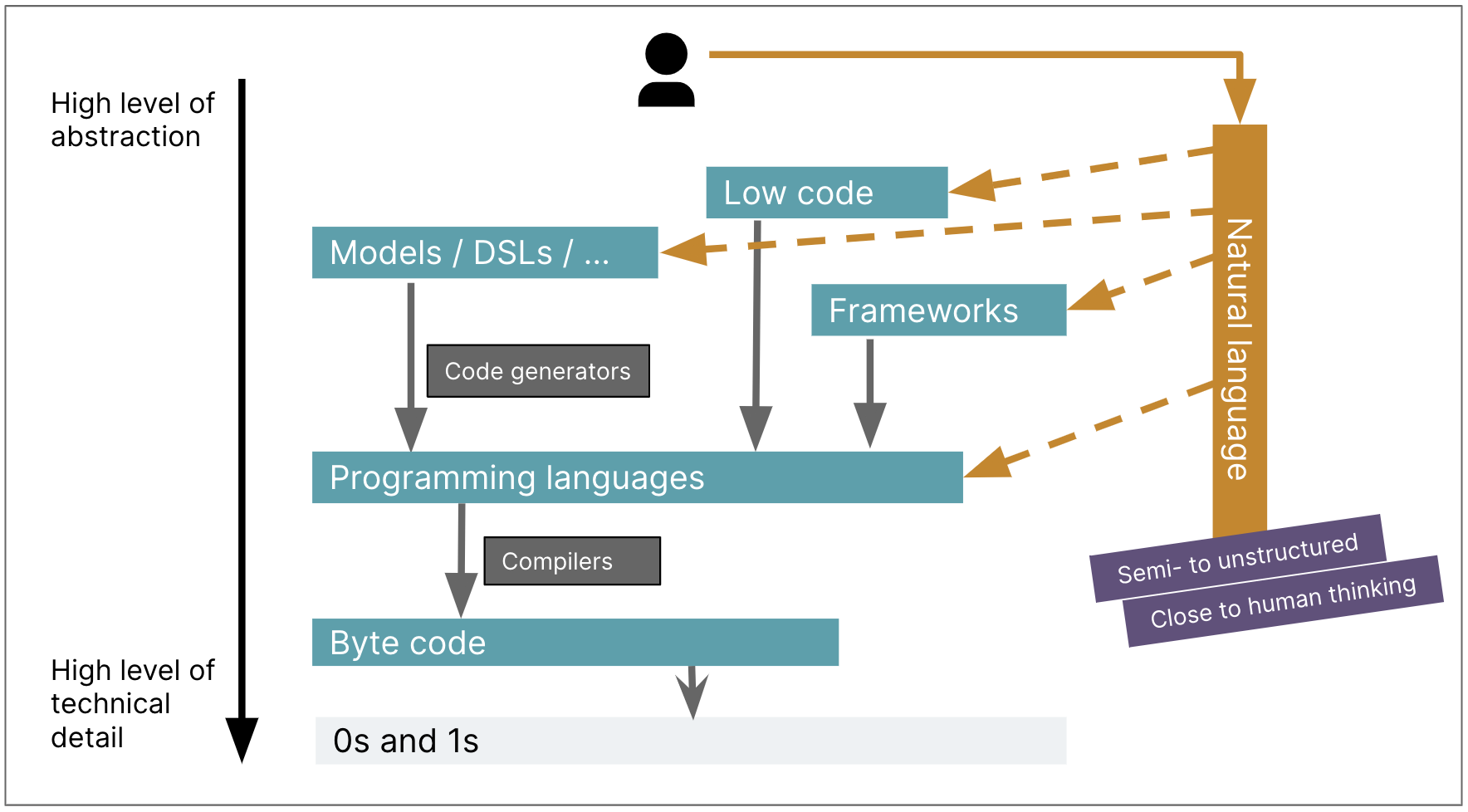
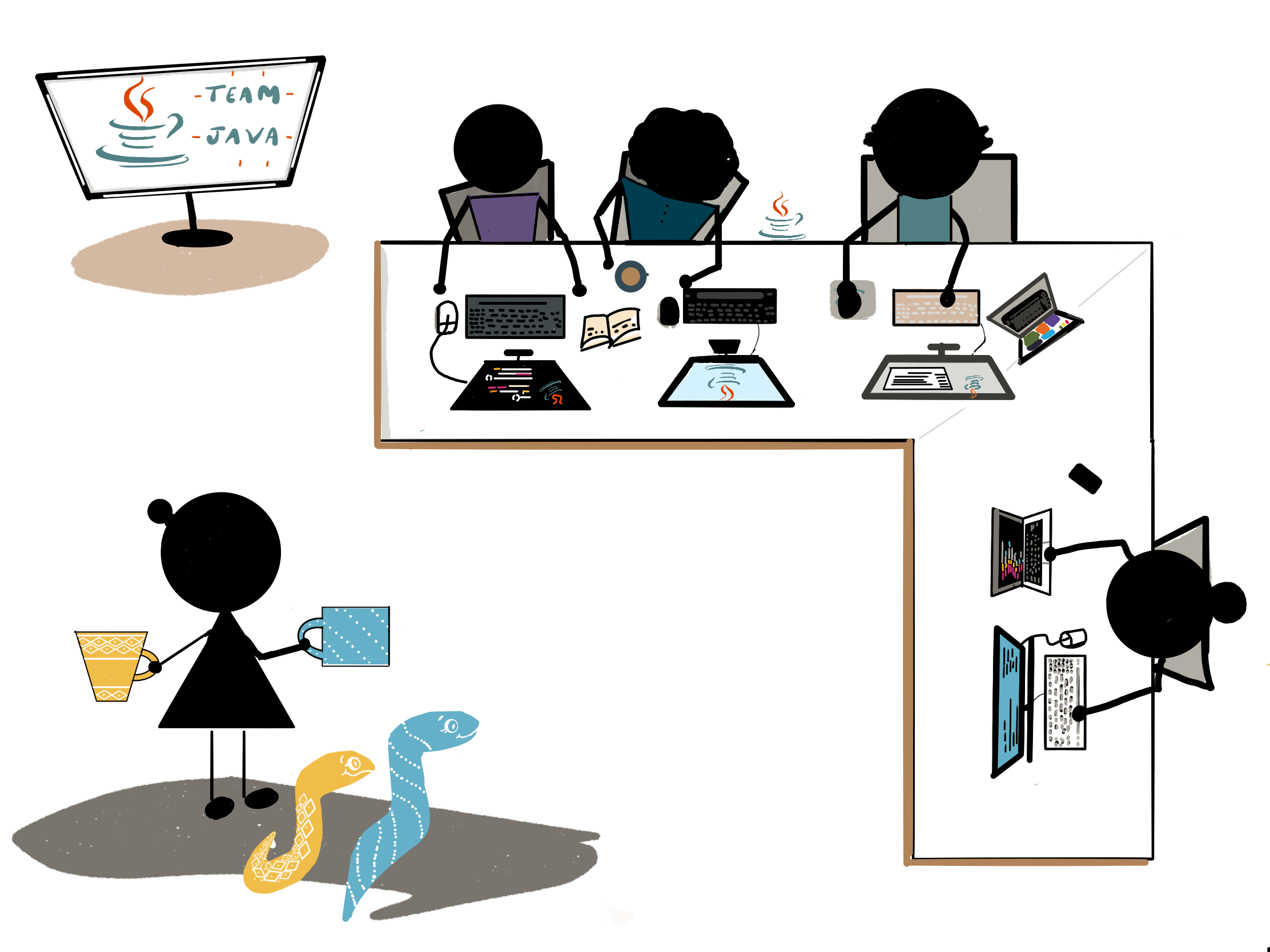
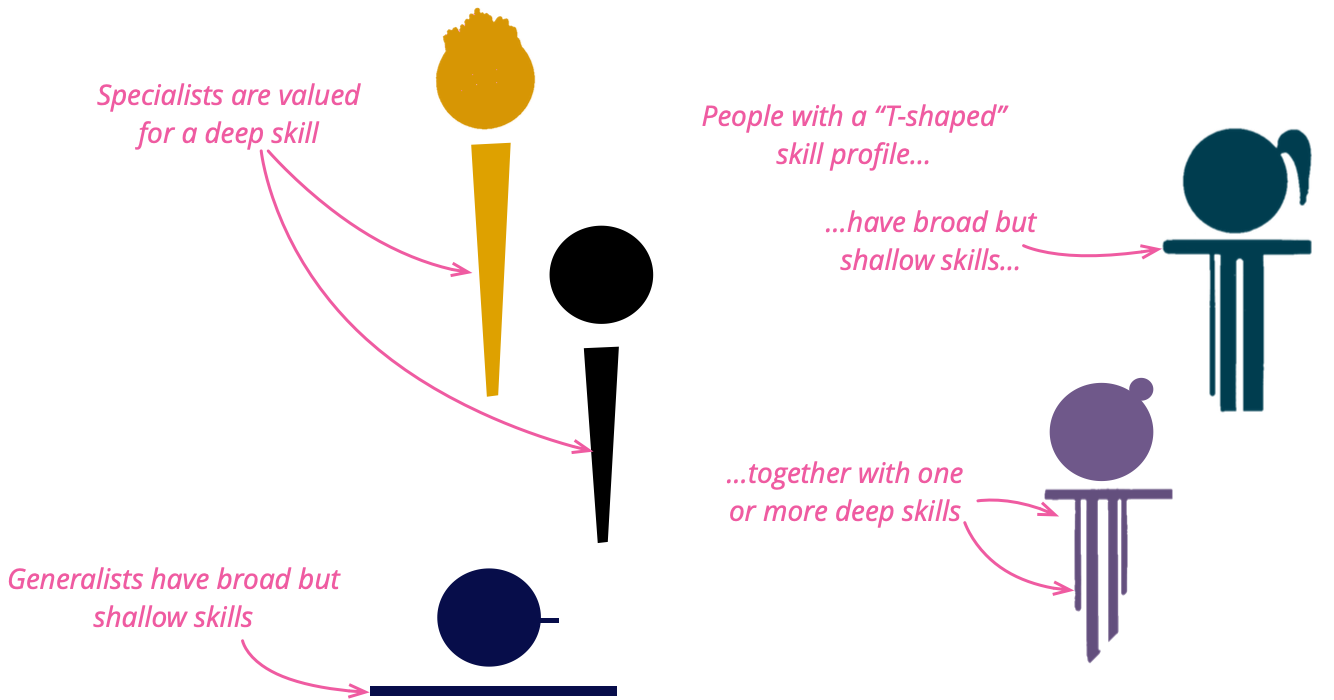
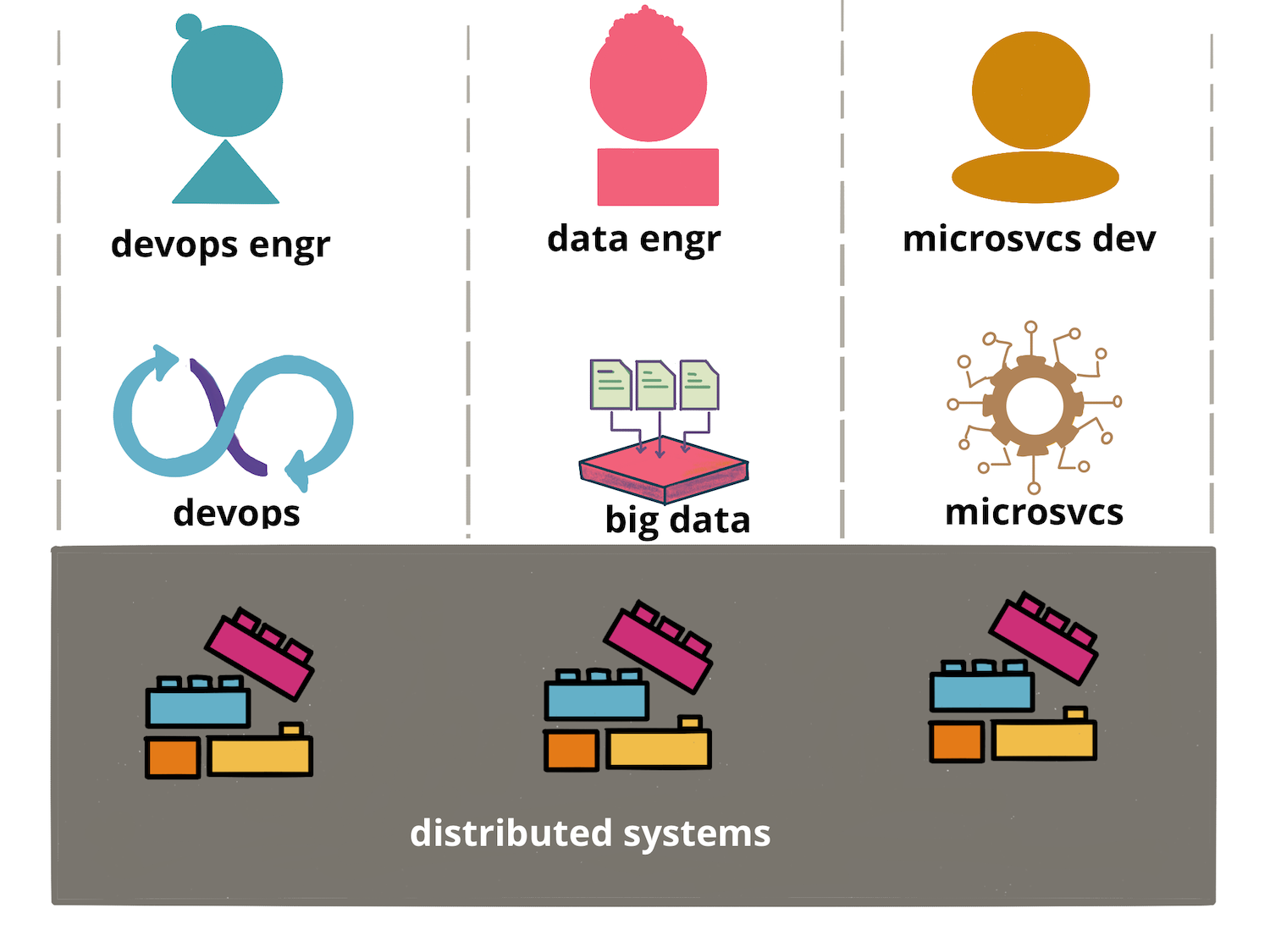
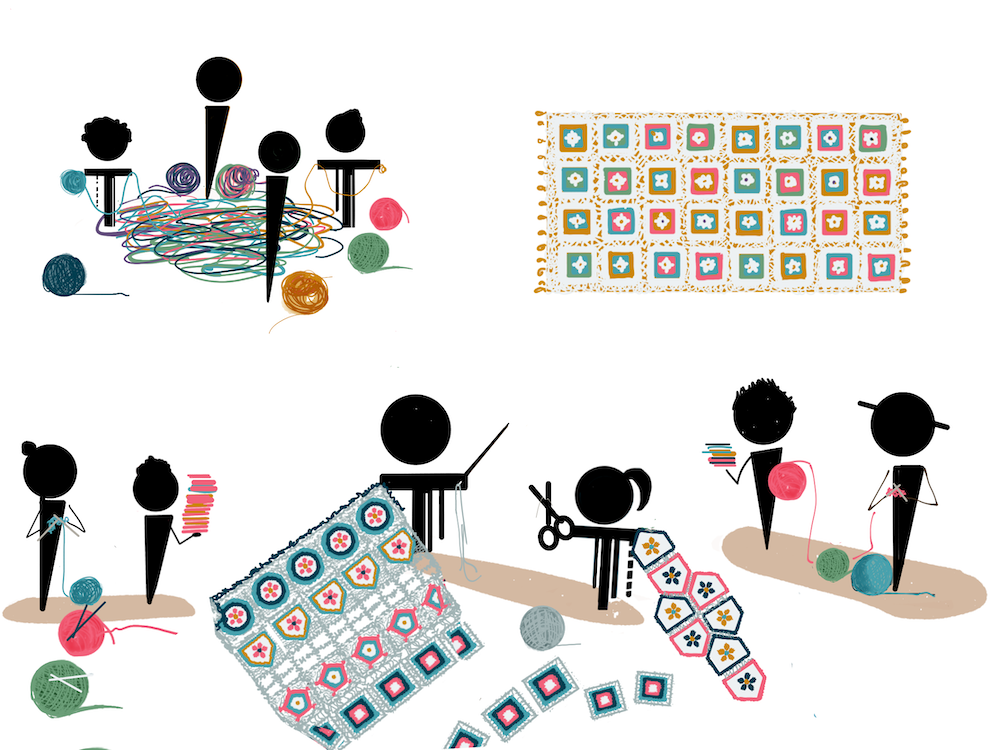
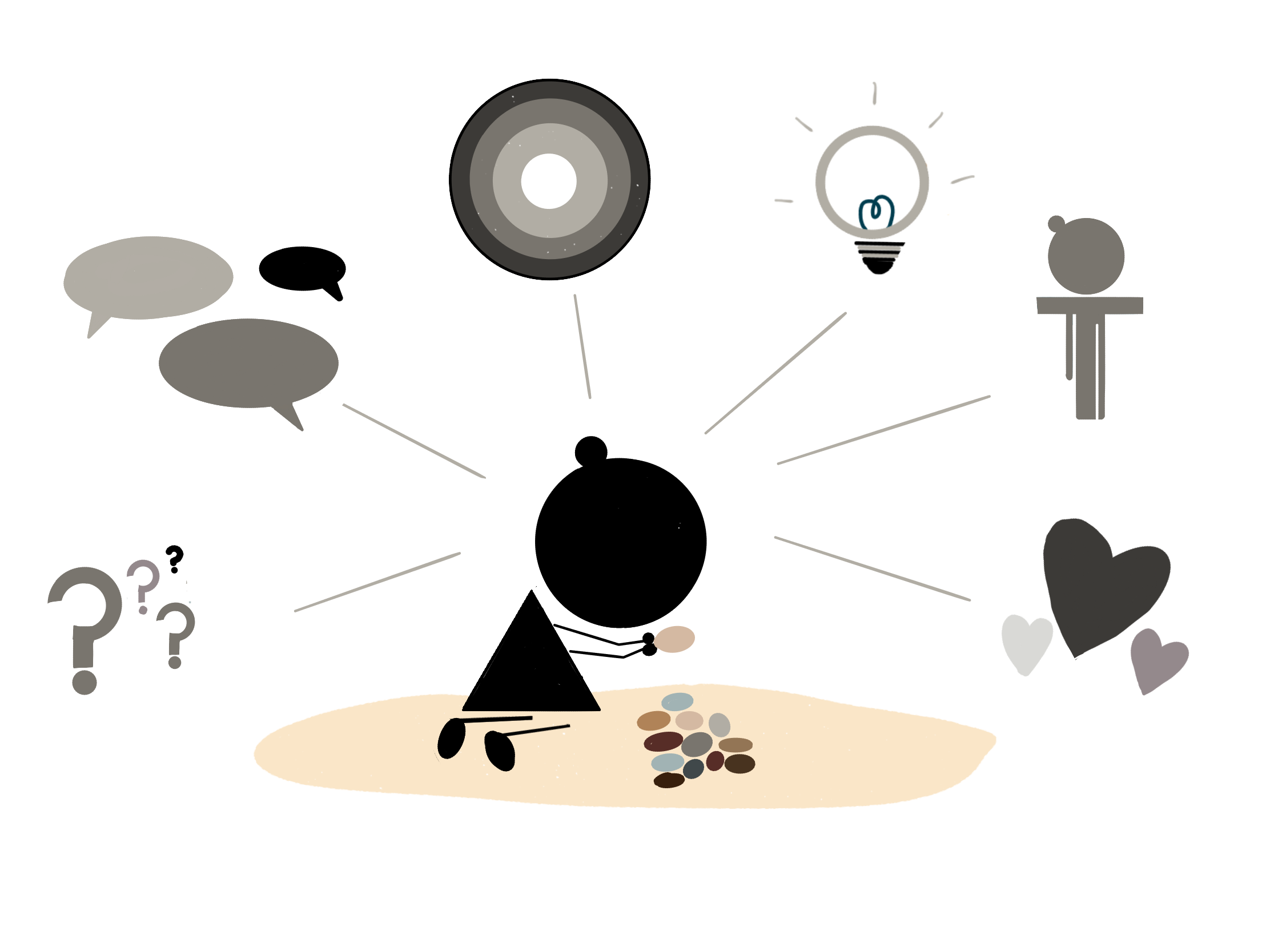






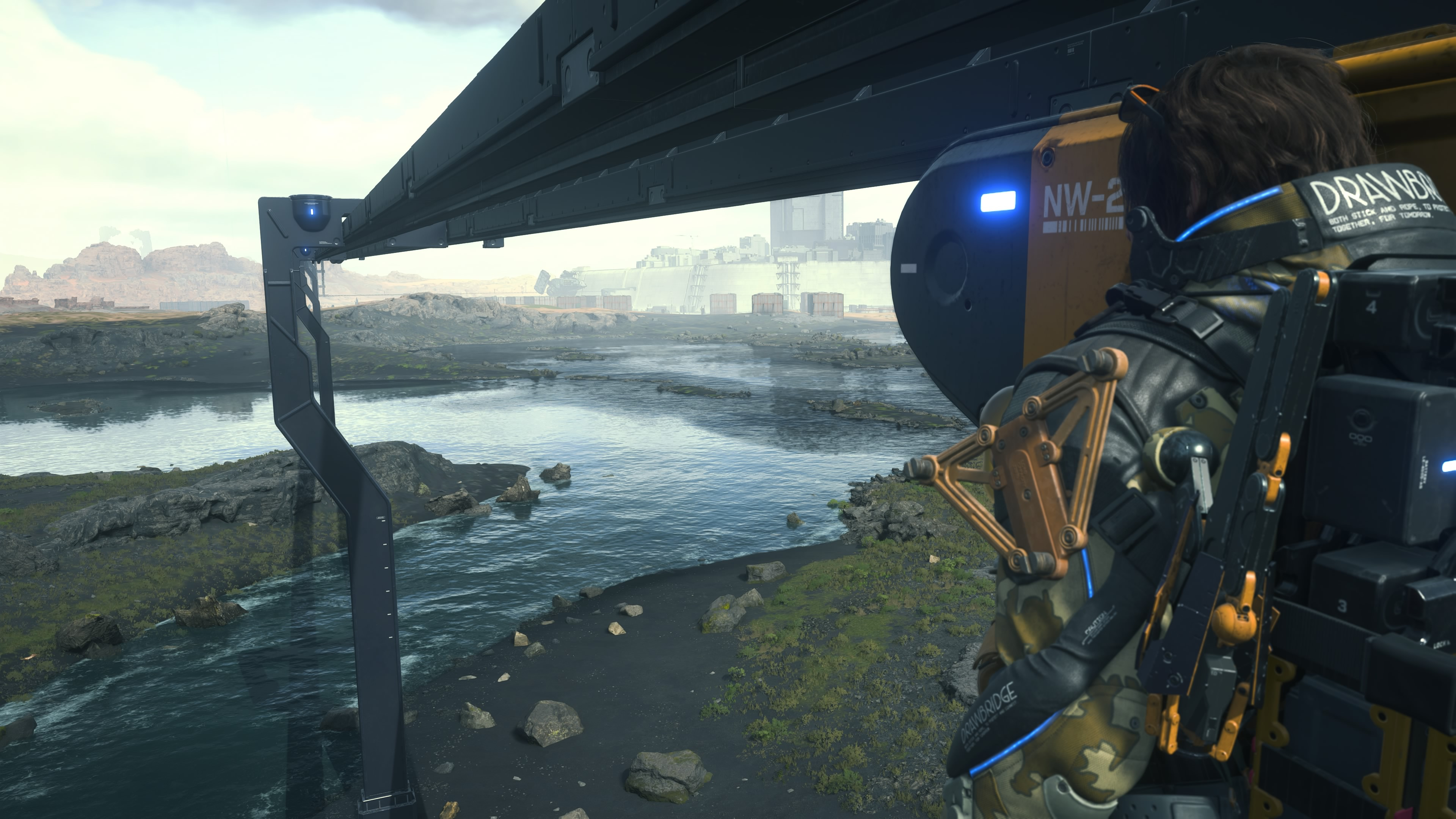



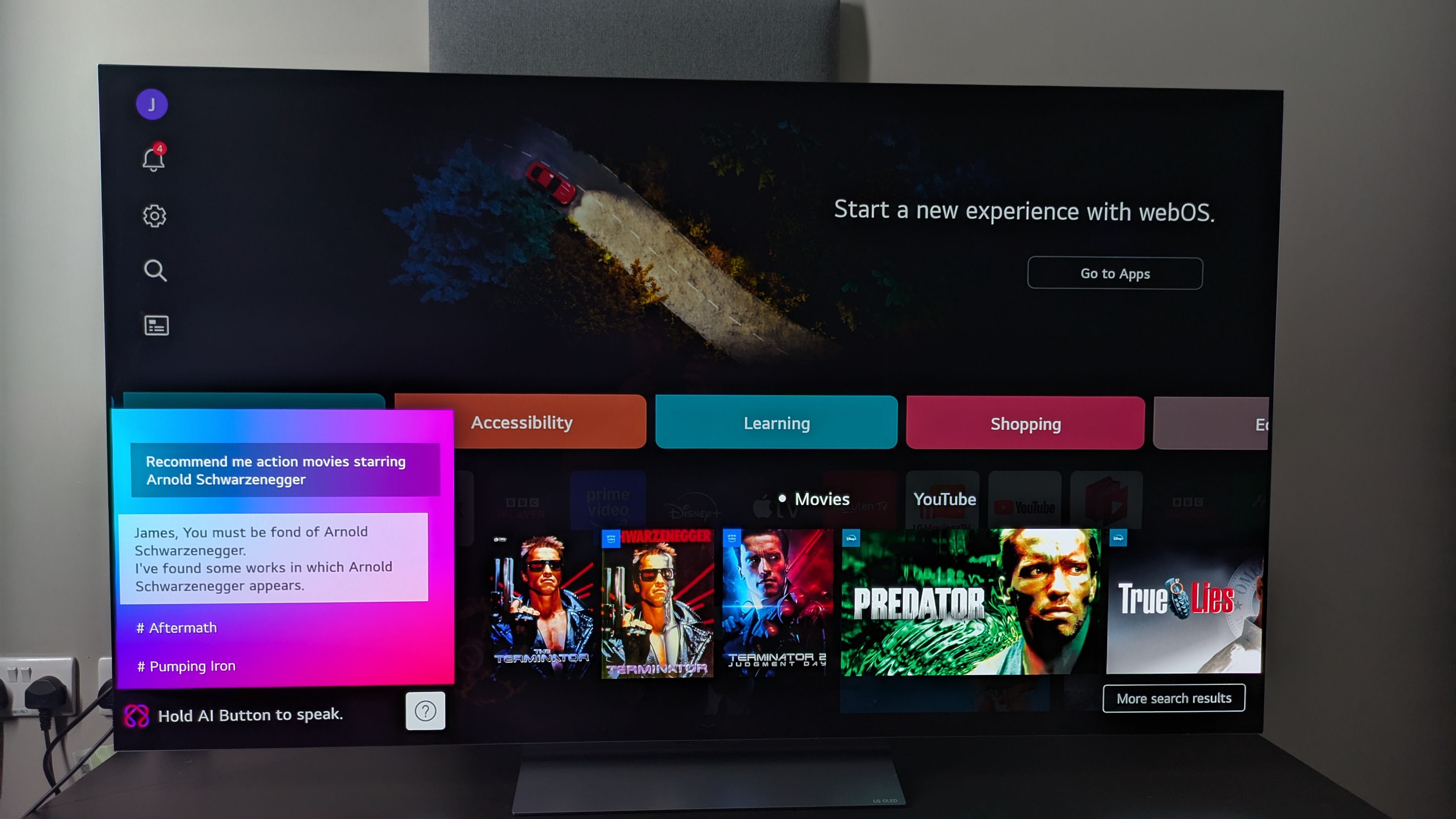
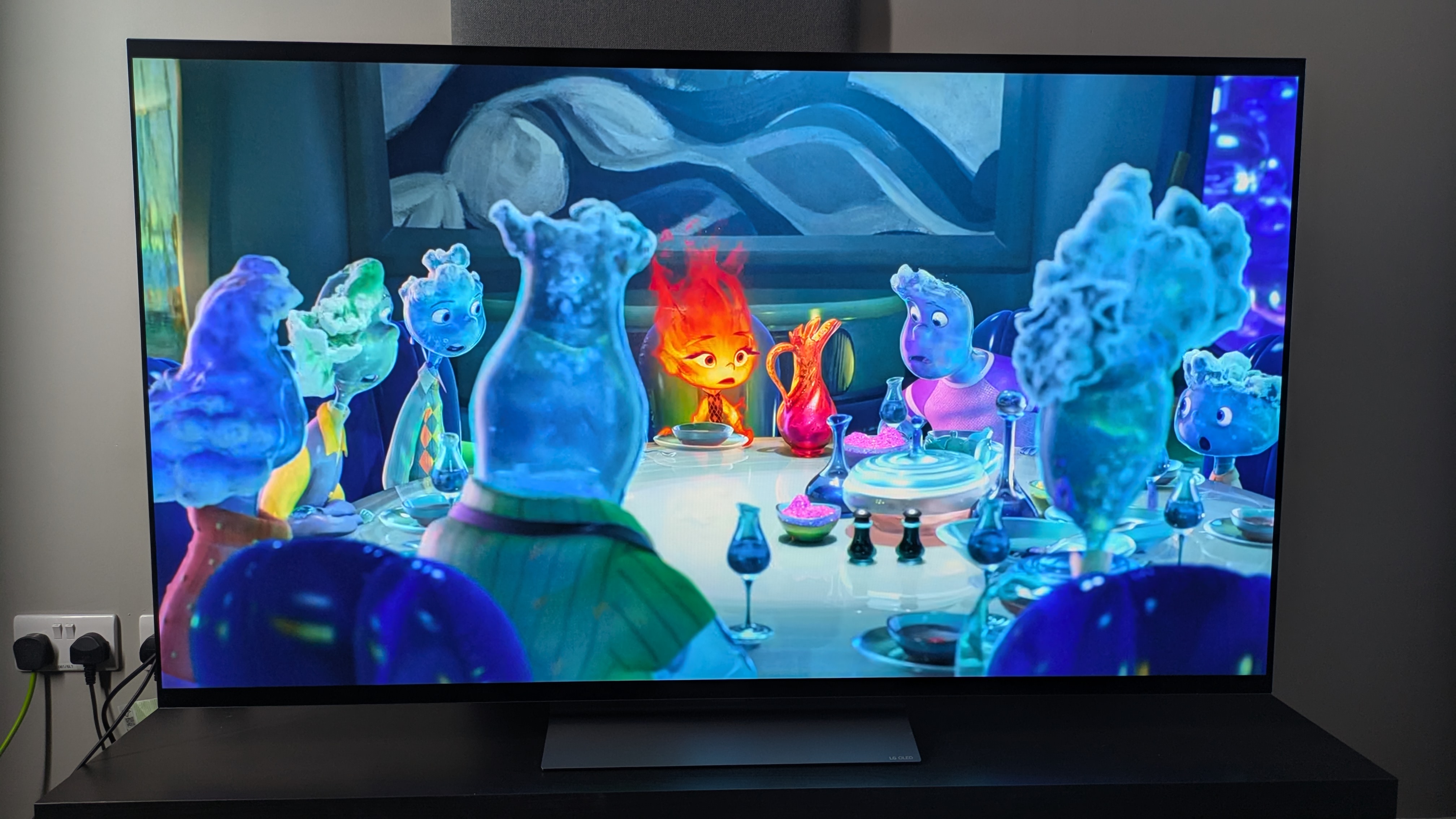
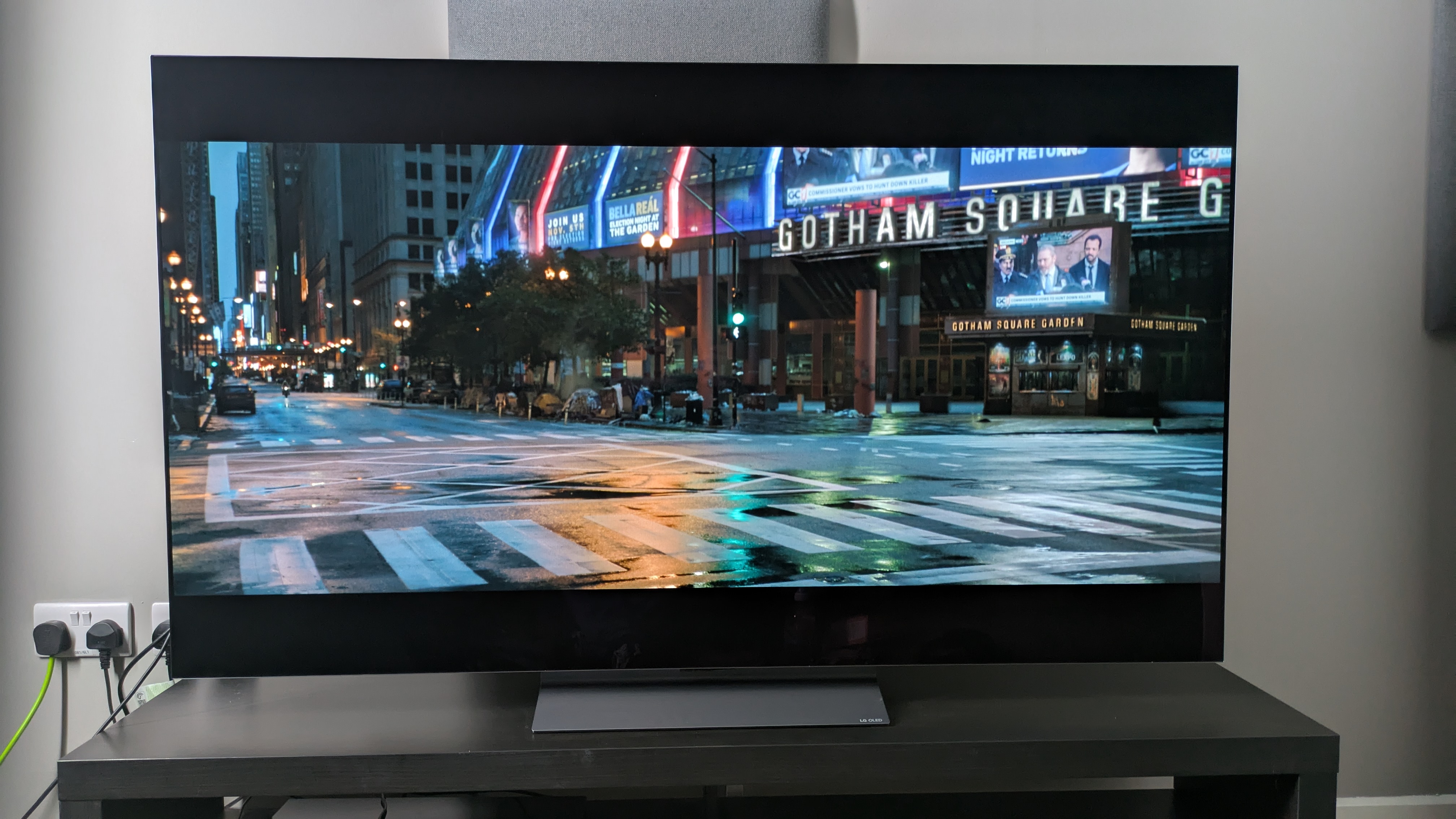
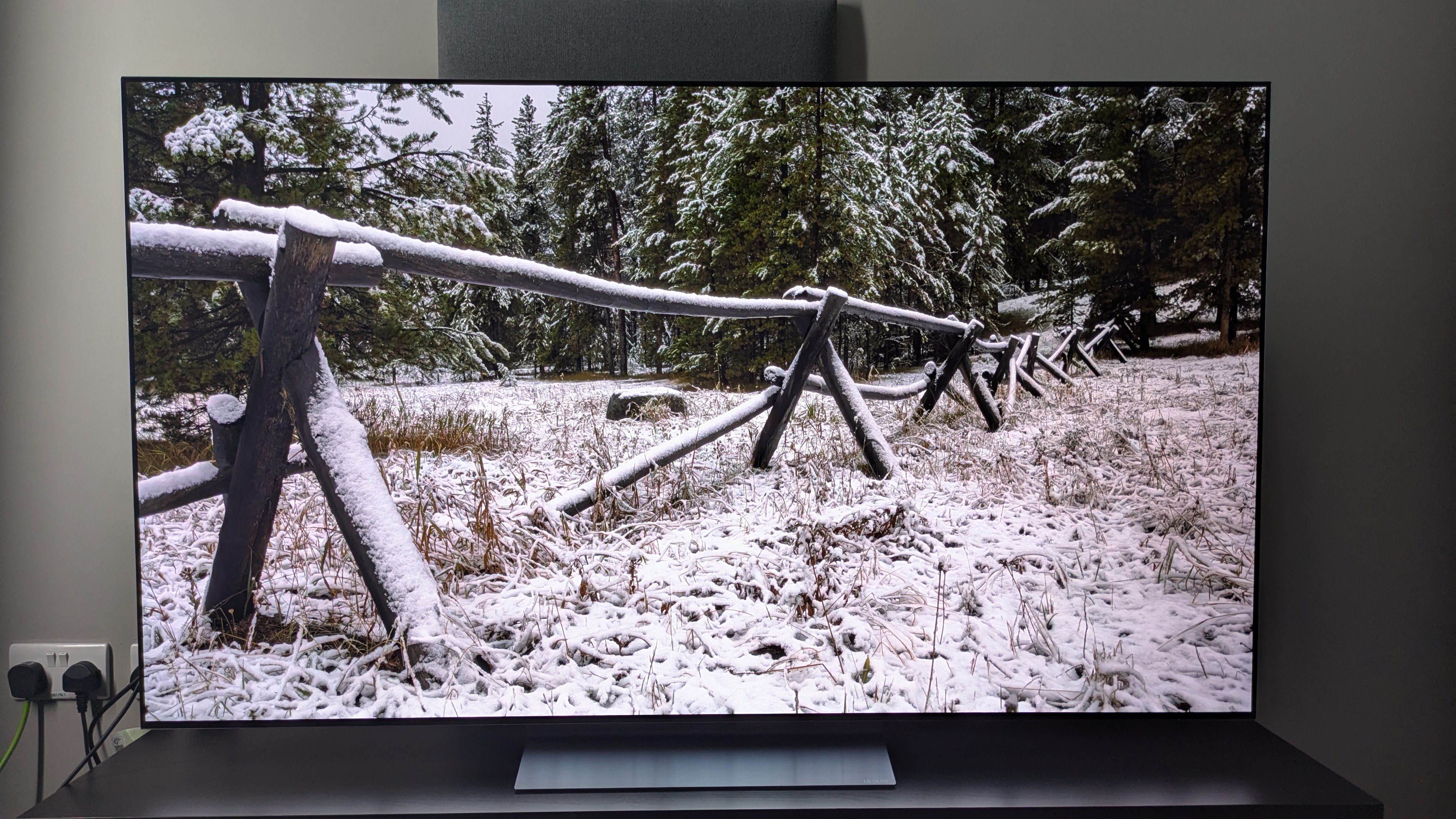
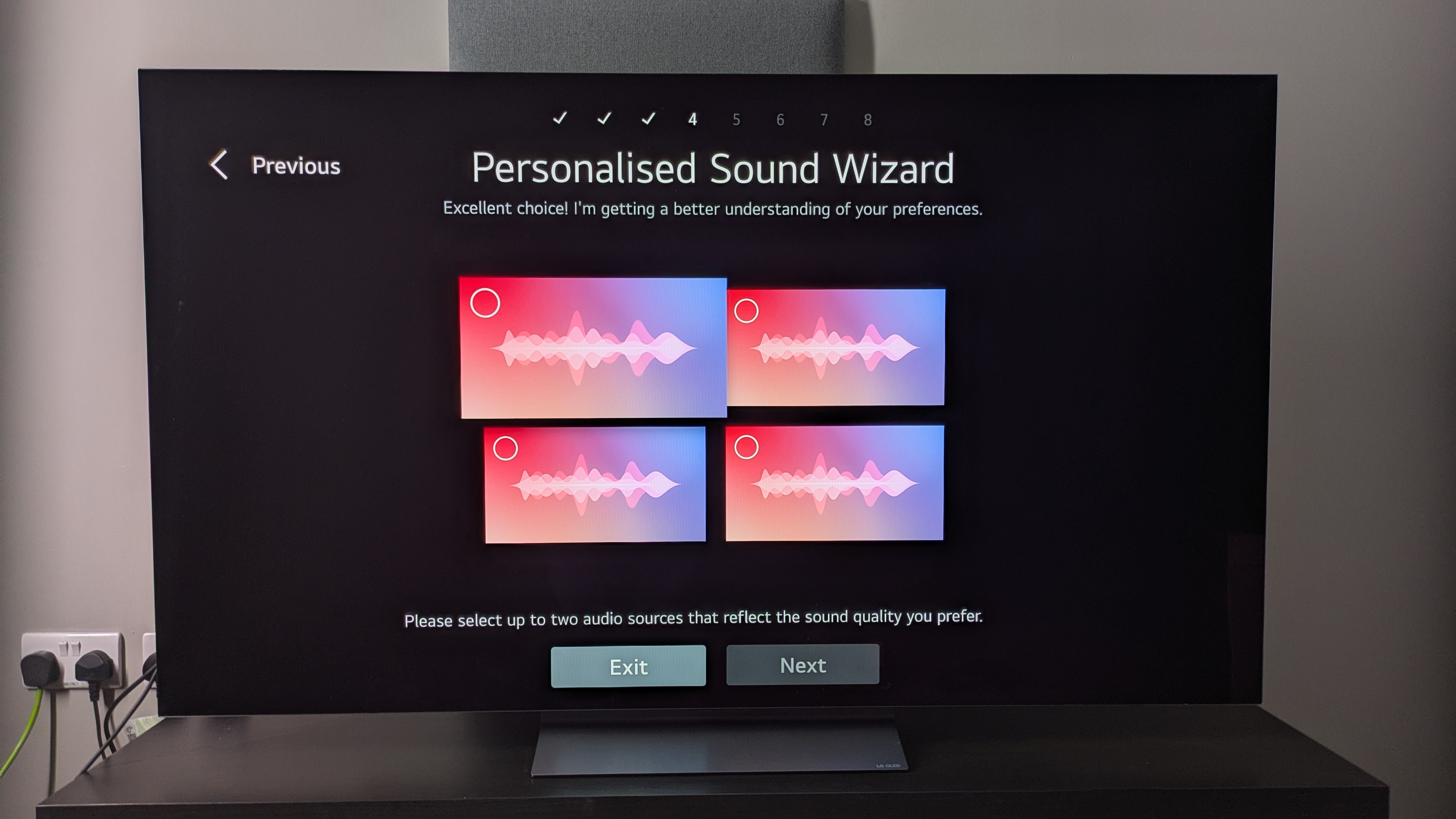
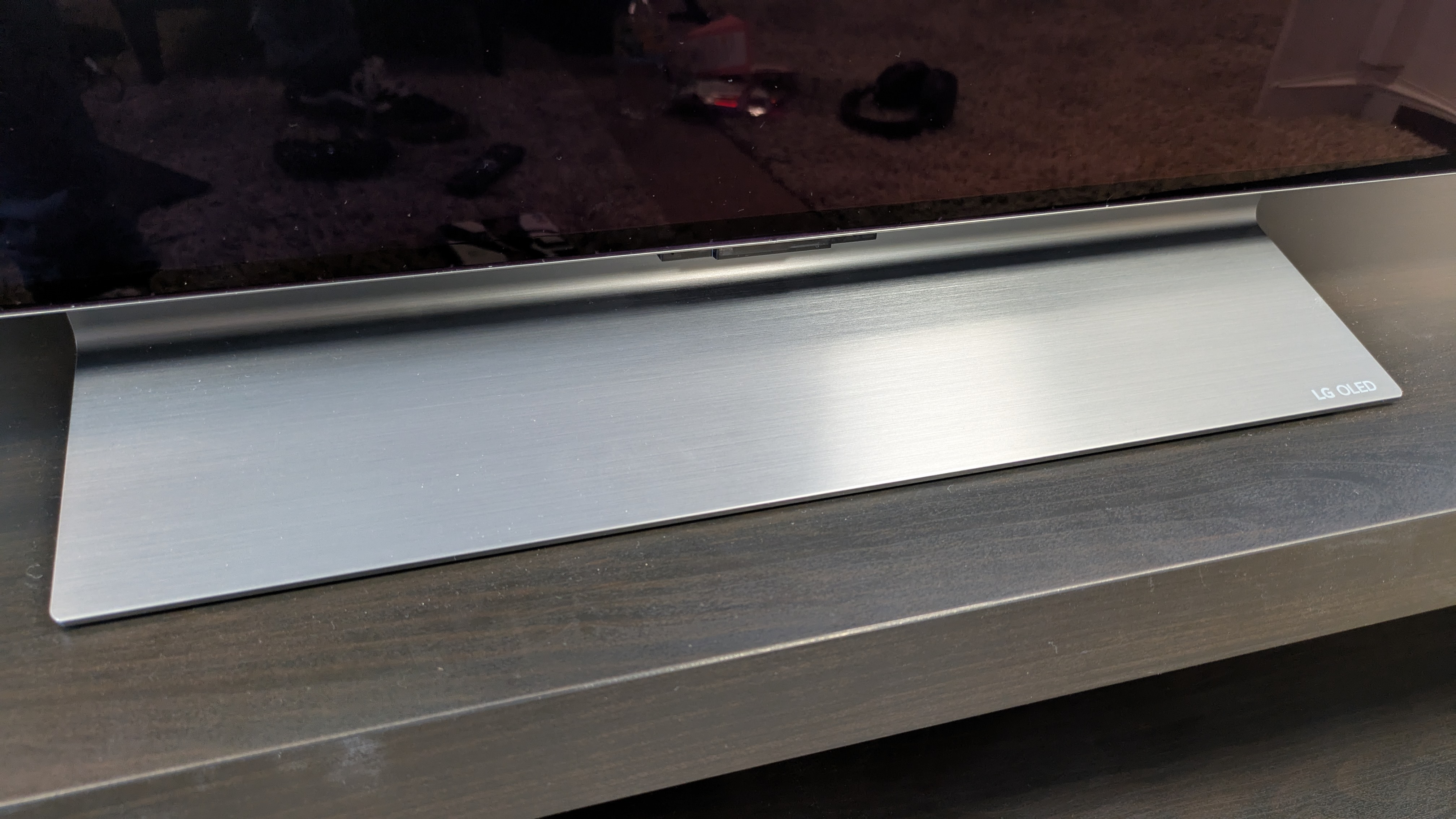
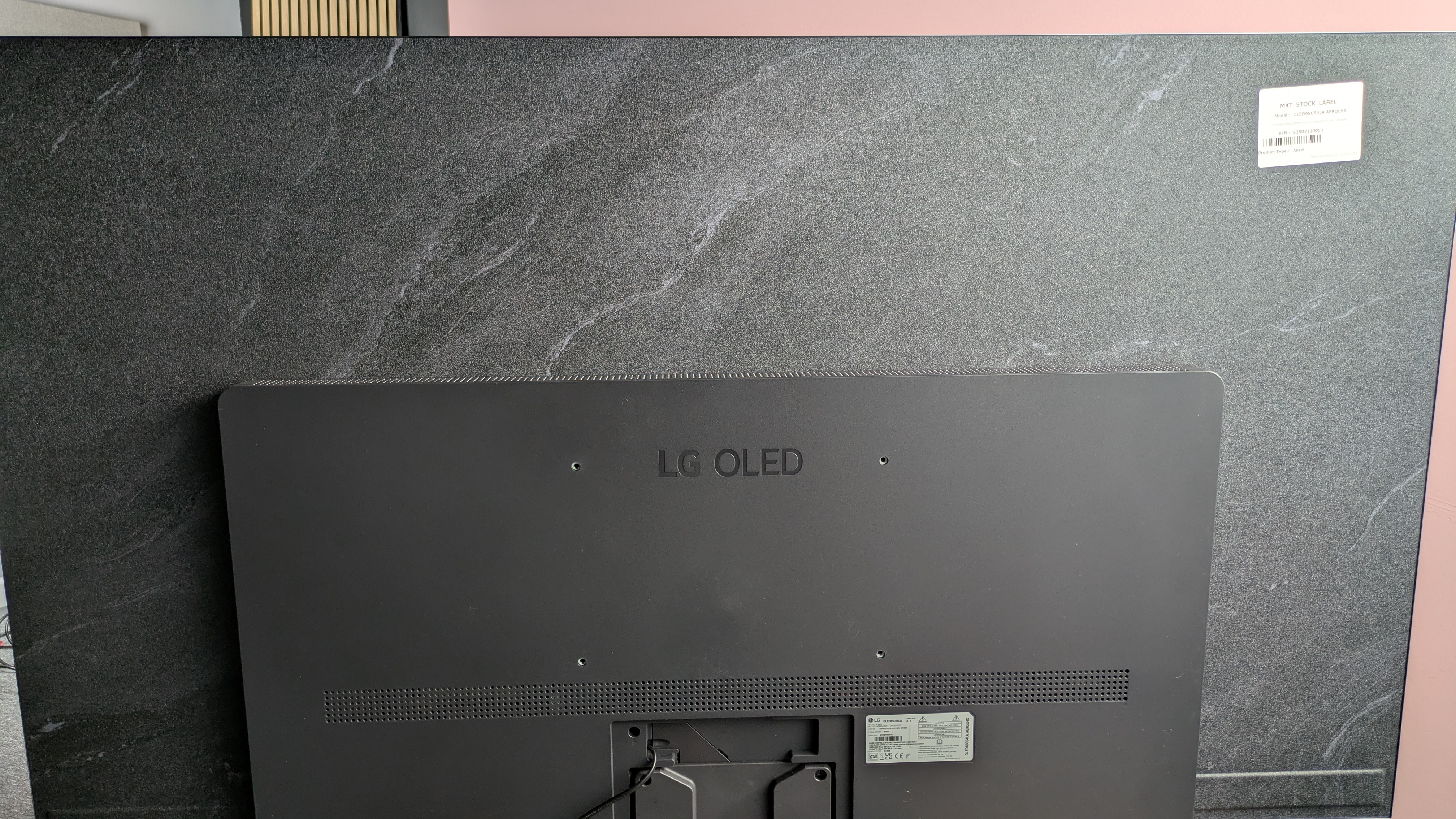
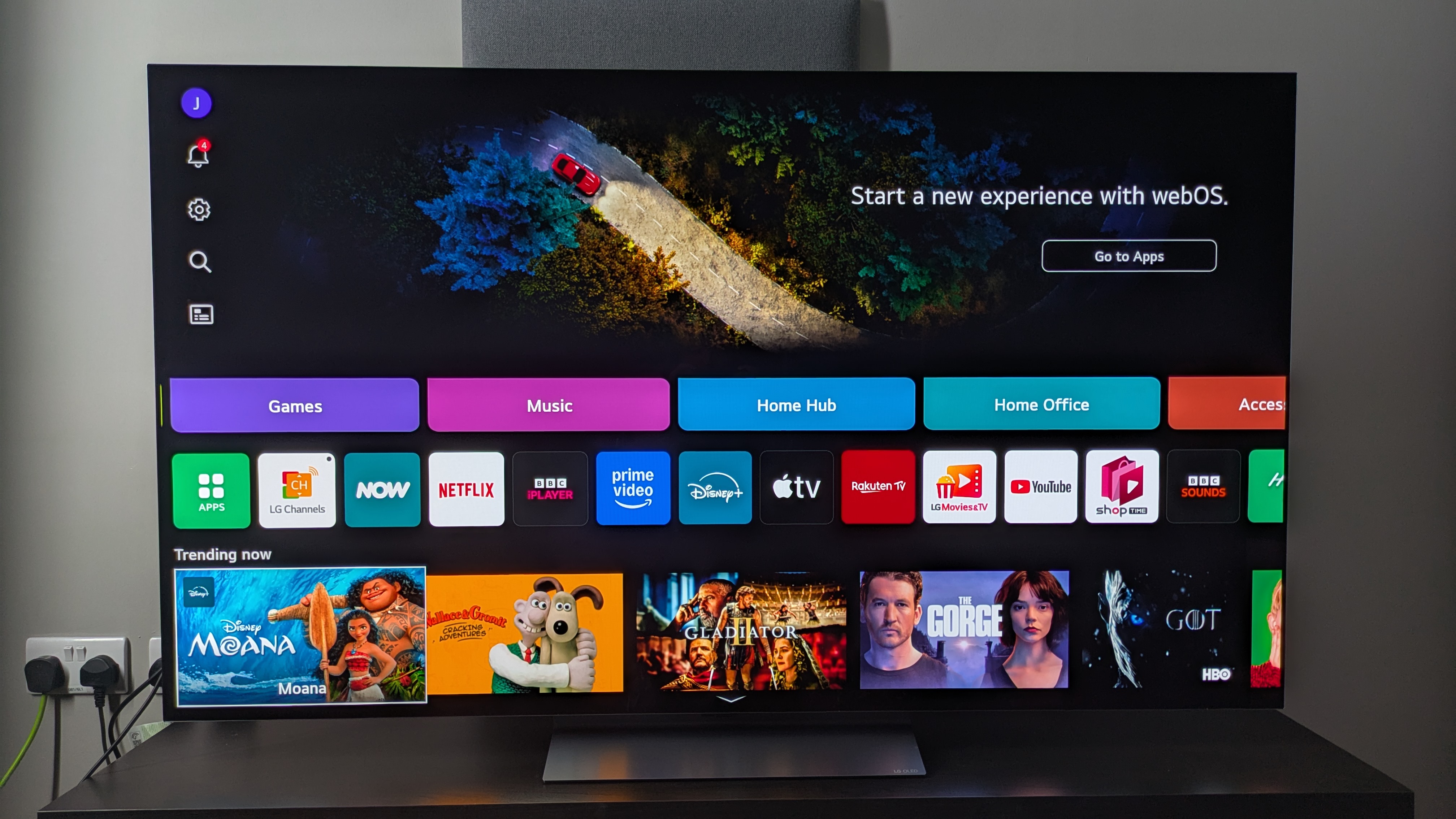
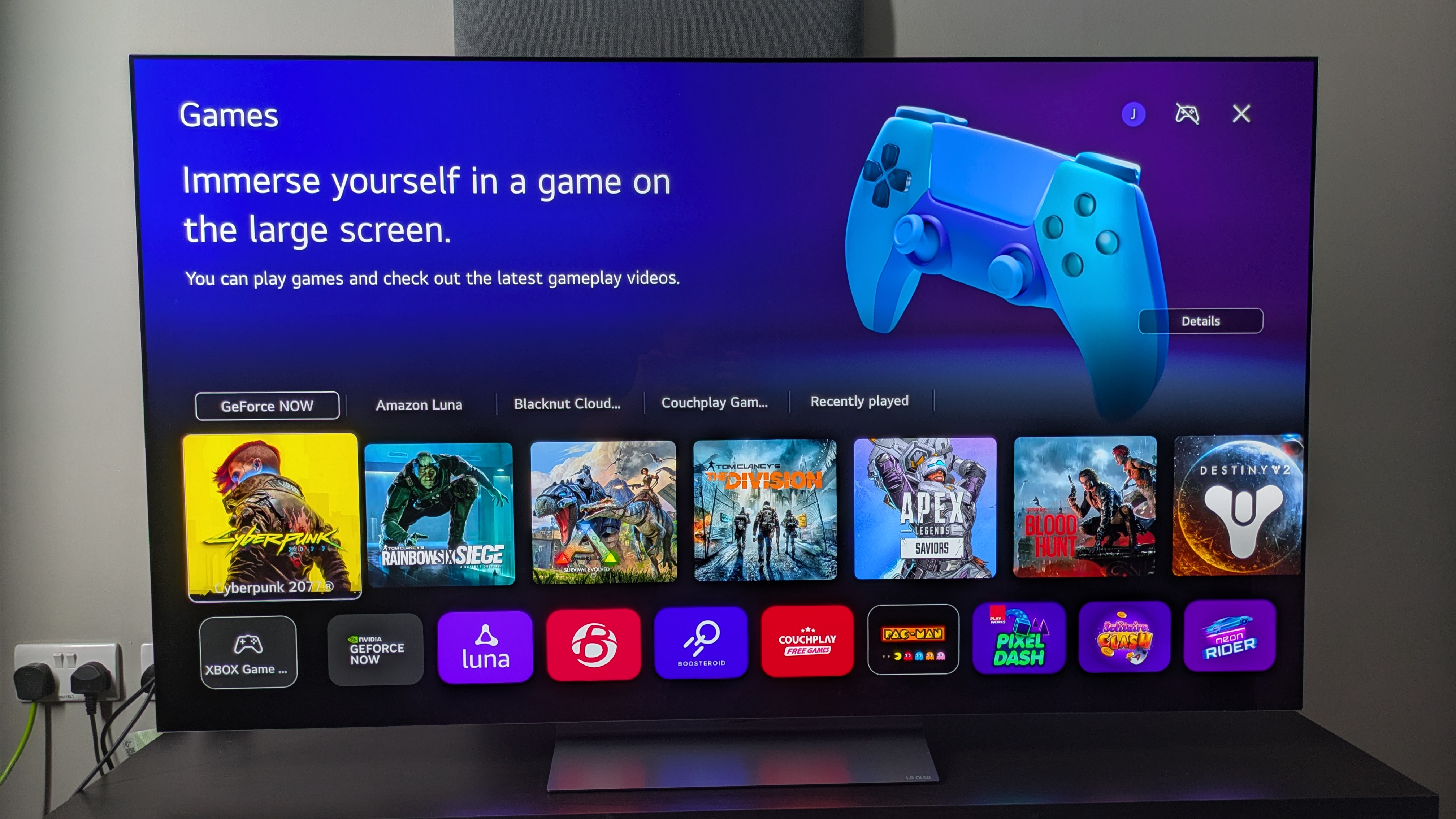
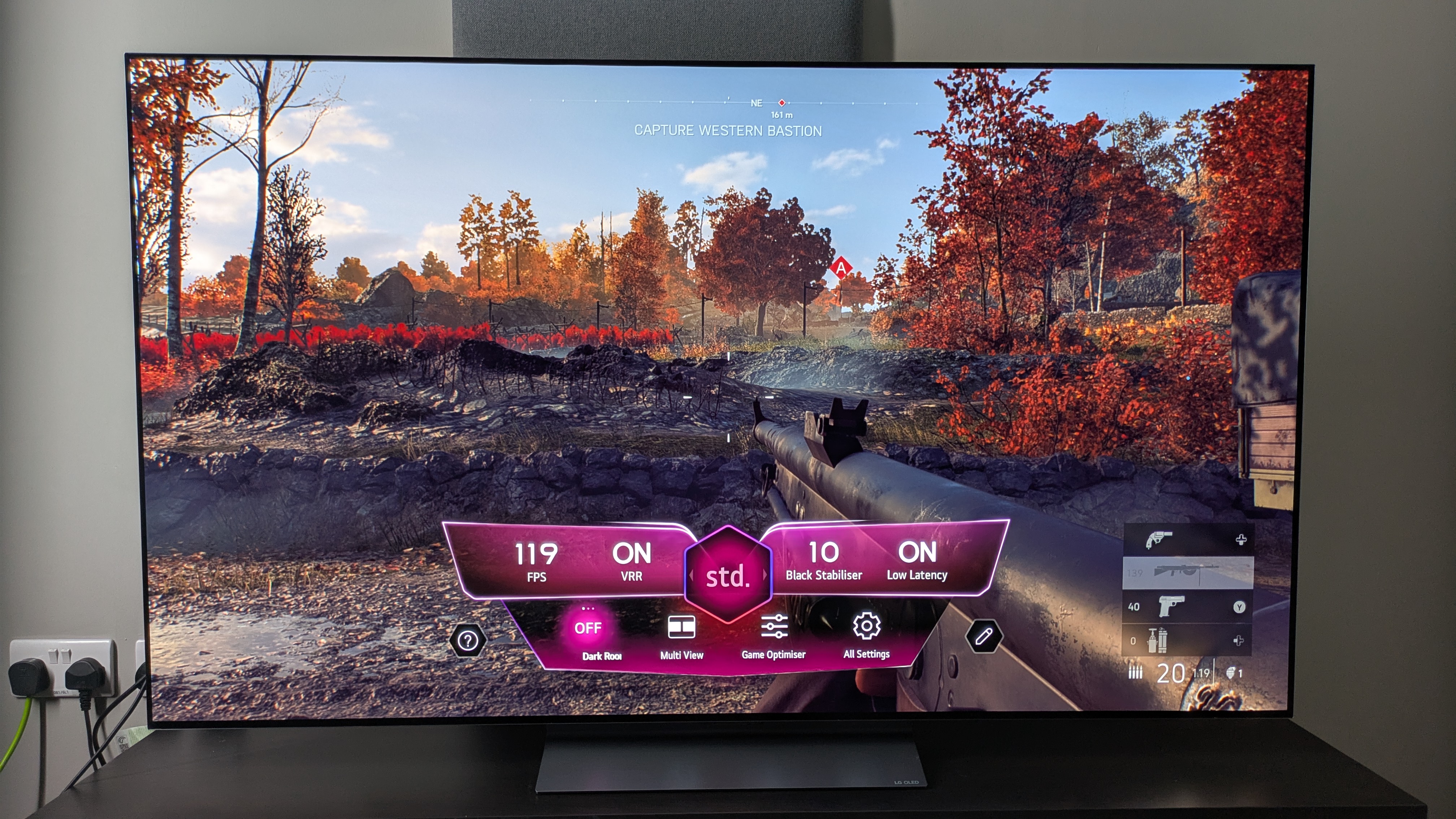
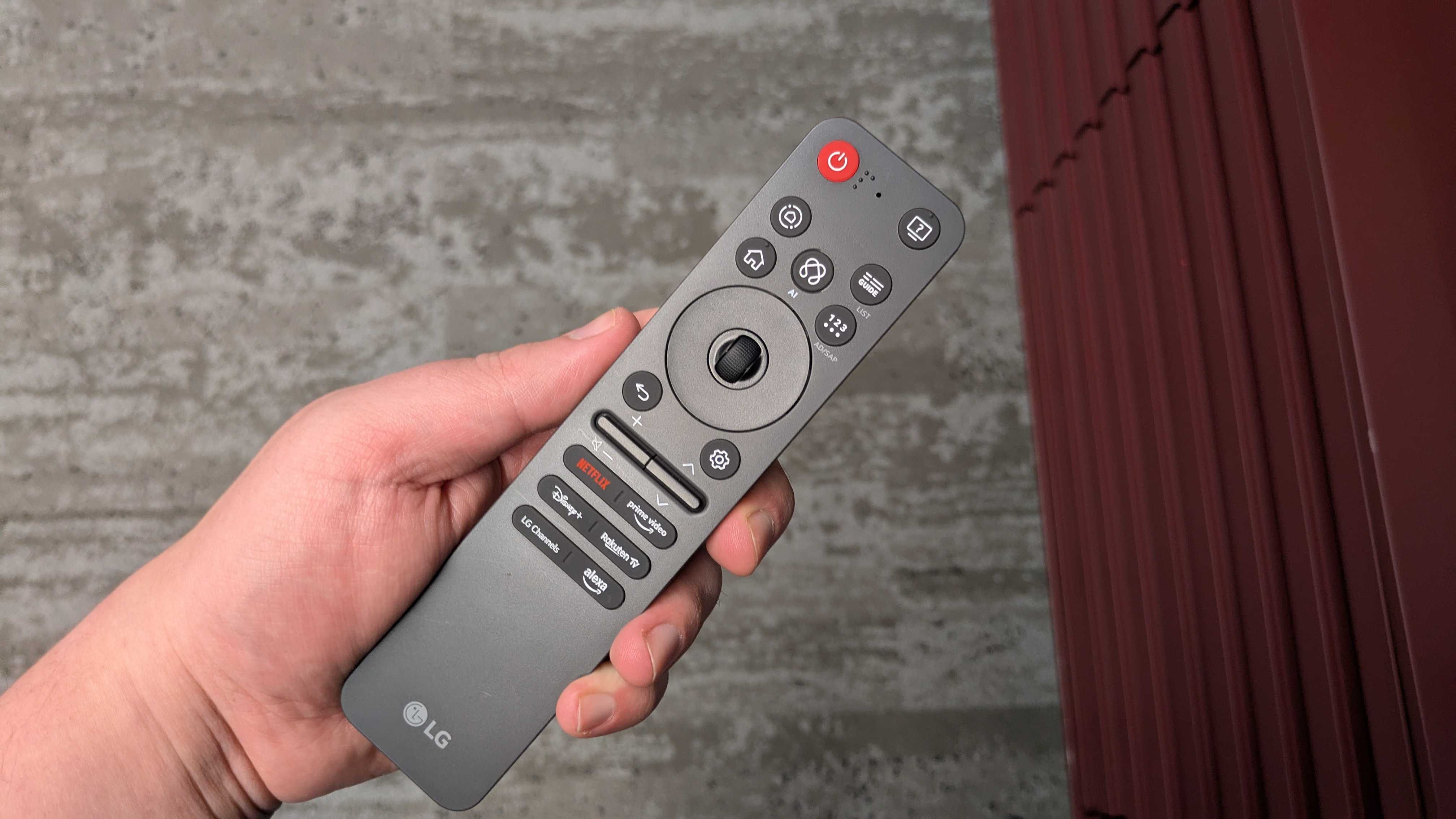
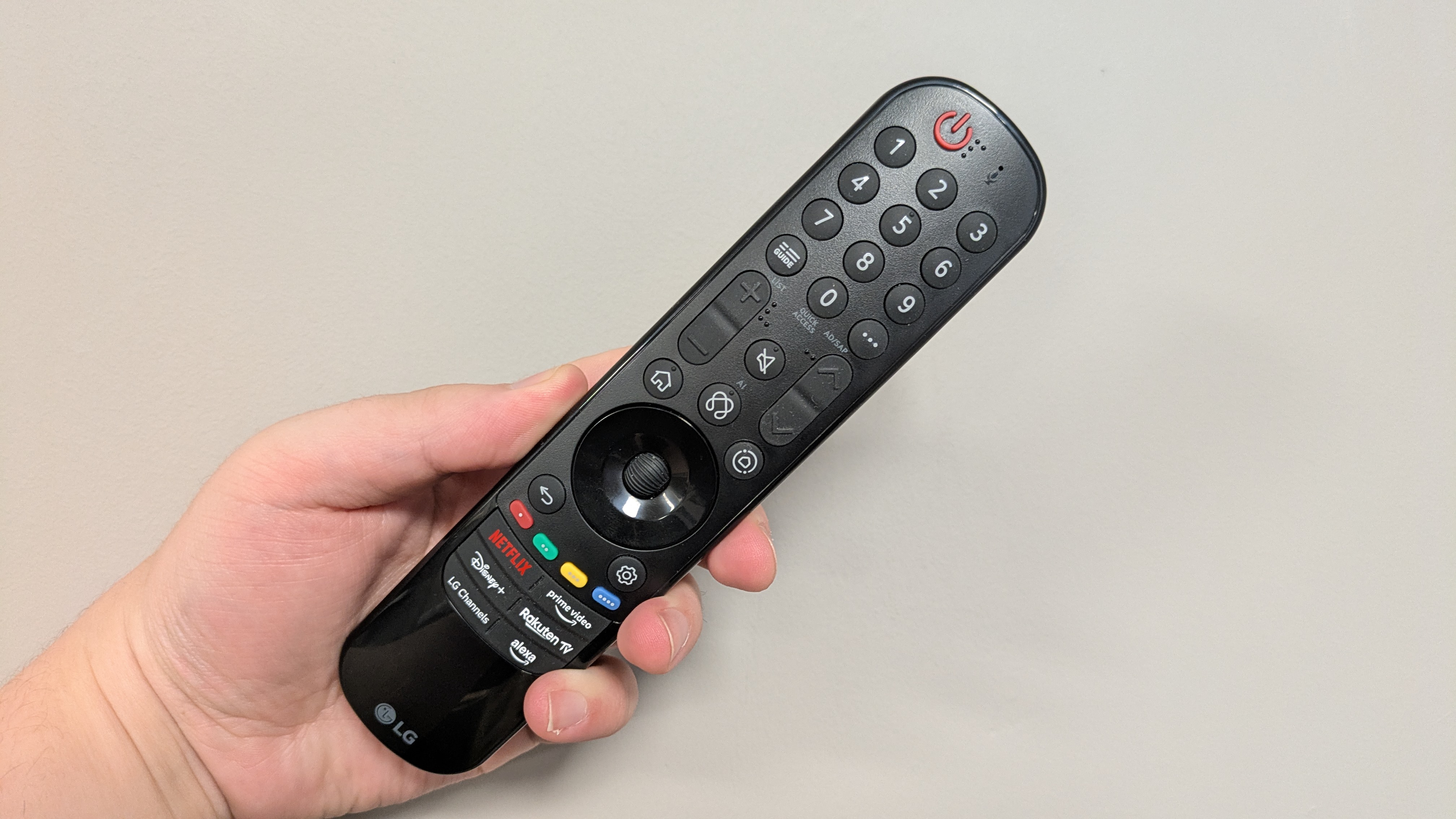
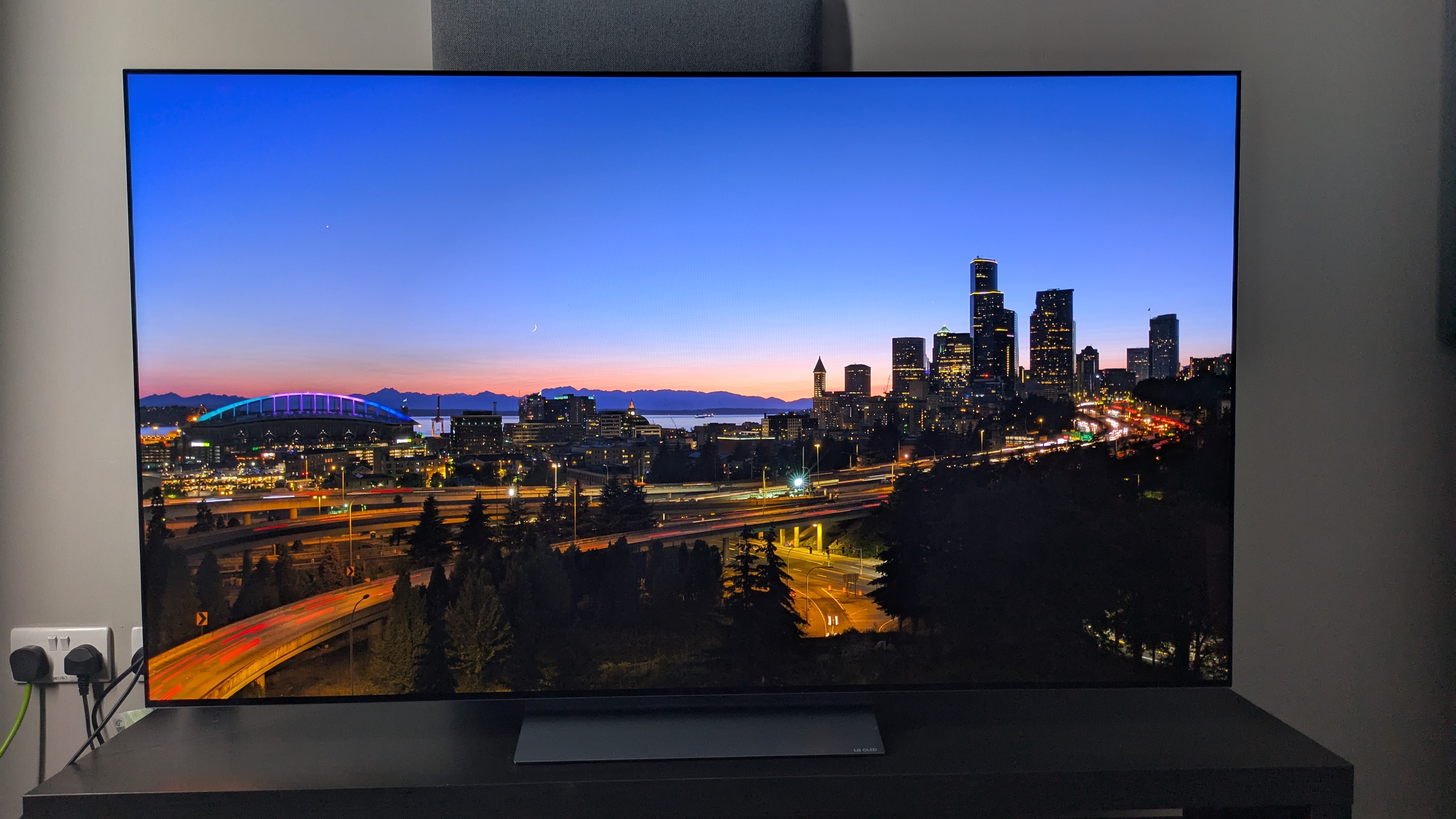


 “Accessible UX Research stands as a vital and necessary resource. In addressing disability at the User Experience Research layer, it helps to set an equal and equitable tone for products and features that resonates through the rest of the creation process. The book provides a solid framework for all aspects of conducting research efforts, including not only process considerations, but also importantly the mindset required to approach the work.
 “User research in accessibility is non-negotiable for actually meeting users’ needs, and this book is a critical piece in the puzzle of actually doing and integrating that research into accessibility work day to day.”
 “Our decisions as developers and designers are often based on recommendations, assumptions, and biases. Usually, this doesn’t work, because checking off lists or working solely from our own perspective can never truly represent the depth of human experience. Michele’s book provides you with the strategies you need to conduct UX research with diverse groups of people, challenge your assumptions, and create truly great products.”
 “This book is a vital resource on inclusive research. Michele Williams expertly breaks down key concepts, guiding readers through disability models, language, and etiquette. A strong focus on real-world application equips readers to conduct impactful, inclusive research sessions. By emphasizing diverse perspectives and proactive inclusion, the book makes a compelling case for accessibility as a core principle rather than an afterthought. It is a must-read for researchers, product-makers, and advocates!”